AI website builders have quietly turned into full‑stack co‑pilots for anyone who wants a professional website without learning to code. Tools like Wix ADI, Squarespace, Framer, 10Web, Durable, Hostinger and Dorik can take a few prompts about your business and transform them into fast, mobile‑ready sites with on‑brand copy, images, and even basic SEO taken care of. Instead of wrestling with templates, plugins and hosting, you answer a few questions, review what the AI creates, and spend your time refining your message and offers making modern web design less about technical skills and more about clarity of ideas.
1. Wix ADI

Wix’s AI Website Builder (ADI) asks a few questions about your brand and instantly generates a multi‑page site with relevant sections, images and copy. It sits on top of the full Wix ecosystem, so you can start with AI and then fine‑tune everything using the classic drag‑and‑drop editor and 900+ templates.
Key features
● AI site generator that builds layout, navigation and initial content from a short questionnaire.
● Massive template and app marketplace for bookings, memberships, marketing and more.
● Built‑in SEO, analytics, blogging and e‑commerce support on higher‑tier plans.
Main strength
Wix ADI’s strength is its combination of “one‑click” AI generation with deep manual control, which makes it ideal if you want to start simple but grow into advanced design and e‑commerce later.
Major disadvantages
● Can feel heavy; too many options and apps may overwhelm beginners after the initial AI magic.
● Complex, widget‑heavy pages can be slower than leaner builders if not optimized.
Best use case
Wix ADI fits solo founders and growing small businesses that want fast AI setup today but expect to add bookings, payments, memberships or advanced design customization as they scale.
Wix ADI pricing (core website plans)
| Wix plan | Monthly price (approx.) | Highlights |
| Light | $16/month | Connect domain, remove ads, 2 GB storage |
| Core | $27/month | Free domain 1 year, 50 GB storage |
| Business | $32/month | Accept payments, e‑commerce features |
2. Squarespace
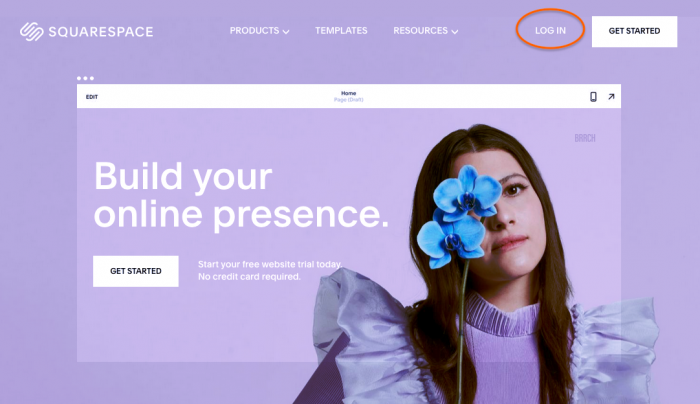
Squarespace adds AI assistance on top of its well‑known, polished templates, helping you generate page sections, copy and layouts that stay on‑brand. It is particularly strong for visually driven brands like photographers, coaches, studios who want something that “just looks good” with minimal tweaking.
Key features
● Designer‑grade templates with responsive design and strong typography baked in.
● AI‑assisted layout and content suggestions for faster page building.
● Integrated blogging, scheduling, memberships and e‑commerce in higher plans.
Main strength
Squarespace’s strength is its consistently beautiful design system—AI outputs tend to look polished with minimal edits, which reduces the time from draft to launch.
Major disadvantages
● AI site output can be somewhat generic; serious brands will still need manual refinement.
● No permanent free plan, and pricing is slightly above some budget competitors.
Best use case
Ideal for creatives, consultants and small boutiques who care more about aesthetics and simplicity than extreme customization or complex app ecosystems.
Squarespace pricing
| Plan | Monthly price (annual billing) | Typical use |
| Basic | $16/month | Simple sites, portfolios |
| Core | $23/month | Analytics, growing businesses |
| Plus | $39/month | Larger stores and operations |
| Advanced | $99/month | High‑volume commerce, storage |
3. Framer AI
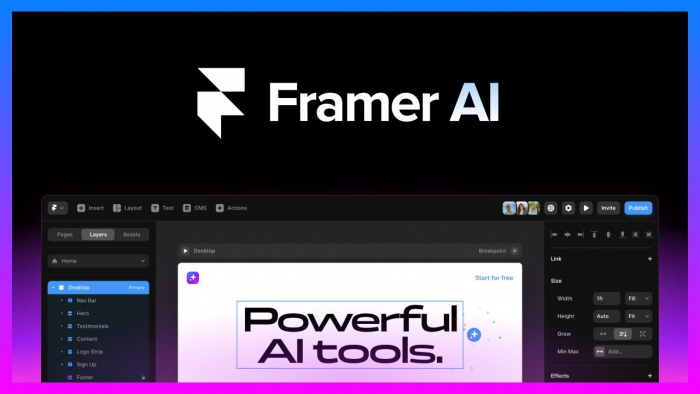
Framer started as a design and prototyping tool and evolved into a full AI‑powered website builder aimed at designers, startups and product teams. Its AI can generate landing pages in seconds, then you refine them with a canvas‑style editor that feels familiar to Figma users.
Key features
● AI‑powered layout and section generation for landing pages and marketing sites.
● Visual canvas editor with component‑based design and built‑in CMS.
● Fast hosting, SEO tools and analytics, plus support for multiple locales on higher tiers.
Main strength
Framer’s strength is design fidelity—AI‑generated pages look like custom agency work and are easy to tweak at a granular level, which appeals to design‑savvy teams.
Major disadvantages
● Learning curve is steeper if you have never used design tools like Figma or Webflow.
● Overkill for simple brochure sites; you pay for power you might not use.
Best use case
Best suited for SaaS startups, product launches and marketing teams that iterate on landing pages frequently and care deeply about micro‑interactions and layout precision.
Framer website pricing (annual billing)
| Plan | Monthly price | Designed for |
| Free | $0 | Testing, prototypes, learning |
| Basic | $10/month | Personal and small sites |
| Pro | $30/month | Growing professional projects |
| Scale | $100/month+ | High‑traffic, advanced features |
4. 10Web AI
10Web is a WordPress‑based AI website builder: it uses AI to create a full site and then hosts it on an optimized Google Cloud infrastructure with performance and SEO enhancements. It is particularly attractive for users who like WordPress flexibility but hate manual setup, theme hunting and performance tuning.
Key features
● AI converts text prompts or existing URLs into a WordPress site built with Elementor.
● Automated image optimization, caching and performance tweaks for high PageSpeed scores.
● AI for content rewrites and image generation, plus automated backups and security.
Main strength
10Web’s strength lies in combining AI speed with WordPress extensibility, making it easier to manage complex content sites and blogs without sacrificing performance.
Major disadvantages
● Still inherits WordPress complexity; plugins and Elementor add a learning layer.
● Agencies may find AI generation repetitive if building many similar sites.
Best use case
Great for bloggers, content‑heavy businesses and agencies that want AI setup but still need the plugin ecosystem and flexibility of WordPress.
10Web pricing (annual, per month)
| Plan | Price/month | Websites included | Notes |
| Personal | ~$10 | 1 | Basic AI site generation |
| Premium | $24 | 3 | More AI credits, resources |
| Agency | $60 | 10 | White‑label, client tools |
| Enterprise | $127 | Unlimited | Priority support, scaling |
5. Durable

Durable is an “AI business in a box” platform that builds a complete website, generates content, and bundles in CRM, invoicing and scheduling under one subscription. It focuses on service businesses like plumbers, coaches, freelancers who want to launch quickly and manage leads from a single place.
Key features
● One‑click AI website and copy generation tailored to your industry and location.
● Built‑in CRM, invoicing, appointment scheduling and basic marketing tools.
● Hosting, SSL and maintenance included, with no separate setup fees.
Main strength
Durable’s strength is its all‑in‑one approach: for one price you get website, AI content and essential business tools, drastically cutting tool sprawl and setup time.
Major disadvantages
● Design flexibility is more limited compared to Wix, Framer or WordPress‑based options.
● Best suited to simple service sites; complex content or large stores may outgrow it.
Best use case
Perfect for local service providers, solo professionals and early‑stage entrepreneurs who want a simple, done‑for‑you web presence with built‑in lead and client management.
Durable pricing (illustrative range)
| Plan type | Effective monthly range | What it typically includes |
| Standard tiers | ~$15–$30/month | AI site, hosting, SSL, basic CRM |
| Annual billing | ~$240–$300/year total | Discount vs monthly, same feature set |
6. Hostinger AI Website Builder

Hostinger pairs inexpensive hosting with a surprisingly capable AI website builder, plus AI content and image generation tools. It is widely recommended as a budget‑friendly starting point that still delivers solid performance and features for small business websites.
Key features
● AI site builder to generate a full site, plus AI writer and image tools in higher plans.
● Free domain on many plans, SSD hosting and built‑in security and backups.
● E‑commerce support and SEO assistance on Business and higher tiers.
Main strength
Hostinger’s strength is value for money: you get hosting, domain and AI tools for a fraction of the cost of many competitors, which is ideal for cost‑sensitive users.
Major disadvantages
● Feature depth is more limited than top‑tier players like Wix or Squarespace.
● Some advanced AI and e‑commerce options require upgrading beyond the cheapest deal.
Best use case
Best for bloggers, freelancers and early‑stage small businesses that need a fast AI‑built site, basic e‑commerce and reliable hosting, all on a tight budget.
Hostinger core AI‑builder pricing
| Plan | Regular monthly price | Key AI inclusions |
| Premium | $10.99/month | AI site builder, basic features |
| Business | $16.99/month | AI site + AI images, content, SEO |
7. Dorik (AI‑assisted)
Dorik is a lightweight, no‑code website and landing‑page builder that added AI features for faster page and content generation. It targets startups, indie hackers and creators who want a simple CMS, memberships and clean designs without the complexity of WordPress or Webflow.
Key features
● AI‑assisted page sections and copy for landing pages and simple sites.
● Built‑in blogging, membership features and simple CMS suitable for content creators.
● Code export for developers and teams that eventually want to self‑host.
Main strength
Dorik’s strength is its simplicity and pricing: you get a lot of creator‑focused functionality with AI assistance at a lower cost than many heavy enterprise‑style builders.
Major disadvantages
● Smaller ecosystem and fewer third‑party integrations than Wix or WordPress.
● Less suitable for very large e‑commerce or highly complex, multi‑language setups.
Best use case
Ideal for solo creators, small startups and newsletter‑style brands that want a quick, good‑looking site with memberships or gated content, but do not need a huge app marketplace.
Dorik pricing (high‑level)
| Plan group | Positioning |
| Starter/Personal | Affordable site for individuals |
| Pro/Business | Adds CMS, memberships, more sites |
| Agency tiers | For agencies managing multiple sites |
Quick comparison snapshot
| Tool | Best for | Starting price (approx., annual) |
| Wix ADI | Growing SMEs needing deep customization | $16/month |
| Squarespace | Design‑driven brands, creatives | $16/month |
| Framer AI | SaaS, startups, design‑focused teams | $10/month |
| 10Web AI | WordPress users, content‑heavy sites | ~$10/month |
| Durable | Local services, solopreneurs | ~$15–$30/month |
| Hostinger | Budget‑conscious beginners | Promo from ~$1.95, reg. $10.99 |
| Dorik | Creators, indie hackers, memberships | Low‑cost creator‑focused tiers |
Conclusion
In the end, there is no single “best” AI website builder that is a best fit for your stage, budget and technical comfort. Wix ADI and Squarespace shine if you want polished designs and room to grow, Framer is a weapon for design‑driven SaaS and startup teams, while 10Web keeps WordPress lovers happy without the usual setup pain. Durable and Hostinger stand out for speed and value when you just need to get a small business online yesterday, and Dorik hits a sweet spot for creators who want memberships and simple content workflows. The smartest move is to shortlist two or three tools that match your use case, spin up quick test sites in each, and choose the one that feels easiest to maintain because the “best” AI builder is ultimately the one you will actually keep updating.
Post Comments
Be the first to post comment!