Table of Content
- 1. Leonardo AI – Best Overall, Especially for Beginners
- 2. Nano Banana (Gemini) – Best for Google Ecosystem and Prompt Accuracy
- 3. Midjourney – Best for Artistic, Stylized Creations
- 4. Reve – Best for Prompt Adherence and Clean Outputs
- 5. FLUX / FLUX.2 – Best for Photorealism and Technical Control
- 6. Adobe Firefly – Best for Creative Cloud Users
- 7. Ideogram – Best for Text‑Heavy Designs and Branding
- How to Pick the Right AI Image Tool for Your Workflow
- Final Verdict
AI image generation has moved from fun toy to core creative infrastructure. Brands are designing entire campaigns with AI visuals, indie creators are storyboarding films in hours, and solo entrepreneurs are producing studio-quality product shots without cameras or crews. The challenge isn’t “Can AI create good images?” it’s “Which tool should I trust for which type of visual work?”
In this guide, we’ll break down the 7 best AI image generation tools right now, what each does best, and which use cases they’re truly suited for. Instead of generic descriptions, you’ll get a workflow-oriented breakdown so you can plug the right model into your content pipeline.
1. Leonardo AI – Best Overall, Especially for Beginners
Leonardo AI is currently one of the most accessible ways to go from idea to finished visual. You describe what you want in natural language, explore different styles, and refine results through an intuitive interface rather than wrestling with complex prompt syntax. For many marketers, bloggers, and solo creators, this makes Leonardo a fast, low‑friction way to get “good enough” or even “surprisingly polished” images for blogs, thumbnails, and social media.
A key advantage is that Leonardo is built around reusable presets, style libraries, and prompt history. You can develop a consistent visual look for your brand, iterate on previous prompts, and quickly generate multiple variations for A/B testing without starting from scratch each time. The main trade‑off is that it is not as tightly merged with a long‑form writing environment as some chat‑based tools, but if your focus is visuals first, Leonardo’s balance of control and usability is very compelling.
Best suited for: writers, marketers, and educators who want a single, dedicated interface for creating on‑brand images, experimenting with styles, and generating visuals at a regular but not ultra‑high‑volume pace.
2. Nano Banana (Gemini) – Best for Google Ecosystem and Prompt Accuracy
Nano Banana, Google’s Gemini‑powered image generator, has emerged as a top pick for users who live inside Google’s ecosystem and need high prompt adherence. Its standout strength is accuracy: you can specify detailed compositions, multilingual prompts, and consistent character appearances, and it tends to follow instructions with less “hallucination” than many older diffusion models.
Because it’s integrated with Google services, Nano Banana is particularly attractive for data‑driven teams and agencies. You can connect it into broader workflows for campaign variants, localized visuals, and automated asset generation where detail and clarity matter more than hyper‑stylized art. Pricing tiers typically include a free daily quota for casual use and paid plans for higher volume and priority access, which makes it approachable for both individuals and production teams.
Best suited for: Google‑centric teams, multilingual campaigns, and projects where correctness, readable text, and consistent layout matter as much as aesthetics.
3. Midjourney – Best for Artistic, Stylized Creations
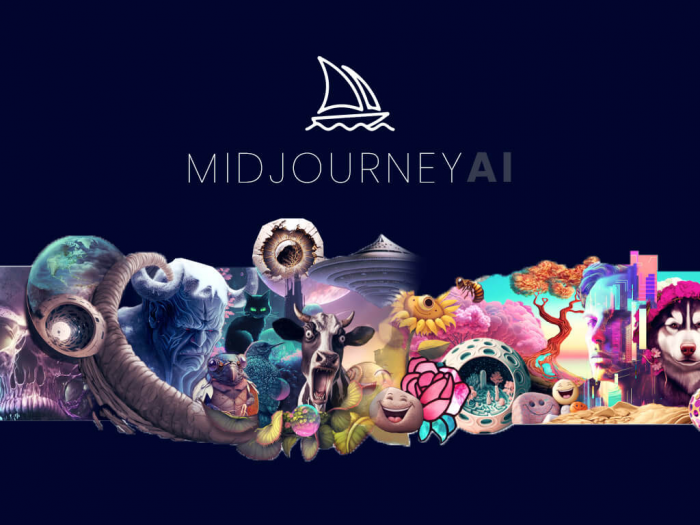
Midjourney remains the go‑to name when people think of “AI art”. It excels at stylized visuals, concept art, fantasy scenes, and moody, cinematic compositions that feel like they came from a high‑end art director rather than a purely functional generator. The model is tuned to create visually striking, cohesive images even from relatively short prompts, which is why many designers use it as a concept‑exploration engine.
Although its earlier versions were Discord‑only, newer iterations are increasingly accessible through web interfaces and integrations, but the core experience still rewards users who are comfortable iterating rapidly, trying variations, and nudging style with short prompt modifiers. Midjourney is less ideal when you need pixel‑perfect text or strict design constraints, but it’s hard to beat when you want mood, atmosphere, and a “wow” factor.
Best suited for: illustrators, concept artists, creative directors, and anyone wanting visually rich, stylized artwork rather than strict photorealism.
4. Reve – Best for Prompt Adherence and Clean Outputs
Reve is a newer name that has earned a place in many “best of 2026” lists because of its balance between realism, instruction following, and speed. The tool focuses on producing clean, professional visuals with strong prompt adherence, which makes it a solid choice for product renders, marketing visuals, and social creatives where you can’t afford unexpected artifacts.
Key strengths include realistic lighting, sharp edges, and 4K upscaling, which help its outputs stand up in professional contexts like ads, decks, and landing pages. Compared to more “artsy” tools, Reve feels slightly more pragmatic: less experimental, more dependable. That makes it easy to drop into existing workflows where you need repeatable results from structured prompts rather than open‑ended experimentation.
Best suited for: marketers, agencies, and SMBs needing reliable, prompt‑faithful visuals that look polished without heavy post‑editing.
5. FLUX / FLUX.2 – Best for Photorealism and Technical Control
FLUX.2, developed by Black Forest Labs (from the minds behind Stable Diffusion), is rapidly becoming a favorite among technical users and teams that care deeply about control and photorealism. It shines in complex scenes, accurate anatomy, and realistic lighting, areas where older open models often struggled. For high‑end campaigns, FLUX is increasingly used as the core image engine, with other tools handling layout, copy, or automation around it.
One big differentiator is flexibility: FLUX is available via APIs and in open‑weights form, making it easier to self‑host and integrate into custom pipelines for privacy‑sensitive brands or platforms. That means you can fine‑tune workflows, control inference hardware, and embed the model into proprietary tools instead of being locked to one vendor’s interface. It’s less beginner‑oriented than a chat‑style experience, but for teams with developers and designers, it offers a powerful balance of quality and control.
Best suited for: technical teams, agencies and SaaS platforms building custom image workflows, brands needing photorealistic visuals with strict design constraint
6. Adobe Firefly – Best for Creative Cloud Users
Adobe Firefly is built directly into Photoshop, Illustrator, and other Creative Cloud apps, making it the most natural choice for designers already living in Adobe’s world. Instead of treating AI images as something separate, Firefly turns generative AI into another tool in the familiar toolbar for tasks like generating backgrounds, extending canvases, replacing elements, and creating vector designs.
Because Firefly is integrated with Adobe’s non‑destructive editing workflow, it’s particularly powerful for hybrid tasks: you can create a base image with AI, refine it with manual brushes, adjust layers, and export in professional formats. Adobe also emphasizes content credentials and commercially safe training data, which matters to enterprises and agencies that are cautious about IP risk. For pure text‑to‑image, some standalone tools may be more flexible, but for real‑world design work, Firefly is a highly practical option.
Best suited for: professional designers, creative teams, and businesses already using Photoshop or Illustrator who want AI tightly coupled with traditional design tools.
7. Ideogram – Best for Text‑Heavy Designs and Branding
Ideogram is a specialist in one of the hardest problems in AI image generation: reliable text inside images. Where many models still struggle with clean lettering and correct spelling, Ideogram has built its reputation on headlines, posters, social graphics, and branding assets where typography is central. It generates 2K‑resolution images and offers features like custom color palettes and pattern tiling, making it useful for both one‑off creatives and repeatable brand visuals.
The platform also includes modes that balance speed and detail, so you can quickly explore a range of concepts and then refine a smaller subset at higher quality. Features such as seamless pattern generation and tools like “Tile” make it especially useful for surface design, packaging concepts, and background textures. For anyone who has fought with broken text in other generators, Ideogram can dramatically reduce manual cleanup time.
Best suited for: social media designers, brand marketers, and anyone creating posters, ads, or templates where legible, stylized text is essentia
Quick Reference: Which Tool Should You Choose?
| Need / Scenario | Best Tool(s) | Why it fits |
| Easiest overall experience | Leonardo AI | Clean UI, presets, and flexible styles without complex setup. |
| Deep Google integration, multilingual prompts | Nano Banana | Ties into Google stack, strong accuracy and clarity. |
| Stylized, artistic visuals | Midjourney | Cinematic, stylized outputs for concept art and mood boards. |
| Professional, prompt‑accurate images | Reve | Clean outputs, strong adherence to detailed instructions. |
| Photorealism and technical control | FLUX / FLUX.2 | Open‑weights, excellent realism, great for custom pipelines. |
| Integrated with Photoshop / Illustrator | Adobe Firefly | Native Creative Cloud integration, non‑destructive editing. |
| Reliable text inside images | Ideogram | Strong typography, posters, and branding‑focused visuals. |
How to Pick the Right AI Image Tool for Your Workflow
● Start from your role, not the hype: Choose tools based on what your work actually requires. Content creators and marketers usually need simple tools that allow quick iteration and consistent styles, while designers and agencies often need deeper control and integration with software like Photoshop.
● Choose one “brain” tool first: Start with one general image generator as your main workspace for testing prompts and ideas. Tools like Leonardo AI or Nano Banana are good choices because they support multiple styles, keep prompt history, and allow quick variations.
● Add a specialist for your main use case: After choosing a general tool, add a second tool that excels in your main task. For example, Midjourney works well for stylized visuals, Ideogram for text-based graphics, and Reve for prompt-accurate marketing images.
● Think in terms of a pipeline, not a single tool: Use different tools for different steps. Designers might generate base images in FLUX or Reve and refine them in Adobe Firefly, while content creators may generate images in Leonardo AI and edit them in Canva or Figma.
● Consider scale, budget, and control: Your tool choice should match how often you create images. Casual users can rely on simple web tools, while larger projects may benefit from API access or open-weight models like FLUX for better scalability and cost control.
● Start small, then expand: Begin with one general tool and one specialist tool. As your needs grow, add more tools to improve areas like text generation, realism, or design integration.
Final Verdict
There isn’t a single “best” AI image generator there’s a best stack for your use case. Leonardo AI gives most creators the easiest starting point, while tools like Midjourney, Ideogram, Reve, FLUX, Nano Banana, and Adobe Firefly each shine in their own niches, from stylized art to brand graphics and production‑grade design workflows. By combining one generalist tool with one or two specialists that match your core needs, you can cover everything from blog visuals and social posts to high‑end ad creatives without overcomplicating your setup.
Post Comments
Be the first to post comment!