AI video editing tools in 2026 do far more than add auto‑captions. They can detect scenes, remove silences, enhance audio, suggest B‑roll, resize for every platform, and even generate entirely new video clips from text prompts. For creators and brands, this shift means editing is less about manual timelines and more about choosing the right AI “co‑editor” for your content style, budget, and workflow.
Below are 8 top AI video tools, each broken down into Key Features, Best For, Main Strength, Limitation, and a clear Pricing snapshot so you can quickly compare and pick the best fit.
1. Descript
Descript flips the usual editing logic on its head: you edit your video by editing a transcript. You upload your recording, it turns speech into text, and suddenly your timeline becomes a document you can cut, rewrite, or rearrange just like a blog draft.
Key Features
1. AI-powered transcription that turns video/audio into editable text
2. Text-based video editing (delete or move words to edit clips)
3. Filler word removal and silence detection in one click
4. AI audio enhancement to clean noisy recordings
5. Screen recording and multitrack editing in the same workspace
Best For:
Creators who produce talking‑head videos, podcasts, interviews, webinars, and tutorials, and prefer to edit by working with scripts rather than complex timelines.
Main Strength:
The text-first workflow. Descript treats your video like a document, making editing extremely fast and intuitive for script‑driven content.
Limitation:
Not ideal for heavy visual effects, cinematic edits, or complex multi‑layer productions; advanced users may still need a traditional NLE for final polish.
Pricing
| Plan | Price | What’s Included |
| Free | $0 | Limited transcription & exports |
| Creator | ~$15–$20/month | More transcription hours, basic AI tools |
| Pro | ~$30–$40/month | Higher limits, advanced features, priority support |
2. Runway

Runway is where you go when you want shots that don’t exist yet. Instead of only trimming footage you’ve already filmed, you can type a prompt and watch the tool generate entirely new clips, style your footage, or transform still images into moving sequences.
Key Features
1. Text-to-video and image-to-video AI generation in multiple styles
2. Smart masking, background removal, and motion tracking
3. Style transfer and AI effects to transform existing footage
4. Support for higher resolution exports on paid tiers
5. Cloud-based workflow accessible from any modern browser
Best For:
Creatives, agencies, and brands that want to produce unique, AI‑generated visuals, concept videos, and experimental social content.
Main Strength:
Its generative video engine. Runway can create shots from prompts that would normally require a full production team and budget.
Limitation:
Credit-based usage can get expensive if you experiment heavily; it’s not a full replacement for a traditional editor on long, complex projects.
Pricing
| Plan | Price | What’s Included |
| Free | $0 | Limited generations, watermarks, basic features |
| Standard | ~$15–$20/month | More credits, higher quality, fewer restrictions |
| Pro | ~$25–$35+/month | Larger credit pool, 4K exports, faster processing |
3. Pika
Pika sits at the playful end of AI video. It’s designed to turn prompts and images into short, stylized videos with surreal motion and dramatic effects. Think hooks for Reels, TikToks, memes, and intros rather than 30‑minute documentaries.
Key Features
1. AI-powered text-to-video and image-to-video for short clips
2. Stylized visual modes (cinematic, anime, cartoon, etc.)
3. Special effects that warp, melt, inflate, or reshape objects
4. Short-form, social-friendly durations optimized for hooks
5. Simple web interface designed for fast experimentation
Best For:
Short-form creators, meme pages, and marketers who need quick, eye‑catching clips for TikTok, Reels, YouTube Shorts, and social ads.
Main Strength:
Creative expressiveness. Pika makes it easy to generate highly stylized, attention-grabbing visuals in a few prompts.
Limitation:
Not a full NLE—timeline control, audio layering, and long-form editing are limited; best used as a clip generator alongside another editor.
Pricing
| Plan | Price | What’s Included |
| Free | $0 | Limited generations and quality |
| Paid Tier | Variable/month | More generations, higher resolution, faster queue |
4. Kapwing
Kapwing is built for speed rather than complexity. You open your browser, upload a clip, and can instantly add captions, resize for different platforms, drop on a template, and export. No heavy software, no steep learning curve.
Key Features
1. AI auto-subtitles and translations for multiple languages
2. One-click resizing for different platforms (TikTok, IG, YT, etc.)
3. Library of templates for memes, promos, tutorials, and social posts
4. Online collaboration with shared projects and brand assets
5. Browser-based editor with drag-and-drop timelines
Best For:
Social media teams, small businesses, and creators who need fast, branded content created and exported directly from the browser.
Main Strength:
Speed and accessibility. Kapwing makes social‑ready videos easy to create from any device without installing heavy software.
Limitation:
Free plan includes watermarks and limited features; not suitable as a sole editor for complex, long-form or cinematic projects.
Pricing
| Plan | Price | What’s Included |
| Free | $0 | Watermarked exports, limited length & features |
| Pro | ~$20–$25/month | No watermark, higher limits, brand assets |
| Team | ~$60–$70/month | Multi-user collaboration, shared workspace |
5. VEED.IO
VEED.IO is like a Swiss Army knife for online video: you can edit, caption, translate, host, and share, all from the browser. It leans hard into AI for subtitles, translations, and now even AI avatars and generated videos.
Key Features
1. AI-powered auto-subtitles and subtitle translations
2. AI avatars and generative video tools on higher tiers
3. Templates and presets for explainers, training, and social videos
4. Built-in hosting and shareable video links for easy distribution
5. Browser-based editor with timeline, text, and asset management
Best For:
Solo creators and teams who need an all-in-one online platform for editing, captioning, translating, and sharing videos without desktop software.
Main Strength:
The integrated workflow. VEED combines editing, subtitles, translations, avatars, and hosting into a single browser ecosystem.
Limitation:
Advanced AI features (avatars, extensive translation, 4K, unlimited Gen-AI) are locked behind higher subscription tiers.
Pricing
| Plan | Price | What’s Included |
| Free | $0 | Basic editing, watermarked exports |
| Lite | ~ $15–$20/editor/month | 1080p exports, more storage, basic AI tools |
| Pro | ~ $40–$50/editor/month | 4K, translations, avatars, unlimited/expanded Gen-AI usage |
6. Wondershare Filmora

Filmora looks and feels more like the classic editing software many creators are used to: a timeline, tracks, transitions, and effects. The twist is the built‑in AI that speeds up tasks like captioning, voice work, and audio cleanup.
Key Features
1. Full-featured timeline editor for video, audio, and color
2. AI speech-to-text for automatic captioning
3. AI text-to-speech for quick voiceovers in multiple voices
4. Large built-in library of effects, titles, transitions, and stock
5. Cross-platform support (Windows, macOS, and mobile variants)
Best For:
YouTubers, educators, and prosumers who want a traditional editor with a gentler learning curve and built-in AI tools to speed up common tasks.
Main Strength:
Balanced simplicity and power. Filmora offers a familiar NLE experience enhanced by AI captions and voice features at a mid-range price point.
Limitation:
Desktop-based and resource-dependent; not as advanced in generative video as newer cloud-only AI platforms.
Pricing
| Plan | Price | What’s Included |
| Annual (Desktop) | ~ $60–$80/year | Full editor, updates for the subscription period |
| Perpetual License | ~ $90–$110 (one-time) | One-time purchase for current major version |
| Cross-Platform Plans | ~ $60–$80/year | Desktop + mobile access |
7. InVideo
InVideo is all about speed from idea to finished video. You bring a script or a basic prompt, and the platform turns it into a templated video with stock footage, text, and voice already matched up.
Key Features
1. Script-to-video creation using templates and AI
2. Large library of stock footage, images, and music
3. Timeline editor to refine scenes, overlays, and text
4. AI voiceovers and co-pilot style assistance on newer plans
5. Cloud-based editor accessible from any modern browser
Best For:
Marketers, founders, and social media managers who want to turn scripts, blog posts, or ideas into finished videos quickly, with minimal manual editing.
Main Strength:
Template-driven scale. InVideo can output large volumes of consistent marketing and explainer videos with minimal design or editing skills.
Limitation:
Videos can look generic if you don’t customize; less flexible for highly creative or complex, non-template projects.
Pricing
| Plan | Price | What’s Included |
| Free | $0 | Limited exports, watermarks, fewer templates |
| Plus / AI | ~ $20–$30/month | More exports, better quality, more AI usage |
| Max / Business | ~ $50–$60/month | Higher limits, priority support, team-focused options |
8. Adobe Premiere Pro
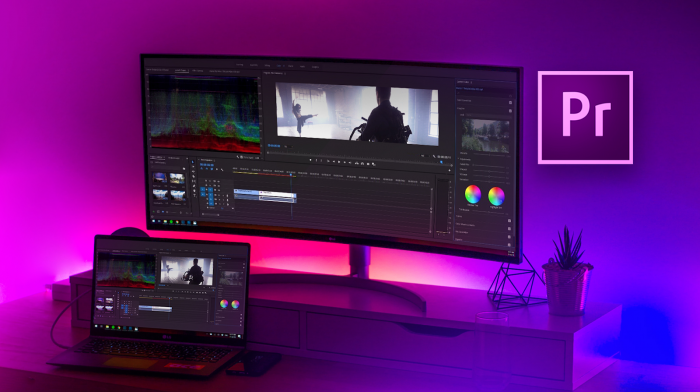
Premiere Pro is still the heavyweight in professional video editing, and AI is now woven in as a set of accelerators rather than gimmicks. You get powerful timelines and integrations plus tools that automatically clean speech, adjust color, and more.
Key Features
1. Professional-grade multi-track timeline and editing tools
2. AI speech enhancement to clean and clarify dialogue
3. Auto color and intelligent adjustments to speed up grading
4. Deep integration with After Effects, Photoshop, and other Adobe tools
5. Support for complex workflows (multicam, proxies, advanced audio)
Best For:
Professional editors, agencies, and serious creators working on long-form content, client projects, commercials, and films where full control is non-negotiable.
Main Strength:
Depth and ecosystem. Premiere Pro combines robust editing power with AI accelerators and tight integration across the Adobe Creative Cloud suite.
Limitation:
Steeper learning curve; subscription pricing can be expensive over time for casual users.
Pricing
| Plan | Price | What’s Included |
| Premiere Pro Single | ~ $20–$35/month | Premiere Pro only, regular updates, cloud features |
| All Apps (CC) | ~ $50–$80/month | Premiere + After Effects, Photoshop, and other apps |
Tips to Choose the Right Tool
Key Factors
1. Content Type:
● Talking-head, tutorials, podcasts → Descript, Filmora, Premiere Pro
● Short-form social and ads → Kapwing, VEED, InVideo, Pika
● Experimental/generative visuals → Runway, Pika
2. Workflow & Hardware:
● Low-powered devices → Browser tools (Kapwing, VEED, InVideo, Runway)
● Editing workstation → Filmora or Premiere, plus AI generators as add-ons
3. Volume & Budget:
● Occasional use → Freemium tools + low tiers
● High monthly output → Subscription tools with generous limits (InVideo, VEED, Kapwing, Descript)
4. Team vs Solo:
● Teams → Tools with collaboration, brand kits, and shared workspaces
● Solo → Pick one main editor + one generative add-on to avoid complexity
Final Verdict
There is no single “best” AI video editor in 2026, only the best fit for your use case. If you live in scripts and voice, Descript is a natural choice. If you need rapid-fire social content, Kapwing, VEED, and InVideo will do more for you than heavy desktop suites. If your edge is visual originality, Runway and Pika become your secret weapons. For full editorial control and client work, Filmora and especially Adobe Premiere Pro remain the core, with AI as an efficiency layer, not a replacement.
Use the Key Features + Best For + Main Strength + Limitation + Pricing blocks above as modular sections you can drop directly into your article, and then layer in your own screenshots, graphs, and comparison tables for extra depth.
Post Comments
Be the first to post comment!