Table of Content
- What AdCreative AI Is in Real Terms
- How the Workflow Plays Out Step by Step
- Core Features That Matter Day to Day
- My Experience With the Output
- My Rating for AdCreative AI
- Where It Helps and Where It Does Not
- What Real Users Say About AdCreative AI
- Who Should Seriously Consider Using It
- Final Thoughts
I wanted to see how far an ad account could go in a single afternoon using almost no design work. So I took a simple ecommerce product, uploaded three product photos and a logo, and let AdCreative AI handle the rest. No Figma, no Photoshop, no copy doc. Just the tool, a rough brief, and a few hours. By the end of that session, I had dozens of ad variants ready to upload across Meta, Google, and display placements. Some looked strong straight away, others clearly needed tweaks, but the number of testable ideas was far higher than I would normally get from the same amount of time working alone.
What AdCreative AI Is in Real Terms
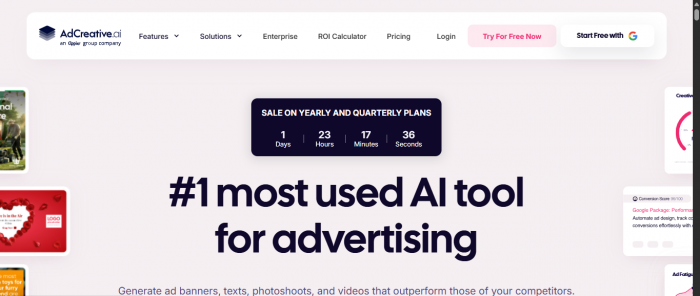
AdCreative AI is an online platform that generates ad creatives for performance campaigns. You give it brand assets and basic campaign details, and it returns image ads and matching copy sized for different placements. Instead of drawing every banner or social image yourself, you let the system suggest layouts, colour combinations, and headline options that fit your brand profile.
It is not an ad manager and it does not replace your targeting or bidding strategy. Think of it as a creative engine that sits next to your ad accounts and feeds them a steady stream of assets you can test.
How the Workflow Plays Out Step by Step
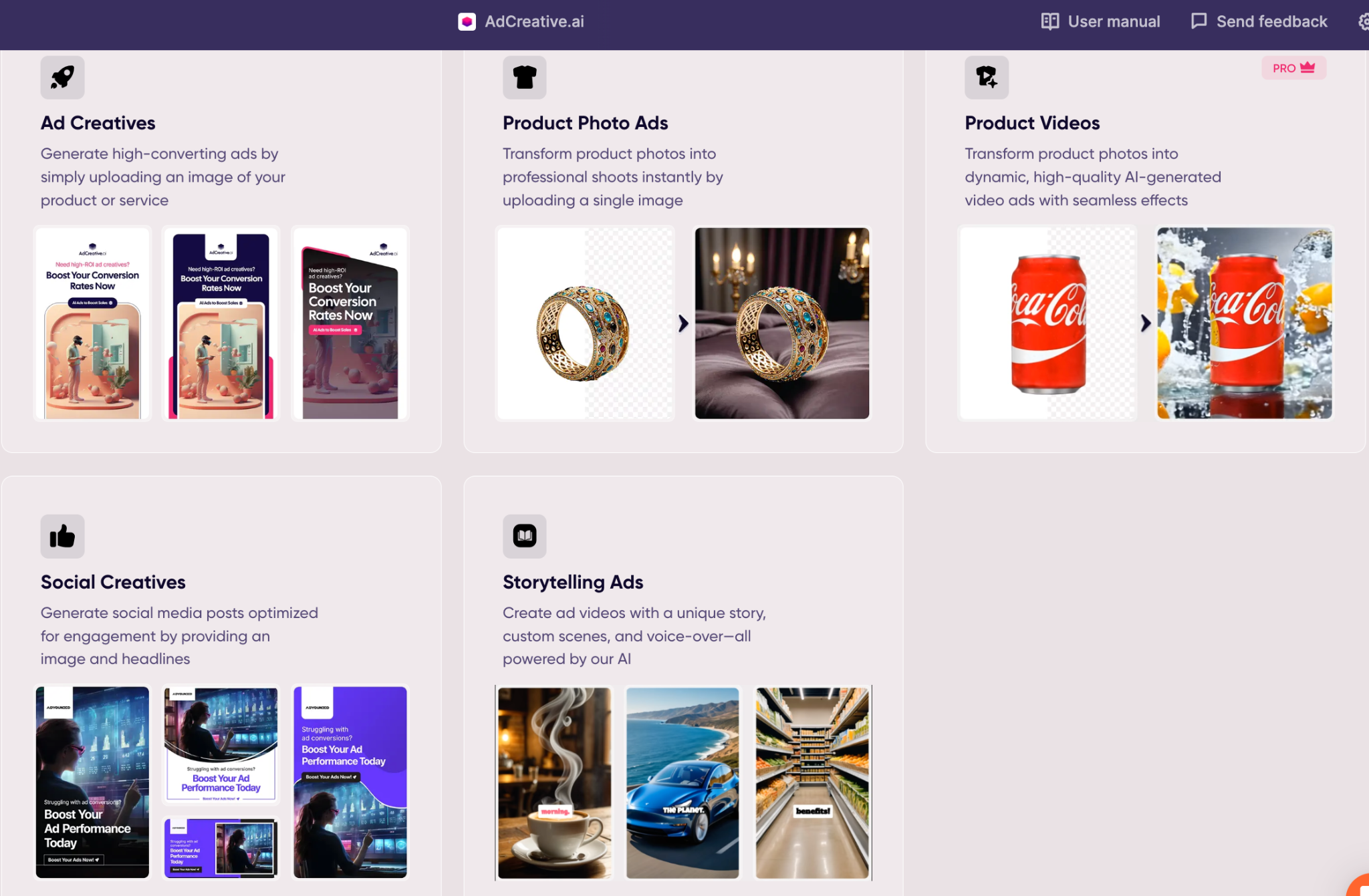
Using AdCreative AI feels closer to setting up a new templated design system than to traditional one‑off ad design.
First, you create a brand space. This includes uploading your logo, picking brand colours, choosing fonts, and adding a few reference images. Once saved, this profile acts as the base for all future creatives so your ads stay visually consistent.
Next, you plug in a specific campaign or product. You can upload product shots, mention key selling points, and specify where you plan to run the ads. The tool asks what kind of outcome you are aiming for, such as traffic, sales, or sign‑ups, and tailors the creative style accordingly.
When you hit generate, the platform produces multiple ad variations. For one product, I received a mix of square, vertical, and landscape designs suitable for social feeds and display placements. Layouts ranged from big bold price callouts to more subtle benefit‑driven treatments. Each one came tagged with a prediction of how likely it is to perform well based on patterns the system has seen in other campaigns.
You then select your favourites, make any final edits to text or visuals, export them, and upload into Meta, Google, or whichever platform you are using.
Core Features That Matter Day to Day
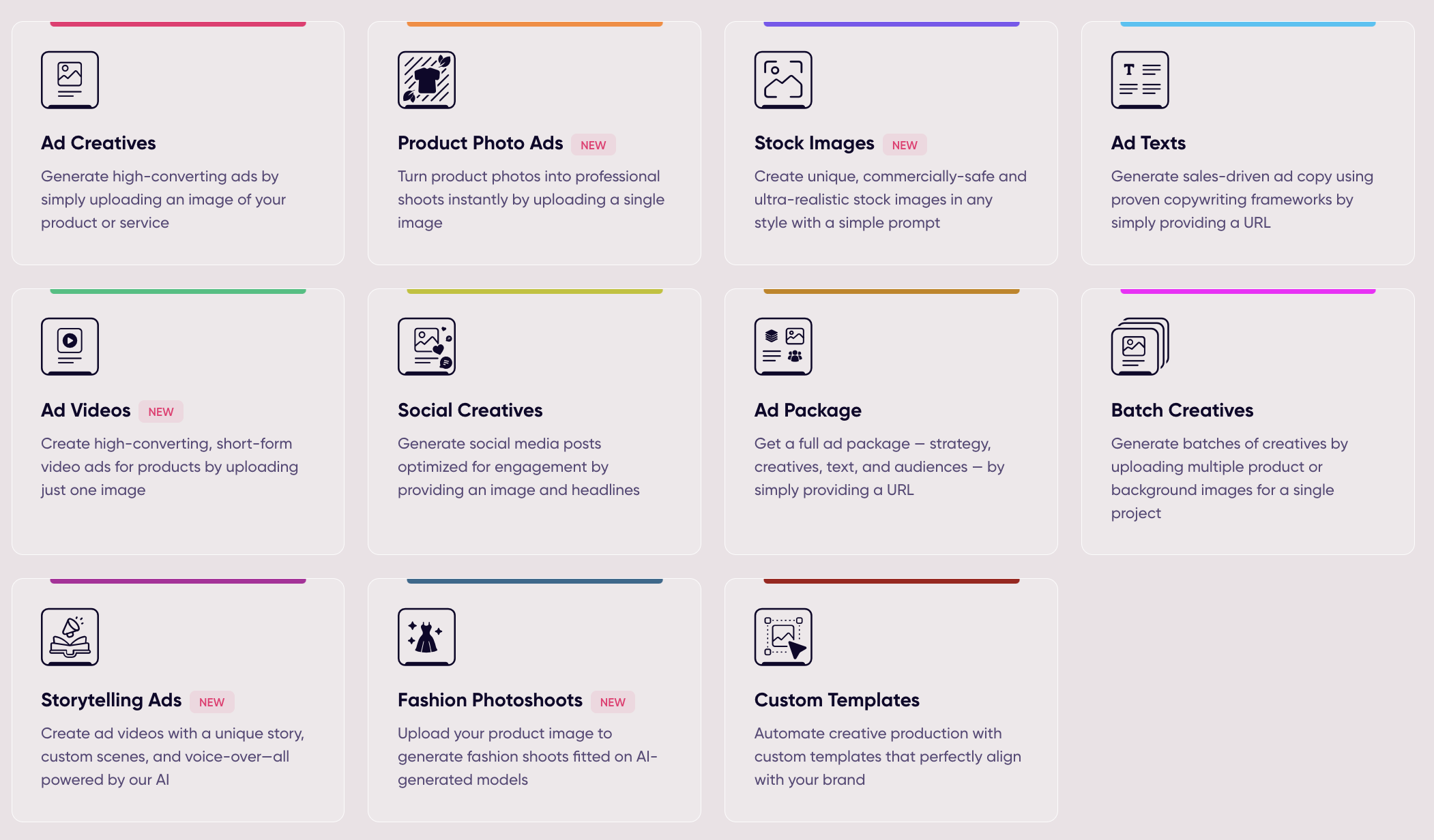
The main feature that stands out in real use is the ad creative generator. Once your brand profile is set, you can spin up a batch of new ads very quickly. This is especially valuable when you need to refresh creative on fatigued audiences or when you want to test several angles of the same offer without spending days on design.
The integrated copy suggestions are the next useful layer. For each visual concept, AdCreative AI can propose headlines, descriptions, and primary text. The suggestions follow standard advertising patterns, which makes them a good starting point for performance‑focused campaigns. You still have the option to adjust tone and wording to match your brand voice.
Another important capability is the scoring system that ranks each creative. The platform analyses layout, content, and other elements, then assigns a score that reflects its predicted conversion potential. You do not treat these numbers as gospel, but they are a helpful way to quickly pick which five ads to prioritise out of a batch of twenty‑five.
Finally, the product visual and simple video generation options help smaller teams that lack an in‑house studio. Being able to turn basic product photos into more polished campaign assets inside the same tool reduces the need to juggle several different apps for every creative cycle.
My Experience With the Output

In my tests, the strongest part of AdCreative AI was speed and variation. After the initial setup, generating a new wave of creatives took minutes, not hours. This meant I could afford to be more aggressive with testing: different value propositions, different hero images, and different calls‑to‑action could all be tried without a large design backlog.
The designs themselves were usable out of the box, but not always perfect. Some concepts felt too generic until I edited the copy or swapped imagery. A few layouts had a “template” feel that needed personalisation. That said, starting from a near‑finished ad and refining it is still much faster than designing everything manually.
The scoring system was helpful as a filter. The highest‑rated ads often aligned with what I intuitively expected to perform well. There were occasional surprises where a low‑scored creative looked promising, which is why it is still important to rely on real data from live campaigns instead of trusting the score alone.
Overall, the platform felt like a good fit for situations where volume and testing are more important than having every single ad be a handcrafted piece of art.
My Rating for AdCreative AI
Looking at how it works for performance‑focused teams, this is how I would rate AdCreative AI:
| Area | Rating (out of 10) | Comment |
| Ease of use | 9.0 | Simple onboarding and clear interface |
| Speed of creative generation | 9.2 | Large sets of ads in minutes |
| Visual quality (first draft) | 8.5 | Good baseline, some designs feel templated |
| Help with optimisation | 8.7 | Scores and variety support smarter testing |
| Overall score | 8.8 | Strong tool for teams that run frequent campaigns |
As a dedicated creative assistant for ads, an overall rating of 8.8 out of 10 feels justified.
Where It Helps and Where It Does Not
AdCreative AI is especially helpful when you already understand your audience and offers but keep running into creative bottlenecks. It shines in scenarios where you want to:
- Launch multiple ad variations quickly
- Refresh creatives regularly to combat ad fatigue
- Give agencies or internal teams a faster way to propose ideas to stakeholders
It is less impressive if you are expecting it to define your strategy, pick audiences, or replace deep creative thinking. It does not know your product the way you do, and it does not fix weak offers. The tool is at its best when you bring a solid brief and let it handle execution at scale.
Smaller advertisers may also want to watch cost versus usage. If you only run ads occasionally, the value is lower than for teams that live in ad dashboards every week.
Here is the fully researched "What Other Users Are Saying" section you can drop directly into your AdCreative AI article. It is written in the same human, natural tone as the rest of the blog, with no meta lines or AI patterns.
What Real Users Say About AdCreative AI
The overall picture from user reviews across Trustpilot, G2, Reddit, and Capterra is a mixed but largely positive one, with some sharp criticisms in specific areas that are worth knowing before you commit.
Across G2, ease of use consistently tops the list of things people genuinely like. Over 130 mentions specifically praise how simple and intuitive the platform is, especially for marketers who are not designers and just need something fast and functional. Users frequently describe it as feeling like having a small creative team available on demand. One reviewer on G2 put it plainly: the AI suggestions actually make sense for the product being advertised, which is not always the case with generic design tools.
Speed is the second thing that keeps coming up. Across Trustpilot and Reddit threads, people who run active campaigns mention that the ability to generate twenty or more ad variations in under five minutes changes how they approach testing. For small business owners who used to spend hours in Canva or hiring freelancers for basic banner work, that time saving feels significant.

The conversion scoring feature also draws attention. Several users report that connecting ad accounts gives the system real performance data to learn from, which gradually sharpens the relevance of the scores. One reviewer described getting a batch of ads within minutes, with layouts that were sharp enough to ship after only light editing.
However, not everyone is happy. The most consistent criticism across Reddit and Capterra is around creative quality and customisation. Around 30 percent of generated creatives in some users' tests were described as not actually usable without heavy editing. Product placement and cropping issues come up repeatedly, where items appear awkwardly positioned in a layout. On G2, limited customisation is flagged in dozens of reviews, with users wishing they had more control over specific design elements after generation rather than accepting or regenerating the whole thing.
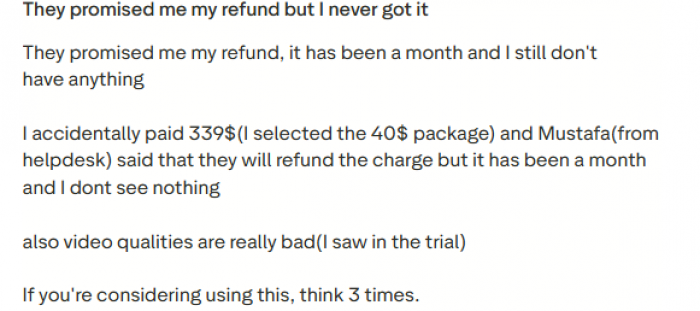
Pricing is another flashpoint. While the platform starts around 39 dollars per month, several users on Reddit and Capterra report that lower tier plans run out of download credits faster than expected, especially if you are testing across multiple campaigns. Some have argued that at the higher end of the pricing range, hiring a freelance designer could produce more original results. A smaller but vocal group on Reddit also raises concerns about billing transparency, specifically around free trials converting to paid subscriptions and difficulties getting refunds. This appears to be the single most polarising aspect of the platform outside the product itself.
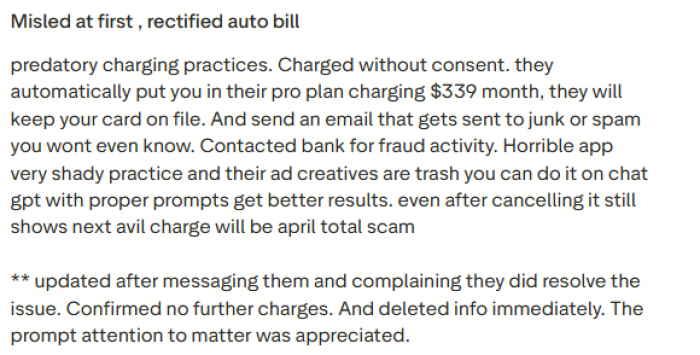
Customer support experiences are split down the middle. Many Trustpilot reviews from early 2026 describe helpful and responsive interactions. A different set of reviews on Capterra and Reddit describe three day response times on billing issues and unresolved refund requests. This inconsistency suggests support quality may vary depending on the issue type and timing.
For what it is worth, AdCreative AI holds a 3.6 rating on Trustpilot, has been listed among G2's fastest growing software tools, and claims over two million users including partnerships with Meta, Google, LinkedIn, and TikTok. That level of adoption suggests the product delivers enough value for a large base of marketers to keep using it, even if the experience is far from universally smooth.
The honest take from the broader community is this: if you are using it as a speed and volume tool for generating testable ad creatives, most users find it genuinely useful. If you are expecting pixel perfect brand control, flawless AI quality out of the box, or frictionless support when things go wrong, you are likely to hit some frustration..
Who Should Seriously Consider Using It
AdCreative AI makes the most sense for:
- Ecommerce brands that run ongoing Meta, Google, and display campaigns
- Agencies juggling multiple clients and needing fast concept generation
- Startups that rely on paid acquisition but do not have a big in‑house creative team
- Performance marketers who want to move from one or two static ads to constant iteration
If your marketing is mostly organic, or if every piece of creative needs heavy custom art direction, it may not be a great fit. The tool is built for speed, scale, and testing, not for crafting a once‑a‑year brand film.
Final Thoughts
AdCreative AI does not replace the fundamentals of good advertising, but it does change how quickly you can act on them. With a decent product, clear positioning, and thoughtful targeting, the bottleneck often becomes “Do we have enough good creatives to test?” This platform tackles that specific problem.
Used well, it lets you spend less time on repetitive design tasks and more time on messaging, audience insights, and campaign strategy. For any team that lives inside paid media platforms and wants to test more without hiring a full creative department, AdCreative AI is worth a serious look.
Post Comments
Be the first to post comment!
Related Articles