Table of Content
- 1. Aha Convert Overview
- 2. What Aha Convert Is and What It Actually Does
- 3. User Interface and First Impressions
- 4. Hands On Testing Experience
- 5. Supported File Formats
- 6. Performance and Conversion Quality
- 7. Security, Privacy, and File Handling
- 8. Pricing and Free Usage
- 9. Pros and Cons
- 10. Public Availability of User Reviews and Community Mentions
- 11. Aha Convert vs Other Online Converters
- 12. Best Use Cases
- 13. Limitations and Drawbacks
- 14. Final Verdict
- 15. Frequently Asked Questions
Digital files often face compatibility issues because different platforms require different formats. For example, images may need to change from HEIC to JPG, videos from MOV to MP4, or documents between PDF and Word. Instead of installing heavy software for simple conversions, many people now use online tools that quickly convert files directly in a browser. Aha Convert is one such tool designed to make file conversion fast, simple, and accessible without requiring any installation or technical expertise.
1. Aha Convert Overview
Before exploring the platform in depth, it helps to summarize what Aha Convert claims to offer.
| Category | Details |
| Tool Name | Aha Convert |
| Type | Online File Conversion Tool |
| Supported Formats | Image, Video, Audio, Document |
| Platform | Web based |
| Installation | Not required |
| Pricing | Free or freemium depending on usage |
| Best For | Quick file format conversions |
This overview already reveals the platform's positioning. Aha Convert is not designed as a professional editing suite or advanced encoding system. It is designed as a quick digital utility that solves a common compatibility problem.
2. What Aha Convert Is and What It Actually Does
At its core, Aha Convert is a web based conversion service that transforms files from one format into another. The process relies on server side conversion. When a user uploads a file, the platform processes it through a conversion engine that restructures the file's encoding into the selected output format.
For most users, the process feels very simple.
● You upload a file.
● You select the format you want.
● You download the converted version.
Behind that simplicity, the platform supports several common transformation scenarios.
Many users convert image formats, especially when preparing content for websites or marketing tools. PNG images are often converted into JPG for smaller file sizes. HEIC images from iPhones are frequently converted into JPG so that they can be opened on other devices.
Video conversion is another frequent use case. Content creators may convert MOV videos into MP4 because MP4 has broader compatibility with online platforms.
Audio files also require format changes. A recording saved as AAC might be converted into MP3 for easier sharing.
Document conversions are particularly common among students and office workers. A PDF might need to be converted into a Word file for editing.
Examples of common conversions include:
PNG → JPG, HEIC → JPG, MP4 → AVI, MP3 → WAV, PDF → Word etc.
In other words, Aha Convert focuses on practical everyday transformations rather than specialized professional encoding.
Aha Convert Feature Breakdown
| Feature Category | Details | Practical Benefit |
| Browser Based Conversion | Works directly in a web browser | No software installation required |
| Multi-Format Support | Images, videos, audio, documents | Handles most everyday file conversions |
| Quick Conversion Workflow | Upload → Convert → Download | Fast processing for small files |
| Cross-Platform Access | Windows, Mac, mobile browsers | Works on almost any device |
| Beginner Friendly Interface | Simple upload and format selection | Easy for non-technical users |
3. User Interface and First Impressions
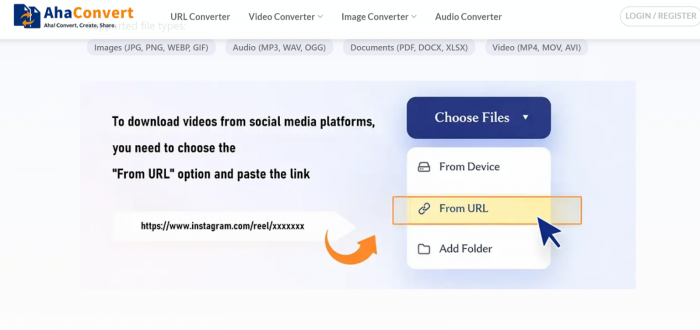
The first thing most users notice when visiting Aha Convert is how minimal the interface appears. The platform does not attempt to mimic complex editing software. Instead it places the core functionality front and center.
Typically the homepage revolves around a clear upload area where users can drag and drop files or select them manually. The design philosophy seems to favor speed and clarity over visual complexity.
The layout generally follows a simple workflow:
● Upload a file
● Choose a conversion format
● Start conversion
● Download the output
From a usability perspective this approach works well. Even users who have never used a file converter before can understand the process immediately.
The interface feels functional rather than flashy. It focuses on completing the task rather than presenting an elaborate visual design.
During testing, navigation remained straightforward. There were no confusing menus or multi step setup screens. The conversion options were visible and easy to select.
The platform also appears to prioritize accessibility for beginners. The conversion workflow avoids technical language and focuses on recognizable format names.
Overall, the user interface feels basic but practical. It prioritizes function over aesthetics, which is often a reasonable trade off for a simple utility.
4. Hands On Testing Experience
A review of a tool like this is incomplete without real usage testing. Several different types of files were used to evaluate how the platform performs under typical conditions.
The first test involved a simple image conversion. A PNG file was uploaded and converted into JPG format. The upload process was quick and the conversion completed almost instantly. The resulting image retained its resolution and appeared visually identical to the original.
The second test involved converting an iPhone HEIC image into JPG format. This is a common scenario because many systems struggle to open HEIC files. The conversion completed successfully and the output file worked normally across different devices.
Video conversion provided a more demanding test. A short MOV video clip was uploaded and converted into MP4 format. The processing took slightly longer than image conversion, which is expected due to the complexity of video encoding. The final file maintained acceptable video quality and played correctly across multiple media players.
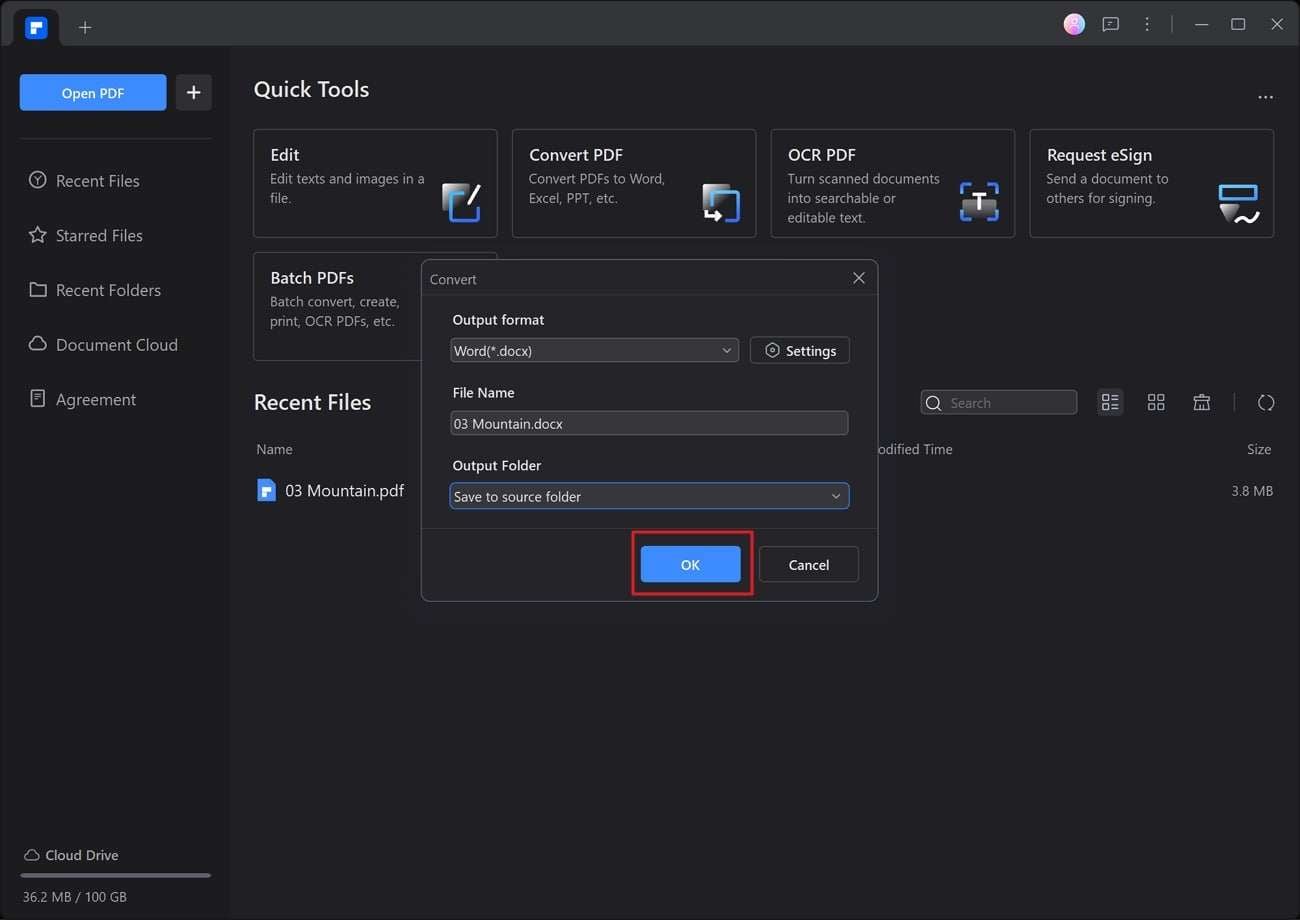
A final test involved document conversion. A PDF document was converted into a Word compatible file format. The platform preserved the main text content and overall layout. However, some formatting adjustments were needed after opening the document, which is common for online converters.
Overall testing suggested that Aha Convert performs well for small and moderate file sizes. It handles everyday conversion tasks reliably, though it does not provide advanced customization options.
5. Supported File Formats
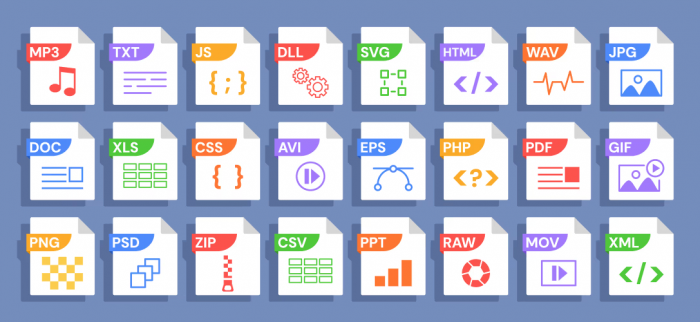
The range of supported formats is one of the most important factors when evaluating any conversion tool. Aha Convert focuses on widely used formats that cover the majority of everyday needs.
| Category | Supported Formats |
| Images | JPG, PNG, WEBP, HEIC |
| Videos | MP4, MOV, AVI |
| Audio | MP3, WAV, AAC |
| Documents | PDF, DOCX |
The platform appears to focus on mainstream formats rather than niche professional formats. For most users this is sufficient.
Another consideration is whether batch conversions are supported. Many lightweight converters focus on single file processing rather than large batch operations. Aha Convert appears optimized primarily for individual conversions rather than processing dozens of files at once.
This design choice aligns with the platform's goal of simplicity.
6. Performance and Conversion Quality
Performance testing focused on three areas: speed, accuracy, and output quality.
Image conversions were consistently fast. Most files converted within seconds, and the output images maintained visual clarity. Compression did not appear to significantly degrade quality in typical scenarios.
Video conversions required more processing time but produced stable results. The converted files remained playable across multiple devices and media players.
Document conversions were functional but sometimes required small formatting adjustments. This is typical for online converters because document structures can be complex.
Overall conversion accuracy remained acceptable for everyday use. The platform does not provide professional level control over encoding settings, but it successfully completes standard transformations.
Typical File Conversion Scenarios
| User Situation | Input Format | Output Format | Why Conversion Is Needed |
| Website image optimization | PNG | JPG | Reduce file size for faster loading |
| iPhone photo compatibility | HEIC | JPG | Open images on non-Apple systems |
| Video publishing | MOV | MP4 | Improve compatibility with platforms |
| Audio sharing | AAC | MP3 | Universal playback support |
| Document editing | DOCX | Enable editing in Word |
7. Security, Privacy, and File Handling
Uploading files to an online platform always raises questions about privacy and security. Most online converters rely on temporary file storage during the conversion process.
In typical systems, files are uploaded to a server where the conversion occurs. Once processing is completed and the user downloads the result, the file is eventually removed from the server.
Secure connections using HTTPS encryption help protect data during transfer.
Even so, users should always be cautious when uploading sensitive files. Confidential documents or proprietary media should ideally be processed using trusted environments.
For everyday conversions involving non sensitive files, browser based converters are generally considered safe.
8. Pricing and Free Usage
Aha Convert appears to operate primarily as a free utility. Many online converters follow a similar model where basic functionality is available without payment.
However, free tools often include certain limitations. These may include file size restrictions, limited daily conversions, or slower processing for large files.
For casual users performing occasional conversions, these limits are rarely problematic. The free tier typically covers most everyday tasks.
Professional users with larger workloads may prefer dedicated software designed for high volume processing.
9. Pros and Cons
A balanced review should highlight both strengths and limitations.
Pros
● Simple interface: Easy to navigate, making file conversions straightforward for all users.
● No installation required: Works directly in your browser without downloading any software.
● Supports multiple file formats: Handles common document, image, audio, and video types.
● Quick conversions for small files: Processes lightweight files almost instantly.
Cons
● File size limits may apply: Large files might not upload or convert successfully.
● Limited advanced conversion settings: Offers basic options without detailed customization.
● Not ideal for professional workflows: Better suited for personal use than heavy media projects.
These trade offs reflect the platform's focus on simplicity rather than advanced functionality.
10. Public Availability of User Reviews and Community Mentions
There is currently very limited independent user feedback available on major review platforms such as Trustpilot, G2, or Capterra for Aha Convert. This situation is not unusual for lightweight browser utilities. Tools that perform a single task, such as file conversion, often do not accumulate large volumes of public reviews because users interact with them quickly and move on.
Most publicly available information about Aha Convert comes from the official website, tool directories, and explanatory blog posts rather than detailed user review threads.
In practical terms, the platform behaves similarly to many other browser-based converters. Its strengths lie in quick format changes, simple workflows, and accessibility through a web browser. At the same time, like many lightweight converters, it is not designed for advanced encoding control or heavy media processing.
11. Aha Convert vs Other Online Converters
The online conversion market includes several established platforms. Comparing Aha Convert with competitors helps clarify where it fits within the ecosystem.
| Platform | Key Strength | Weakness | Ideal User |
| Aha Convert | Simple quick conversions | Limited advanced options | Casual users |
| CloudConvert | Powerful encoding settings | More complex interface | Professionals |
| Convertio | Wide format compatibility | File size limits in free tier | General users |
| Zamzar | Reliable conversion engine | Slower free conversions | Occasional conversions |
| Online Convert | Customizable output settings | Slight learning curve | Power users |
Aha Convert prioritizes simplicity. Other platforms may provide more configuration options but often introduce additional complexity.
12. Best Use Cases
The platform works best for users who need fast, simple conversions.
● Students frequently convert PDFs into editable documents.
● Creators may convert images for websites or social media.
● Marketers often adjust media formats for campaign tools.
● Casual users sometimes convert files simply to open them on another device.
In each of these cases, speed and simplicity matter more than advanced features.
13. Limitations and Drawbacks
No conversion tool is perfect. Aha Convert also has some limitations that users should understand before relying on it.
The platform is not designed for large scale batch processing. Users who regularly convert large numbers of files may find dedicated software more efficient.
Advanced editing features are also limited. Users cannot adjust detailed encoding settings or fine tune compression parameters.
Finally, the tool relies entirely on internet connectivity. Without a stable connection, conversions cannot be performed.
These limitations do not necessarily reduce the tool's usefulness. They simply reflect its intended role as a quick web utility.
14. Final Verdict
Aha Convert serves a clear and practical purpose. It simplifies the process of changing file formats without requiring specialized software or technical knowledge.
During testing the platform handled common conversions reliably. The interface remains straightforward, the workflow is simple, and results are generally satisfactory for everyday tasks.
However, the tool is best understood as a convenience utility rather than a professional media processing platform. Users with advanced needs will likely require more specialized software.
For students, creators, marketers, and everyday users who simply need to change file formats quickly, Aha Convert provides a practical and accessible solution.
15. Frequently Asked Questions
Is Aha Convert free?
The platform generally offers free access for basic conversions. Some usage limits such as file size restrictions may apply.
Is Aha Convert safe?
Online converters typically use secure connections and temporary storage during processing. However, sensitive files should always be handled cautiously when using web services.
What file formats does Aha Convert support?
The platform supports common image, video, audio, and document formats such as JPG, PNG, MP4, MP3, PDF, and DOCX.
Do I need to install software?
No installation is required. The tool runs directly in a web browser.
Can Aha Convert handle large files?
The platform works best with small to moderate file sizes. Larger professional media files may require dedicated conversion software.
Post Comments
Be the first to post comment!
Related Articles