Table of Content
- Top AI Tools for Sound Effects Creation
- 1. ElevenLabs Sound Effects
- 2. MyEdit AI Sound Effect Generator
- 3. LoudMe AI Music & SFX Generator
- 4. OptimizerAI
- 5. PopPop AI – AI Sound Maker
- 6. SFX Engine
- 7. Soundify
- 8. Verbatik AI (Sound Design Suite)
- Quick Tool Snapshot
- How to Choose the Right AI SFX Tool
- Final Verdict
AI sound effects tools are reshaping how creators design audio for films, games, podcasts, YouTube, and even indie apps. With text prompts and smart controls, you can now generate complex, royalty‑free sounds in seconds instead of spending hours in a traditional DAW.
Top AI Tools for Sound Effects Creation
1. ElevenLabs Sound Effects
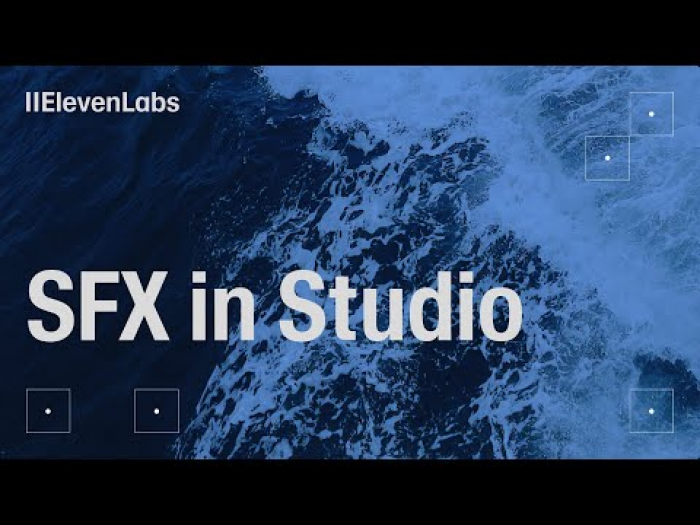
ElevenLabs offers a dedicated AI sound effect generator that turns text prompts into highly realistic effects and atmospheres, from sci‑fi whooshes to natural ambiences. It’s built for professional use, with a strong focus on quality and licensing clarity.
Standout capabilities
● Text‑to‑SFX with natural, detailed output (e.g., “distant thunder with city traffic”).
● Royalty‑free and commercial‑ready audio downloads in standard formats.
● Ecosystem with AI voices, so you can handle dialog and SFX in one place.
Limitations to know
● Web‑based; no standalone DAW plug‑in yet.
● Advanced use (high volumes, API access) can get pricey for hobbyists.
Ideal for: Filmmakers, game devs, podcasters, and YouTubers needing realistic, production‑ready SFX fast.
Why this works: Combines high‑fidelity synthesis with strong licensing and ecosystem tools, making it easy to keep your entire audio workflow inside one AI platform.
2. MyEdit AI Sound Effect Generator
MyEdit’s AI Sound Effect Generator creates a broad range of effects, such as action hits, nature soundscapes, and realistic human sounds directly from text prompts. Outputs are copyright‑free and can be downloaded in MP3, WAV, FLAC, and MP4.
Standout capabilities
● Supports detailed prompts like “people applauding and whistling in a concert hall.”
● Multiple export formats for flexible use across video, games, and social media.
● Royalty‑free and commercial‑use friendly by design.
Limitations to know
● Focused on generation, not deep multitrack editing or mixing.
● Web experience may feel basic if you’re used to full DAWs.
Ideal for: Creators who need plug‑and‑play SFX for shorts, reels, tutorials, or corporate videos.
Why this works: Simple text‑prompt workflow plus clear licensing makes it easy to drop sounds directly into client or YouTube projects without legal headaches.
3. LoudMe AI Music & SFX Generator
LoudMe generates both AI music and standalone sound effects, covering nature, urban, machinery, creature sounds, and more from prompts. All tracks and effects are royalty‑free and suitable for commercial use, with a free plan for experimentation.
Standout capabilities
● Text‑to‑SFX plus full AI music generator in one platform.
● Royalty‑free license across both music and sound effects.
● Free tier to test before upgrading.
Limitations to know
● Shorter maximum durations than full music‑only generators.
● Less granular control than a pro DAW or dedicated synthesizer.
Ideal for: Solo creators, small studios, and indie devs who want one tool for background music and spot effects.
Why this works: Replacing multiple subscriptions (music + SFX) with a single, prompt‑driven tool simplifies budgets and workflows.
4. OptimizerAI
OptimizerAI focuses on generating high‑quality, up‑to‑60‑second AI sound effects at 44.1 kHz, including niche options like monster voices. It offers commercial usage on its standard plan and supports running multiple generations in parallel.
Standout capabilities
● Long‑form effects (up to 60 seconds) for atmospheres and sequences.
● Specialized monster and creature voices for horror, fantasy, and games.
● Multi‑generation support for faster batch creation.
Limitations to know
● More of a generator than a full editing suite.
● Advanced plans required if you’re producing at scale.
Ideal for: Game studios, horror podcasters, and VFX‑heavy content where creature/monster sounds are central.
Why this works: Time‑bound, high‑quality SFX with parallel generations let teams iterate quickly on many variations without spinning up big sound departments.
5. PopPop AI – AI Sound Maker
PopPop AI’s AI Sound Maker lets you create custom effects between 10–60 seconds long, covering special effects, ambience, instrumentals, and human sounds via prompts. It includes a Smart Mode that enhances prompts to generate richer soundscapes.
Standout capabilities
● Smart Mode expands short prompts into detailed internal descriptions for better results.
● No‑signup free access, pay‑per‑use model, and commercial use allowed.
● Good mix of library sounds plus on‑demand generation.
Limitations to know
● Pay‑per‑use can be less predictable in cost for heavy users.
● Lacks deep, DAW‑style waveform editing.
Ideal for: Casual creators, marketers, and agencies who need quick, occasional SFX without committing to a subscription.
Why this works: Frictionless onboarding plus smart prompt handling mean even non‑audio pros can get usable SFX in minutes.
6. SFX Engine
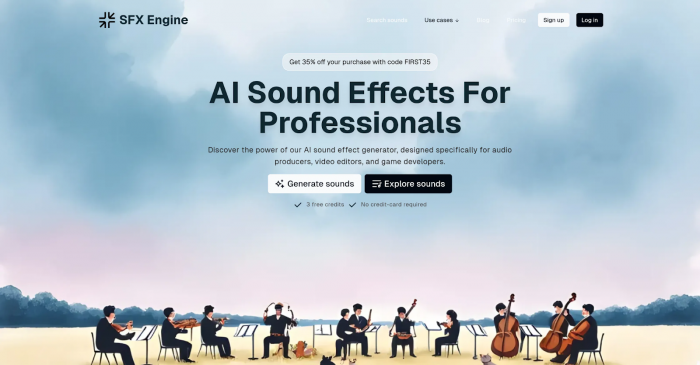
SFX Engine is built specifically for text‑to‑sound‑effect workflows, letting you define the length and start time of each generated effect. Sounds can reach up to 47 seconds and are cleared for commercial use.
Standout capabilities
● Precision control over duration and timing, useful for sync‑critical sequences.
● Library monetization options so creators can earn from downloads.
● Free trial to explore before buying.
Limitations to know
● Primarily focused on generation and customization, not full project mixing.
● Monetization features may appeal more to library contributors than casual users.
Ideal for: SFX library creators, trailer editors, and video teams that need precise, repeatable SFX assets.
Why this works: Tailored timing controls plus monetization give sound designers both creative flexibility and a potential revenue stream.
7. Soundify
Soundify is a web‑based AI sound effects generator that interprets text prompts and builds unique SFX from a diverse training dataset. It also bundles a library of pre‑generated sounds you can download or use as inspiration.
Standout capabilities
● Prompt‑based SFX generation with adjustable clip length.
● Built‑in library of ready‑made AI sound effects.
● Designed for quick, free or low‑cost usage for social content.
Limitations to know
● Less focused on high‑end film/game pipelines.
● Limited advanced mastering or mixing controls compared with pro suites.
Ideal for: Meme creators, short‑form video makers, and indie YouTubers who want fun, fast SFX.
Why this works: Low barrier to entry and instant results make it enticing for creators who care more about speed and originality than ultra‑polished sound design.
8. Verbatik AI (Sound Design Suite)
Verbatik AI is primarily known for AI voice, but it includes a custom sound effects creator inside a broader media suite with avatars, text‑to‑video, and music tools. It offers a pay‑as‑you‑go API for integrating sound and voice into apps and workflows.
Standout capabilities
● Integrated sound effects creator alongside AI voice and media tools.
● Developer‑friendly API for TTS and audio integration.
● One‑stop environment for voice, music, and SFX.
Limitations to know
● More complex than single‑purpose tools if you only need SFX.
● Best value is unlocked when you leverage multiple modules, not just sound effects.
Ideal for: SaaS founders, product teams, and agencies building apps, bots, or media workflows that require both voice and effects.
Why this works: A unified platform with API support simplifies building scalable, AI‑driven audio experiences across products and channels.
Quick Tool Snapshot
| Tool | Best use case | Key edge |
| ElevenLabs | Film, games, pro content | Hyper‑realistic, royalty‑free SFX ecosystem. |
| MyEdit | Video, podcasts, corporate | Simple text‑to‑SFX, multi‑format export. |
| LoudMe | Indie creators, small studios | Music + SFX in one royalty‑free tool |
| OptimizerAI | Horror, fantasy, games | Long SFX and monster/creature voices. |
| PopPop AI | Agencies, marketers, casual creators | Smart prompt mode, pay‑per‑use flexibility. |
| SFX Engine | Library creators, trailer editors | Timing control, monetization options. |
| Soundify | Memes, shorts, social video | Fast, free, prompt‑based SFX + library. |
| Verbatik AI | Products and workflows with voice + SFX | Integrated media suite and API. |
How to Choose the Right AI SFX Tool
When picking an AI sound effects platform, compare:
1. Use case: Match the tool to your primary goal before choosing. For cinematic-quality work, pick platforms focused on realism and high sample rates, while simpler tools are better for quick social media or casual projects.
2. Licensing & commercial rights: Always verify that generated sounds are royalty-free and cleared for commercial use. This is especially important if you plan to monetize content on YouTube, podcasts, games, or ads.
3. Workflow integration: Choose tools that fit smoothly into your production pipeline. Check for common export formats like WAV, MP3, or FLAC and look for API or plug-in support if you work inside a DAW.
4. Budget and scaling: Start by testing free plans or trials to evaluate quality and usability. Then compare subscription or pay-per-use pricing with your expected monthly SFX volume to avoid overspending.
Final Verdict
AI sound effects generators are mature enough to handle everything from TikTok skits and explainer videos to full game and film soundtracks, provided you pick a tool aligned with your quality and licensing needs. For professional post‑production, platforms such as ElevenLabs, OptimizerAI, and Verbatik’s suite will give you the depth and reliability you need, while tools like Soundify and PopPop AI unlock fast, low‑friction sound design for everyday creators.
Post Comments
Be the first to post comment!
Related Articles