Table of Content
- Why AI Subtitle Generators Matter Today
- 1. VEED.io – Creator‑Friendly Auto Subtitles in the Browser
- 2. Kapwing – Collaborative Subtitles With Deep Styling Control
- 3. Maestra – Multilingual Subtitles and Dubbing for Global Reach
- 4. Happy Scribe – Accuracy‑First Subtitles for Professional Content
- 5. SubtitleBee – Social‑First Captions for Short‑Form Video
- 6. Media.io – Subtitle Generator Inside a Multi‑Tool AI Studio
- 7. EasySub – Budget‑Friendly Subtitles With 150+ Languages
- At‑a‑Glance Comparison of the 7 Subtitle Tools
- Final Verdict: Which Subtitle Tool Should You Use?
AI subtitle generators have gone from “extra editing step” to non‑negotiable for serious video creators. With most people watching on mute at least part of the time, accurate, well‑styled subtitles can dramatically lift watch time, retention, and accessibility while also making your content more search‑friendly. In this guide, we’ll discover seven of the best AI tools for subtitle generation, how they differ, and which one fits your workflow and budget.
Why AI Subtitle Generators Matter Today
Manually typing and timing captions for a 10–20 minute video can easily take hours. AI subtitle tools automate this grind by transcribing your audio, syncing the text to the timeline, and giving you a clean interface to edit, style, and export subtitles. Most modern engines are now impressively accurate for clear speech, support multiple languages, and let you export in industry‑standard formats like SRT and VTT or hard‑burn captions directly into your video.
For YouTubers, short‑form creators, course creators, and brands, that means faster publishing cycles, improved accessibility compliance, and the ability to localize content into new markets without hiring a full in‑house localization team.
1. VEED.io – Creator‑Friendly Auto Subtitles in the Browser
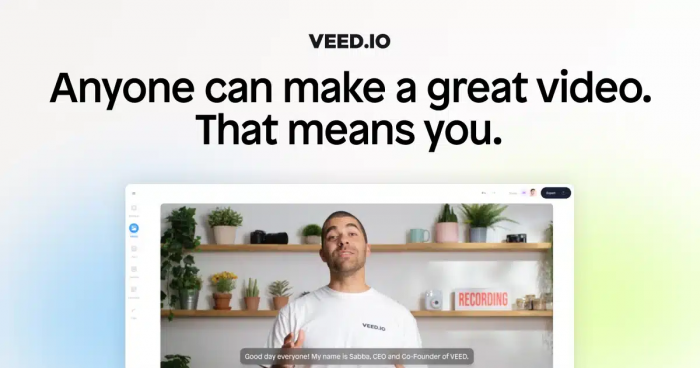
VEED.io is a browser‑based video editor with auto subtitles built right into its core workflow. You upload your clip, select “Auto Subtitles,” choose your language, and the tool generates time‑synced captions which you can then tweak line by line. It’s especially comfortable for creators who don’t want to wrestle with complex timelines but still need clean, on‑brand text on screen.
VEED’s subtitle styling is visually driven: you can choose fonts, colors, backgrounds, and position, then use presets that work well for TikTok, Reels, and Shorts. Because the subtitle tool lives inside a full editor, you can trim clips, add B‑roll, overlay graphics, and animate captions without leaving the browser. For solo creators and small teams, that “all‑in‑one” feel is a big productivity win.
VEED.io approximate pricing
| Plan | Approx. Monthly Price (USD) | What You Get (High Level) |
| Free | 0 | Basic editor, watermark, limited export length/storage |
| Creator / Lite | 15–20 | Reduced/no watermark, HD exports, more storage |
| Pro | 40–50 | Higher limits, better collaboration, priority features |
| Studio / Enterprise | Custom | Team seats, brand kit, admin controls, dedicated support |
2. Kapwing – Collaborative Subtitles With Deep Styling Control
Kapwing is another web‑based studio, but it leans more into collaboration and branding. Its auto subtitle tool generates captions in a few clicks, then lets team members jump in to refine wording, correct names, and approve final styles. That makes it appealing for agencies, social teams, and brands that work on shared projects.
Styling is where Kapwing really shines. You can pick from modern caption presets or build your own with custom fonts, colors, background boxes, and shadows. Because you’re working in a full creative suite, you can also use AI tools for cutting silence, resizing for multiple platforms, or overlaying memes and GIFs before exporting.
Kapwing approximate pricing
| Plan | Approx. Monthly Price (USD) | What You Get (High Level) |
| Free | 0 | Short exports, watermark, limited storage |
| Pro | ~24 (16 if billed annually) | No watermark, longer videos, more storage, AI tools |
| Team | ~40 per workspace (monthly) | Everything in Pro plus team collaboration, brand kit |
3. Maestra – Multilingual Subtitles and Dubbing for Global Reach
If your priority is reaching audiences across multiple languages, Maestra stands out. Its subtitle generator supports a wide range of languages and accents and can also translate your subtitles, enabling you to publish localized versions of the same video. On top of that, Maestra offers AI voice‑over and dubbing, so you can re‑voice content in other languages without separate recording sessions.
The interface is designed for serious content teams: you can fine‑tune timing, manage multiple language tracks, and keep everything organized per project. Export options cover the standard subtitle formats, and you can also render videos with burnt‑in captions for platforms that don’t support separate subtitle files.
Maestra approximate pricing (subtitles focus)
| Plan | Approx. Price (USD) | What You Get (High Level) |
| Pay‑as‑you‑go | ~12 per 60 minutes | On‑demand subtitle minutes for occasional use |
| Basic | 39 / month | Around 360 subtitle minutes, AI summary, custom dictionary |
| Premium | 79 / month | Up to ~900 minutes, teams, API access, priority support |
| Business | 159 / month | ~1,800 minutes, more seats, enhanced translation features |
| Enterprise | Custom | High‑volume, live captioning, custom legal & integrations |
4. Happy Scribe – Accuracy‑First Subtitles for Professional Content
Happy Scribe is built for users who care deeply about transcription and subtitle accuracy: documentarians, podcasters, newsrooms, and corporate teams. It offers automatic subtitles in many languages, along with a clean editor where you can refine text, adjust timing, and format lines for readability.
One major advantage is that Happy Scribe also provides human‑made subtitle services at a higher price point. That means you can rely on AI for quick drafts and switch to human review when you need near‑perfect accuracy for example, for client‑facing content, branded films, or compliance‑sensitive videos. It also has solid export options for SRT, VTT, and other broadcast‑friendly formats.
Happy Scribe approximate pricing
| Plan | Approx. Price (USD) | Included AI Minutes / Month | What You Get (High Level) |
| Free | 0 | ~10 trial minutes | Trial access, basic testing |
| Basic | ~17 / month | ~120 AI minutes | AI subtitles & transcription, watermark‑free |
| Pro | ~29 / month | ~300–600 AI minutes | More minutes, export formats, extra user seats |
| Business | ~49–89 / month | ~600–6,000 AI minutes | Larger quotas, team features |
| Pay‑as‑you‑go AI | from ~12 per hour | N/A | Buy AI minutes when needed |
| Human subtitles | higher per‑minute pricing | N/A | Professional human review & editing |
5. SubtitleBee – Social‑First Captions for Short‑Form Video
SubtitleBee is very much built with social creators in mind. It’s designed to quickly generate and style captions that look great on vertical videos, with templates that mimic popular content styles on TikTok, Instagram Reels, and YouTube Shorts. You can choose fun fonts, bright colors, and animated effects that grab attention in the first seconds of a scroll.
Under the hood, it supports a large number of languages and can translate your subtitles, making it a good solution if your audience is global. Workflow‑wise, you upload your video, auto‑generate subtitles, edit the text, pick a style, and export in vertical or horizontal formats ready for upload.
SubtitleBee approximate pricing
| Plan | Approx. Monthly Price (USD) | What You Get (High Level) |
| Free | 0 | Limited exports, watermark, good for testing |
| Starter | ~19 / month | Around 240 minutes/month, no watermark, 120+ languages |
| Premium | ~49 / month | Around 1,000+ minutes/month, more fonts & overlays, priority |
| Business | ~129 / month | Around 3,600+ minutes/month, brand kit, premium support |
6. Media.io – Subtitle Generator Inside a Multi‑Tool AI Studio
Media.io is part of a bigger online toolkit for video, audio, and image editing. Its subtitle generator fits into that ecosystem so you can, for instance, enhance audio, remove noise, and then auto‑caption the cleaned‑up footage all in the same browser tab. That makes it attractive for creators who want a Swiss‑army‑knife style platform instead of multiple separate subscriptions.
Subtitle styling options are flexible: you can adjust font type, size, color, background, and placement to match your brand. For mixed workflows like someone who needs to convert files, compress them, and then subtitle a final cut Media.io can significantly simplify the tool stack.
Media.io approximate pricing
| Plan | Approx. Monthly Price (USD) | What You Get (High Level) |
| Free | 0 | Limited exports, watermarks, basic AI tools |
| Basic | ~10 / month | Around 2 subtitle hours/month, no watermark, core editor features |
| Pro | ~13–20 / month | Around 6 subtitle hours/month, extra storage, expanded AI feature set |
7. EasySub – Budget‑Friendly Subtitles With 150+ Languages
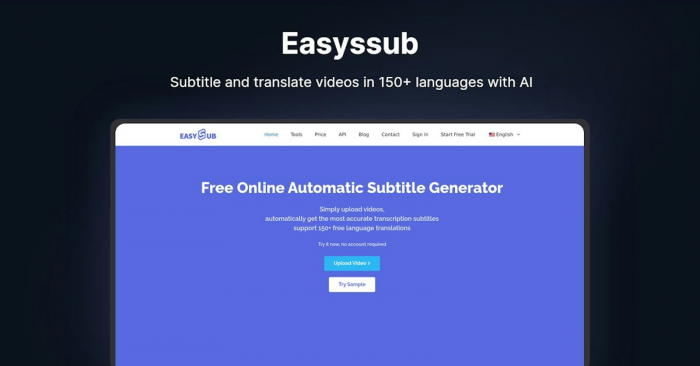
EasySub (often styled as Easyssub) is a low‑cost AI subtitle generator that focuses on affordability and broad language coverage. It supports more than 150 languages and dialects and uses an AI engine tuned for fast, practical subtitle generation with accuracy above 90% on clear audio. You upload your video, let the tool auto‑transcribe and time‑stamp the captions, then export SRT files or videos with hard‑burned subtitles.
It’s particularly appealing for creators and small teams who need many minutes of subtitles without paying premium SaaS prices. EasySub includes translation, unlimited storage, and SRT download options even on its lower tiers, making it useful for long‑form YouTube content, webinars, and social clips alike. If you’re price‑sensitive but still want a capable online subtitle generator, this is one of the easiest tools to start with.
EasySub approximate pricing
| Plan | Approx. Price (USD) | What You Get (High Level) |
| Free | 0 | ~15–30 minutes transcription, 150+ languages, SRT download |
| Pay‑as‑you‑go | ~0.1–0.2 per minute | Billed per minute (≈12 per hour), full language support |
| Pro | ~9 / month | Around 3 subtitle hours, unlimited export & storage |
| Teams | ~26 / month | Around 10 subtitle hours, unlimited users, priority support |
At‑a‑Glance Comparison of the 7 Subtitle Tools
| Tool | Best For | Strengths | Approx. Entry Price (USD/month) |
| VEED.io | Solo creators, Shorts/Reels editors | Clean UI, strong presets, all‑in‑one editor | 0 (paid from ~15) |
| Kapwing | Teams, agencies, branded social content | Collaboration, deep styling, cloud projects | 0 (Pro ~24) |
| Maestra | Multilingual & dubbing‑heavy workflows | Translation, dubbing, multi‑tier minutes | ~12 pay‑as‑you‑go, plans from 39 |
| Happy Scribe | Accuracy‑critical professional projects | Strong AI + optional human review | Pay‑as‑you‑go + plans from ~17 |
| SubtitleBee | Short‑form social creators, global audience | Social‑style presets, generous minute bundles | 0 (Starter ~19) |
| Media.io | All‑in‑one editing + subtitling in browser | Multi‑tool studio, flexible styling | 0 (Basic ~10) |
| EasySub | Budget‑conscious creators, 150+ languages | Very cheap minutes, SRT export, translation | Free tier, Pro from ~9 |
Final Verdict: Which Subtitle Tool Should You Use?
AI subtitle tools aren’t one-size-fits-all, they reflect how you create.If you want a smooth, modern browser editor, VEED.io and Kapwing are excellent starting points, especially when you need both editing and subtitles in one place. Short‑form‑first creators who need fast, flashy captions will likely feel most at home in SubtitleBee or Media.io thanks to their templates and styling depth.
Teams that juggle multilingual content, webinars, courses, or branded storytelling will benefit more from Maestra or Happy Scribe thanks to their focus on accuracy, language coverage, and professional export options. If budget is your primary concern, EasySub offers one of the most competitive minute‑based pricing models on the market without sacrificing key features like multi‑language support and SRT export.
Once you know whether your priority is speed, style, collaboration, localization, or cost, picking the right AI subtitle generator becomes much easier and the time savings on every single video quickly justify whichever subscription you choose.
Post Comments
Be the first to post comment!
Related Articles