AI tools for motion graphics are reshaping how designers storyboard, animate, and ship videos without needing a full studio pipeline or weeks of keyframing. From text‑to‑motion generators to AI‑assisted keyframing and mocap, the right stack can turn static ideas into polished motion in hours instead of days.
Key features to look for in AI motion graphics tools
When evaluating AI tools for motion graphics, focus less on hype and more on how they fit into a real workflow like concept, design, animation, and final delivery. Here are the core features to benchmark:
● Text‑to‑video & style control: Ability to turn prompts, images, or existing clips into dynamic motion, with control over style, camera movement, and duration.
● Layer and timeline control: Integration with timelines, layers, or node graphs so AI clips are editable, not just “black box” renders.
● Keyframe and roto automation: AI‑assisted masking, tracking, and keyframe interpolation to speed up tedious compositing work.
● Asset pipeline support: Clean import/export to After Effects, Premiere, Blender, Unreal, or Unity (FBX, PNG sequences, ProRes, MP4, etc.).
● Resolution and render limits: Check maximum resolution, clip length, and whether HD/4K exports are locked behind higher tiers.
● Brand and character consistency: Tools that maintain consistent characters, logos, and color palettes across multiple shots are more production‑ready.
● Licensing and commercial rights: Confirm whether free or lower‑tier plans allow commercial use, especially for client work and ads.
1. Adobe After Effects + Firefly AI
Adobe has been weaving Firefly into After Effects, adding AI‑powered animation and motion design helpers inside an industry‑standard tool. For professionals already in Creative Cloud, this is often the most natural way to add AI to motion workflows. (Adobe After Effects + Firefly AI)
Key features
● AI‑assisted keyframe automation and motion path prediction to smooth or generate motion.
● Generative fill, object removal, and auto‑styling of assets inside the Adobe ecosystem.
● Tight integration with Photoshop, Illustrator, and Premiere Pro for end‑to‑end pipelines.
Pros
● Familiar UI and full control over layers, graphs, and expressions.
● AI speeds up tedious parts without sacrificing artisan control.
● Widely adopted in studios, easy to slot into existing pipelines.
Cons
● Requires a more traditional motion design skillset; not as “prompt‑only” as pure AI generators.
● Subscription‑only and can be costly for solo creators focused on a single project.
Pricing
● After Effects is typically part of Adobe Creative Cloud Individual plans, often around 20–35 USD/month for a single app or higher for full suites, varying by region and bundles.
Best for
Experienced motion designers who want AI acceleration without leaving After Effects.
2. Kaiber – Stylized AI motion visuals
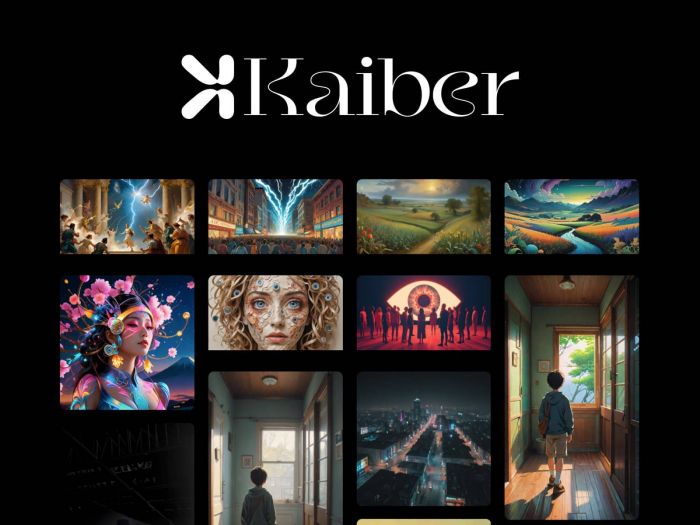
Kaiber focuses on turning images, audio, or prompts into stylized, music‑driven videos, making it attractive for social motion graphics, lyric videos, and abstract brand visuals. Its strength lies in quick, eye‑catching motion for content creators. (Kaiber )
Key features
● Text‑driven and audio‑reactive motion generation for short clips.
● Style transfer modes such as Flipbook, Motion, and Transform targeted at artistic motion.
● Simple credit‑based system with multiple subscription tiers.
Pros
● Strong results for stylized, abstract motion graphics.
● Lower entry price than some high‑end AI video tools.
● Easy to use for non‑technical creators.
Cons
● Limited control over character consistency and fine animation details.
● Multi‑image blending and advanced customization are weaker than some competitors.
Pricing
● Free: Limited seconds/month, watermarked output, basic tools.
● Explorer: Around 5 USD/month with 300 credits and basic motion tools.
● Pro: Around 10–15 USD/month (varies across plans) with more credits and longer videos.
Best for
Creators and musicians wanting fast, stylized motion graphics for social media, intros, and music‑driven visuals.
3. Runway – Generative AI motion studio
Runway has become a go‑to platform for AI‑assisted video creation, offering Gen‑3 and Gen‑4 models for text‑to‑video and advanced motion effects that motion designers can integrate into existing edits. (Runway )
Key features
● Text/image‑to‑video up to several seconds per generation (Gen‑3, Gen‑4, Turbo variants).
● Video‑to‑video style transfers, background removal, motion tracking, and generative VFX.
● Project‑style timeline, team collaboration, and export to standard formats for editing in NLEs.
Pros
● Strong balance of control and automation for motion graphics.
● Regularly updated models with better motion and coherence.
● Good mid‑tier pricing for professionals relative to output quality.
Cons
● Credit‑based system can become expensive for heavy users.
● Longer and 4K clips still require more budget and planning.
Pricing (2026 snapshot)
● Free: Around 125 credits/month with 720p, watermarks, and slower queue.
● Standard: Around 12–15 USD/month with ~625 credits, 1080p, faster renders, watermark removal.
● Pro: Around 35 USD/month with ~2250 credits and higher limits.
Best for
Motion designers and agencies who want a serious AI motion engine alongside After Effects or Premiere.
4. Pika Labs – Fast AI text‑to‑motion clips
Pika Labs is a popular text‑to‑video platform that focuses on short, stylized animations, making it ideal for concept frames, mood pieces, and social clips. It is widely used by creators who want quick turnaround motion without deep editing. (Pika Labs)
Key features
● Text‑to‑video generation for several‑second clips with various aspect ratios.
● Style presets and camera controls suited to dynamic motion shots.
● Web‑based workspace with community‑driven inspiration.
Pros
● Very quick for ideation and social‑first motion.
● Good visual variety with minimal prompt engineering.
● Accessible for beginners and non‑designers.
Cons
● Not a full editing suite; timeline control is limited.
● Short clip lengths may require stitching in external editors.
Pricing
● Typically offers a free or trial tier plus paid plans for higher quality and more generations; exact numbers vary as they iterate plans.
Best for
Creators who need rapid AI motion ideas or short, shareable motion graphics.
5. DeepMotion – AI motion capture for characters
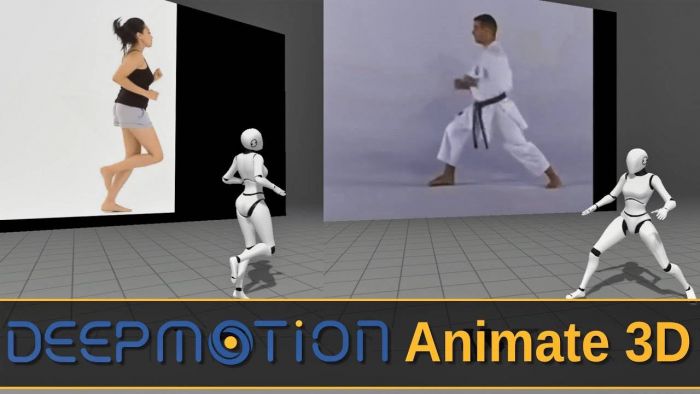
DeepMotion specializes in AI‑powered motion capture, turning regular video or webcam recordings into 3D character animation for motion graphics, games, and explainer content. It is more about driving character motion than generating full scenes. (DeepMotion)
Key features
● Markerless mocap from video for 3D rigs.
● Exportable FBX and other formats for Blender, Maya, Unreal, and Unity.
● Auto‑rigging and animation clean‑up tools.
Pros
● Massive time saver versus manual character keyframing.
● Browser‑based pipeline suitable for remote or lightweight setups.
● Integrates into 3D‑heavy motion graphics workflows.
Cons
● Requires some 3D knowledge and rig management.
● Best used as part of a bigger toolchain, not a standalone motion graphics editor.
Pricing
● Offers free and paid tiers; paid plans unlock longer clips, batch processing, and higher resolutions, with exact pricing varying by feature level.
Best for
Studios and freelancers who build motion graphics around animated characters and need fast mocap.
6. RADiCAL – Cloud‑based AI mocap for motion design
RADiCAL is a browser‑first motion capture solution that turns webcam, phone, or video footage into motion data, with plugins for major 3D software. It is becoming a staple in educational and indie pipelines for mocap‑driven motion graphics. (RADiCAL )
Key features
● AI mocap from regular cameras with no suits or markers.
● Direct streaming to Unreal, Unity, and DCC tools like Maya and Blender.
● Cloud processing for heavy lifting, reducing local hardware needs.
Pros
● Easy to get started for students and small teams.
● Good for live‑driven performances or iterative animation.
● Solid plugin ecosystem.
Cons
● Cloud dependence means upload time and connectivity matter.
● Performance and pricing scale with usage; heavy users need higher tiers.
Pricing
● Free tier for testing; paid subscriptions unlock longer sessions, higher fidelity, and commercial usage, structured by minutes of capture and features.
Best for
Motion designers and 3D artists needing quick human motion data for characters and abstract mocap‑driven effects.
7. Cascadeur – AI‑assisted keyframing
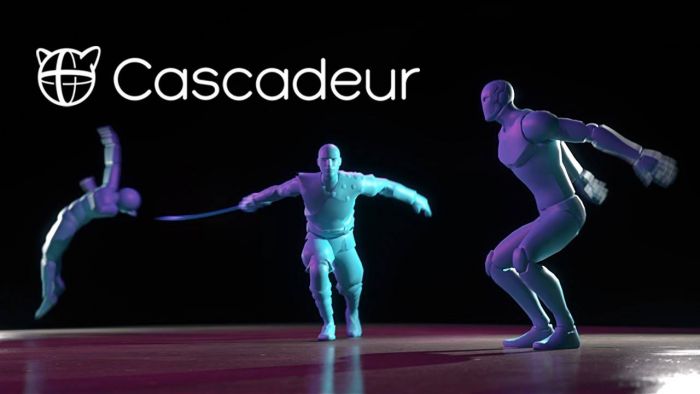
Cascadeur focuses on AI‑assisted keyframing and physics‑aware animation, giving animators and motion designers tools to pose characters and refine motion with realistic trajectories. (Cascadeur )
Key features
● Auto‑posing and trajectory editing for believable motion.
● Physics tools to keep weight, balance, and timing realistic.
● FBX/DAE/USD export to most major 3D and motion pipelines.
Pros
● Keeps creative control with the animator while using AI as a smart assistant.
● Great for polishing key action shots in motion graphics.
● Fits into most DCC workflows.
Cons
● Geared towards character and object animation rather than full scene compositing.
● Learning curve for those new to 3D animation principles.
Pricing
● Offers free and paid versions; paid tiers unlock advanced tools, commercial licensing, and higher export limits.
Best for
Animators who want AI to speed up keyframing while retaining hands‑on control over motion.
8. Neta – AI motion graphics design assistant
Neta appears in several motion graphics round‑ups as an AI‑driven creative platform that can generate motion graphics concepts and assets, including narrative‑driven visuals. It’s designed as a broad creative assistant rather than a single‑purpose mocap or text‑to‑video tool. (Neta )
Key features
● AI‑generated motion design concepts and visual treatments.
● Tools for building animated sequences for campaigns and storytelling.
● Focus on creative direction and idea generation.
Pros
● Good for early‑stage ideation and style exploration.
● Supports a range of motion graphics use cases from explainer videos to promos.
Cons
● Less documented than mainstream tools like Adobe or Runway.
● May require exporting assets to other software for detailed finishing.
Pricing
● Positioned as a creative platform with tiered plans; specific pricing is often shared via official sales channels or website sign‑up.
Best for
Teams that need AI help with motion graphic concepts and campaigns, not just single shots.
9. Hera – AI motion designer for brand videos
Hera markets itself directly as an AI motion designer, turning text prompts into professional‑looking animated videos for brands and content creators. It aims squarely at motion graphics use cases rather than generic AI video. (Hera )
Key features
● Text‑to‑animated video for intros, explainers, and brand snippets.
● Template‑style workflows tailored to motion design.
● Web interface optimized for non‑technical creators.
Pros
● Motion‑graphics‑first positioning, not just generic AI video.
● Quick setup for marketing and social assets.
Cons
● Less granular control than a full motion design suite.
● Best results often come from pairing with an editor like Premiere or After Effects.
Pricing
● Offers a “Try free” entry point, with paid plans for longer videos, higher resolution, and branding; exact tiers are presented within the app.
Best for
Marketers and social media teams who want AI‑generated motion graphics without learning complex software.
10. AI‑powered tools inside standard NLEs (Premiere, others)
Beyond standalone apps, modern NLEs and motion tools are adding AI‑powered features directly into their timelines, such as auto‑reframe, generative fill, and motion tracking enhancements. While not single “AI motion tools,” they’re vital for finishing AI‑generated clips.
Key features
● Auto‑reframing to different aspect ratios for social platforms.
● AI‑assisted masking, object removal, and motion tracking.
● Speech‑to‑text, sound cleanup, and smart cut detection.
Pros
● Integrated into existing editing pipelines.
● Reduce time spent on repetitive finishing tasks.
Cons
● Not full generative motion engines by themselves.
● Quality varies by platform and version.
Pricing
● Typically bundled with standard NLE or suite subscriptions, following each vendor’s licensing model.
Best for
Editors and motion designers who want AI to clean up and enhance motion graphics built elsewhere.
Future of AI in Motion Graphics
AI is shifting motion graphics toward a workflow where designers refine rather than build from scratch. Systems will block scenes, suggest camera moves, and generate first-pass animations, while also producing multiple brand-consistent variations tailored to different platforms.
As generative models integrate with 3D engines and traditional timelines, outputs will become more edit-ready with stronger temporal coherence and camera continuity. Designers who can direct tools, curate results, and polish performance will lead high-speed, AI-assisted pipelines.
Conclusion: build a layered AI motion stack
No single AI tool can fully replace a motion designer; the strongest work comes from layering ideation, automation, and polish across a smart stack. For most professionals, a practical setup blends a generative engine like Runway or Pika for concepts, AI‑assisted tools like After Effects + Firefly or Cascadeur for control, and mocap platforms such as DeepMotion or RADiCAL when character motion matters. If you’re a content creator or marketer, lighter tools like Kaiber, Hera, and in‑editor AI can already deliver on‑brand motion graphics at social speed, letting you ship more videos, test more ideas, and keep your motion visuals evolving with every campaign.
Post Comments
Be the first to post comment!


Table of Content
- Key features to look for in AI motion graphics tools
- 1. Adobe After Effects + Firefly AI
- 2. Kaiber – Stylized AI motion visuals
- 3. Runway – Generative AI motion studio
- 4. Pika Labs – Fast AI text‑to‑motion clips
- 5. DeepMotion – AI motion capture for characters
- 6. RADiCAL – Cloud‑based AI mocap for motion design
- 7. Cascadeur – AI‑assisted keyframing
- 8. Neta – AI motion graphics design assistant
- 9. Hera – AI motion designer for brand videos
- 10. AI‑powered tools inside standard NLEs (Premiere, others)
- Future of AI in Motion Graphics
- Conclusion: build a layered AI motion stack