Table of Content
- 1. Creatify – UGC‑Style Social Video Ads
- 2. Synthesia – Avatar‑Based Explainer and Product Ads
- 3. HeyGen – Multilingual Lip‑Synced Video Ads
- 4. OutlierKit – Deep Creative Research and Angle Discovery
- 5. InVideo AI – Script‑to‑Ad Video Production
- 6. AdCreative.ai – Performance‑Focused Static and Animated Creatives
- 7. Canva AI – Fast Social and Display Ad Design
- 8. Anyword – Conversion‑Oriented Ad Copywriting
- How to Assemble a High‑Leverage AI Ad Stack
- Bottom Line
AI is now embedded into every part of the ad creation pipeline, from research and creative strategy to video production, banner design, and copywriting. For marketers and agencies, the biggest leverage comes from choosing tools that handle specific, high‑impact parts of this workflow instead of using generic “do‑everything” apps. Below are eight focused AI tools for ad creation in 2026, with clear details on what they do best, where they struggle, and how their pricing is structured.
1. Creatify – UGC‑Style Social Video Ads
Creatify specializes in generating UGC‑style video ads for platforms like TikTok, Instagram Reels, and YouTube Shorts. You input a product link, short brief, or script idea, and the tool builds ad concepts with AI avatars, voiceovers, and stock or uploaded footage in vertical formats. It focuses on short, direct‑response‑oriented creatives that match the pacing and aesthetics of native social content.
Its key strengths include speed of production, platform‑ready vertical outputs, and templates tuned to performance‑driven UGC formats. It is well suited for brands that need a constant stream of new creatives for paid social, especially when live UGC creators are too slow or expensive. The main limitations are that outputs can feel templated if you rely only on default settings, and heavily branded or cinematic storytelling may still require a human editor to refine pacing, transitions, and on‑screen text.
Pricing is usually structured around monthly credit‑based or export‑based tiers. Lower plans often give a small pool of credits and basic export options for individual creators, while higher‑tier or business plans include more credits, access to better stock libraries, multiple aspect ratios, and collaboration features for teams.
2. Synthesia – Avatar‑Based Explainer and Product Ads
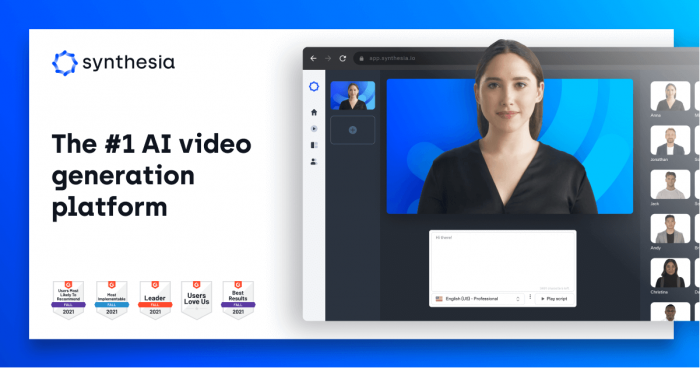
Synthesia is an AI video platform that turns scripts into high‑quality avatar‑based videos, which makes it ideal for explainer ads, feature walkthroughs, onboarding sequences, and testimonial‑style creatives. You choose from a library of realistic avatars, select the language and voice, paste your script, and customize backgrounds, callouts, and branding elements.
The strengths of Synthesia are consistency, professional polish, and efficient localization. You can standardize a “brand spokesperson” without hiring talent, and replicate the same video structure across many languages by simply changing the script and voice settings. The limitations are that the content looks more like studio video than raw UGC, which may not always be ideal for short‑form social platforms, and there is less room for spontaneous, emotional performance compared to human‑shot footage.
Pricing is normally tiered by video minutes, features, and team usage. Individual or starter plans cover a modest number of video minutes and a subset of avatars, while business and enterprise plans unlock higher volumes, custom avatars, advanced integrations, and collaboration controls.
3. HeyGen – Multilingual Lip‑Synced Video Ads
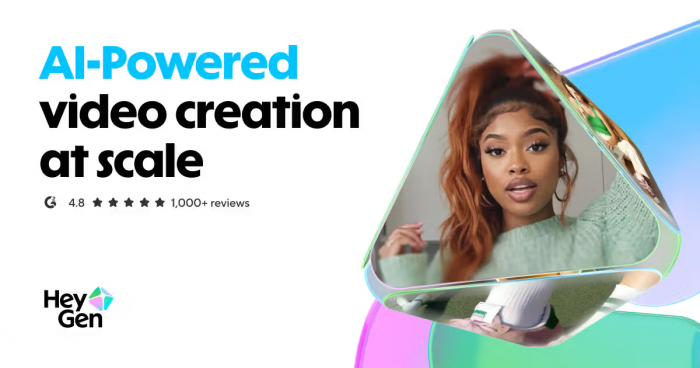
HeyGen focuses strongly on multilingual and localization workflows. You can create AI avatar videos from scripts or upload existing footage and then translate and dub it into different languages while preserving realistic lip‑sync. This makes it highly effective for repurposing winning creatives into new regions without reshooting.
Its major strengths lie in realistic lip‑sync across multiple languages and its ability to keep the visual structure of your best‑performing videos intact while adapting speech for new audiences. It is particularly helpful for brands expanding internationally or those running multi‑country campaigns from a single creative hub. Limitations include the same avatar‑video constraints as Synthesia – some audiences may prefer non‑AI faces, and emotive, cinematic storytelling can still be better with live actors and manual editing.
Pricing is typically broken into subscription tiers based on the number of video minutes or credits, features, and seats. Lower‑tier plans target small teams and simple localization needs, while higher plans are aimed at agencies and larger brands with high video volumes, API usage, and collaboration requirements.
4. OutlierKit – Deep Creative Research and Angle Discovery
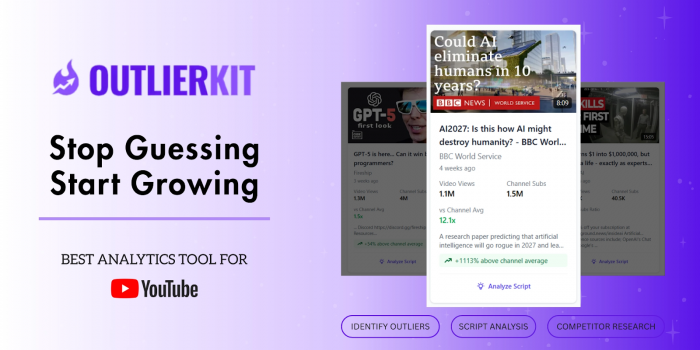
OutlierKit is built for pre‑production research, helping you uncover audience psychology, winning hooks, and high‑performing creative structures before you start building ads. It analyzes YouTube competitors, ad‑like videos, and content performance to identify “outlier” videos that significantly outperform averages, then breaks down what made them work. This includes insights into hooks, pacing, topics, video lengths, and emotional angles that resonate in your niche.
The biggest strengths of OutlierKit are its focus on psychographic insights and its ability to translate raw performance data into practical creative angles and script ideas. You can quickly see which pain points, promises, and narrative styles actually move the needle instead of guessing. A limitation is that it does not generate final ad creatives (no video editor or design canvas), so it must be paired with production tools. It also requires some strategic thinking to interpret the research correctly; it won’t replace a media buyer or strategist.
Pricing is typically organized into usage‑based tiers, with lower plans providing a limited number of research credits per month and higher plans offering more generous credit allocations plus advanced features. Entry‑level tiers tend to target solo creators and small teams, while mid and top tiers are designed for agencies and brands running frequent deep‑dive research across multiple products or clients.
5. InVideo AI – Script‑to‑Ad Video Production
InVideo AI is a text‑to‑video system built for marketers who start from ideas, blog posts, scripts, or prompts and want to quickly turn them into complete video ads. You paste a script or URL, choose a style or format, and the tool automatically assembles scenes, selects stock clips, applies transitions, adds captions, and generates voiceovers.
The strengths here are speed and accessibility: non‑editors can produce usable ads in minutes, and the platform’s stock library plus templates provide enough visual variety for many products and niches. It is especially effective as a “first draft factory” for A/B tests, intros, and offer variations. The limitations are that auto‑generated videos can look generic if you do not customize them, and brand‑heavy or highly stylized campaigns may still need manual fine‑tuning by a human editor.
Pricing is commonly set up across freemium or starter plans for occasional use and higher‑tier subscriptions for frequent producers. As you move up plans, you generally unlock more exports per month, higher resolution, better stock assets, faster rendering, and team features.
6. AdCreative.ai – Performance‑Focused Static and Animated Creatives
AdCreative.ai is designed to generate static and light animated ad creatives for display and social platforms, using performance data to guide layouts and styles. You connect your brand assets, specify campaign goals and copy, and the system creates many creative variations optimized for click‑through and conversions across sizes and placements.
Its strengths include conversion‑oriented design suggestions, automatic resizing for multiple formats, and an AI scoring system that predicts which creatives are more likely to perform well. This is especially helpful for performance marketers and agencies managing many ad sets and needing continuous creative refreshes. Limitations include the risk of visual sameness if you rely solely on the AI defaults, and highly rigid brand guidelines may require post‑editing in another design tool.
Pricing generally follows a tiered SaaS model based on the number of creatives, connected brands, and features. Lower‑cost plans may cover a limited number of brands and ad generations per month, while professional and agency plans raise those limits significantly, add more collaboration, and sometimes include API access for integrating into existing workflows.
7. Canva AI – Fast Social and Display Ad Design
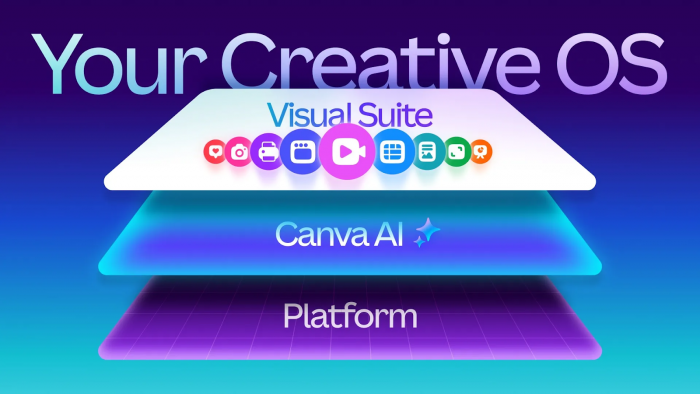
Canva AI adds generative and assistive features on top of Canva’s familiar drag‑and‑drop interface. For ad creation, you can start from templates for Facebook, Instagram, YouTube, and display, then use AI tools like Magic Design, text‑to‑image, background remover, and layout suggestions to quickly build on‑brand creatives. Brand kits ensure consistent logos, colors, and typography across campaigns.
Its strengths are ease of use, collaboration, and speed. Non‑designers can adapt templates and prompts into professional ads without leaving the browser, and teams can comment, share, and iterate in real time. Canva AI is also flexible enough to handle landing page hero graphics, email headers, and organic social, keeping visual identity unified. Limitations include less specialized performance insight compared to tools like AdCreative.ai and fewer advanced motion/animation options than dedicated motion design software.
Pricing typically starts with a generous free plan and then moves to Pro and Teams tiers. Paid plans are usually priced per user, unlocking premium templates, brand kits, additional storage, and AI features beyond the basic allocation.
8. Anyword – Conversion‑Oriented Ad Copywriting
Anyword is an AI copywriting platform tailored for performance marketing. It supports ad formats for Meta, Google, LinkedIn, X, and more, generating multiple versions of headlines, primary text, and descriptions once you provide product details, target audience, and desired tone. It is especially valued for direct‑response and conversion‑focused campaigns.
The standout strength is predictive performance scoring: each variant gets a score estimating how well it might perform with a given audience, helping you prioritize which lines to test. The tool also supports brand voice, keyword targeting, and historical learning so it can refine suggestions based on what worked in past campaigns. Limitations include occasional generic phrasing that still needs a performance marketer’s touch and the need to plug its suggestions into proper testing frameworks to realize the full benefit.
Pricing is usually organized into subscription tiers by word limits, projects, and features. Lower‑tier plans cater to solo marketers and small businesses, while higher‑tier and enterprise plans add more seats, higher generation limits, advanced analytics, and collaboration capabilities.
How to Assemble a High‑Leverage AI Ad Stack
Rather than relying on a single “all‑in‑one” solution, it is more effective to assign each tool a clear role in your workflow. A common setup uses OutlierKit for research and angle discovery, then sends validated concepts into Creatify, Synthesia, HeyGen, or InVideo AI for video production. Static and animated banners are handled by AdCreative.ai and Canva AI, while Anyword sits across the stack generating and optimizing copy variants for each channel.
This modular approach lets you scale creative volume without sacrificing strategic depth. You can swap specific tools as your budget, team, or channels evolve while keeping the overall workflow research, script and copy, production, localization, and testing the same.
Bottom Line
AI ad tools are most powerful when each plays a specific role in your pipeline from research and angle discovery to video, design, and copy so build a focused, modular stack instead of chasing a single “all‑in‑one” solution.
Post Comments
Be the first to post comment!
Related Articles