Table of Content
- 1. Looka : Best for Instant Brand Kits
- 2. Canva AI Logo Maker : Best for Everyday Creators
- 3. Sologo.AI : Minimal, Fast, and Logo‑First
- 4. LogoAI.com : Strong for Automated Variations
- 5. Wix Logo Maker : Ideal for Website‑First Brands
- 6. Adobe Express Logo Maker : Best for Future‑Proofing Your Brand
- 7. ImagineArt : Great for Artistic and Stylized Logos
- 8. Hatchful by Shopify : Best Free‑Friendly Option for E‑Commerce
- Side‑by‑Side Look: AI Logo Tools Compared
- How to Pick the Right AI Logo Tool
- Final Verdict: Use AI for Momentum, Not a Ceiling
The bar for branding has never been higher, but the time and budget available for it have never felt smaller. In 2026, AI logo design tools sit right at that tension point, helping founders, marketers, and creators translate ideas into clean, usable logos in minutes instead of weeks.
From full‑blown brand kits to hyper‑simple generators that spit out a logo in under 60 seconds, the ecosystem is broad and evolving quickly. This guide walks you through eight standout AI logo tools, explains what each one is really good at, and closes with a clear verdict on when to use which.
1. Looka : Best for Instant Brand Kits
Looka continues to be a go‑to choice for people who want more than just a logo file. It’s ideal if you’re launching a startup or side project and need a full identity package logo, colors, fonts, and social media assets without hiring an agency.
The process starts with a style quiz where you choose colors, symbols, and sample logos you like. Looka’s AI then generates a large set of options that already feel on‑brand rather than random. Once you pick a direction, the built‑in editor lets you refine layout, typography, and color combinations until everything feels right.
The real strength lies in its automatically generated brand kit. The platform spins your logo into ready‑to‑use assets like social headers, profile images, and basic marketing layouts, so your visual identity looks consistent across platforms from day one.
2. Canva AI Logo Maker : Best for Everyday Creators
_1775653401.jpg)
Canva’s AI Logo Maker is tailor‑made for non‑designers who still care about aesthetics. If you already use Canva for Instagram posts, YouTube thumbnails, or presentations, its logo generator fits naturally into your existing workflow.
You can start with prompts (“modern tech logo with geometric icon”) or choose from suggested templates and then customize everything: icons, fonts, colors, spacing using Canva’s familiar drag‑and‑drop interface. The AI helps with generating initial directions and variations, but you remain in control of the final look.
The biggest advantage is continuity. Once your logo is done, you can apply it instantly across thousands of Canva templates: social posts, pitch decks, flyers, and more. That makes it especially useful for solo creators, small businesses, and social‑first brands that need to produce on‑brand visuals every week.
3. Sologo.AI : Minimal, Fast, and Logo‑First
Sologo.AI takes a focused approach: it doesn’t try to be a complete design platform, just a very efficient AI logo generator. The interface is clean, the options are uncluttered, and you can reach a solid result without getting lost in menus.
You can type in your brand name and niche, upload a rough sketch, or use an existing symbol as a starting point. The AI then refines that into polished marks with better proportions, alignment, and balance. Editing tools are straightforward adjusting icon size, spacing, and colors is quick and responsive.
This makes Sologo.AI particularly attractive for founders who have a rough idea in mind and want a sharp, minimal logo fast. It’s not about flashy effects; it’s about a simple, professional mark you can put on your website or packaging today.
4. LogoAI.com : Strong for Automated Variations
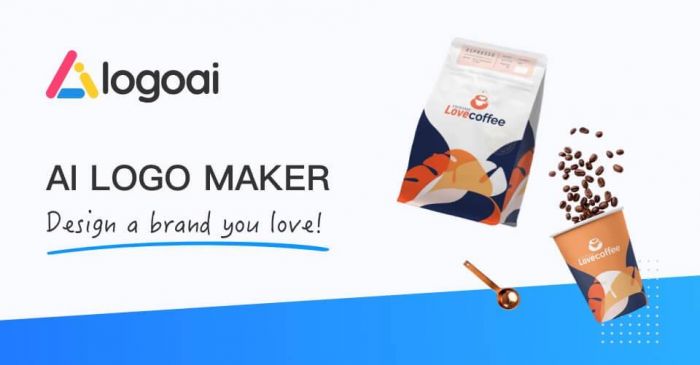
LogoAI.com shines when you want lots of competent options with minimal input. You provide your brand details: name, tagline, sector and the system outputs a grid of logos that already look surprisingly finished.
From there, you can iterate on a chosen concept: swap icons, try new fonts, experiment with color palettes, and preview how the mark looks on mockups like business cards or signage. The tool emphasizes consistency and extensibility, letting you generate matching assets so your logo never feels like a one‑off.
If your priority is speed plus a variety of many acceptable ideas quickly, then a short path to production‑ready logos and collateral LogoAI.com fits that use case very well.
5. Wix Logo Maker : Ideal for Website‑First Brands
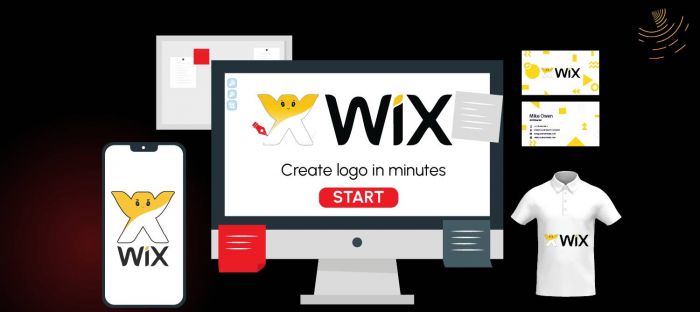
For businesses building on Wix, the Wix Logo Maker is a natural extension of the website flow. It asks about your industry, overall vibe (playful, elegant, bold, etc.), and where the logo will be used, then generates options aligned with those preferences.
One of the biggest practical benefits: it’s easy to align your logo with your website design. Colors, fonts, and layout can be harmonized so that the logo doesn’t feel like it was bolted on afterward. You can preview the logo directly in website mockups and adjust both together.
While Wix’s engine isn’t the most experimental on the market, it’s pragmatic. If you want an integrated system domain, hosting, website, and logo without juggling multiple tools, this is a convenient route.
6. Adobe Express Logo Maker : Best for Future‑Proofing Your Brand
Adobe Express includes a logo maker that’s particularly appealing if you like the idea of starting with AI but eventually collaborating with a professional designer. It gives you AI‑generated suggestions based on your brand, but the outputs sit comfortably within Adobe’s broader ecosystem.
You can refine layouts, colors, and typography inside Adobe Express, then hand off the logo to Illustrator or Photoshop for deeper work later. This ensures your logo remains fully editable and scalable at a professional level, which matters for brands that will grow beyond basic use cases.
Adobe Express is a solid midpoint between simple online generators and full custom design. It’s a good choice if you care about polish and long‑term flexibility, not just quick generation.
7. ImagineArt : Great for Artistic and Stylized Logos
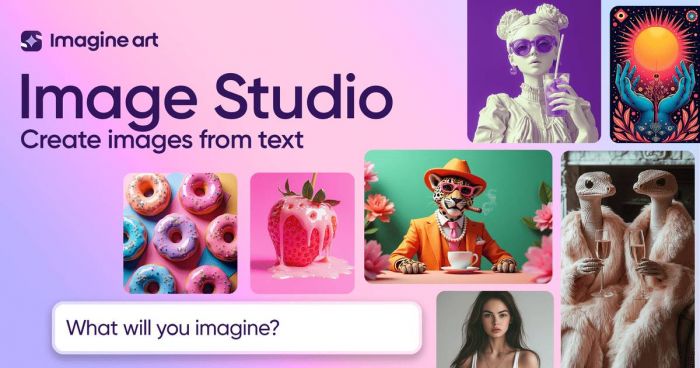
ImagineArt is a generative AI platform that excels at creating stylized, visually rich logos. Instead of only mixing templates, it uses powerful image generation models guided by your prompts and brand description.
You can specify style (“flat illustration,” “retro badge,” “futuristic neon,” “hand‑drawn”), mood, and symbols, and the system outputs unique logo concepts that often feel more like art direction than standard clip‑art‑plus‑text combinations. The editor then lets you refine composition, simplify shapes, and adjust colors.
This tool is especially useful if you want something distinctive, illustrative, or experimental like a mascot, emblem, or detailed icon that stands apart from generic stock icons.
8. Hatchful by Shopify : Best Free‑Friendly Option for E‑Commerce
_1775653456.jpg)
Replacing the previous Tool #8, Hatchful by Shopify deserves a place on this list for e‑commerce‑focused brands and budget‑conscious founders. It’s a free logo maker designed with online stores and entrepreneurs in mind.
You begin by choosing your industry and visual style, after which Hatchful generates a set of logo options tailored to typical e‑commerce needs: legibility at small sizes, clarity on mobile screens, and compatibility with product imagery. Customization is simple you can tweak fonts, colors, and layouts without needing any design background.
For Shopify users, the integration is especially convenient: you can plug your logo straight into your store theme, product pages, and marketing materials. Even if you’re not on Shopify, Hatchful works as a quick way to get a decent, business‑ready logo without touching your budget.
Side‑by‑Side Look: AI Logo Tools Compared
Below is a concise comparison table you can keep inside the article to help readers choose at a glance:
| Tool | Best For | Key Strength | Typical Use Case | Ecosystem / Integration Focus |
| Looka | Startups needing full brand kits | Rich brand kit and asset generation | Launching a new brand with logo + social + stationery | Standalone, exports work anywhere |
| Canva AI Logo Maker | Creators and small businesses | Easy customization, huge template base | Social‑first brands that design everything in one place | Deep integration with Canva templates |
| Sologo.AI | Founders who want fast, minimal logos | Clean, focused logo workflow | Simple, professional marks without complexity | Logo‑centric, export for general use |
| LogoAI.com | Users wanting many variations quickly | Automated logo and collateral options | Rapid ideation and quick rollout of business materials | Brand assets, mockups, exports |
| Wix Logo Maker | Website‑focused small businesses | Logo + site harmony | Building a Wix website and logo in one flow | Tight integration with Wix sites |
| Adobe Express | Brands planning future pro design work | Adobe compatibility and control | Starting with AI, then moving into Illustrator/Photoshop | Part of the Adobe ecosystem |
| ImagineArt | Brands seeking artistic, stylized logos | High‑end generative visuals | Unique, illustrative or experimental logo concepts | Image‑generation platform, exports vector |
| Hatchful (Shopify) | E‑commerce and budget‑conscious founders | Free, e‑commerce‑oriented templates | Quick store‑ready logos for online shops | Shopify‑friendly, web assets ready |
How to Pick the Right AI Logo Tool
Instead of asking “Which tool is the best?” start by asking “What stage is my brand at?” and “What do I need beyond the logo file?”
● If you need a complete identity from day one, tools like Looka and LogoAI.com give you logos plus ready‑made brand assets.
● If you live inside a design platform already, Canva, Wix Logo Maker, and Adobe Express will feel more natural and will save you time over the long run.
● If your goal is standout visuals and more artistic styles, ImagineArt is worth exploring, while Hatchful offers a practical, free entry point for merchants and side‑hustlers.
You can also combine tools: brainstorm and experiment in a more creative generator, then lock in and standardize your logo inside a brand‑kit‑oriented platform.
Final Verdict: Use AI for Momentum, Not a Ceiling
AI logo tools have matured into serious branding allies. They can deliver clean, usable, and on‑brand logos in a fraction of the time and cost of traditional workflows, especially at the early stage of a business.
For most new brands, the smartest play is to treat these tools as accelerators: use them to explore styles, narrow down directions, and generate production‑ready assets quickly. As your business grows, you can still bring in a human designer to refine or evolve the identity you started with AI.
Used this way, AI doesn’t replace design, it compresses the messy, expensive early phases into something faster, cheaper, and far more accessible, so you can launch sooner and iterate with confidence.
Post Comments
Be the first to post comment!
Related Articles