Table of Content
- What AI meeting note tools actually do now
- Snapshot: AI meeting note tools in 2026 at a glance
- The big fork in the road: bot or no bot
- Meetily and Granola: when you want notes without bots
- Otter: a familiar default that works for most teams
- Fireflies: when you care about the whole library, not just one call
- Fathom and Jamie: fast, clean summaries for busy professionals
- Notta and similar tools: structure for different meeting types
- Zoom AI Companion and similar built‑ins: lowering friction by living where you already are
- How to choose the right AI meeting note tool for your situation
- Example setups that actually work in real life
- How meeting note tools fit into a larger productivity stack
- A few opinionated closing thoughts
If you still open a blank doc before every meeting and hope your typing speed keeps up, you are doing your brain a disservice. Meetings move fast, people talk over each other, and the important detail is usually buried between two casual comments.
In 2026, AI meeting note tools can sit quietly beside you, capture everything that was said, and hand you a clean summary with action items at the end. That means you can stay in the conversation instead of staring at your keyboard.
What AI meeting note tools actually do now
Early “AI note takers” mostly meant “we record and give you a transcript.” That is only useful if you have the time and patience to read everything back later. Modern tools focus on structure and reuse.
A good AI meeting note tool now tends to:
- Record audio from your online meetings (and sometimes in‑person ones).
- Transcribe speech into text with speaker separation.
- Pull out decisions, action items, and key points into readable sections.
- Store everything in a way that is searchable by topic or keyword.
- Push notes into the tools you already use, like Slack, Notion, or your CRM.
Some tools join your meeting as a visible participant. Others run locally on your device and never show up in the attendee list. That difference affects how comfortable your team and clients feel, and how you handle privacy.
Snapshot: AI meeting note tools in 2026 at a glance
Overview of AI meeting note tools
| Tool | How it handles meetings | What you actually get out of it | Best suited for |
| Meetily | Local processing, no bot in the call | Private transcripts, summaries, action items on your device | Privacy‑first teams and security sensitive |
| Otter | Bot or manual record, live transcript | Real‑time notes, collaborative editing, solid summaries | General teams and remote workers |
| Fireflies | Bot joins major platforms | Searchable call library, analytics across all meetings | Sales, CS, and managers over many calls |
| Fathom | Direct call recording and highlights | Clear recaps, highlight reels, generous free usage | Individuals and small teams |
| Granola | Local app, no visible bot | Notes that merge your rough typing with full AI summary | People who dislike bots but want great notes |
| Jamie | App plus calendar / call integrations | Professional‑grade summaries with clean structure | Busy professionals needing polished output |
| Notta | Recorder or bot, templates | Summaries tailored to meeting type, multi language support | Teams who care about consistent note formats |
| Zoom AI Companion | Native inside Zoom | Built‑in AI notes and chapters, no external bot | Teams already living in Zoom |
| Krisp / similar | Records and cleans audio | Transcripts, summaries, improved audio quality | Noisy environments and hybrid teams |
You can refer back to this table when you talk about each tool in detail.
The big fork in the road: bot or no bot
Before picking a specific app, you need to decide how you feel about bots joining your calls. For some teams this is normal; for others, it is a hard no.
Bot visible vs local capture
| Tool | Bot shows up as a participant | Local / on‑device capture | Suited to sensitive conversations |
| Meetily | No | Yes | Very strong |
| Granola | No | Yes | Very strong |
| Fathom | Yes | No | Fine with consent |
| Otter | Yes | No | Fine for most internal meetings |
| Fireflies | Yes | No | Better for sales / CS pipelines |
| Notta | Often yes, depending on setup | Partial options | Depends on configuration |
| Zoom AI Companion | No extra bot | Inside Zoom’s environment | Good if you trust Zoom already |
| Jamie | Depends on integration | Sometimes hybrid | Acceptable if configured carefully |
| Krisp‑style tools | No | Yes | Good for in‑person and hybrid |
If your organisation has strict rules about recording or visible third parties in meetings, this table will narrow your options very quickly.
Meetily and Granola: when you want notes without bots
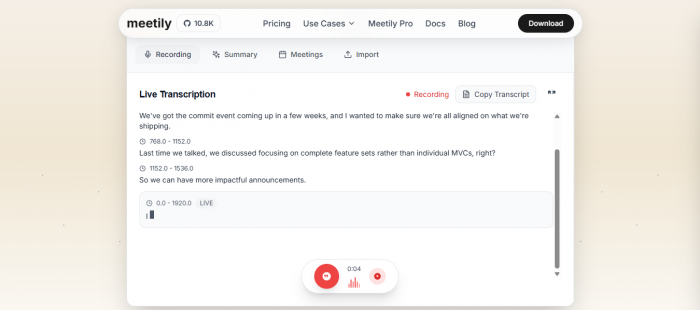
Some people simply do not want bots showing up in their calendar events. Tools like Meetily and Granola are built exactly for that scenario.
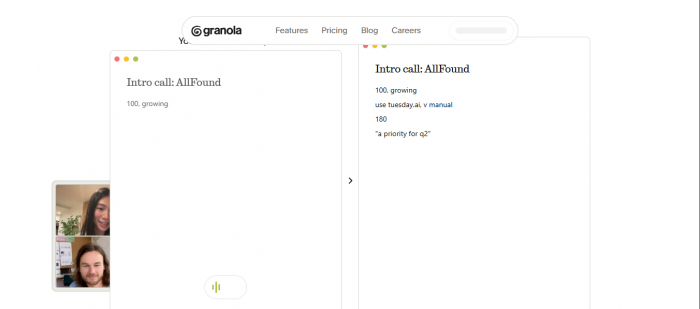
What this style of tool does:
- Runs as an app on your device and listens to your system audio.
- Creates transcripts, summaries, and action items after the call.
- Keeps data local by default, or at least gives you stronger control over where it goes.
In practice, this means you can join Zoom, Google Meet, or Teams as usual. The assistant stays invisible to other participants. After the meeting, you open the app and find cleaned‑up notes waiting for you.
This is especially appealing in privacy‑sensitive industries, for leadership calls, or whenever you are worried that adding a bot might change how honestly people speak.
Otter: a familiar default that works for most teams
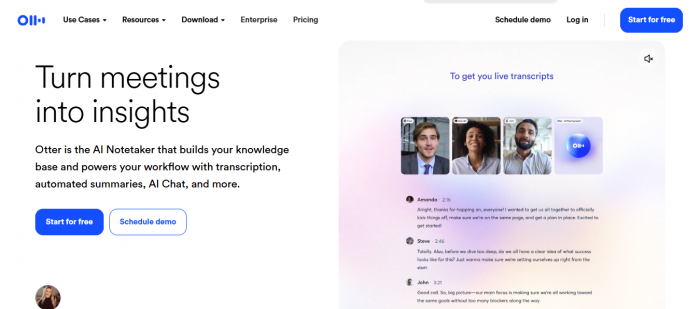
Otter has been around long enough that many people have seen it in action. It continues to be one of the easiest ways to get both live and post‑meeting notes.
How it usually shows up in a workday:
- You connect your calendar, and Otter can auto‑join calls as a participant named “Otter”.
- As the meeting happens, you and your colleagues can see the transcript build up in real time.
- After the call, you get a summary with key points and action items that you can edit and share.
This is great for teams that like to collaborate on notes live: someone can correct speaker names, add clarifications, or highlight sections as the call unfolds. Otter becomes not just a recorder, but a shared place to refine what the meeting actually meant.
Fireflies: when you care about the whole library, not just one call
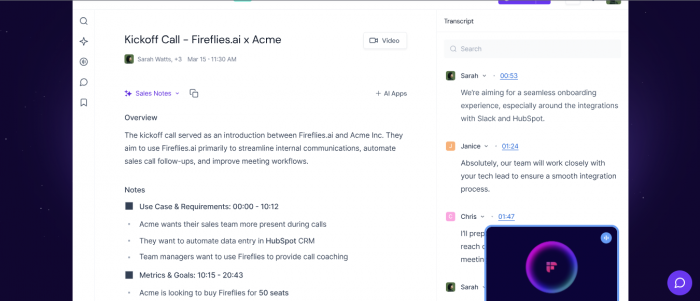
If you are a manager, team lead, or revenue owner, your problem is not “I need notes from one meeting.” Your problem is “I wish I could search everything my team has discussed over the past three months.”
Fireflies is designed for that bigger picture:
- It joins meetings, records them, and stores searchable transcripts.
- You can search across calls by keyword, topic, or even sentiment.
- It offers analytics like talk time splits so you can see who dominates conversations.
- Integrations with CRMs, project tools, and chat apps help connect call outcomes to actual work.
This kind of tool turns your collective meeting history into something closer to a knowledge base. It is especially valuable for sales, customer success, and support leaders who need patterns, not just single summaries.
Fathom and Jamie: fast, clean summaries for busy professionals
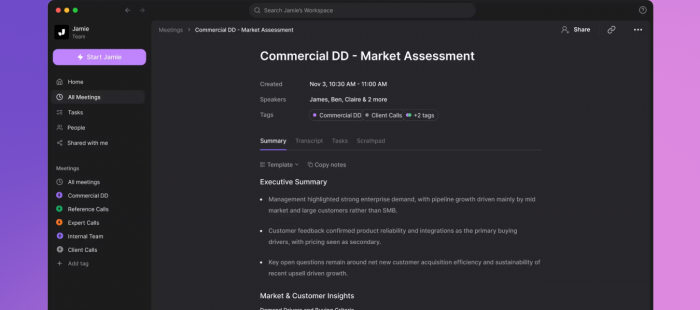
Some people do not want analytics. They just want very good notes as soon as the call ends.
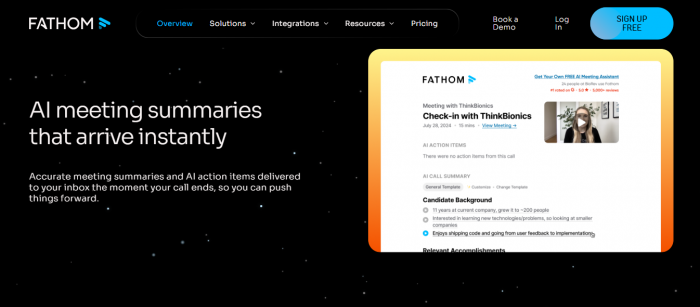
Fathom and Jamie style tools target that need:
- You run them on your device or allow them to connect to calls.
- The tool records, transcribes, and then produces a tight summary that is easy to skim.
- Key moments like commitments, objections, or decisions are often highlighted for quick reference.
These tools tend to focus on:
- Fast turnaround after the meeting.
- Clean formatting that you can paste into emails or project tools with minimal editing.
- Reasonable free tiers or trials so you can see if the “feel” of the notes matches how you like to read.
They are a good fit if you spend your day bouncing between different calls and you do not want to waste time cleaning raw transcripts.
Notta and similar tools: structure for different meeting types
In some teams, meetings follow repeatable patterns: weekly standups, sprint reviews, client check‑ins, one‑on‑ones. In that context, tools like Notta stand out because they help you keep the output consistent.
The experience often looks like this:
- You pick or define a template that matches the meeting type.
- The tool records and transcribes as usual.
- The summary is organised according to the template: for example, “Updates, Blockers, Decisions, Next Steps.”
Over time, this gives you a library of notes that looks and feels coherent. That makes it much easier to scan old meetings and find what you need, especially if you have to hand over a project or onboard a new teammate.
Zoom AI Companion and similar built‑ins: lowering friction by living where you already are
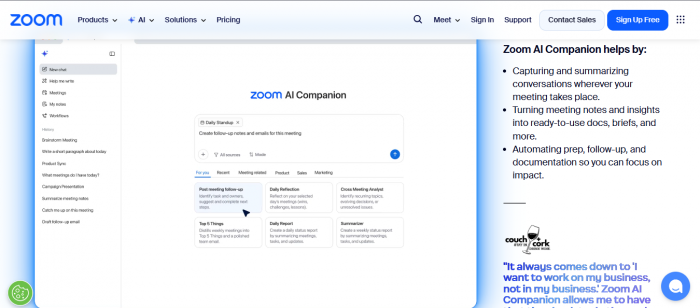
If your team already spends most of its time in one meeting platform, the built‑in assistant might be all you need.
Zoom AI Companion is a good example:
- It lives inside Zoom, so you do not have to manage a separate bot identity.
- It can generate notes, “smart chapters”, and summaries that sit alongside recordings.
- For many teams, “we trust Zoom” is a simpler privacy story than “we invited a third party bot.”
For companies deeply invested in a single meeting platform, using the native assistant can keep things simple and help with adoption. People are more likely to use tools that show up where they already work.
How to choose the right AI meeting note tool for your situation
At this point, you have seen a lot of names. The fastest way to narrow the list is to start from your primary pain point, then map that to the right group of tools.
Problems and suggested meeting note direction
| What you are struggling with | What you actually need | Tool direction to focus on |
| “I cannot take notes and participate fully” | Automatic capture and summarised output | Any core AI note taker, start with Otter or Fathom |
| “Clients do not like bots in the call” | Local capture or invisible recording | Meetily, Granola, discreet Zoom‑centric tools |
| “We forget what was said across many meetings” | Central library with good search and analytics | Fireflies, library‑focused assistants |
| “Our meeting notes are messy and inconsistent” | Templates and structured summaries | Notta, template‑driven tools |
| “We already live in Zoom and hate new tools” | Native AI inside the platform we use daily | Zoom AI Companion or similar built‑ins |
Once you know which row describes you, one or two tools usually stand out.
Example setups that actually work in real life
Instead of thinking in single tools, it is more useful to think in small, coherent setups that fit a role or team.
Setup 1: solo consultant or freelancer
- Use a bot‑free or low‑friction tool like Granola, Meetily, or a lightweight recorder with AI summaries.
- After each call, scan the summary and turn the real action items into tasks in your main task manager.
- Store the summaries in your note system, tagged by client or project, so you can see the history months later.
This flow keeps you present in calls while still giving you a reliable record of what was promised and agreed.
Setup 2: sales or customer success leader
- Use Fireflies or a similar platform that builds a searchable library of calls.
- Connect it to your CRM so important call outcomes are linked to deals or accounts.
- Review patterns periodically: talk ratios, key topics, objections, and words that appear in closed‑won deals.
Here, the AI tool is not just note taking. It is helping you understand how your team actually talks to customers.
Setup 3: remote product or engineering team
- Use Otter, Fathom, or Notta to capture recurring team rituals like standups, sprint planning, and retros.
- Standardise templates so the output looks similar each time.
- Push summaries into your main workspace or documentation tool, linking them to project pages.
This makes “what did we decide” and “why did we do it this way” questions much easier to answer later in the project.
How meeting note tools fit into a larger productivity stack

Meeting notes make the most impact when they do not stay siloed.
A healthy stack usually looks like:
- Meeting tool: records, transcribes, and summarises the call.
- Note or knowledge tool: stores final summaries and key insights.
- Task manager or project tool: receives action items and assigns owners.
If you are already writing about AI task managers and AI note taking, this is a perfect place to cross link:
- From this article, you can point to your task manager guide when you talk about pushing action items into a system that actually gets them done.
- You can also link to your AI note‑taking article when you explain how meeting summaries become part of a wider second brain.
That turns this piece from a standalone review into part of a larger “AI productivity stack” hub.
A few opinionated closing thoughts
You do not need to record every moment of your working life. You do need to stop relying on your memory for critical details.
A simple way to approach AI meeting notes:
- Pick one assistant. Do not bounce between five.
- Use it on every recurring meeting for a month.
- Make sure someone glances at the summary right after each call and moves real action items into your task system.
After that month, ask: did this make my work feel lighter or heavier?
If the answer is lighter, you have found the right direction. The specific tool can evolve over time. The habit of letting an assistant remember the details so you can focus on the conversation is what really changes how you work.
Post Comments
Be the first to post comment!
Related Articles