Table of Content
- What exactly is an AI task manager in 2026
- Overview of the best AI task management tools in 2026
- Motion: when your calendar is chaos and you want it fixed for you
- ClickUp with AI: when you want one system to run your work
- Asana with intelligence features: when process and clarity matter
- Todoist: when you want simple, fast capture without a learning curve
- Linear: when your team ships software and hates friction
- Sunsama: when you want a calm daily planning ritual
- Teamwork: when projects are tied to billable hours and clients
- Lighter tools that capture tasks from email and meetings
- How to choose the right AI task manager for your work
- Practical example setups you can copy
- Final thoughts
If your to do list keeps growing while your energy keeps shrinking, the problem is not you. Most people are trying to manage 2026 workloads with tools that were designed for a much slower internet. Modern AI task managers do something very simple but very powerful: they look at everything you have to do, understand it, and then help you decide what should happen first and when it should happen.
In this guide, you will not just see a list of tools. You will see which tools fit which type of worker, what makes each one genuinely useful, and how to pick the right setup instead of installing ten apps and sticking with none.
What exactly is an AI task manager in 2026
A few years ago, a task manager meant a list of items with due dates. In 2026, the better tools can read natural language, parse your emails and notes, understand context, and then help you plan and execute work instead of just storing it.
Good AI task managers now tend to do at least some of the following:
- Understand what you type in plain language and turn it into structured tasks.
- Suggest priorities based on deadlines, effort, dependencies, and capacity.
- Find tasks inside emails, meeting notes, comments, and documents.
- Help you schedule work into realistic time blocks instead of leaving everything as a vague list.
- Generate updates or summaries so you spend less time writing reports.
You still make the decisions. The tool just removes a lot of the friction, guessing, and manual admin that comes with running a busy life or team.
Overview of the best AI task management tools in 2026
Before diving into details, here is a quick map of where each tool shines:
- Motion is strong when you want your day and week to be automatically organised around your calendar.
- ClickUp suits teams that want tasks, docs, and AI assistance in one platform.
- Asana fits structured teams that care about workflows, portfolios, and clear ownership.
- Todoist works well if you want something simple that still grows with you.
- Linear is focused on fast moving software teams.
- Sunsama is made for calm, deliberate daily planning and timeboxing.
- Teamwork is built for agencies and client work where time is money.
- A few lighter tools help with capturing tasks from email and meetings.
Now let us look at each tool in more detail and in plain language.
Motion: when your calendar is chaos and you want it fixed for you
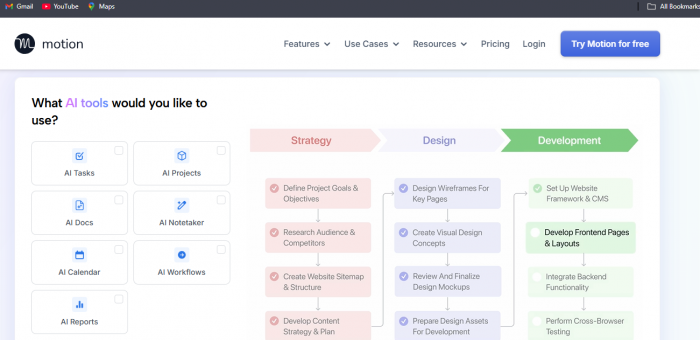
Motion is for people whose days are ruled by meetings. If you are constantly jumping between calls and squeezed for deep work, this app can feel like a relief.
What Motion does in practice:
- You add tasks with an estimate and a deadline.
- Motion looks at your calendar and places each task into open time slots.
- If new events appear or meetings move, your schedule is updated automatically.
It turns your calendar into the place where your tasks live, instead of forcing you to juggle a separate list and hope you remember to look at it. This is very helpful if you are a founder, manager, consultant, or anyone who spends most of the day in calls and wants the remaining time to be used well.
ClickUp with AI: when you want one system to run your work
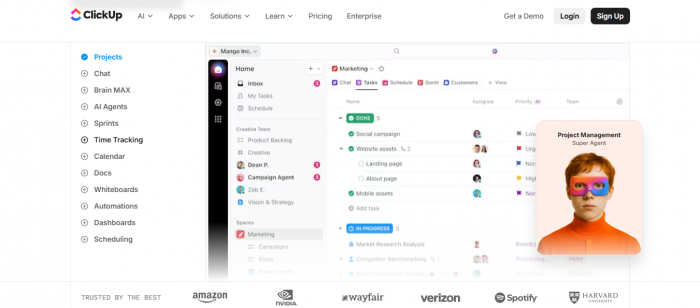
ClickUp is a full work hub. You can manage tasks, store documents, create dashboards, track time, and chat inside the same system. The AI features then sit across all of that.
In day to day work, this can look like:
- Turning a rough project description into a structured task list with subtasks.
- Summarising long comment threads so new people can catch up fast.
- Answering questions like “what is blocked on this project” without manual hunting.
ClickUp makes more sense once you have a team or a complex workload. If you are working across multiple clients, departments, or projects, this is the kind of tool that helps you keep everything in one place instead of using a patchwork of half connected apps.
Asana with intelligence features: when process and clarity matter
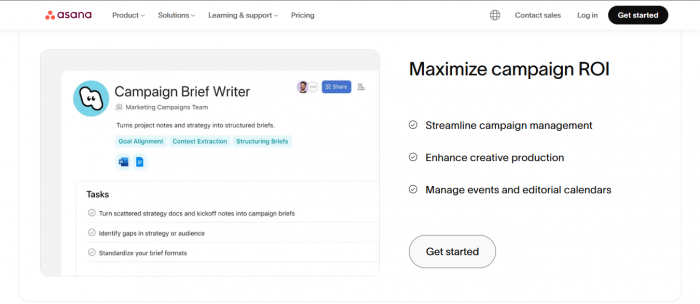
Asana has been a popular project management tool for years. The recent intelligence features focus on reducing status noise and improving decisions.
Some ways these AI features help:
- Surface tasks that really need attention instead of treating every item as equal.
- Suggest clearer wording or missing details so tasks are easier to act on.
- Produce first draft status reports from existing task data so you are not starting from a blank page.
Asana works well in teams that already think in terms of projects, milestones, and owners. If you run marketing campaigns, product launches, operations projects, or cross functional work, this tool feels structured and predictable rather than experimental.
Todoist: when you want simple, fast capture without a learning curve
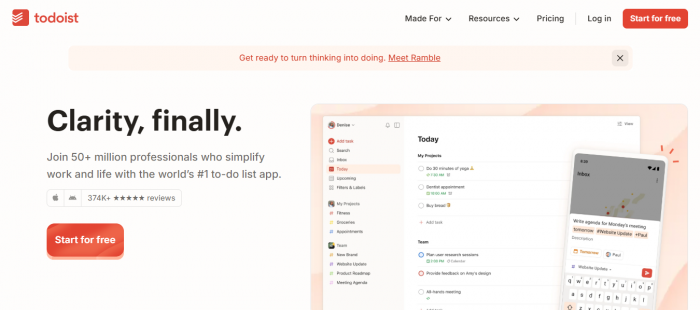
Todoist is still one of the easiest task apps to live with. It does not try to be everything. It tries to be a very good list with smart behaviour.
The main strengths:
- You can type tasks the way you think. The app reads dates, times, and priorities from natural sentences.
- Projects, labels, and filters help you create just enough structure without turning your life into a complex database.
- It stays fast and light, which means you are more likely to stick with it over time.
Todoist is a good fit if you are an individual or freelancer and just want to stop dropping balls. Later, you can connect it to other tools if you decide to build a larger system.
Linear: when your team ships software and hates friction
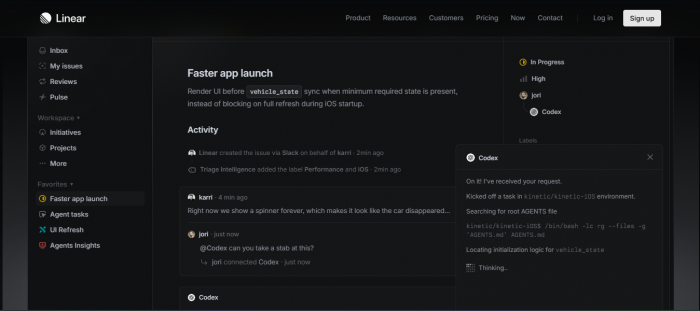
Linear is popular among software teams that care about speed. It focuses on issues, sprints, and roadmaps without heavy overhead.
What stands out:
- The interface is clean and fast, which helps teams stay in flow.
- AI can help triage issues, add missing detail, and generate concise summaries.
- It keeps technical work clear without drowning you in configuration.
If you have tried traditional issue trackers and found them slow or cluttered, Linear feels leaner while still giving you proper structure for engineering work.
Sunsama: when you want a calm daily planning ritual
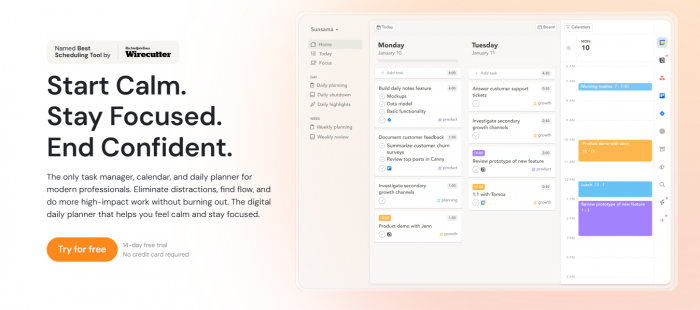
Sunsama is not trying to replace your project tools. It is more like a layer on top of them that helps you decide what your day will actually look like.
The experience is quite different from most apps:
- You start each day by deciding which tasks deserve time today.
- Sunsama helps you set realistic expectations by assigning durations to each task.
- It then creates a timeboxed schedule and shows when you are over extended.
Many people use Sunsama with tools like Asana, Jira, ClickUp, or Todoist. The project tools hold the backlog. Sunsama helps you decide what is truly going to happen today and tomorrow, in a way that feels intentional rather than rushed.
Teamwork: when projects are tied to billable hours and clients
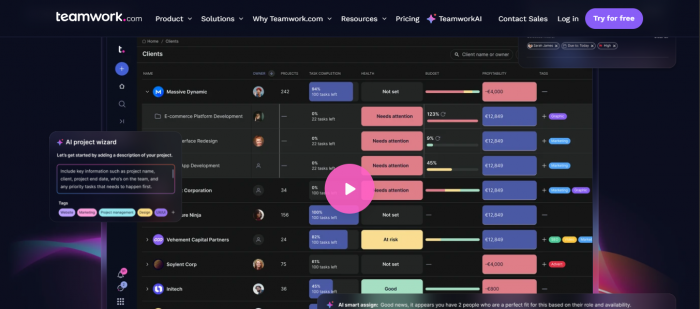
Agencies and service companies have a slightly different problem: tasks are not just things to finish, they are pieces of billable work that impact revenue and client satisfaction. Teamwork is designed for that world.
It helps with:
- Turning client briefs into concrete project plans with tasks and dates.
- Tracking capacity so you do not over promise and under deliver.
- Linking time, tasks, and budgets so you can see which projects are profitable.
If you are running a digital agency, development shop, or consulting practice, a generic to do app rarely covers everything you need. Teamwork comes closer to the full picture.
Lighter tools that capture tasks from email and meetings
There is also a growing category of tools that focus on capturing tasks rather than fully managing them. These tools read emails, chat messages, or meeting notes and turn them into items you can track.
They are especially useful when:
- You receive action items inside long email threads.
- You have back to back calls and forget to manually add follow ups.
- You want a first pass that collects possible tasks, then you decide which ones matter.
These tools are usually paired with a main task manager rather than used on their own. They reduce the chance that an important request stays buried in a conversation.
How to choose the right AI task manager for your work
Instead of trying every tool and losing weeks, you can make a clear choice by answering a few simple questions.
Question 1: where does your pain really sit
- If the problem is “there is no time to do the work”, you likely need calendar focused help like Motion or Sunsama.
- If the problem is “projects are messy and no one knows who is doing what”, a structured tool like ClickUp, Asana, Teamwork, or Linear will help more.
- If the problem is “I forget small tasks and feel mentally overloaded”, a simple and reliable app like Todoist is a smart first move.
Question 2: are you deciding just for yourself or for a whole team
- For individuals, simplicity and habit matter more than raw power. Todoist, Motion, and Sunsama are easier to commit to.
- For small teams, you want enough structure without overwhelming people. ClickUp, Asana starter plans, or Linear can work well.
- For larger teams and agencies, you likely need better reporting, permissions, and resource planning, which points you towards Asana, ClickUp, or Teamwork.
Question 3: how much automation are you comfortable with
Some people love the idea of an app automatically reorganising their day. Others prefer tools that offer suggestions but leave the final decisions fully manual.
- If you are open to full automation, Motion style scheduling or heavy AI use in ClickUp and Asana will suit you.
- If you prefer guidance with control, Sunsama and Todoist feel safer.
- If you mostly want help interpreting and summarising, the AI features in project tools are enough without changing how you work.
Practical example setups you can copy

To make this more concrete, here are a few realistic setups you can adapt.
Solo creator or consultant
- Use Todoist to capture every task and idea quickly.
- Use Motion to actually block time on your calendar for the work that matters.
- Optional: use a capture tool to pull tasks from email if you get a lot of requests that way.
This setup is simple enough to maintain but powerful enough to handle a busy solo practice.
Startup or small product team
- Use Linear for engineering issues and sprints.
- Use ClickUp or Asana for broader product, marketing, and operations work.
- Let the AI features write first draft updates and highlight risks.
- Add a daily planning layer like Sunsama if people feel pulled in too many directions.
This gives you clarity across the company without forcing every team into the exact same tool.
Agency or service business
- Use Teamwork or Asana as your main project and resource system.
- Use a capture tool to turn client emails and meeting outcomes into tasks.
- Use AI summaries to generate clean updates for clients at the end of each week or phase.
This helps you protect both delivery quality and profitability.
Final thoughts
You do not need to chase every new AI productivity trend to get real value. The real win comes from picking one or two tools that fit how you already work, then letting the AI features quietly remove friction: fewer manual decisions, fewer forgotten follow ups, fewer hours spent writing updates.
Start from your main pain point, choose the tool that addresses that pain most directly, and live with it for a few weeks before adding anything else. That single decision is often worth more than ten productivity hacks combined.
Post Comments
Be the first to post comment!
Related Articles