Table of Content
- 1. Midjourney – When You Want Images That Look Like Finished Art
- 2. Stable Diffusion – The Power User’s Upgrade Path
- 3. Adobe Firefly – For When Legal and Workflow Matter as Much as the Art
- 4. Nano Banana – Built for Fast, Realistic, Product-Ready Images
- 5. Flux 2 – When You Need Every Image in a Campaign to Match
- 6. Ideogram – The Specialist for Text Inside Images
- How to Build a Smarter Stack Around (or Beyond) Leonardo
- Verdict
If you’ve been using Leonardo AI for a while, you already know its strengths: a friendly interface, solid models, and a good balance between quality and ease of use. As your projects move into client campaigns, branded content, or serious concept art, you also start to see its ceiling limited control, unclear flexibility around models, and weaker performance in some specialized use cases.
This guide walks you through six of the best alternatives to Leonardo AI in 2026. Each one doesn’t just “do the same thing” it meaningfully improves on Leonardo in a specific area, while also bringing its own limitations you should understand before switching.
1. Midjourney – When You Want Images That Look Like Finished Art
What Midjourney Does Exceptionally Well
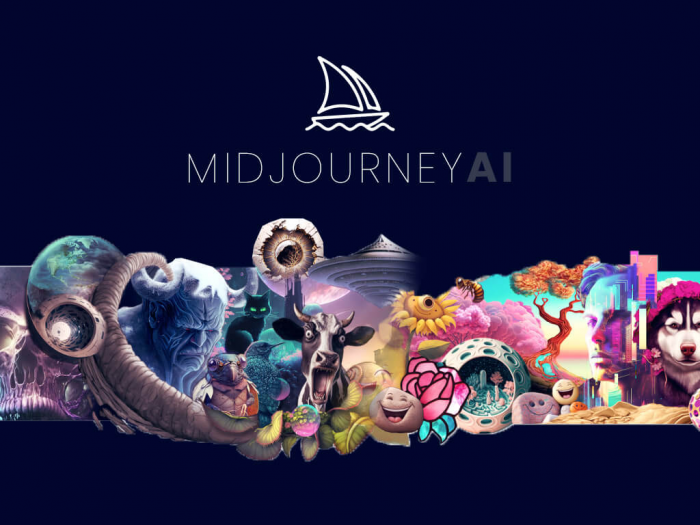
Midjourney is the tool that most often makes Leonardo users stop and stare at the difference. Its images tend to look cinematic, painterly, and carefully composed. Even fairly simple prompts can produce visuals that feel like polished concept art rather than rough drafts, making it a favorite among illustrators, concept artists, and indie game devs.
The community layer amplifies its power. You can study other users’ prompts, versions, and style experiments, which is incredibly valuable when you’re trying to reproduce a certain aesthetic. Over time, the shared knowledge around styles and workflows becomes as valuable as the model itself.
Where Midjourney Falls Short
Midjourney runs on a subscription model, so costs can escalate if you generate at scale or want higher tiers. It’s a closed ecosystem, with limited transparency about training data and little direct control over the underlying models. While the web app has improved usability, its roots in a chat-based workflow still shape the experience and can feel clunky for some users.
How Midjourney Surpasses Leonardo for Many Creators
Midjourney steps ahead of Leonardo when pure visual impact is your priority. For stylized art, high-end concept pieces, and dramatic compositions, it routinely produces work that looks more polished and “premium,” which is why many artists treat it as their main image engine and use Leonardo only as a secondary tool.
2. Stable Diffusion – The Power User’s Upgrade Path
What Makes Stable Diffusion Different
Stable Diffusion isn’t just another app; it’s a full ecosystem. You can access it through hosted interfaces or run it locally, wire it into node-based workflows, and fine‑tune models to your exact needs. For creators who feel constrained by Leonardo’s fixed models and credit-based billing, that level of flexibility is a game changer.
Its biggest strength is ownership and customization. You can choose from hundreds of community-built models tailored to specific styles, or train your own for a client’s brand, a recurring character, or a unique look. Once your setup is in place, especially on local hardware, you’re not counting credits every time you click “generate.”
The Trade-Offs You Need to Accept
All that power comes at a cost in complexity. To get consistent results, you need to understand model selection, samplers, steps, and sometimes fairly intricate node graphs. Running locally demands a capable GPU and some willingness to troubleshoot and maintain your environment. Even on friendly hosted platforms, you still make more decisions than you would on Leonardo.
Why Stable Diffusion Becomes the Smarter Choice for Advanced Users
For creators who want to own their pipeline, Stable Diffusion moves beyond Leonardo’s “walled garden” approach. It’s the smarter long-term option when you care about self‑hosting, custom styles, and deep integration into your existing tools and automation, even if that means a harder learning curve up front.
3. Adobe Firefly – For When Legal and Workflow Matter as Much as the Art
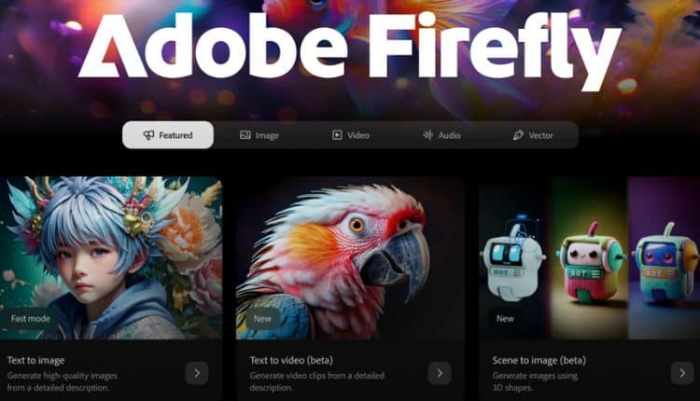
Firefly’s Real Superpower
Adobe Firefly is designed to sit inside the tools professionals already use: Photoshop, Illustrator, Express, and more. Instead of bouncing between Leonardo and a design app, you can generate imagery and immediately refine it with layers, masks, text, and all the familiar controls. For agencies and brands, that seamless workflow is a huge advantage.
Just as important is its focus on commercial readiness. Firefly is positioned with stronger messaging around training data, licensing, and content provenance. For teams who have to answer to legal, brand, or compliance departments, that assurance is often just as important as the quality of the images.
Where Firefly Might Disappoint You
Firefly makes the most sense if you’re already invested in Creative Cloud. If you’re not, the subscription overhead and complexity can feel like overkill compared to standalone generators. Its outputs tend to be conservative, optimized for safe, brand‑friendly content rather than highly experimental or edgy art. And because it’s tied to Adobe’s ecosystem, you can’t swap out or self‑host the underlying model.
In What Ways Firefly Outshines Leonardo for Professionals
For professional designers and marketing teams, Firefly goes beyond what Leonardo offers by living directly inside the production environment. It reduces friction between “idea” and “final asset,” and wraps generative AI in a framework that legal and brand teams are more comfortable with, making it a more natural fit for serious commercial work.
4. Nano Banana – Built for Fast, Realistic, Product-Ready Images
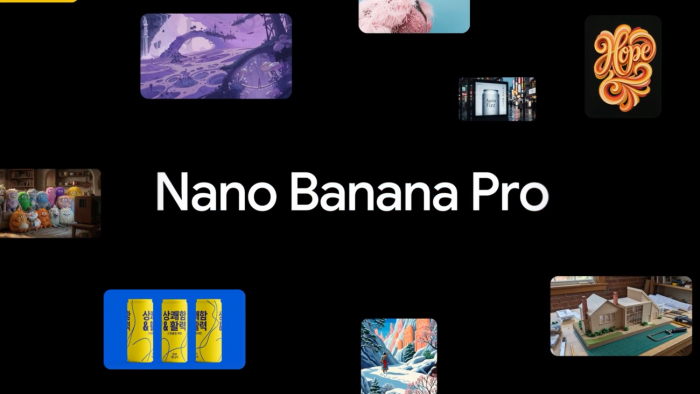
What Nano Banana Is Really Good At
Nano Banana is quickly becoming known as a model that balances speed with high realism, especially for materials. Metals reflect convincingly, fabrics look tactile, and glass and plastics behave realistically under light. That makes it an excellent fit for product renders, fashion visuals, and commercial imagery where photographic believability matters.
In day‑to‑day use, it shines when you need lots of variations different colors, angles, and settings for essentially the same product. It delivers detailed results fast, which appeals to advertisers, e‑commerce teams, and anyone tasked with churning out production-quality assets under time pressure.
Where Nano Banana Still Needs to Grow
Because it’s newer, the ecosystem around Nano Banana is still developing. You’ll find fewer in‑depth tutorials, fewer out‑of‑the‑box workflows, and fewer community presets compared to longstanding tools. It thrives in realistic, product‑oriented scenarios; for highly stylized or very abstract art, you may still prefer another model. Access is often geared toward more technical or API‑driven use.
Why Nano Banana Edges Ahead of Leonardo for Product and Fashion Work
For product-heavy or fashion-oriented workflows, Nano Banana offers something Leonardo only partially delivers: a fast, realism-first engine that behaves like a production workhorse. If your success depends on convincing product visuals more than experimental art, it becomes a more efficient choice than Leonardo for core image generation.
5. Flux 2 – When You Need Every Image in a Campaign to Match
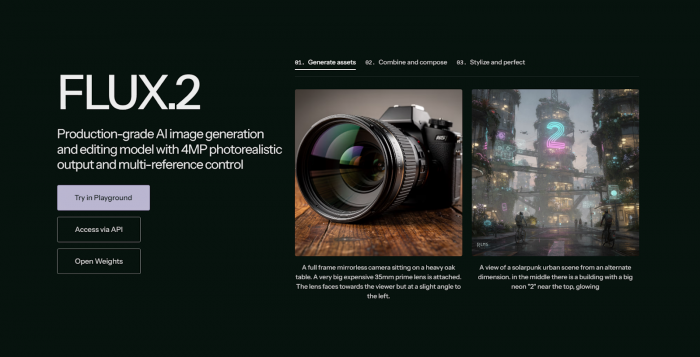
What Flux 2 Is Designed For
Flux 2 treats image generation like a campaign problem, not a one‑off prompt. It’s built to keep characters, products, and visual styles consistent across many assets : social tiles, ads, landing pages, and even print. Multi‑reference generation and careful control over color and lighting help it stay aligned with brand guidelines over an entire set of outputs.
This addresses a pain many Leonardo users feel: getting one great hero image is easy; generating an entire suite of related pieces that look like they belong together is much harder. Flux 2 is structured to make that coherence more achievable.
Where Flux 2 Isn’t a Great Fit
Flux 2 is not aimed at casual experimenting. To get value from it, you need to think in terms of systems, references, and campaigns, not just individual prompts. The workflow is more complex, and pricing is often geared toward teams rather than solo hobbyists. The general creator community is smaller, so there are fewer “copy‑paste” recipes.
How Flux 2 Becomes the Better Option for Campaign-Driven Teams
For teams running serious campaigns, Flux 2 goes beyond Leonardo by making consistency the default, not an afterthought. When you need a coherent visual language across dozens of assets, it behaves more like a creative engine for the whole campaign, whereas Leonardo is better suited to producing strong standalone images.
6. Ideogram – The Specialist for Text Inside Images
The Problem Ideogram Solves
Anyone who’s tried to get clean text out of AI image generators knows the struggle: warped letters, broken words, and logos that almost but not quite say what they should. Ideogram targets this problem directly. Its models are tuned to render readable, reasonably accurate text inside images, making it especially useful for posters, YouTube thumbnails, social graphics, covers, and early logo or wordmark exploration.
For marketers and content creators, this dramatically reduces the time spent regenerating images or manually fixing text in design software. It lets you design with typography baked into the composition from the start.
Where Ideogram Isn’t Enough on Its Own
Ideogram is intentionally focused, so it isn’t the best choice when text doesn’t matter much. For complex, non‑text-centric scenes or very niche artistic styles, other models may give you better results. Even when it gets the wording right, fine-tuning fonts, spacing, and layout will often still happen in a dedicated design tool. In most real workflows, it sits alongside another generator rather than replacing one entirely.
Why Ideogram Offers a Clear Advantage Over Leonardo for Text-Heavy Work
Ideogram stands out because it directly addresses one of Leonardo’s most stubborn weaknesses: unreliable text inside images. If your visuals rely on titles, brand names, or calls‑to‑action that must be legible and accurate, it gives you a level of reliability Leonardo simply doesn’t match, turning it into the better option for text-led creative work.
How to Build a Smarter Stack Around (or Beyond) Leonardo
Instead of hunting for a single “Leonardo killer,” it’s more realistic to think in terms of a small, smart stack of tools that each cover a specific gap. Turn to Midjourney when you want the most striking art and concept imagery that feels polished out of the box. Move to Stable Diffusion when you care about open control, self‑hosting options, and the ability to create or fine‑tune custom models.
Rely on Adobe Firefly when you live inside Creative Cloud and need stronger commercial clarity and workflow integration for client or brand work. Use Nano Banana when realistic, product-like images and generation speed are at the heart of your day‑to‑day projects. Choose Flux 2 when campaign consistency, brand alignment, and multi‑asset coherence are non‑negotiable. Add Ideogram to your stack when the text inside your images headlines, logos, slogans matters just as much as the visuals themselves.
You can still keep Leonardo as a versatile, everyday generalist that handles quick drafts, experiments, and mixed use cases. Once you start combining it with these focused alternatives, you’ll notice far fewer situations where you feel boxed in by any single platform’s limitations.
Verdict
There is no one perfect replacement for Leonardo AI, and chasing a single “best” tool usually leads to frustration. The smarter move is to treat Leonardo as one part of a broader toolkit and layer on specialized alternatives where it falls short. Artistic quality, control and ownership, licensing safety, realism, campaign consistency, and reliable text rendering all demand different strengths and no single model truly dominates every category.
By being intentional about which tool you reach for and when, you can build a stack that feels tailored to your workflow rather than forcing your workflow to fit one platform. Leonardo remains a solid foundation for many creators, but the real power comes when you pair it with tools like Midjourney, Stable Diffusion, Firefly, Nano Banana, Flux 2, and Ideogram to cover very specific, high‑impact needs.
Post Comments
Be the first to post comment!
Related Articles