Table of Content
- What actually makes a good Figma alternative?
- Quick overview: top Figma alternatives in 2026
- Penpot: open‑source freedom for teams that care about control
- Sketch: fast, focused, and still great on macOS
- Adobe XD: comfortable if you already live in Adobe land
- Framer: when you care more about interactions than static screens
- UXPin: for teams that treat prototypes like real products
- Lunacy: free, offline‑friendly, and cross‑platform
- Feature comparison at a glance
- When it actually makes sense to move away from Figma
- Final thoughts: choosing the tool that matches your reality
Figma has become the default design tool for a huge part of the UI/UX world. Its browser‑based interface, real‑time collaboration, and flexible design systems made it the first choice for product teams, agencies, and solo designers.
But that doesn’t mean it’s perfect for everyone.
As workflows get more complex, many designers start looking for alternatives. Some want better performance or offline work. Others care more about owning their files, or need stronger prototyping features than basic screen‑to‑screen flows.
The good news: the design ecosystem has matured. There are now several strong Figma alternatives, each with their own strengths and trade‑offs.
This guide walks through the best options and explains when each one makes more sense than sticking with Figma.
What actually makes a good Figma alternative?
)
A useful Figma alternative should cover the basics:
- UI layout and visual design
- Interactive prototyping
- Reusable components and asset management
Beyond that, the choice usually comes down to:
- Do you work online or offline most of the time?
- Do you collaborate in real time, or mostly design alone?
- Do you care more about open source and data control, or about ecosystem and performance?
- Are you designing simple flows, or complex, logic‑heavy products?
Different tools lean in different directions. That’s why there is no single “best” Figma alternative - only the best match for your workflow.
Quick overview: top Figma alternatives in 2026
| Tool | Best for | Key strength | Platform type |
| Penpot | Open‑source teams | Data ownership & flexibility | Web‑based (self‑host optional) |
| Sketch | Mac‑only designers | Performance & simplicity | Desktop (macOS) |
| Adobe XD | Adobe users | Tight Adobe ecosystem fit | Desktop |
| Framer | Interactive web work | Advanced animations & interactions | Web‑based |
| UXPin | Product teams & systems | Logic‑based, realistic prototypes | Web‑based |
| Lunacy | Budget‑conscious designers | Free, offline, multi‑platform | Desktop (Win/macOS/Linux) |
Each of these tries to solve a specific type of problem. Below, we’ll dig into how they behave in real projects.
Penpot: open‑source freedom for teams that care about control
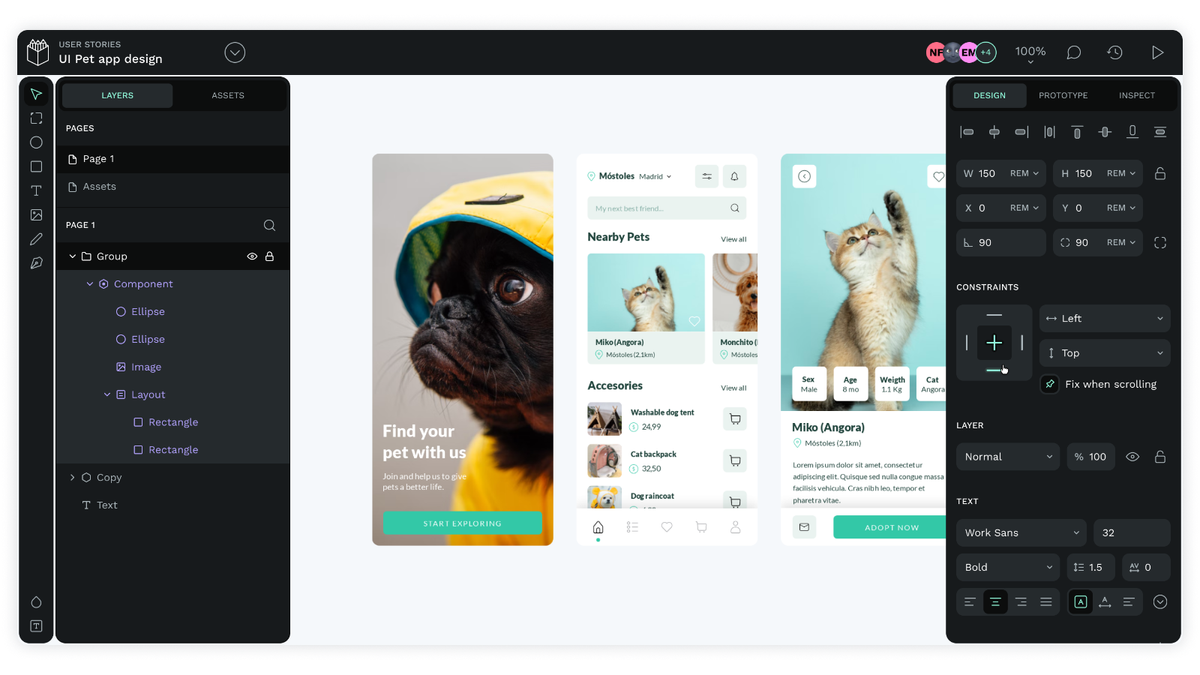
Best for: teams who care about open source, self‑hosting, and long‑term data ownership.
Penpot is the only well‑known UI design tool that is fully open source.
What makes it stand out:
- You can host it yourself instead of relying on a vendor’s cloud.
- Your team fully controls its own files, servers, and data.
- It supports familiar workflows: components, prototyping, and collaboration in the browser.
Who Penpot suits:
- Organizations with strict security or compliance standards.
- Teams that prefer open technologies and want to avoid vendor lock‑in.
- Developers and designers working closely together on open‑source or internal tools.
If you love Figma’s structure but dislike being locked into a closed platform, Penpot is the most natural alternative.
Sketch: fast, focused, and still great on macOS
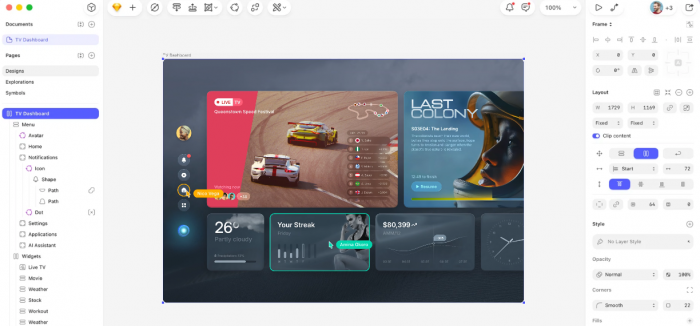
Best for: individual designers who live on Mac and want a tried‑and‑tested app.
Sketch was “Figma before Figma” for a whole generation of product designers. It still has a lot going for it:
- A clean, focused interface that feels light and fast.
- Strong vector editing and reusable components.
- A large ecosystem of plugins and UI kits.
Biggest limitation:
- It is macOS‑only. That makes Sketch harder to use in cross‑platform teams where not everyone is on a Mac.
Who Sketch suits:
- Solo designers or small teams where everyone uses Mac.
- Designers who want a fast, native desktop app instead of a browser tool.
- People who value stability and a familiar interface over constant “new feature” churn.
If you’re a Mac‑only designer and don’t need real‑time web collaboration, Sketch is still a very solid choice.
Adobe XD: comfortable if you already live in Adobe land

Best for: designers already using Photoshop, Illustrator, or After Effects.
Adobe XD’s biggest advantage is simple: it fits neatly into the Adobe ecosystem.
What it does well:
- Feels familiar if you work with other Adobe tools.
- Easy to move assets between XD, Photoshop, and Illustrator.
- Includes interactive prototyping with transitions, basic animations, and mobile previews.
Where it falls behind Figma:
- Collaboration and live‑editing features are not as strong or as central to the product.
- Community and plugin ecosystem are smaller.
Who XD suits:
- Agencies and creatives already paying for Adobe Creative Cloud.
- Designers who prefer to stay inside Adobe apps rather than juggling multiple vendors.
- Workflows where designs need to mix closely with Photoshop/Illustrator assets.
If your entire team already runs on Adobe tools, XD can be a convenient alternative to Figma, even if it doesn’t match every feature.
Framer: when you care more about interactions than static screens
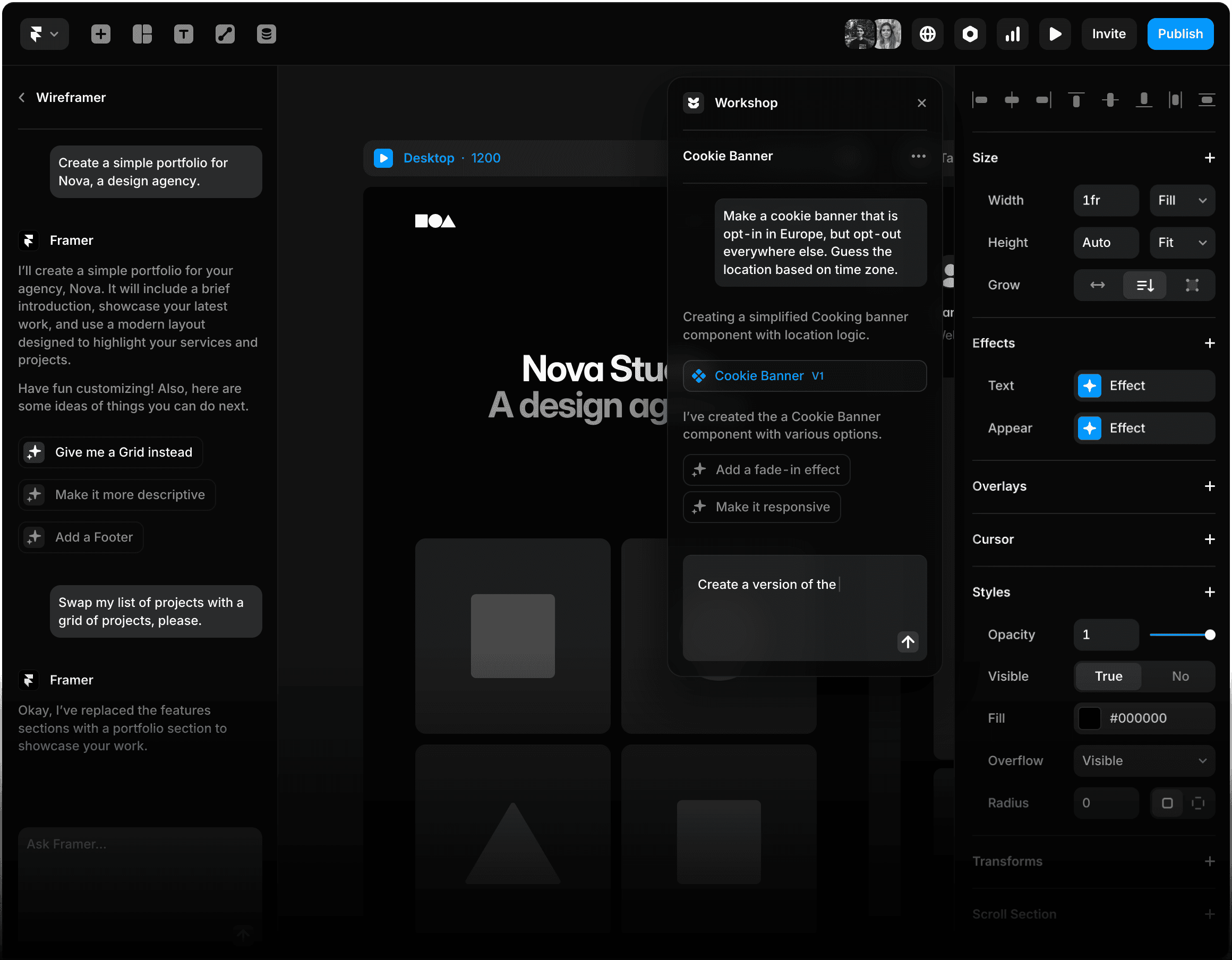
Best for: modern web UX, marketing sites, and highly interactive concepts.
Framer started life closer to a prototyping and code‑adjacent tool, and that DNA still shows.
What makes it different:
- Very strong focus on motion, micro‑interactions, and transitions.
- You can create prototypes that move and feel like real products, not just linked screens.
- It’s popular for landing pages and modern web experiences, especially when you want smooth animations.
Things to keep in mind:
- There is more of a learning curve than with basic drag‑and‑drop tools.
- You’ll get more from Framer if you already understand how interactions and states work.
Who Framer suits:
- Designers working on marketing sites, SaaS landing pages, or app demos where movement matters.
- Product teams that need to sell an experience, not just a static flow.
- Designers interested in bridging the gap between design and front‑end behavior.
If Figma prototypes feel “too flat” for what you’re building, Framer is worth a serious look.
UXPin: for teams that treat prototypes like real products
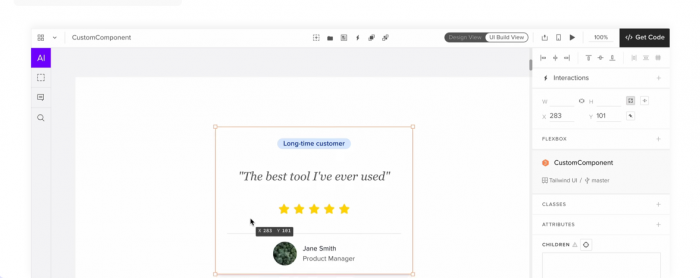
Best for: large product teams and complex apps with lots of logic.
UXPin goes beyond “click from screen A to screen B.” It lets you:
- Add logic, variables, and conditions to your prototypes.
- Simulate real input states, form validation, and branching flows.
- Build prototypes that behave much closer to a working app.
Why this matters:
- Developers get a clearer picture of how the product should behave.
- Stakeholders can test realistic flows instead of just clicking through static mockups.
- Design systems can be wired with real components and states.
Who UXPin suits:
- Product teams in SaaS, enterprise software, or complex B2B tools.
- Organizations that invest heavily in design systems and consistent behavior.
- Designers who frequently feel Figma prototypes are not realistic enough.
If your main pain with Figma is “it doesn’t behave like the real product,” UXPin is built to solve exactly that.
Lunacy: free, offline‑friendly, and cross‑platform
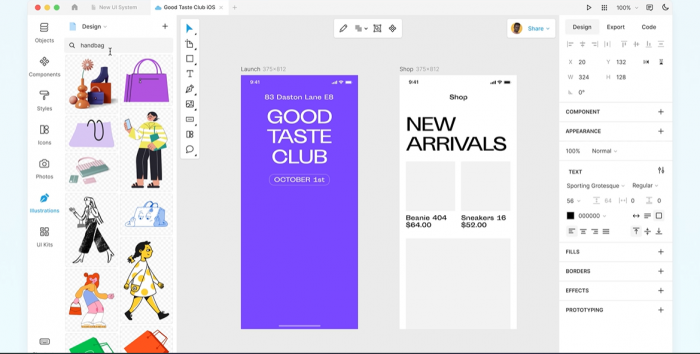
Best for: designers on a budget, or anyone who needs offline work across different OSes.
Lunacy is a lightweight design tool that punches above its weight.
Highlights:
- Completely free for core use.
- Works offline, which is a big deal if you travel, work on the go, or have unreliable internet.
- Available on Windows, macOS, and Linux, giving it broader reach than many design tools.
What it offers:
- UI design, vector editing, and asset libraries.
- A UI and feature set that feel familiar to people coming from Sketch/Figma.
- No forced browser dependency.
Who Lunacy suits:
- Students, freelancers, or small teams with tight budgets.
- Designers who work in environments with poor connectivity.
- People who want a Figma‑like experience without a monthly bill.
If cost and offline access are your top concerns, Lunacy is one of the easiest recommendations on this list.
Feature comparison at a glance
Here’s a simple feature view to see how these tools differ in practice:
| Feature | Penpot | Sketch | Adobe XD | Framer | UXPin | Lunacy |
| Collaboration | Strong | Moderate | Moderate | Strong | Strong | Limited |
| Offline access | Yes (self‑host) | Yes | Yes | No | No | Yes |
| Open source | Yes | No | No | No | No | No |
| Prototyping depth | Strong | Moderate | Strong | Advanced | Advanced (with logic) | Basic |
| Platform support | Cross‑platform (web) | macOS only | Windows + macOS | Web | Web | Windows, macOS, Linux |
This table makes one thing clear: none of these tools are trying to be everything for everyone. Each leans toward a specific style of work.
When it actually makes sense to move away from Figma
You don’t have to leave Figma just because a new tool is getting buzz. It’s worth looking elsewhere only when Figma starts getting in your way.
You’re probably ready to try something else if:
- You care a lot about owning your files and infrastructure
Maybe your team needs open‑source tools or self‑hosting for security and compliance. That’s where something like Penpot starts to make sense. - You’re tired of living in the browser
If you’d rather have a fast, native app that works even when the Wi‑Fi is bad, a desktop tool such as Sketch or Lunacy will feel more comfortable - Simple click‑through prototypes aren’t enough anymore
When you’re designing rich, interactive experiences and need animations, logic, or realistic behaviour, tools like Framer or UXPin can go further than Figma’s basic flows. - Your product is big, complex, and full of states and rules
If you spend more time explaining edge cases than drawing screens, a systems‑focused tool like UXPin can help you model real behaviour, not just layouts. - Your whole creative life already lives inside Adobe
If you’re constantly jumping between Photoshop, Illustrator, After Effects, and shared CC libraries, keeping your design work in Adobe XD can simply be less friction.
For many teams, the answer isn’t “quit Figma overnight.” It’s keeping Figma for what it does well and quietly bringing in a second tool to cover the gaps that matter most to your workflow.
Final thoughts: choosing the tool that matches your reality
Figma is still one of the strongest design tools available in 2026. But it’s no longer the only serious choice.
- Penpot gives you open‑source flexibility and control.
- Sketch gives Mac users speed and familiarity.
- Adobe XD fits best inside Adobe‑heavy workflows.
- Framer brings your designs closer to real, interactive products.
- UXPin helps big teams design with systems and logic, not just screens.
- Lunacy offers a capable, offline‑friendly option at no cost.
The “best” Figma alternative isn’t universal. It’s the one that matches:
- how you design,
- how you collaborate,
- and how your products are built.
Post Comments
Be the first to post comment!
Related Articles