Table of Content
- Synthesia - The Baseline Many Teams Start From
- HeyGen - For Marketers Who Live on Personalization
- Colossyan - Built Around Training and Learning Content
- Pictory - Turn Written Content into Short Videos
- DeepBrain AI - When Realism Is the Priority
- Rephrase.ai - Tailored Videos at Scale for Sales and Outreach
- Elai - Automation‑Friendly Video Creation
- Veed - A Practical Editor with AI on Top
- Descript - Edit Video and Audio by Editing Text
- Runway - Creative AI Video Beyond Talking Heads
- Lumen5 - Blog and Brand Storytelling for Teams
- Final Verdict: Which Synthesia Alternative Is Right for You?
Synthesia isn’t the only serious player in AI video anymore—and for many teams, it’s no longer the best fit. As marketers, trainers, and SaaS founders push harder on personalization, automation, and content repurposing, a new wave of AI video tools has stepped in with sharper focus and more opinionated workflows.
Some platforms now specialize in lifelike virtual anchors for news and finance. Others are built purely to turn blogs into videos, to plug directly into your CRM, or to sit inside your product as an automated video engine. Once you look at what these tools are really optimized for, it becomes clear that “best” depends entirely on what you’re trying to ship.
Synthesia - The Baseline Many Teams Start From
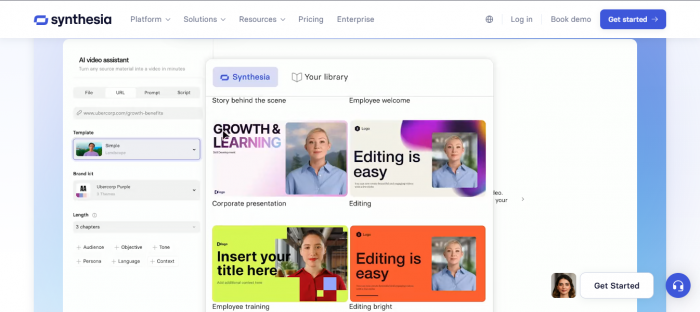
Synthesia is one of the most widely known AI avatar video platforms, used heavily for training, onboarding, explainers, and internal communication. You write a script, pick an avatar, choose a layout, and the platform generates a presenter‑led video in multiple languages.
Teams like it because it reduces the need for live shoots and makes updating videos as simple as updating text. However, some users find the editing environment constrained, and pricing can feel high once usage scales.
Where Synthesia makes sense
- You need formal training or explainer videos quickly, without filming.
- You prefer a polished, corporate look with neutral, professional avatars.
- Your team values a structured, guided interface over deep creative control.
Synthesia at a glance
| Aspect | Details |
| Primary focus | Training, onboarding, explainers, internal communication |
| Avatar style | Professional, neutral, business‑friendly presenters |
| Languages | Wide multilingual coverage |
| Editing model | Scene‑based, template‑driven |
| Personalization | Limited; mostly generic videos per audience |
| Integrations | Basic; not deeply automation‑ or API‑centric |
| Best fit | Companies standardizing internal video at scale |
HeyGen - For Marketers Who Live on Personalization

HeyGen is popular with marketing and content teams that want expressive avatars and brand‑driven videos. Compared to Synthesia, it often feels more “alive” in terms of avatar expression and tone, and it leans harder into personalization and campaign use.
You can create product explainers, onboarding flows, and social‑ready creatives with avatars that feel less generic. Voice cloning adds another layer of brand consistency when you want the videos to sound like a specific person or identity.
Where HeyGen makes sense
- Your main use cases are marketing, product videos, and customer‑facing content.
- You want avatars that can carry emotion and personality, not just read a script.
- You plan to reuse the same presenter and voice across campaigns.
HeyGen vs Synthesia
| Aspect | HeyGen | Synthesia |
| Core focus | Marketing, explainers, campaigns | Training, internal comms, explainers |
| Avatar tone | Expressive, personality‑driven | Neutral, professional |
| Voice cloning | Strong emphasis | Available but less central |
| Personalization | Higher (brand and voice centric) | Lower out‑of‑the‑box |
| Ideal user | Marketers and content teams | L&D, HR, training and comms teams |
Colossyan - Built Around Training and Learning Content
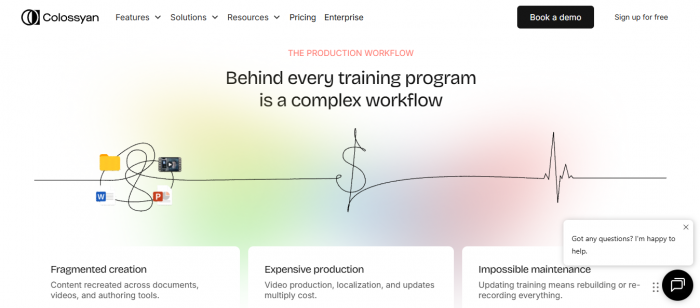
Colossyan targets learning and development scenarios. It feels like a natural fit for onboarding, compliance, process walk‑throughs, and modular training content. The editing experience is intentionally simple so non‑video professionals can build consistent content.
Compared to Synthesia, Colossyan emphasizes structured learning workflows and multi‑language training rollouts rather than broad, general‑purpose use.
Where Colossyan makes sense
- Most of your output is training or educational material.
- You want something that feels closer to “slides‑to‑video” than full production.
- You care about translation and subtitles for global staff.
Colossyan vs Synthesia
| Aspect | Colossyan | Synthesia |
| Core focus | Training, eLearning, internal education | Training, explainers, internal comms |
| Editor feel | Slide‑like, lesson‑oriented | Scene‑based, template‑driven |
| Language handling | Strong subtitles and translation for courses | Strong multilingual but more general |
| Ideal user | L&D, HR, trainers | L&D plus broader corporate |
| Reason to pick it | Designed specifically around educational workflows | Generalist corporate video generation |
Pictory - Turn Written Content into Short Videos
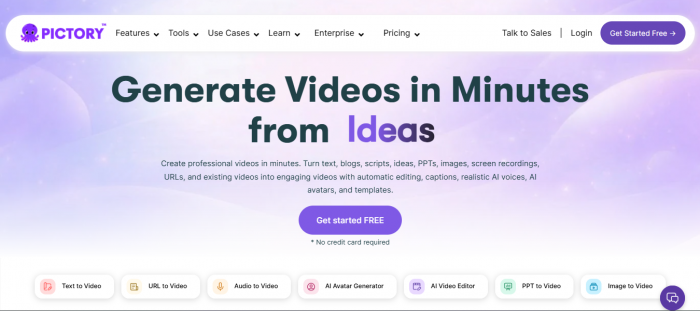
Pictory is built for content marketers and bloggers who want to turn existing text into video. Instead of starting with avatars, you start with a blog post, script, or transcript, and Pictory suggests scenes, visuals, and narration.
Where Synthesia focuses on presenter‑driven videos, Pictory focuses on text‑driven clips that can be published to YouTube, LinkedIn, and other platforms as short, digestible pieces.
Where Pictory makes sense
- You publish regular blog posts or long‑form content.
- You want quick video versions for social and discovery without heavy editing.
- Avatars are not essential to your content strategy.
Pictory vs Synthesia
| Aspect | Pictory | Synthesia |
| Core focus | Content repurposing (text → video) | Scripted avatar videos |
| Avatar presence | Minimal to none | Central to most videos |
| Best input type | Blog URLs, scripts, transcripts | Written scripts |
| Output style | Text overlays + visuals + voiceover | Presenter‑led scenes |
| Reason to pick it | Scaling content repurposing from text | Creating presenter‑led training and explainer videos |
DeepBrain AI - When Realism Is the Priority
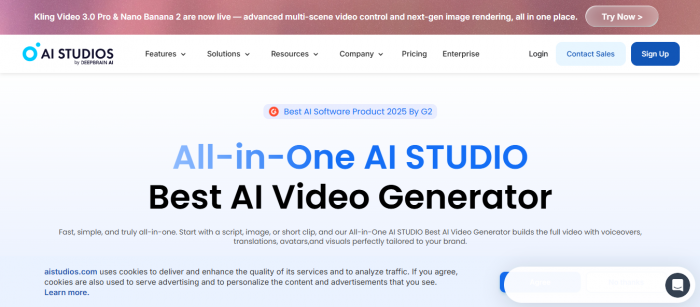
DeepBrain AI is used where a presenter must look as close to a real human as possible. The virtual anchors and hosts are designed for news, finance, and enterprises that want a broadcast‑quality presence without running a studio.
While Synthesia offers polished avatars, DeepBrain AI pushes further into realism and is often chosen for use cases where that visual fidelity is strategically important.
Where DeepBrain AI makes sense
- You produce recurring news‑style updates or formal messages.
- A highly realistic virtual anchor or host is a requirement.
- You work in sectors like finance, broadcasting, or large corporate communications.
DeepBrain AI vs Synthesia
| Aspect | DeepBrain AI | Synthesia |
| Core focus | High‑fidelity virtual humans | General corporate avatars |
| Visual realism | Very high | High but less “anchor‑grade” |
| Typical use cases | News, financial briefings, formal announcements | Training, onboarding, general explainers |
| Ideal user | Media, finance, large enterprises | Broad corporate and training |
| Reason to pick it | When realism outweighs flexibility | When you need broad, flexible AI avatar videos |
Rephrase.ai - Tailored Videos at Scale for Sales and Outreach

Rephrase.ai centers on personalized, data‑driven video. It connects to CRMs or marketing tools so you can auto‑generate many video variants that mention a person, company, or segment directly.
While Synthesia can create one strong generic video, Rephrase.ai is about creating many targeted versions for cold outreach, lifecycle campaigns, and performance marketing.
Where Rephrase.ai makes sense
- You have outbound sales or lifecycle programs with segmented audiences.
- You want to test whether video personalization improves reply rates or conversions.
- CRM‑level integration is part of your standard practice.
Rephrase.ai vs Synthesia
| Aspect | Rephrase.ai | Synthesia |
| Core focus | Personalized, at‑scale outreach videos | General training and explainer videos |
| Data integration | Deep with CRMs and automation tools | More limited |
| Output strategy | Many personalized variants | Fewer, more generic videos |
| Ideal user | Sales, growth, lifecycle marketing teams | Training, L&D, comms teams |
| Reason to pick it | When personalization is central to your strategy | When generic but scalable training is the priority |
Elai - Automation‑Friendly Video Creation
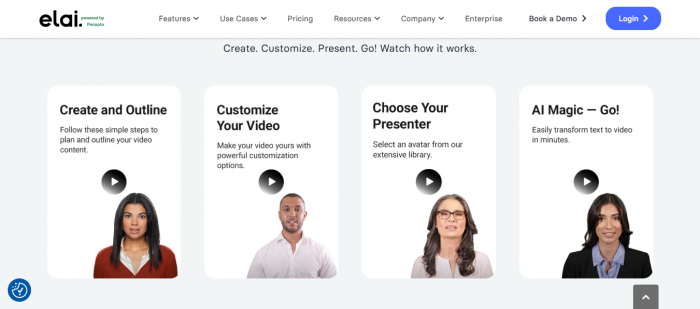
Elai is geared towards teams that want video generation woven into products or systems. Rather than treating each video as a one‑off project, you create templates and then feed content into them manually or via automation.
Compared with Synthesia, Elai is often chosen when automation, templating, and API‑style workflows are more important than a highly guided interface.
Where Elai makes sense
- You build or run a platform where videos need to be generated repeatedly.
- Templates and automation matter more than bespoke editing each time.
- You want to connect AI‑written scripts directly into AI videos.
Elai vs Synthesia
| Aspect | Elai | Synthesia |
| Core focus | Template‑ and automation‑driven video | Manual script‑to‑video generation |
| Workflow style | Systemized, API‑friendly | UI‑driven, less automation‑centric |
| Ideal user | SaaS teams, agencies, course platforms | Corporate training and comms teams |
| Reason to pick it | When video is part of a larger automated system | When you primarily build videos manually in a UI |
Veed - A Practical Editor with AI on Top

Veed is a browser‑based video editor first, with AI features built in to make edits faster. You still work on a timeline, trim clips, add overlays, and manage layers, but tasks like transcription and subtitles are handled automatically.
Compared to Synthesia, Veed is less about avatars and more about giving you a familiar editor enhanced by AI, especially for social and short‑form content.
Where Veed makes sense
- You or your team already think like video editors.
- You want AI to handle tedious pieces like subtitles, not the entire video.
- Your output is primarily social clips, explainers, and short‑form assets.
Veed vs Synthesia
| Aspect | Veed | Synthesia |
| Core focus | Browser‑based editing with AI assistance | Fully AI‑generated avatar videos |
| Avatar role | Optional or peripheral | Central |
| Editing control | High (timeline and layers) | Moderate (template‑based) |
| Ideal user | Creators, editors, social video teams | Training and corporate content teams |
| Reason to pick it | When you still want hands‑on editing control | When you want scripts turned into avatar videos |
Descript - Edit Video and Audio by Editing Text

Descript is built around the idea that you should be able to fix video and audio by editing text. You get a transcript, and your edits to that transcript directly affect the recording, with voice cloning to correct mistakes without re‑recording.
Synthesia generates new videos from text; Descript helps you polish and reshape content you already recorded.
Where Descript makes sense
- You produce talk‑heavy content like podcasts, webinars, or tutorials.
- You want faster editing cycles and fewer re‑takes.
- Voice fixes and script tightening are part of your usual process.
Descript vs Synthesia
| Aspect | Descript | Synthesia |
| Core focus | Editing existing audio/video via transcripts | Generating new avatar videos from scripts |
| Voice features | Strong voice cloning and overdubbing | Synthetic voices for avatars |
| Ideal content type | Recorded talks, interviews, long‑form explanations | Scripted training and explainers |
| Reason to pick it | When editing real recordings is your main workload | When you rely on fully synthetic presenters |
Runway - Creative AI Video Beyond Talking Heads
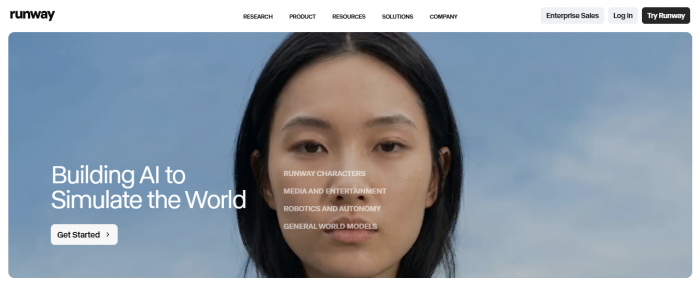
Runway caters to visual creators who want generative AI to help them develop or transform video. Instead of focusing on avatars reading scripts, it offers tools like text‑to‑video, background removal, and style transfer.
If Synthesia is about structured presenters, Runway is about flexible, creative visuals.
Where Runway makes sense
- You work on visual storytelling, advertising, or concept pieces.
- You need AI assistance for visuals, not just presentation.
- Experimental or stylized content is part of your brand identity.
Runway vs Synthesia
| Aspect | Runway | Synthesia |
| Core focus | Generative visuals, effects, and transformations | Scripted avatar‑based videos |
| Avatar usage | Minimal or none | Central |
| Ideal user | Designers, filmmakers, creative studios | Training and corporate comms |
| Reason to pick it | When visuals and effects are the priority | When structured talking‑head videos are the goal |
Lumen5 - Blog and Brand Storytelling for Teams
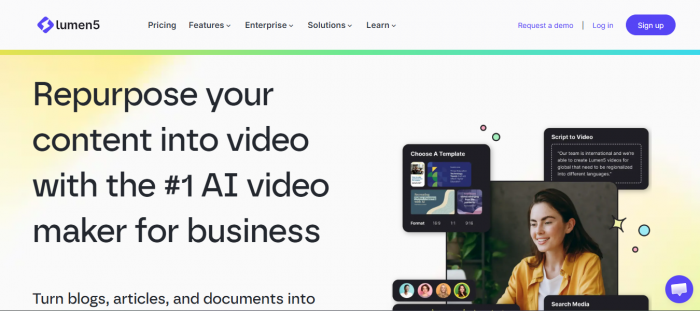
Lumen5 helps content and brand teams convert ideas and written content into simple, branded videos for social media and campaigns. It’s not an avatar platform; it’s closer to a narrative storyboard builder with text, visuals, and brand kits.
Where Synthesia gives you a presenter, Lumen5 gives you a brand‑consistent storyboard.
Where Lumen5 makes sense
- You publish blogs, reports, or campaign messaging that needs video companions.
- You want non‑video specialists to produce on‑brand clips.
- You care about consistency across many short videos.
Lumen5 vs Synthesia
| Aspect | Lumen5 | Synthesia |
| Core focus | Brand storytelling and social video from text | Presenter‑led training and explainers |
| Avatar usage | None | Core to experience |
| Editor style | Scene‑ and template‑based with brand kits | Scene‑based with avatars |
| Ideal user | Content and brand teams | L&D and corporate comms |
| Reason to pick it | When you want quick, branded videos from text | When you want a virtual presenter in every video |
Final Verdict: Which Synthesia Alternative Is Right for You?
There isn’t a single “best” alternative to Synthesia. What matters is the kind of video work you actually produce week after week.
Teams that live in training, onboarding, and internal education will feel most at home with tools like Synthesia itself or Colossyan, because both are built around structured lessons, clear narration, and straightforward updates.
Marketing‑driven teams get more leverage from HeyGen and Rephrase.ai. HeyGen leans into expressive, brand‑ready avatars for campaigns and product storytelling, while Rephrase.ai is built to generate large volumes of personalized videos for sales and lifecycle flows.
For content marketers sitting on a library of articles, scripts, and transcripts, Pictory and Lumen5 usually deliver more value than any avatar‑first platform. Both are designed to turn written content into short, branded videos with minimal manual editing.
When visual quality is the deciding factor, the picture shifts again. DeepBrain AI is the stronger choice for lifelike virtual anchors and formal, news‑style delivery. Runway is the better fit when you’re exploring generative visuals, stylized footage, or concept pieces where the “look” matters more than having a presenter.
Finally, some teams are constrained less by production and more by workflow. In those cases, Elai, Veed, and Descript tend to stand out. Elai is ideal when video needs to plug into automated systems or your product itself. Veed works best when you want a familiar timeline editor enhanced by AI for things like subtitles and cleanup. Descript is purpose‑built for anyone constantly editing recorded talks, podcasts, and tutorials.
The simplest way to decide is to forget feature lists and focus on your main bottleneck—whether that’s creating content in the first place, editing what you already have, scaling output, or making it more personal. Once you’re clear on that, the right Synthesia alternative becomes much easier to spot.
Post Comments
Be the first to post comment!
Related Articles