AI can absolutely act as your new assistant, especially when you give it clear jobs: manage your time, tame your inbox, surface what matters, and quietly run routines in the background. These tools stay “on” while you live your life, not just when you open a chat window.
Here are five clean, assistant-style tools and what they do.
1. Lindy
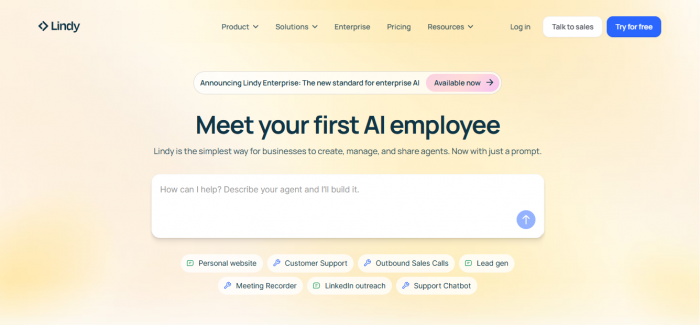
- Role: Workflow-level personal assistant for professionals and teams.
- What it does: Manages schedules, sends follow-ups, updates CRMs, and runs multi-step workflows for you.
- Key features: Smart daily planner, meeting booking and rescheduling, and if-then workflow rules across your tools.
- Pricing: SaaS-style monthly subscription per user, with tiers that scale by workflows and team size.
2. Saner.AI
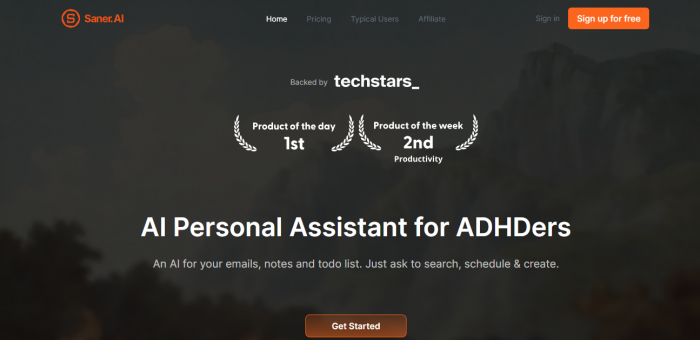
- Role: Neurodivergent-friendly life organizer, especially for ADHD.
- What it does: Central assistant for notes, email, tasks, and calendar that you control via chat.
- Key features: Chat interface to “ask your brain,” context-aware search across notes and mail, and gentle task and time structuring.
- Pricing: Consumer subscription with a free or trial tier, then paid plans for heavier usage and integrations.
3. Onlife
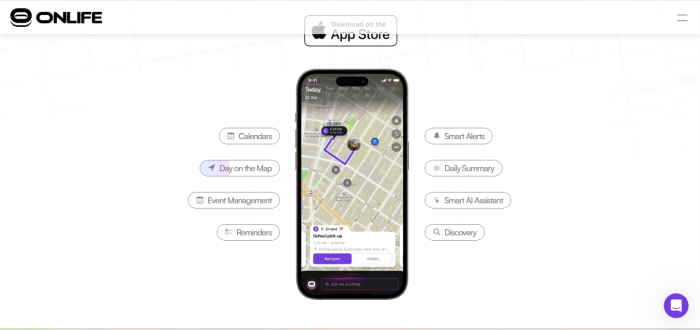
- Role: “Life admin” navigator for everyday adulting.
- What it does: Handles bills, appointments, and small tasks using time and location context.
- Key features: Map-like schedule view, proactive alerts for payments and events, automation of recurring chores.
- Pricing: Subscription-based with basic and higher automation tiers for personal users.
4. Gmelius AI Assistant

- Role: Shared inbox and email operations assistant for teams living in Gmail.
- What it does: Sorts emails, routes them to the right teammate, and drafts replies so humans just review and send.
- Key features: Auto-triage and categorization, assignment and routing, reply drafting, plus workflow extras like collision detection and analytics.
- Pricing: Starts around $24 per user per month (annual) for AI assistants plus collaboration and workflow features.
5. Google Cloud Free AI Tools

- Role: DIY toolkit to build your own custom assistant.
- What it does: Offers APIs for language, vision, speech, and video so you can wire up a bespoke assistant into your apps or devices.
- Key features: Text understanding and summarization, speech-to-text and text-to-speech, image and video analysis for smarter automations.
- Pricing: Generous always-free monthly quotas for many services, then pay-as-you-go based on actual usage.
How To Use Them To Automate Your Life
Start with one pain point:
- Overwhelmed by tasks and bills? Try Onlife.
- Struggling with mental load and organization? Try Saner.AI.
- Buried in email? Let Gmelius take over the inbox.
Then layer:
- Use Lindy as your “COO” to orchestrate workdays and follow-ups.
- Use Google Cloud tools if you or your dev team want a tailor‑made assistant embedded in your own systems.
With a small stack like this, you end up with something that feels close to a real-life assistant team: one handles time, one handles admin, one handles communication, and one quietly powers custom automations in the background.
Post Comments
Be the first to post comment!
Related Articles



Best Alternatives to Dopple AI
Danny Hamilton . Mar 10, 2026