If you’ve ever searched for Google Slides or PowerPoint templates, chances are you’ve come across Slidesgo. It often appears at the very top of search results, which naturally raises a fair question:
Is Slidesgo actually reliable, or is it just another overhyped template site?
This article takes a grounded, non-promotional look at Slidesgo, what it actually offers, how its AI tools work in practice, whether it’s truly free, and what real user feedback suggests.
What Slidesgo Actually Is
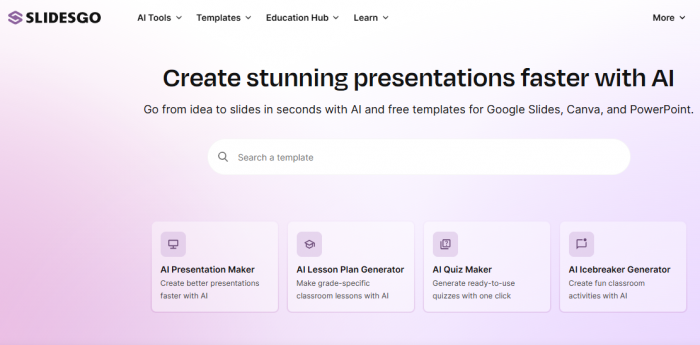
Slidesgo is a presentation-template platform owned by Freepik Company, the same group behind Freepik and Flaticon. At its core, Slidesgo started as a design library for Google Slides and PowerPoint. Over time, it expanded into something closer to a presentation workflow tool, especially after introducing AI-assisted features.
As of 2025, Slidesgo operates in three overlapping areas:
- A large template marketplace
- A set of AI tools for generating slides
- A browser-based editor that connects with Google Slides, PowerPoint, Canva, and other formats
This evolution matters, because Slidesgo today is not just competing with template sites, but also with AI-native tools like Gamma or Beautiful.ai.
2025 Usage Snapshot
Based on publicly shared platform data and third-party estimates frequently referenced in reviews:
- Slidesgo is used by tens of millions of users worldwide, primarily students, teachers, marketers, and startup teams
- Monthly traffic consistently runs in the multi-million visit range, with strong usage in the US, India, Brazil, and Europe
- The template library spans thousands of themes, ranging from academic subjects to corporate strategy decks
- AI-generated presentations have become a major usage pattern, especially for first-draft slides
These numbers explain visibility, but they don’t automatically equal quality. That requires looking at features and real usage.
How Slidesgo’s AI Tools Work in Real Use
AI Presentation Maker (Text-to-Slides)
Slidesgo’s AI Presentation Maker allows users to input a topic or prompt (for example, a business plan or lesson outline). The system then:
- Suggests a slide structure
- Generates draft text per slide
- Applies a matching design theme
In practice, the output is structurally useful but not final-ready. The AI handles layout and flow reasonably well, but factual accuracy, tone, and depth still need human editing—especially for technical or academic topics.
PDF to PPT Conversion
This tool summarizes documents into slide form. It’s helpful for:
- Condensing long reports
- Turning academic content into class slides
However, it prioritizes brevity over nuance, which means complex arguments can lose detail.
Education-Focused AI Tools
Slidesgo includes AI tools aimed at teachers, such as lesson planners and quiz generators. These are widely used in schools, but again, they function best as drafting aids, not replacements for subject expertise.
Template Quality and Design Flexibility
One area where Slidesgo is consistently strong is design consistency:
- Templates follow clear visual hierarchies
- Typography and spacing are generally professional
- Slides are fully editable in Google Slides or PowerPoint
The downside is popularity. Because many users rely on the same designs, visual repetition across presentations in the same industry is common.
Is Slidesgo Actually Free?
Yes,but with limits.
Free Plan (What You Really Get)
- Limited downloads per month
- Attribution required (you must credit Slidesgo)
- Restricted access to AI features
For occasional users, this is genuinely usable. For frequent or commercial use, the restrictions become noticeable quickly.
Paid Plans
Paid plans remove attribution requirements, expand AI usage, and allow commercial use. Pricing is generally lower than many design-first competitors, which explains why freelancers and educators adopt it.
Licensing and Commercial Use: The Practical Reality
One of the most important (and often misunderstood) aspects of Slidesgo is licensing.
- Free users must provide attribution
- Paid users receive a commercial license for client work
- Templates can be modified, but redistribution as standalone assets is not allowed
For client presentations, paid licensing avoids legal ambiguity—but the terms are standard for the industry, not unusually restrictive.
What Users Say
Looking at third-party review platforms like Trustpilot and G2, Slidesgo generally scores well.
Common positives mentioned:
- Ease of use
- Time savings
- Visual polish without design skills
Common criticisms:
- AI content needs verification
- Popular templates reduce uniqueness
- Free plan limitations feel strict for regular users
The pattern here is important: complaints are mostly about constraints, not scams or reliability issues.
Is Slidesgo Safe and Trustworthy?
From a trust perspective:
- Slidesgo operates under a known parent company
- It has long-term domain stability
- It is widely used in schools and businesses
- Payment and account systems are standard and secure
There are no widespread reports of fraud, malware, or deceptive billing associated with Slidesgo.
In short: it behaves like a legitimate SaaS platform, not a fly-by-night tool.
A Quick Clarification: Slidesgo vs SlideShare
Slidesgo is often confused with SlideShare, but they serve different purposes.
Slidesgo → creating presentations
SlideShare → hosting and sharing presentations
SlideShare is owned by Scribd and is generally trusted as a content-hosting platform, though quality depends on the uploader. The two are not competitors and shouldn’t be judged by the same criteria.
FinalVerdict
Slidesgo is:
- Legitimate and widely trusted
- Useful for speeding up presentation creation
- Strong on design, average on AI content depth
- Best treated as a starting point, not a final authority
It doesn’t replace subject knowledge or originality, but it does remove a lot of repetitive design work.
For users who understand its limits, Slidesgo is a practical tool, not a miracle solution, and not something that needs blind trust either.
Post Comments
Be the first to post comment!
Related Articles



Best Alternatives to Dopple AI
Danny Hamilton . Mar 10, 2026