If you've been exploring the world of AI tools, chances are you’ve come across Dreamina AI. Promising a streamlined experience for users looking to explore creative AI possibilities, it is attracting attention. But is it as good as it sounds? Let’s break down what it actually offers, and what real users are saying about it.
What Is Dreamina AI?
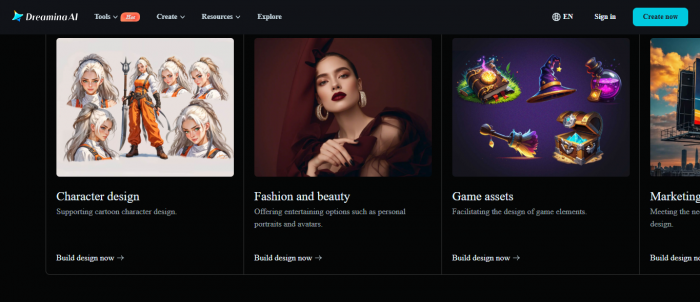
It is an online tool designed to help users generate creative AI outputs. Whether it’s for designing images, crafting content, or enhancing your creative workflow, Dreamina aims to be a one-stop platform for all things AI. The tool comes with several features that target users looking to easily create content without having to dive deep into complex technical setups.
Key Features You Should Know
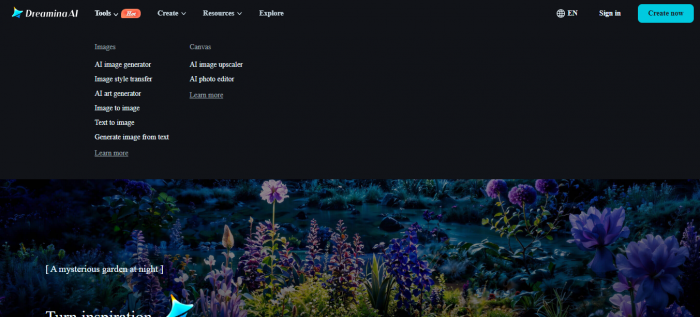
- Image Creation: Dreamina offers the ability to generate artwork, visuals, and other design assets. It aims to make the process as simple as possible with an easy-to-use interface.
- Text-to-Image Transformation: Similar to other AI platforms, Dreamina allows users to generate images from textual descriptions. Just input what you want to see, and the AI handles the rest.
- Fast & Efficient: Dreamina focuses on speed, ensuring you get your creative outputs quickly without the hassle of long processing times.
- Customizable Options: The platform offers customization options to make sure the AI-generated content aligns with your specific vision.
What Dreamina AI Does Best
Rapid Concept Drafting for Visual Content
Dreamina is especially useful when you need quick visual ideas or rough drafts for social promos, short ads, or moodboards. It doesn’t aim to be a full production tool; rather, it’s a fast ideation engine.
Template‑First Creativity:
The platform offers ready‑made templates for:
- Social promos and reels
- Explainers and simple ads
- Avatar and text‑driven visuals
- These templates help new users get usable results without steep learning curves.
Intuitive Onboarding and UI:
Users note that:
- Signing up is quick
- The dashboard feels clean and obvious
- Prompts usually produce usable outputs immediately
- This makes Dreamina a good choice for people who want accessible AI creativity rather than complex technical control.
What Users Are Saying: Insights from Reviews
What Users Like About Dreamina AI
Speed and Efficiency
Dreamina AI is praised for its quick performance, particularly for image generation and content creation. Users who are on tight schedules or need fast results find this feature especially valuable.
Creative Potential
Dreamina encourages creativity by providing a platform where users can quickly bring their ideas to life. Whether it’s designing images or generating unique content, many feel that Dreamina unlocks new possibilities for their creative workflows.
While there are limited positive reviews for this, most users found it frustrating.
The Flip Side: Some Drawbacks to Keep in Mind
- Occasional Technical Issues
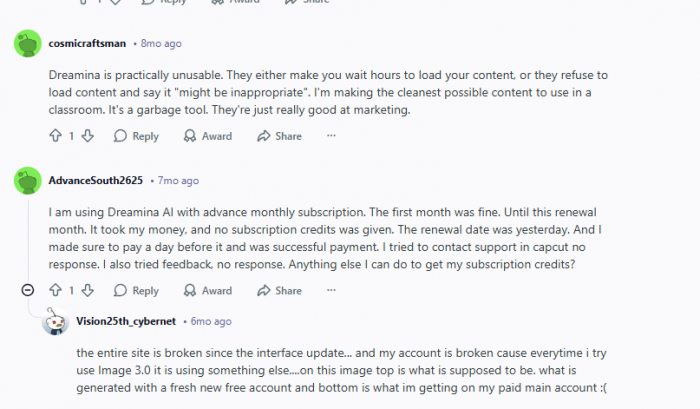
Despite the fast performance, users report occasional bugs and glitches. Some have experienced freezing, image load failures, and slower results during peak times. These issues can disrupt creative processes and affect the overall user experience.
- Limited Customization
Although Dreamina offers basic customization options, many users feel that the platform lacks the depth needed for more intricate projects. There’s a demand for additional design controls and more versatile features. - Concerns Over Pricing
Some users have voiced concerns about the subscription fees, especially for casual users. They feel that Dreamina’s pricing might be steep compared to other AI tools, making it less appealing for one-time or low-frequency users. - Marketing vs. Reality
Some Reddit users feel that Dreamina's marketing overstates its capabilities. While the platform works well for basic tasks, it doesn't always deliver on more complex or detailed creative projects, leading to unmet expectations. - Customer Support
Dreamina’s customer service is another point of contention. While some users have had positive experiences, others report slow response times and insufficient assistance with technical issues. - Comparisons with Other Tools
Users often compare Dreamina with other AI platforms like DALL·E and MidJourney. While Dreamina is praised for its simplicity, other tools offer more advanced features and greater flexibility, especially for users working on complex projects.
My Experience with Dreamina AI: A Personal Take
After using Dreamina AI for a while, I can say it’s a tool that offers both convenience and a few bumps along the way. If you’re someone who’s looking to quickly create images, generate content, or explore some creative ideas, Dreamina definitely has a lot to offer.
What I Liked
The first thing that stood out was how easy it was to get started. No need for a steep learning curve, everything was pretty intuitive. For someone who doesn’t want to spend too much time figuring out complex settings, Dreamina’s user-friendly interface was a major plus. Plus, the speed was impressive.
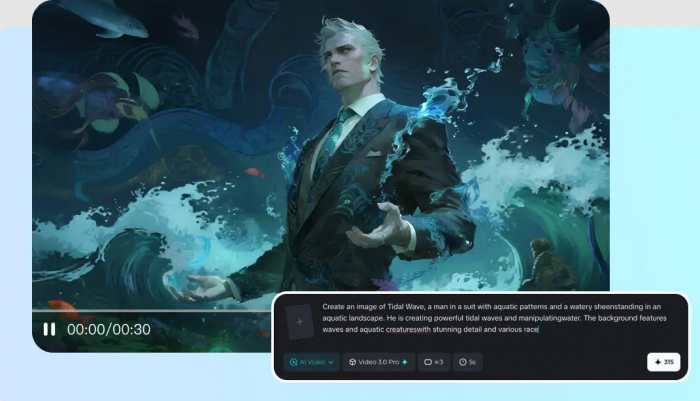
I’ve worked on projects where I needed fast results, and Dreamina delivered just that, with most creations being ready in no time.
What really won me over was how the tool pushed me to think outside the box. Whether I was crafting images or just experimenting with the text-to-image feature, Dreamina unlocked a whole new level of creativity for me. It was fun seeing what the AI could come up with based on simple prompts. It really made me feel like I had a creative partner by my side, speeding up my work and offering fresh ideas.
What Could Be Better:
However, it wasn’t all smooth sailing. I did experience a few hiccups along the way, especially with some occasional bugs. There were moments where things froze up, or an image didn’t load properly, which was frustrating when I was on a tight deadline. I also found myself wishing for more customization options. Sometimes, I wanted more control over the final output, and I felt limited by what Dreamina could offer in terms of fine-tuning.
Pricing was another factor I had to consider. While it is useful, it did feel like the cost might be a little high for casual users or those who only need it for a single project. I can see it being more worthwhile for frequent users or businesses that need to create content regularly.
Final Thoughts: Should You Give It a Go?
Dreamina AI stands out in the growing market of generative AI tools by offering a simple and fast way to create unique content. While the tool has its strengths, particularly in ease of use and speed, it does come with some limitations, like occasional bugs and a pricing structure that might not suit everyone. Ultimately, it is a solid option for those looking to experiment with AI-driven creativity, but it’s essential to manage expectations and consider whether it aligns with your creative needs.
Before making a decision, it’s always wise to check out the latest user reviews and see if recent updates have addressed any concerns or added new features.
Post Comments
Be the first to post comment!
Related Articles