Table of Content
- What Actually Makes an AI Video Tool “Best”?
- 1. Runway : A Director’s AI Studio
- 2. LTX Studio – Scene‑by‑Scene Story Control
- 3. Luma Dream Machine : Rapid Concept & B‑Roll Generator
- 4. Pika : Social‑First Motion With Personality
- 5. Kling : Photorealism Under Pressure
- 6. Google Veo : 4K‑Grade, Broadcast‑Ready Footage
- 7. Synthesia : Avatar‑Driven Business Videos at Scale
- 8. Luma Labs (Ray 3) : Film‑Crafted Image‑to‑Video
- Final Take: Building a Modern AI Video Stack
AI video generators in 2026 feel less like “filters” and more like full production studios in the cloud. The right stack can replace camera gear, actors, and editing suites for a huge chunk of day‑to‑day content work.
Below is a guide to the 8 strongest AI video tools right now, with a clear context around who each platform actually serves best.
What Actually Makes an AI Video Tool “Best”?
“Best” in AI video is no longer just about who can output the most flashy clip. The real leaders balance visual fidelity, control over the scene, speed of rendering, and predictable costs at scale.
Modern generators combine text‑to‑video, image‑to‑video, and some form of video‑to‑video refinement. Most now layer on lip sync, basic sound design, and tools for editing or extending shots. Price brackets cluster around free or trial tiers for experimentation, then roughly 10–30 dollars per month for serious individual creators, with enterprise options far above that for large teams.
1. Runway : A Director’s AI Studio
_1775566398.jpg)
Runway has grown into a kind of virtual soundstage for filmmakers and advanced creators. Its Gen‑4 and newer models are tuned for physically plausible motion, controlled camera work, and sequences that feel like planned shots rather than random dreamlike clips.
In practice, Runway behaves like a hybrid between an AI lab and a lightweight non‑linear editor. Text prompts, still images, or existing footage can be turned into short sequences, then refined through masking, in‑painting, and timeline‑based editing. The result is a workflow that rewards storytelling, not just single‑shot experiments.
Standout capabilities
Runway covers text‑to‑video and image‑to‑video, supports multi‑shot projects, and brings in utilities like background removal and clean‑up tools. Motion and camera logic are noticeably more grounded than many “one‑click” rivals, making it a favorite for concept films, high‑end social ads, and experimental shorts.
Strengths
The platform offers a compelling mix of creative control and accessibility. It suits creators who think in terms of shots, scenes, and edits, and who prefer iterating toward a precise look rather than accepting the first generation.
Limitations
The same depth that makes Runway powerful also adds friction. The learning curve is steeper than ultra‑simple generators, and high‑quality clips can burn through credits quickly when many variations are tested.
Subscription structure
Industry overviews consistently place Runway’s entry subscription in roughly the 12–15 dollar per month range, with higher tiers expanding generation credits, export caps, and resolution ceilings.
Ideal audience
Runway feels tailored to filmmakers, agencies, and serious YouTubers who value control over camera moves and composition, and who treat AI as part of a broader post‑production workflow.
| Runway snapshot | Detail |
| Core scenario | Film‑style shots and creative campaigns |
| Generation modes | Text‑to‑video, image‑to‑video, video editing tools |
| Typical entry price | Around 12–15 dollars per month |
| Clip duration focus | Short shots (roughly 10 seconds) stitched into sequences |
| Key advantage | Physics‑aware motion plus robust editing utilities |
| Main friction point | Higher learning curve, iterative use of credits |
2. LTX Studio – Scene‑by‑Scene Story Control
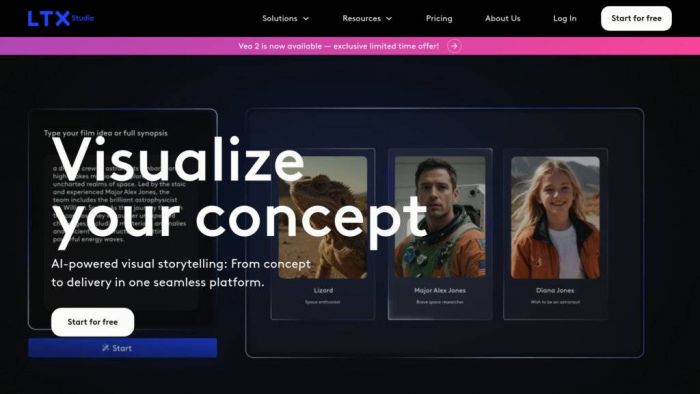
With Sora shutting down, LTX Studio has stepped into the narrative spotlight. It is built around structured storytelling: scenes, characters, and shot lists instead of only free‑form prompts. This makes it particularly attractive for creators who think in scripts and storyboards.
LTX Studio allows stories to be broken into scenes, each with its own description, camera direction, and mood, then stitches those pieces into a coherent video. The approach feels closer to a pre‑production tool merged with an AI engine than a typical “type a prompt, get a clip” app.
Core strengths
Scene‑based control is the main differentiator. Instead of a single long text prompt, projects can be outlined, then each beat translated into specific shots. That structure encourages narrative clarity and more consistent characters and environments.
Practical advantages
For explainer videos, ad campaigns, and story‑driven YouTube content, this layout helps maintain continuity and makes revisions easier – scenes can be reworked individually instead of regenerating everything from scratch.
Trade‑offs
The structured approach is less instant than pure prompt‑driven tools. It demands more upfront planning and a willingness to think in shot lists rather than only in vibes or styles.
Pricing position
While exact pricing varies, most recent roundups place LTX Studio in the same general band as other narrative‑capable tools, with paid plans typically starting in the tens of dollars per month for regular use.
Best match
Script‑driven creators, marketing teams, and channels that rely on episodic or serial storytelling benefit most from LTX Studio’s scene‑based control.
| LTX Studio snapshot | Detail |
| Core scenario | Scripted, scene‑by‑scene storytelling |
| Workflow | Story outline → scenes → shots |
| Pricing band | Paid plans in typical creator range (tens per month) |
| Key advantage | Strong narrative structure and scene control |
| Main drawback | Less “instant” than one‑prompt generators |
3. Luma Dream Machine : Rapid Concept & B‑Roll Generator

Luma Dream Machine feels like an idea accelerator. The model leans into dramatic lighting and cinematic compositions while delivering generations at impressive speed, which makes it ideal for rapid prototyping and B‑roll.
The interface encourages fast iteration. Prompts can be flipped into several variations in a short session, making it easy to explore different moods, angles, or visual directions before locking in a final style.
Core strengths
Dream Machine handles text‑to‑video, supports keyframe‑style guidance between start and end images, and offers toggles between draft and higher‑quality modes. The default aesthetic leans toward glossy, ad‑style visuals that instantly look like spec spots or music video fragments.
Advantages in practice
Speed and cinematic flair are the main draws. A free tier allows meaningful testing, while paid tiers upgrade both quality and rights, including commercial usage for finished clips.
Practical trade‑offs
Lower tiers include watermarks and restrictions on commercial use, and the model’s strong stylistic bias can make “neutral corporate” looks harder to achieve without careful prompting.
Plans and fees
Free access covers roughly eight draft clips. A Lite plan at 9.99 dollars per month grants around 3,200 credits with non‑commercial, watermarked output. The Plus tier at 29.99 dollars per month increases credits, unlocks HDR, and enables commercial rights, while an Unlimited plan at 94.99 dollars per month introduces a relaxed mode with effectively unlimited generations.
Ideal usage
Dream Machine is a strong fit for YouTubers, short‑form creators, and agencies that need a constant stream of eye‑catching B‑roll and concept shots to support scripts or pitches.
| Dream Machine snapshot | Detail |
| Core scenario | Rapid concepts and cinematic B‑roll |
| Main modes | Text‑to‑video with keyframe‑style control |
| Free tier | Limited draft generations (~8 clips) |
| Paid tiers | 9.99, 29.99, and 94.99 dollars per month |
| Key advantage | Speed plus strong cinematic look |
| Main friction point | Watermarks and non‑commercial terms at lower levels |
4. Pika : Social‑First Motion With Personality

Pika has carved out a niche in short‑form, social‑native content. Its outputs tend to be bold, stylized, and energetic, with unusual camera moves and editing choices that suit TikTok, Reels, and short‑form storytelling.
The platform is engineered for experimentation: text prompts, images, or existing clips can be transformed into dynamic sequences with aggressive camera motion, stylized filters, and animated looks. Interface design prioritizes quick tweaks and versioning, so multiple variations can be generated and compared within a single session.
Distinct capabilities
Pika supports text‑to‑video and image‑to‑video, and offers rich controls over camera movement and style. Lip sync and sound options exist in supported workflows, giving creators a reasonably complete package for social clips.
Why creators gravitate to it
The tool is particularly effective for vertical content, meme edits, and experimental visuals. Frequent updates bring new effects, aesthetics, and transitions, keeping content feeling fresh and trend‑aligned.
Where it shows its limits
Pika is less suited to long‑form storytelling or highly polished corporate productions. Pricing on higher tiers can feel disproportionate if usage is sporadic rather than daily.
Cost tiers
Recent analyses place Pro‑level access at roughly 35 dollars per month, with more basic or free options carrying watermarks, lower resolution, or stricter generation caps.
Most appropriate users
Short‑form video creators, social media managers, and meme pages benefit most from Pika’s style‑forward design and punchy motion language.
| Pika snapshot | Detail |
| Core scenario | Short, dynamic social clips |
| Main modes | Text‑to‑video, image‑to‑video, style and camera tools |
| Pro‑tier price | Around 35 dollars per month |
| Typical shot length | Approximately 10 seconds |
| Key advantage | Energetic camera motion and stylization |
| Main friction point | Less suited to long, polished narratives |
5. Kling : Photorealism Under Pressure
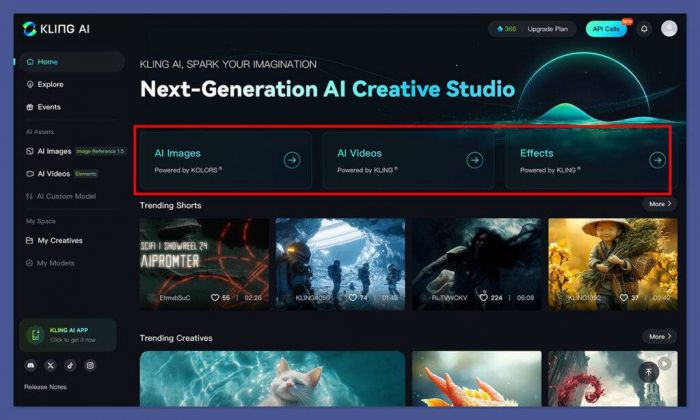
Kling is often highlighted for handling fast motion and complex physical scenes while keeping a photorealistic look. High‑action shots, moving water, smoke, crowds, and quick camera shifts are common showcase examples.
The system supports text‑to‑video and image‑to‑video, along with editing tools that allow successive refinement. Lip sync and sound generation are available within certain pipelines, positioning Kling as a strong option for realistic product and action content.
Signature qualities
Kling excels when scenes involve a lot of movement and environmental detail. The combination of detailed humans and dynamic backgrounds makes it attractive for trailers, ad spots, and realistic B‑roll.
Practical advantages
Advertisers and game studios value the ability to create high‑energy sequences that still feel grounded. Reference images can be used to nudge style and composition toward a target look.
Operational constraints
Shot lengths typically cap at around 10 seconds, requiring careful planning and stitching for longer narratives. Access and user experience depend on the platform or partner through which Kling is reached, so the UX can feel less uniform than all‑in‑one SaaS tools.
Fee ranges
Comparisons place Kling’s starting tier near 10 dollars per month, with higher tiers increasing clip limits and resolution.
Best‑fit segment
Kling suits advertisers, game studios, and creators aiming for realistic, high‑motion footage when live‑action production would be too costly or risky.
| Kling snapshot | Detail |
| Core scenario | High‑action, realistic scenes |
| Main modes | Text‑to‑video, image‑to‑video, edit/update tools |
| Starting price | Around 10 dollars per month |
| Typical shot length | About 10 seconds |
| Key advantage | Motion handling with photoreal humans |
| Main friction point | Short clips and variable platform access |
6. Google Veo : 4K‑Grade, Broadcast‑Ready Footage
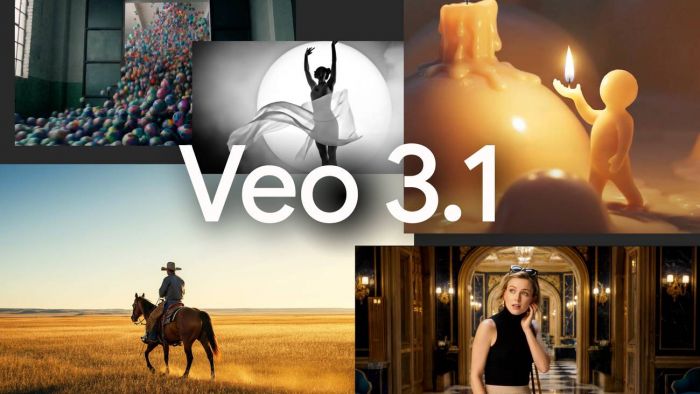
Google Veo (notably the 3.x models) is frequently rated among the top all‑rounders for realism, resolution, and overall polish. Outputs can reach 4K on higher tiers, with lighting, material response, and motion that feel close to footage from a professional camera.
Veo supports text‑to‑video, image‑to‑video, and update/edit flows, complemented by lip sync and sound generation where supported. This makes it suitable for premium branded content, product films, and YouTube visuals that must hold up on large screens.
Technical profile
The engine is known for strong prompt adherence and effective use of reference images. Physics and camera motion feel controlled rather than chaotic, which is especially important for commercial‑grade visuals.
Advantages on real projects
Brands and agencies gain access to 4K‑class realism without physical shoots. For product shots, lifestyle scenes, and polished B‑roll, Veo often delivers some of the cleanest footage in independent tests.
Practical downsides
Premium quality comes at a premium cost. Watermark‑free, high‑resolution output requires higher subscription tiers, and common configurations limit clips to around eight seconds per shot, pushing longer narratives toward a stitched‑sequence workflow.
Plan landscape
Recent breakdowns show Veo available via Google AI plans starting in roughly the 19.99–28.99 dollar per month range, with 4K and watermark‑free exports reserved for advanced tiers.
Who gains the most
Brands, agencies, and serious YouTube creators producing polished commercial content see the biggest benefit from Veo’s image quality and resolution.
| Veo snapshot | Detail |
| Core scenario | 4K realism for ads and branded video |
| Main modes | Text‑to‑video, image‑to‑video, edit/update |
| Entry pricing band | Roughly 19.99–28.99 dollars per month |
| Typical shot length | Around eight seconds |
| Key advantage | High realism, lighting, and resolution |
| Main friction point | Cost and short‑clip workflow requirements |
7. Synthesia : Avatar‑Driven Business Videos at Scale
_1775566455.jpg)
Synthesia occupies a distinct slice of the market. Instead of experimental or cinematic visuals, the platform focuses on studio‑like avatar videos for training, onboarding, explainers, and internal communication.
Scripts can be transformed into talking‑head videos featuring AI presenters, with slide‑style layouts and brand‑aligned templates. Multi‑language voiceover and lip‑sync allow a single script to serve global audiences without new shoots.
Functional focus
A large library of stock avatars is available, and higher tiers unlock custom avatars that match real presenters. Text‑to‑speech spans dozens of languages and voices, while collaboration features help teams coordinate production at scale.
Advantages for organizations
Synthesia has become a go‑to solution for HR teams, L&D departments, and SaaS companies needing consistent training and product education content. Non‑technical staff can update scripts and regenerate videos without cameras, studios, or editing software.
Inherent constraints
The focus on avatars and slide‑style visuals limits cinematic flexibility. There is still some “uncanny valley” effect in certain scenarios, especially when realism is pushed to the edge of current capabilities.
Pricing outline
Most reviews list a starting price around 29 dollars per month for individual or basic plans, with business and enterprise tiers adding collaboration features, custom avatars, and higher usage caps.
Target users
Synthesia aligns best with businesses, educators, and training teams that need repeatable, multilingual talking‑head content more than abstract or highly stylized visuals.
| Synthesia snapshot | Detail |
| Core scenario | Training, explainers, and corporate comms |
| Main modes | Script‑to‑video with avatars and slides |
| Starting price | About 29 dollars per month |
| Avatar options | Stock plus custom on higher tiers |
| Language support | Many languages and accents via TTS |
| Main trade‑off | Less cinematic, avatar realism limits |
8. Luma Labs (Ray 3) : Film‑Crafted Image‑to‑Video
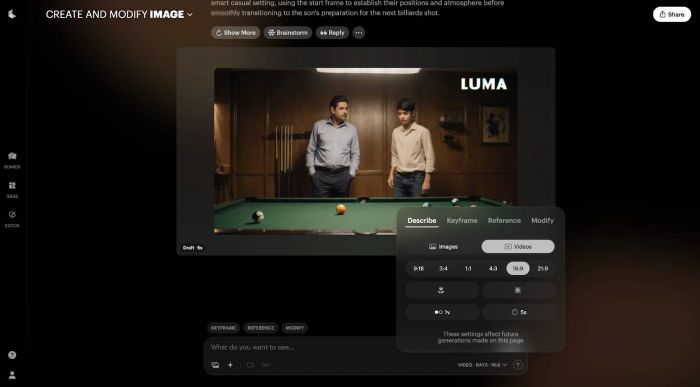
Luma Labs, particularly through its Ray 3 model, is known for high‑grade image‑to‑video capabilities that appeal to filmmakers and motion designers. The system is built around the idea of turning carefully designed frames into motion that respects depth, composition, and camera paths.
The workflow encourages deliberately crafted stills, sometimes produced in external image tools, which then become the foundation for shot sequences. Camera movement is depth‑aware, producing results that feel more like a dolly or crane shot than a simple pan.
Technical focus
Ray 3 is optimized for 4K‑class outputs on higher tiers and excels at cinematic framing. It fits naturally into short‑film and art‑film pipelines, often used alongside traditional editing tools rather than as a stand‑alone consumer app.
Benefits in creative pipelines
Filmmakers and visual artists gain granular control over each shot’s look, treating Luma as a motion engine for their still imagery. This approach rewards methodical planning and strong visual direction.
Areas where it is less universal
Compared to more mainstream text‑prompt tools, Luma Labs is less “instant gratification”. Multi‑shot storytelling tools are not as advanced as the narrative‑led engines described earlier, and beginners may find the image‑first workflow demanding.
Plan and pricing band
Roundups typically place the starting price around 9.99 dollars per month for enhanced access, with higher tiers unlocking more credits, 4K rendering, and extended usage.
Primary user group
Luma Labs suits filmmakers, motion designers, and artists who think in keyframes and care about depth, lens feel, and composition more than raw speed.
| Luma Labs snapshot | Detail |
| Core scenario | High‑end image‑to‑video for films and art |
| Main modes | Image‑to‑video with depth‑aware camera paths |
| Entry pricing | Around 9.99 dollars per month |
| Resolution options | Up to 4K on advanced tiers |
| Key advantage | Depth, composition, and camera realism |
| Main friction point | Less beginner‑friendly; limited multi‑shot tooling |
Final Take: Building a Modern AI Video Stack
No single AI video generator covers every use case perfectly. Each platform in this list concentrates on a specific slice of the creative and commercial spectrum, from cinematic experimentation to avatar‑driven training.
Runway and Google Veo emerge as versatile workhorses for polished, realistic content, while LTX Studio becomes the narrative brain for story‑driven projects. Luma Dream Machine and Pika deliver rapid, stylized concepts for social and short‑form formats, with Kling offering photoreal, high‑motion shots that would be costly to film in the real world. Synthesia covers business communications and education with avatar‑first videos, and Luma Labs (Ray 3) adds a film‑grade engine for image‑to‑video sequences built like traditional cinema.
The most effective strategy is to treat these tools as a layered toolkit rather than a single choice. Rapid ideation in Luma Dream Machine or Pika, hero‑shot refinement in Runway, Veo, or Kling, narrative structuring in LTX Studio, and scalable business content in Synthesia collectively form a flexible, cost‑efficient AI video pipeline.
Post Comments
Be the first to post comment!
Related Articles