Text-to-speech (TTS) has become a core pillar of modern content creation. From faceless YouTube channels and short-form videos to e-learning, podcasts, audiobooks, and product demos, realistic AI voices are replacing or supplementing traditional voiceover workflows and saving hours of recording time. Instead of studios, mics, and multiple retakes, you can now turn a script into a polished voiceover in minutes.
But with so many tools on the market, choosing the right one can be confusing. Some platforms focus on ultra‑realistic voices and emotional nuance, others excel in integrated video workflows or simple reading and accessibility. In this guide, we’ll walk through the seven best AI text-to-speech tools right now, including their key features, pros and cons, approximate pricing, and what each is best suited for.
1. ElevenLabs
ElevenLabs is widely viewed as one of the most realistic AI voice generators on the market, popular among YouTubers, game studios, and creators who want natural intonation and emotional delivery.
What makes it stand out
ElevenLabs provides lifelike neural voices, powerful voice cloning, and multilingual support, including AI dubbing that preserves the original vocal style across languages. It offers a browser-based interface for script management and audio export, plus APIs for programmatic use.
Where it shines
Voice quality is a major strength; the voices often sound close to human, with good pacing and natural prosody that works well for long‑form YouTube videos, audiobooks, and character dialogue. Voice cloning allows you to create a consistent “host” voice for your brand, and multilingual dubbing is valuable for global audiences.
Where it falls short
Because it targets professional use, costs can add up for high‑volume projects like long audiobooks, daily uploads, or multi‑language catalogs. There is also a learning curve if you want to fine‑tune delivery, experiment with multiple styles, or manage complex dubbing workflows.
Cost ballpark
ElevenLabs typically uses a subscription model based on character limits or audio minutes, with entry plans often starting in the low tens of dollars per month and higher tiers scaling up in price along with usage limits and advanced features. Exact prices change often, so it’s important to check the official site before quoting specific numbers.
Ideal user
ElevenLabs is best for serious content creators, YouTube channels, storytellers, and studios seeking highly realistic AI voices, strong cloning, and reliable multilingual dubbing.
2. Murf.ai
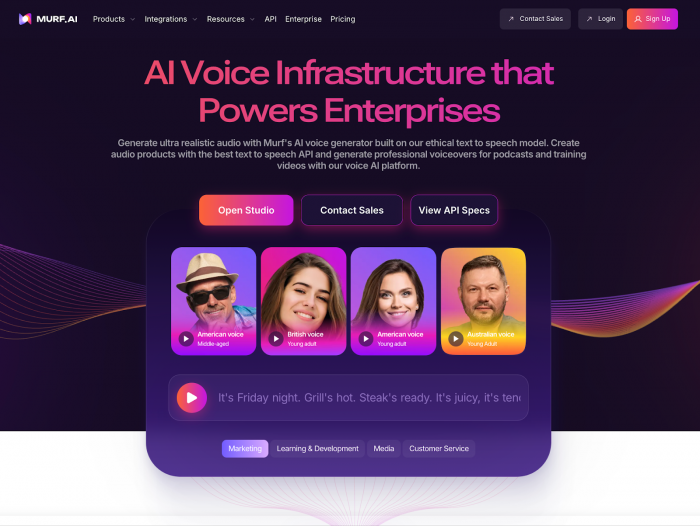
Murf.ai is positioned as a full voiceover and dubbing studio in the browser, designed mainly for businesses, educators, and teams creating e-learning and explainer content.
Core capabilities
Murf offers a rich library of multilingual voices and a timeline-based editor that lets you sync audio with slides, visuals, and background music. You can adjust emphasis, pitch, and speed, giving you more control over how the narration feels across different sections of your content.
Advantages
The integrated studio is a major advantage: you can script, generate voiceovers, sync them with visuals, and export finished content all from one place. This suits training teams and marketers who don’t want to juggle multiple tools, and the multi‑language support makes it suitable for global organizations.
Limitations
While voice quality is high, some users find it slightly less “hyper‑realistic” than the most advanced TTS engines. It can also feel expensive if you’re only doing occasional voiceover work, because many of its strengths shine when you use it as a central production tool.
Pricing (approximate)
Murf follows a tiered subscription model, with individual/creator plans often priced in the lower to mid two‑digit dollars per month range, and team or enterprise plans costing more depending on hours, collaboration features, and commercial usage. You should verify the current rates before finalizing any content mentioning exact figures.
Best suited to
Murf.ai is best for e-learning creators, training departments, and marketing teams that need an all‑in‑one studio for multilingual voiceovers and slide- or video-based content.
3. LOVO / Genny
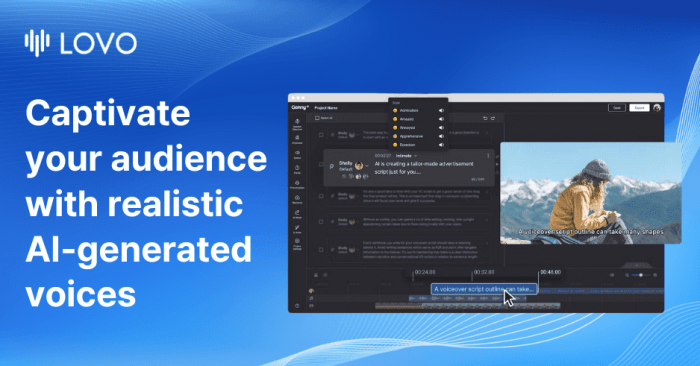
LOVO (with its Genny platform) focuses on high-quality, studio‑grade voices with support for multi‑speaker projects, making it a strong contender for branded content and marketing assets.
Highlights and functions
LOVO offers a broad range of voices across many languages and styles, plus tools to manage multiple speakers within a single project. It supports high‑fidelity 48kHz audio suitable for professional distribution, and it includes editing features for managing scripts and timing.
Strengths
Its multi‑speaker and studio‑grade focus make it well suited to podcasts, ads, narrative videos, and marketing campaigns where audio quality must match brand standards. It also emphasizes commercial licensing, which is important for agencies and brands that need clear rights for large-scale campaigns.
Drawbacks
The platform can feel more complex than “quick and simple” TTS tools, especially if you only need basic narrations. Some of the most advanced voices and higher usage limits are locked behind more expensive plans, so solo creators may find themselves starting on smaller tiers.
Typical pricing range
LOVO’s pricing generally starts with creator-focused plans in the lower two‑digit dollars per month range, scaling to higher tiers with more characters, premium voices, and wider commercial rights. As with others, exact pricing changes over time and should be checked on the official site.
Who benefits most
LOVO / Genny is best for marketers, agencies, and content studios that want studio‑grade voices, multi‑speaker storytelling, and clear commercial licensing.
4. Play.ht
Play.ht positions itself as a versatile voice platform for both creators and developers, with a strong emphasis on realistic voices and flexible distribution.
Feature overview
The service offers a large catalog of AI voices in multiple languages and accents, plus advanced voice cloning and custom voice training options. It supports both a web interface for non‑technical users and APIs and integrations for automated or large‑scale workflows.
Upsides
Play.ht is particularly attractive if you want to clone voices or create branded voice identities and then deploy them across blogs, podcasts, videos, and even embedded players on your website. It also offers podcast hosting and content embedding features, which make publishing audio versions of articles straightforward.
Trade‑offs
The number of options : voices, controls, and integration paths can feel overwhelming for beginners who just want something simple. Some advanced capabilities, including higher‑fidelity voices and extensive cloning, live on higher pricing tiers.
Estimated pricing
Play.ht usually follows a subscription model with creator plans starting in the lower to mid two‑digit dollar range per month and scaling up for teams, higher usage, and advanced cloning features. As always, consult their current pricing table before including fixed numbers in your article.
Best application
Play.ht works best for bloggers, podcasters, and businesses that want to turn written content into branded audio at scale and optionally integrate TTS into sites, apps, or automation workflows.
5. Speechify
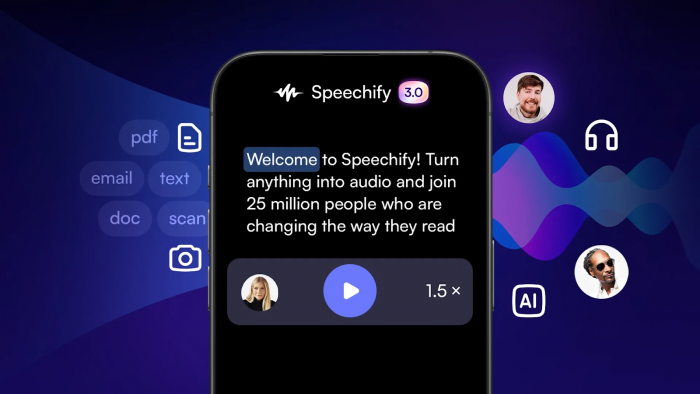
Speechify started as a reading and accessibility tool and remains one of the most popular ways to turn text into audio for personal consumption.
What it offers
Speechify enables users to listen to articles, PDFs, documents, and web pages with AI voices at adjustable speeds. It works across devices and platforms, making it a good companion for people who prefer listening over reading.
Key benefits
The main strength is convenience: install the app or extension, and you can immediately listen to long-form content during commutes, workouts, or while multitasking. For students and professionals, it can significantly improve information intake and accessibility.
Weak points
Speechify is not tailored to complex commercial production, such as multi‑voice campaigns or detailed dubbing work. Its licensing and tooling are geared more toward individual use and productivity rather than full-scale studio output.
Pricing guidance
Speechify typically offers a free tier with basic voices and limited features, plus a paid subscription that unlocks higher‑quality voices and advanced functionality. Paid plans often sit in the general consumer subscription price range (e.g., a few to several tens of dollars per month), but specifics should be checked directly.
Best use cases
Speechify is best for students, professionals, and accessibility-focused users who want to listen to text content and study materials rather than create polished commercial voiceovers.
6. Amazon Polly

Amazon Polly is an enterprise‑grade TTS service aimed at developers and organizations who want cloud‑native speech as part of their infrastructure.
Functional summary
Polly offers a large selection of standard and neural voices across many languages, all accessible via APIs and SDKs within the broader cloud ecosystem. It integrates tightly with other services, making it easy to build speech into applications, contact centers, and internal tools.
Benefits in practice
Its scale, reliability, and global infrastructure make Polly a solid choice when you need high uptime and integration with existing cloud services. Pricing is pay‑as‑you‑go, which is appealing for workloads that grow over time or fluctuate.
Shortcomings
Polly is not designed as a visual studio or creator‑focused editing environment, so non‑technical users may find it harder to approach. While neural voices are high quality, the experience is more “infrastructure and API” than “drag‑and‑drop production.”
Rough pricing picture
Pricing is generally usage‑based, with different rates for standard and neural voices and often a free tier or allowance for low volumes. Because cloud pricing can be detailed and region‑specific, checking the latest documentation is crucial before quoting any rates.
Best match
Amazon Polly is best for developers, enterprises, and technical teams that want scalable, cloud‑native TTS integrated into apps, IVR systems, and large back‑end workflows.
7. Google Cloud Text‑to‑Speech
Google Cloud Text‑to‑Speech is another infrastructure‑oriented service that caters to products and platforms needing flexible, scalable speech.
Capabilities at a glance
It offers a wide variety of voices and languages, including WaveNet and neural voices, accessible via REST and client libraries. You can control parameters such as pitch, speaking rate, and volume, and combine it with other cloud services like NLP, storage, and translation.
Strong points
Google’s neural voices are highly natural and support many locales, making it attractive for products with global user bases. The service is also well‑documented and integrates smoothly with other cloud components for end‑to‑end solutions.
Weaknesses
Like other infrastructure tools, it doesn’t provide a built‑in creative studio or timeline editor. Designers, marketers, and non‑technical creators will usually rely on a custom UI or third‑party platform to harness its power.
Pricing snapshot
Google Cloud Text‑to‑Speech uses pay‑per‑usage pricing, with different tiers for standard, neural, and advanced voices. There may be a free or trial allowance, but you’ll need to consult the latest pricing tables for precise numbers and regional variations.
Best audience
This service is best for developers, SaaS platforms, and enterprises that need flexible, global‑ready TTS as a component inside apps, tools, and services, rather than a standalone content creation studio.
Quick Pricing & Use-Case Snapshot
| Tool | Pricing Style (approx.) | Typical Use Case |
| ElevenLabs | Tiered monthly plans, usage-based limits | Realistic voices, YouTube, dubbing, character voices |
| Murf.ai | Monthly plans by hours/characters & features | E-learning, explainers, corporate and training videos |
| LOVO/Genny | Creator to enterprise tiers, character-based | Ads, branded content, multi-speaker storytelling |
| Play.ht | Subscription tiers + higher plans for teams | Blog-to-audio, podcasts, branded voices, web embeddings |
| Speechify | Free + individual subscription tiers | Reading, studying, accessibility listening |
| Amazon Polly | Usage-based cloud pricing (per characters) | Enterprise apps, IVR systems, large-scale infrastructure |
| Google Cloud TTS | Usage-based API pricing (per audio unit) | SaaS products, multi-lingual apps, automated workflows |
Which Text-to-Speech Tool Should You Pick?
The “best” AI text-to-speech platform is the one that fits your use case, budget, and preferred workflow not the one with the longest feature list. If you focus on long‑form YouTube videos, audiobooks, narration-heavy storytelling, or character-driven content, tools such as ElevenLabs and LOVO should lead your shortlist because of their realism and expressive delivery.
When your main challenge is producing structured courses, tutorials, and corporate training efficiently, a studio-style environment like Murf can save hours by combining script, voice, and basic video in one place.
For teams and developers who want to turn written content into branded audio, embed players on websites, or publish podcast-style outputs from blog posts, Play.ht offers a flexible middle ground between creator tools and infrastructure. On the pure productivity side, Speechify is a great fit if your priority is listening to articles, PDFs, and study material rather than producing commercial voiceovers.
Meanwhile, Amazon Polly and Google Cloud Text‑to‑Speech are better choices when you need scalable, reliable TTS as part of apps, IVR systems, or SaaS products, where API pricing and cloud integration matter more than having a built‑in studio interface.
Conclusion
AI text-to-speech has clearly moved from novelty to necessity across video, education, software, and accessibility. The seven tools in this list show how mature the ecosystem has become from creator-first studios and content platforms to cloud services powering large applications and infrastructure. Real leverage comes from matching each tool’s strengths to your audience and workflow: pick one for realism, another for integrated editing, and others for API scale or personal listening. Once you align your content type, technical level, and budget with the right tool, TTS stops being an experiment and becomes a reliable part of your everyday production stack.
Post Comments
Be the first to post comment!
Related Articles