Table of Content
- The 6 Best AI Tools for Motion Graphics in 2026
- 1. Runway – Text‑to‑Video Engine for Motion Designers
- 2. Adobe After Effects + Firefly – AI Inside the Industry Standard
- 3. LTX Studio – Story‑Driven AI Motion Pipelines
- 4. Pika Labs – Quick AI Motion Clips for Social and Promos
- 5. DeepMotion – AI Character Animation for Motion Graphics
- 6. VEED / InVideo AI – AI‑Assisted Editing for Motion Graphics Delivery
- Final Verdict
Motion graphics used to mean wrestling with keyframes, long renders, and a lot of manual rotoscoping. Today, AI tools can generate entire sequences from text prompts, automate masking and tracking, and even drive character animation from a webcam feed. Instead of replacing motion designers, these platforms are becoming powerful co‑pilots that handle repetitive work so artists can focus on concept, style, and storytelling.
In 2026, the best AI tools for motion graphics fall into three broad buckets: text‑to‑video generators that create base shots, AI‑assisted compositing tools for precision control, and character/3D‑driven systems that bring motion to life. The sweet spot for most creators is combining them, generating scenes in an AI video tool, refining and compositing in a pro suite, and then layering in character motion or typography on top.
The 6 Best AI Tools for Motion Graphics in 2026
1. Runway – Text‑to‑Video Engine for Motion Designers
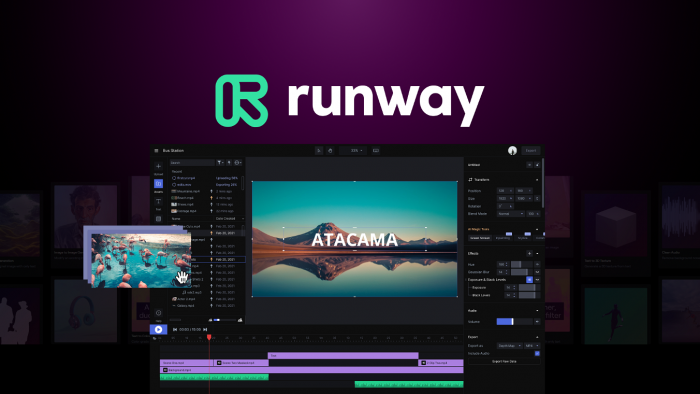
Runway has become a core hub for AI‑driven video and motion graphics, letting you go from text or image prompts to stylized animated clips in seconds. For motion designers, its Gen‑4 and Gen‑4.5 models are particularly useful for creating abstract backgrounds, kinetic transitions, and concept frames that would otherwise take hours to design and render.
Key strengths for motion graphics:
● Text‑to‑video and image‑to‑video for fast concepting and motion backgrounds.
● Motion tracking and generative effects that let you stylize shots without manually animating every element.
● Asset export to traditional NLEs and compositing apps, so you can treat Runway as a “shot generator” in your pipeline.
Runway Pricing Table
Runway combines subscription plans with a credit system for video generations.
| Plan | Monthly price | Credits / month | Typical use case |
| Free | $0 | 125 credits | Testing prompts, low‑res experiments. |
| Standard | $12 | 625 credits | Regular social clips, motion tests. |
| Pro | $28 | 2250 credits | Freelancers producing client work. |
| Unlimited | $76 | “Unlimited” explore + 2250 credits | Heavy creators, agencies. |
2. Adobe After Effects + Firefly – AI Inside the Industry Standard
Adobe After Effects remains the industry standard for motion graphics, and recent updates have brought serious AI capabilities via Firefly and Sensei‑powered tools. Instead of pure text‑to‑video, Adobe focuses on augmenting traditional workflows: smarter masking, AI‑assisted tracking, generative fills, and upgraded 3D/typography features.
Why it stands out for motion designers:
● AI‑powered object masking and faster shape mask tracking make isolating moving elements dramatically quicker.
● Native SVG imports, vector workflow improvements, and parametric 3D meshes make complex 3D‑ish motion graphics feasible directly inside After Effects.
● Firefly models integrated across Creative Cloud let you generate textures, backgrounds, and style frames that feed directly into your comps.
Adobe After Effects / Firefly Pricing Table
Adobe sells After Effects via Creative Cloud subscriptions, with Firefly access bundled in many plans.
| Plan | Monthly price (approx.) | Includes Firefly credits | Best for |
| After Effects single‑app | From ~$20.99 | Yes, limited | Motion designers focused on AE. |
| All Apps (Creative Cloud) | Higher tier, varies | More credits, multi‑app | Studios using Premiere, Illustrator, etc. |
| Firefly web‑only | Varies by region | Web generation only | Designers who just need AI assets. |
3. LTX Studio – Story‑Driven AI Motion Pipelines
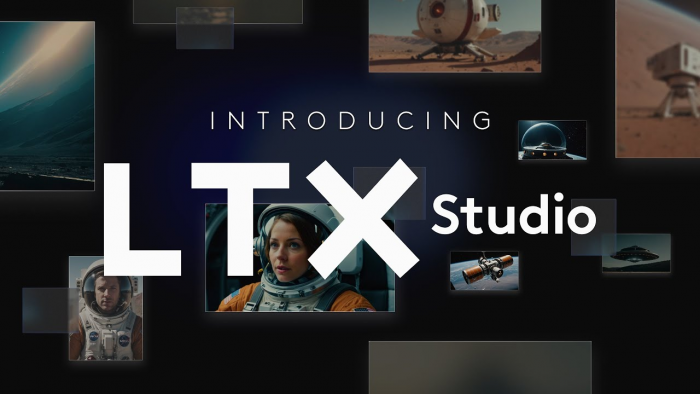
LTX Studio is designed for creators who want to build structured, story‑driven pieces—combining 2D, 3D, and AI generation in one environment. It excels at pre‑visualization and complex motion pipelines, where you need multiple shots with consistent style, characters, and camera language rather than one‑off clips.
Why motion designers like it:
● Supports both 2D and 3D pipelines, making it suitable for title sequences, explainer videos, and mixed‑media campaigns.
● Helps maintain visual continuity across scenes, which is a common pain point when stitching together independent AI generations.
● Acts as a hub where storyboards, animatics, and final renders converge, so teams can iterate faster on client concepts.
LTX Studio Pricing Table
LTX Studio’s pricing is less standardized publicly, but typical tiers distinguish indie creators from studios.
| Plan | Monthly price | Key notes |
| Creator | Varies | Limited projects / exports |
| Studio | Custom / higher | Team seats and collaboration. |
4. Pika Labs – Quick AI Motion Clips for Social and Promos
Pika Labs focuses on rapid AI video and motion generation, making it ideal for social‑first motion graphics like animated posts, teasers, and loops. Its strength lies in speed and accessibility: you can go from prompt to a short, stylized motion clip in minutes, then finish it inside your editor of choice.
Why it works for motion graphics:
● Great for generating kinetic backplates, transitions, and animated textures that you can composite with typography and UI overlays.
● Frequent model updates tuned for aesthetic quality, which matters for eye‑catching social content.
● Low barrier to entry for non‑technical creators who just want high‑impact visuals quickly.
Pika Labs Pricing Table
Pika Labs typically follows a freemium model: free experimentation with limits, then paid tiers for higher resolutions and usage.
| Plan | Monthly price | Best use case |
| Free | $0 | Testing styles, low‑volume posting. |
| Pro | Varies | Regular social creators, marketers. |
| Team | Higher tier | Agencies managing multiple brands. |
5. DeepMotion – AI Character Animation for Motion Graphics
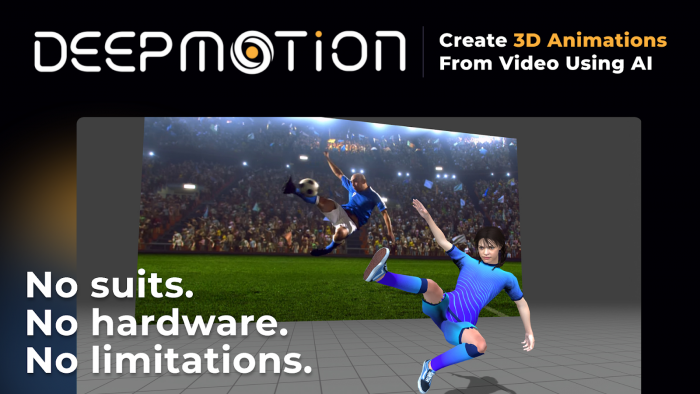
DeepMotion is a specialist platform that turns motion capture from webcam, phone, or video footage into full‑body character animation, making it a strong choice when your motion graphics need stylized characters. Motion designers commonly use it to animate mascots, infographics characters, or abstract humanoid shapes that complement text and UI elements.
Key benefits:
● Browser‑based mocap means you can prototype character movement without a suit or studio setup.
● Physics‑aware animation helps keep movement looking natural, avoiding the “floaty” feel of naive rigs.
● Exports to common 3D formats (FBX/DAE/USD), so you can bring the motion into Cinema 4D, Blender, or After Effects via plugins.
DeepMotion Pricing Table
DeepMotion is usually priced by features and export volume, with a starter tier for individuals.
| Plan | Monthly price | Ideal user |
| Free | $0 | Students, quick tests. |
| Starter | Entry‑level | Freelancers adding characters. |
| Studio | Higher tier | Teams with regular character work. |
6. VEED / InVideo AI – AI‑Assisted Editing for Motion Graphics Delivery
VEED.io and InVideo have evolved into AI‑powered video editors that combine generation, templating, and timeline‑based control. For motion designers, they shine in the polishing and packaging phase—turning AI‑generated or After Effects‑rendered assets into finished social posts, explainers, ads, and reels.
Why they’re useful in a motion graphics stack:
● Libraries of templates, transitions, and motion text effects speed up production of versioned deliverables for different platforms.
● AI features like auto‑captioning, script‑to‑video, and style presets help you quickly adapt motion assets into multiple formats.
● Serve as lightweight tools for clients or non‑designers to tweak motion projects created by specialists.
VEED / InVideo Pricing Table
Both platforms follow a similar SaaS pricing pattern, with free tiers and paid plans for higher output.
| Tool | Plan | Monthly price | Best for |
| VEED | Free | $0 | Occasional simple edits. |
| VEED | Pro | Varies | Creators shipping regular content. |
| InVideo | Free | $0 | Testing AI video workflows. |
| InVideo | Business | Varies | Marketers, agencies, brands. |
Final Verdict
AI is no longer a gimmick in motion graphics, it is a practical, production‑ready co‑pilot that speeds up every stage of the pipeline, from concept to delivery. By combining generative tools like Runway and Pika Labs with precision environments such as Adobe After Effects, specialist character animation from DeepMotion, and finishing platforms like VEED or InVideo, you can build a workflow that is both creatively flexible and commercially efficient.
Instead of asking “Which single AI tool is best?”, the smarter question in 2026 is “How do I stack these tools so each one does what it’s best at?”. For ideation and base motion, generative models give you fast, infinite variations; for control and polish, traditional compositing with AI assistance still wins; for characters and packaging, specialist AI platforms deliver speed without sacrificing quality. This layered approach is exactly how modern studios and solo creators are producing more content in less time while keeping their signature style intact.
Post Comments
Be the first to post comment!