Table of Content
- 1. Runway: Best Overall Creative Powerhouse
- 2. Luma Dream Machine: High‑Fidelity, Physics‑Aware Clips
- 3. Kling AI: Cinematic Motion and Strong Camera Work
- 4. Stable Video Diffusion: Open and Developer‑Focused
- 5. Kaiber: Style‑Driven Video for Creators
- 6. Synthesia: Avatar‑Based Training and Business Videos
- 7. HeyGen: Versatile Avatars With a Free Tier
- 8. AutoFaceless.ai (with InVideo AI): Automated Faceless Shorts
- Quick Side‑by‑Side Comparison
- Conclusion: Which Pika Alternative Is “Best”?
Pika AI has quickly become a recognizable name in AI video thanks to its fast text‑to‑video, image‑to‑video and meme‑style edits tailored for TikTok, Reels and Shorts. But as AI video matures, many creators, agencies and brands are outgrowing what Pika offers in terms of control, realism, workflow automation and specialization. Some need cinematic, physics‑aware shots; others want talking‑head avatars for training; many simply want better pricing structures or business‑ready reliability.
In this guide, you’ll find the 8 best Pika AI alternatives to consider, with what each does best, where it falls short and how much it costs. This makes it easy to pick the right platform for your use case, whether you’re batch‑producing faceless shorts, creating cinematic B‑roll, or building corporate training videos at scale.
1. Runway: Best Overall Creative Powerhouse
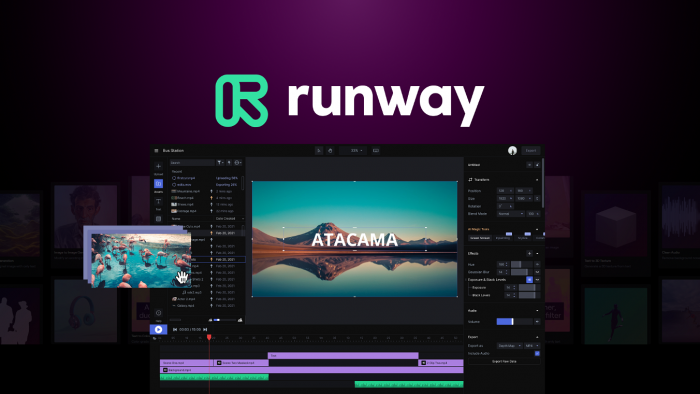
Runway (often called RunwayML) is one of the most established players in AI video. Its Gen‑3 and newer models focus on cinematic text‑to‑video, image‑to‑video, video‑to‑video and advanced editing, capable of dynamic camera movements, more realistic lighting and multi‑shot storyboards. If you feel Pika’s clips look a bit “AI‑ish” or lack fine‑grained control, Runway is a natural step up.
Runway is a better Pika alternative when you care about consistent output quality, a more mature editor and access to top‑tier models in one place. You get 1080p exports on paid plans, priority rendering at higher tiers and extra features like custom voices and better lip‑sync, which appeal to agencies and brands wanting polished narrative content.
The downside is that Runway’s credit system can become expensive if you experiment heavily or generate longer 4K sequences, because advanced models cost more credits per second. The free plan is mainly for testing, with a one‑time credit allocation and watermarked 720p exports, so it’s not ideal for ongoing production.
Runway pricing
| Plan / Item | Indicative Price (monthly) | Notes |
| Free | 0 USD | Limited, watermarked 720p exports |
| Standard | ≈ 12 USD | 625 credits, 1080p exports |
| Higher tiers | Custom / higher pricing | More credits, priority rendering |
2. Luma Dream Machine: High‑Fidelity, Physics‑Aware Clips
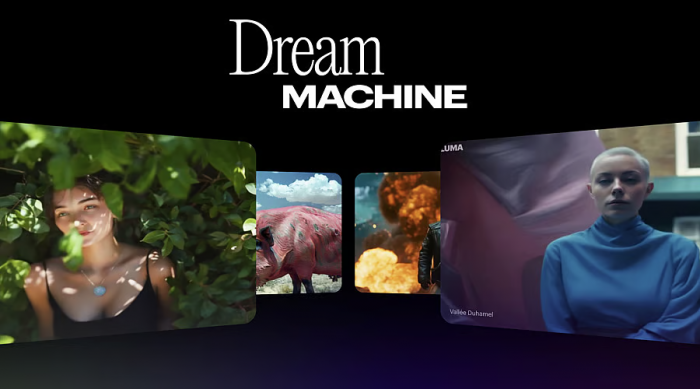
Luma’s Dream Machine is built to generate high‑quality, physics‑aware videos that feel closer to real‑world camera footage than typical consumer tools. It excels at turning text prompts into visually detailed, physically consistent motion, which makes it ideal for cinematic B‑roll, product shots and creative experimentation that needs more realism.
Compared to Pika, Luma stands out with more realistic motion, better physical accuracy and a clear emphasis on professional‑grade visuals. While Pika is great for fun, short social clips, Dream Machine is better when you want something like film pre‑visualization or stock‑style footage that could drop into professional projects.
The trade‑off is that it feels more “pro” and less template‑driven, so total beginners may find it less hand‑holding than Pika. The ecosystem around it templates, presets, widely shared tutorials is still smaller than broader creator platforms, and its limits and usage patterns are tuned more to serious users than casual experimentation.
Luma Dream Machine pricing
| Plan / Item | Indicative Price (monthly) | Notes |
| Starter | ≈ 9.99 USD | Entry for individual creators |
| Higher tiers | Scales with usage | More generations, higher limits |
3. Kling AI: Cinematic Motion and Strong Camera Work
Kling AI, developed by Chinese short‑video giant Kuaishou, has rapidly become one of the strongest text‑to‑video and image‑to‑video generators on the market. It is known for cinematic shots, realistic motion, advanced camera controls and support for 1080p video, making it highly attractive if you want visually impressive clips without enterprise‑only access.
Kling is a better Pika alternative if your priority is cinematic motion and smooth camera work, not just meme‑style edits. It performs especially well on character animation and realistic scenes and has already powered millions of generated videos, a sign of robustness and mainstream adoption.
The drawbacks are more practical than technical: depending on your region, Kling’s interface and documentation may feel less polished or less localized. You often access it through platforms like Pixara instead of a single global SaaS, and its feature set today is more about powerful generation than deep downstream editing.
Kling AI pricing
| Plan / Item | Indicative Price (monthly) | Notes |
| Entry / Basic | ≈ 10 USD | Often via third‑party platforms (e.g., Pixara) |
| Higher tiers | Scales with usage | More generations, priority / newer models |
4. Stable Video Diffusion: Open and Developer‑Focused
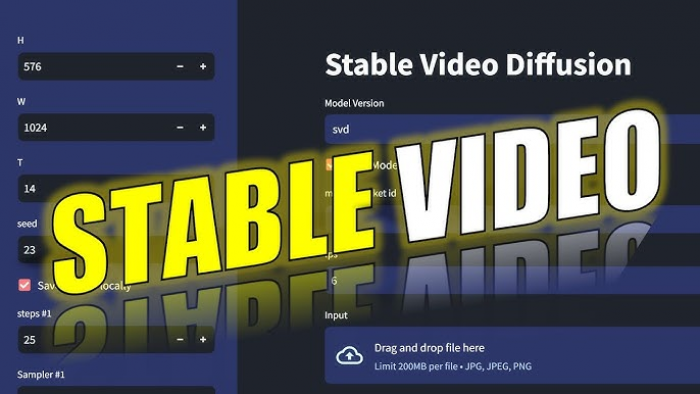
Stable Video Diffusion from Stability AI is built on the Stable Diffusion ecosystem and targets developers and technically inclined creators. It converts still images into short, high‑quality video clips, using frame interpolation to reach 24 fps, and supports multiple aspect ratios and resolutions along with controls for motion strength and seed‑based reproducibility.
It is a better alternative to Pika when you want more control, open tooling and the ability to integrate video generation into your own apps or pipelines. If you already use Stable Diffusion for image generation, staying in the same ecosystem for video can simplify your stack and reuse your familiarity with prompting and controls.
The main limitations are its complexity and focus on very short clips. The default models are optimized for around 2‑second outputs, so longer content requires additional tooling or stitching, and the overall workflow leans more developer‑centric than creator‑friendly. Non‑technical users may prefer Pika’s plug‑and‑play interface.
Stable Video Diffusion pricing
| Access Method | Pricing Model | Notes |
| Hosted API / cloud | Pay‑per‑use | Charged per second or per generation |
| Self‑hosting | Infra + compute costs | No SaaS fee, but requires technical setup |
5. Kaiber: Style‑Driven Video for Creators
Kaiber has become a favourite among musicians, YouTubers and visual artists who want stylized, music‑video‑like visuals from existing footage or images. It offers image‑to‑video, text‑to‑video and style‑transfer capabilities, letting you turn static artwork or simple footage into dynamic, animated sequences that work well for music promos, lyric videos or lo‑fi loops.
Compared to Pika, Kaiber is stronger when you care about artistic stylization over realism. It shines when you already have base assets, album art, photos, simple clips and want to transform them into something visually rich and on‑brand rather than starting from scratch.
The main drawback is cost for heavy users. Kaiber leans toward power creators, agencies and small studios, and if you’re generating a lot of high‑quality content, you can easily climb into higher‑priced tiers. If you only need a handful of short clips, Pika or more lightweight options may be more economical.
Kaiber pricing
| Plan / Item | Indicative Price (monthly) | Notes |
| Pro | ≈ 149 USD | ~7,500 credits for high‑volume usage |
| Lower tiers | Lower monthly price | Fewer credits, suited to lighter use |
6. Synthesia: Avatar‑Based Training and Business Videos
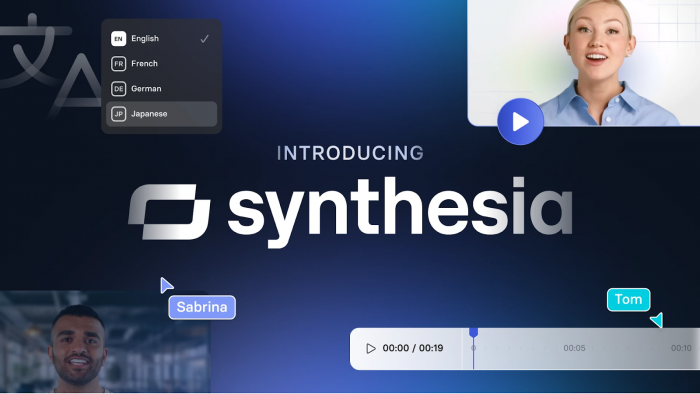
Synthesia is a full AI avatar video platform designed for training, onboarding, internal communication and marketing explainers. Instead of abstract or cinematic footage, it focuses on realistic talking‑head presenters in dozens of languages, using a large library of stock avatars plus options for custom branded avatars on higher tiers.
As a Pika alternative, Synthesia is better when your use case is corporate or educational. It offers script‑to‑video workflows, built‑in teleprompter‑style editing, and in the Enterprise tier, features like advanced translation and collaboration things you simply won’t get in a social‑first tool.
The trade‑off is that Synthesia is not designed for cinematic B‑roll or experimental visuals. It is purpose‑built for presenter videos, and its cost per minute is relatively high for casual users, since every generated minute consumes credits and the platform is priced for serious production.
Synthesia pricing
| Plan / Item | Indicative Price (monthly) | Notes |
| Starter | ≈ 29 USD | Lower entry tier, limited minutes |
| Creator | ≈ 89 USD (≈ 64 USD if annual billing) | ~30 video minutes included |
| Free trial | 0 USD | A few minutes to test the platform |
7. HeyGen: Versatile Avatars With a Free Tier
HeyGen operates in a similar space to Synthesia, focusing on AI avatar videos for marketing, training, sales outreach and social media. It provides a library of avatars, multi‑language voiceovers and templates, and is popular with solo creators and small teams who want presenter‑style videos without hiring on‑camera talent.
Compared to Pika, HeyGen is a better fit when you want talking‑head content for explainer videos, LinkedIn posts, product demos or course intros rather than abstract or cinematic sequences. Its templates and workflows lean toward business content, making it a practical tool for startups, agencies and educators.
The main limitations are the watermarks and lower resolution on the free tier and an aesthetic that skews more corporate than experimental. Like other avatar platforms, it is not ideal for complex multi‑shot narratives or custom motion beyond the presenter frame.
HeyGen pricing
| Plan / Item | Indicative Price (monthly, annual billing) | Notes |
| Free | 0 USD | 3 watermarked 720p videos per month |
| Creator | ≈ 24 USD | Higher limits, better quality |
| Team | ≈ 30 USD | Collaboration features, more usage |
8. AutoFaceless.ai (with InVideo AI): Automated Faceless Shorts

AutoFaceless.ai targets a very specific use case: automated faceless short‑form videos for TikTok, Reels and YouTube Shorts. It combines script generation, hook optimization trained on more than 50,000 high‑performing hooks, AI voiceovers styled after popular personalities and automated editing and posting workflows to reduce the human time needed to run faceless channels.
Compared with Pika, AutoFaceless is better if your goal is to automate the entire pipeline from ideation to posting rather than manually crafting each clip. It’s particularly valuable for creators or agencies running multiple channels where systematized production is more important than bespoke, frame‑by‑frame control.
The compromise is that the visuals may not match the cinematic quality of frontier models, and the tool is tuned heavily for short‑form faceless content, not general‑purpose video production. If you want full manual control and high‑end visuals, you may still prefer Pika plus a cinematic model.
AutoFaceless.ai pricing
| Plan / Item | Indicative Price (monthly) | Notes |
| Entry tier | ≈ 10–20 USD | Credits‑based, good for starting one channel |
| Higher tiers | Higher monthly pricing | More credits, more automation and throughput |
Quick Side‑by‑Side Comparison
| Tool | Best For | Key Strength vs Pika | Main Drawback | Pricing Snapshot* |
| Runway | Creators, agencies | Cinematic quality, mature editor | Credit system can get pricey | Free tier; ≈ 12 USD Standard |
| Luma Dream Machine | Cinematic / realistic clips | Physics‑aware, high‑fidelity motion | Less template‑driven, pro‑leaning | From ≈ 9.99 USD |
| Kling AI | Cinematic shorts, characters | Very smooth motion, 1080p output | Access via third parties, localization | From ≈ 10 USD via partners |
| Stable Video Diffusion | Developers, tinkerers | Open, controllable, API‑friendly | Short clips, technical to set up | Pay‑per‑use / self‑host |
| Kaiber | Musicians, YouTubers, artists | Strong stylization and style‑transfer | High cost at Pro tier | Pro ≈ 149 USD; cheaper lower tiers |
| Synthesia | Corporate training, onboarding | Realistic avatars, business workflows | Per‑minute cost, niche use case | Starter ≈ 29 USD; Creator ≈ 89 USD |
| HeyGen | Solo pros, small teams, marketers | Versatile avatars, generous free tier | Corporate‑leaning look, free is limited | Free; Creator ≈ 24 USD; Team ≈ 30 USD |
| AutoFaceless.ai | Faceless TikTok/Reels/Shorts | End‑to‑end automation, hook‑driven | Less cinematic, short‑form focused | ≈ 10–20 USD entry, higher tiers up |
Conclusion: Which Pika Alternative Is “Best”?
Runway and Luma Dream Machine are the strongest upgrades if you like what Pika does but want more cinematic, realistic and consistent output for serious creative work. They are ideal when you need higher‑end visuals and more control, whether you are producing ads, branded content or polished YouTube videos.
For training, onboarding and explainer content, Synthesia and HeyGen are better suited because their avatar‑based workflows and templates are designed specifically for business teams rather than short‑form creators. Kaiber is a great fit when bold, stylized visuals for music videos or YouTube are your priority, while AutoFaceless is perfect if you care less about visual originality and more about automating faceless TikTok, Reels and Shorts at scale with minimal manual effort.
Post Comments
Be the first to post comment!
Related Articles