Table of Content
- Quick Comparison Table
- 1. Adobe Photoshop (AI-Powered Editing Standard)
- 2. Topaz Photo AI (Where Detail Actually Gets Rebuilt)
- 3. Luminar Neo (AI That Feels Fast and Natural)
- 4. Remini (The Specialist for Faces and Old Photos)
- 5. Let’s Enhance (High-Quality Upscaling Without Software)
- 6. Canva (Magic Studio) (Enhancement Meets Design Workflow)
- What Actually Matters When Choosing a Tool
- Which Tool Should You Choose
- Final Verdict
AI has transformed photo editing from time-consuming manual fixes to instant, intelligent enhancements. Modern tools can detect faces, skies, and textures, then automatically improve quality in seconds.
In 2026, the real question isn’t if AI can enhance your photos it’s which tool fits your needs. This guide highlights six top options, each tailored to a specific use case: professional repair, advanced desktop editing, cloud upscaling, quick web fixes, mobile portrait enhancement, and automated e-commerce processing.
This article breaks down the 6 best AI photo enhancement tools, based on real-world use cases, performance, and practical value.
Quick Comparison Table
| Tool | Best For | Platform | Key Strength | Pricing |
| Adobe Photoshop | Professional editing | Desktop/Web | Full AI + manual control | Subscription (~$10+/mo) |
| Topaz Photo AI | Detail recovery & upscaling | Desktop | Best sharpening + denoise | One-time / premium |
| Luminar Neo | Fast creative enhancement | Desktop | One-click AI edits | ~$79/year |
| Remini | Face & portrait enhancement | Mobile | Best for restoring faces | Freemium |
| Let’s Enhance | Online upscaling | Web | High-quality resolution boost | Pay-per-use |
| Canva (Magic Studio) | Social media content | Web/App | Easy AI enhancement + design | Freemium |
1. Adobe Photoshop (AI-Powered Editing Standard)
Adobe Photoshop is not just another AI tool. It is the benchmark against which everything else is compared. What makes it powerful is not just AI, but how AI integrates with manual control.
With features like Generative Fill, smart object selection, and neural filters, Photoshop allows you to enhance images with precision. You can remove unwanted objects, fix lighting inconsistencies, and reconstruct missing parts of an image while maintaining full creative control.
This matters in real workflows. For example, product photographers often need to enhance images without altering brand consistency. Photoshop allows that level of control. It is not just enhancement, it is controlled enhancement.
However, the trade-off is complexity. Beginners may find it overwhelming. It also requires time to master, which makes it less suitable for quick edits.
If your workflow involves high-quality outputs like advertising creatives, editorial visuals, or print-ready images, Photoshop remains the most reliable choice.
2. Topaz Photo AI (Where Detail Actually Gets Rebuilt)
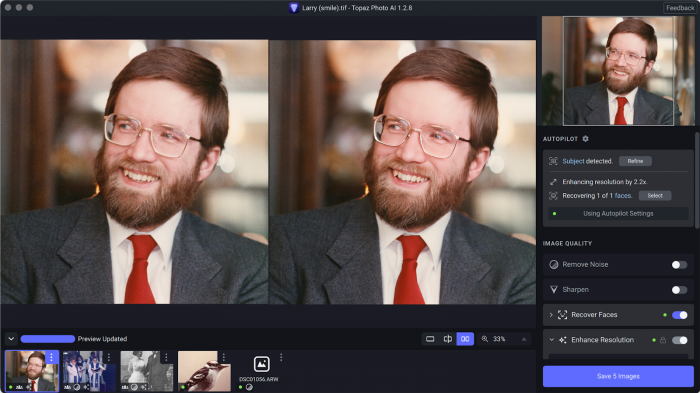
Most tools sharpen images. Topaz Photo AI does something different. It reconstructs missing detail.
This is especially noticeable in low-resolution or noisy images. Instead of simply increasing contrast or sharpness, Topaz uses deep learning models trained to understand textures like hair, fabric, and skin. The result is sharper images without the artificial “overprocessed” look that many tools create.
It excels in three areas:
● Noise reduction in low-light photos
● Upscaling images without pixelation
● Fixing motion blur and focus issues
This makes it particularly useful for photographers working with RAW files or older images. It is also one of the few tools that performs consistently across batch processing, which is important for large workflows.
The downside is speed and cost. It is heavier software and not ideal for quick edits.
3. Luminar Neo (AI That Feels Fast and Natural)
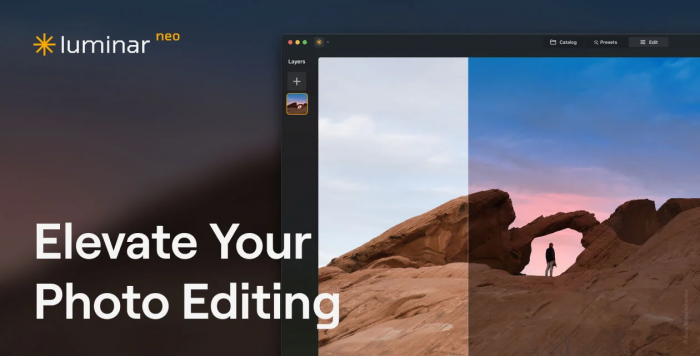
Luminar Neo sits in a very interesting position. It offers powerful AI features without the complexity of Photoshop.
The tool is designed for speed. You can enhance lighting, adjust depth, replace skies, and improve portraits with just a few clicks. Unlike many AI tools that over-process images, Luminar focuses on maintaining a natural look.
This makes it a strong choice for:
● Photographers who want quick edits
● Content creators working with large volumes
● Users who prefer visual controls over technical sliders
What stands out is how intuitive it feels. You are not adjusting parameters blindly. You are seeing real-time improvements that make sense visually.
However, it is not built for heavy professional workflows. It lacks the deep control that tools like Photoshop offer.
4. Remini (The Specialist for Faces and Old Photos)
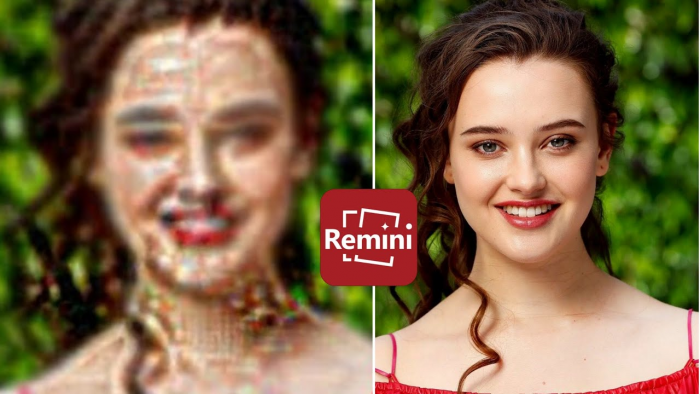
Remini is one of the most widely used AI photo enhancement apps, and for good reason. It is extremely focused.
Its strength lies in facial enhancement and restoration. If you upload a blurry portrait or an old photograph, Remini can dramatically improve clarity, sharpen facial features, and restore lost detail.
This makes it particularly useful for:
● Old family photos
● Low-quality selfies
● Social media profile images
What makes Remini effective is its specialization. Instead of trying to handle everything, it focuses on faces. That focus translates into better results compared to general-purpose tools.
The limitation is obvious. It is not ideal for landscapes, product photography, or complex compositions.
5. Let’s Enhance (High-Quality Upscaling Without Software)
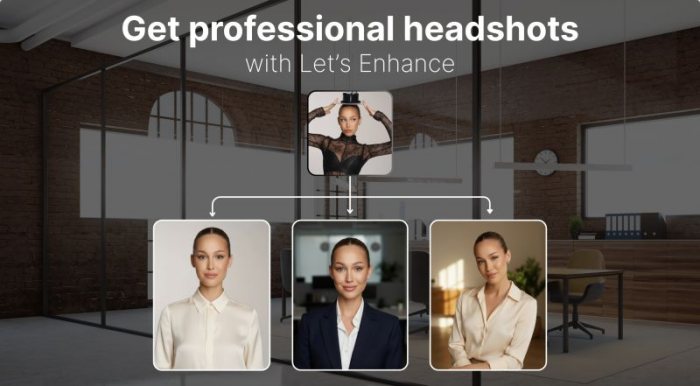
Let’s Enhance is built for a very specific use case: increasing image resolution without losing quality.
Unlike traditional upscaling, which stretches pixels, this tool uses AI to generate new detail. You can take a low-resolution image and scale it up to print quality without noticeable degradation.
This is particularly useful for:
● E-commerce product images
● Printing posters or banners
● Improving compressed web images
It works entirely in the browser, which removes the need for installation. This aligns with a growing trend where users prefer fast, online tools over heavy software.
The trade-off is cost per image. If you are working with large volumes, pricing can add up quickly.
6. Canva (Magic Studio) (Enhancement Meets Design Workflow)
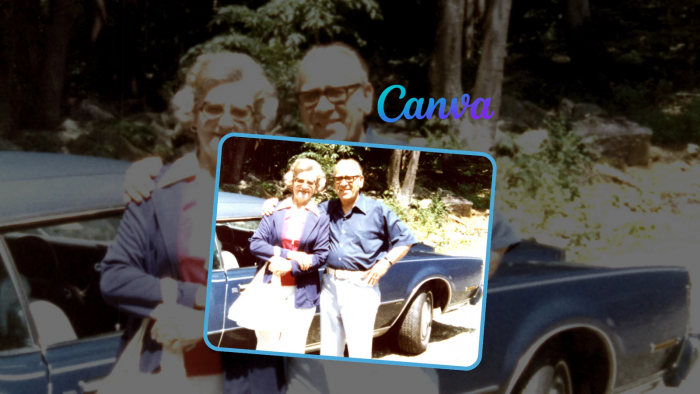
Canva is not just an editor. It is a complete design ecosystem.
With its AI features like Magic Expand, background remover, and auto-enhance tools, Canva allows users to improve images while simultaneously designing content. This is especially useful for social media teams who need to create and publish quickly.
What makes Canva different is its workflow integration. You are not just enhancing an image, you are placing it into a final design instantly.
This makes it ideal for:
● Social media marketers
● Small businesses
● Non-designers
However, Canva prioritizes simplicity over precision. If you need advanced editing or technical control, it will feel limited.
What Actually Matters When Choosing a Tool
Choosing an AI photo enhancer is less about features and more about workflow fit.
Some tools are built for accuracy. Others are built for speed. The mistake most people make is choosing based on features instead of use case.
Here is a simple way to think about it:
| Workflow Type | Best Tool |
| Professional editing | Adobe Photoshop |
| Maximum detail recovery | Topaz Photo AI |
| Fast creative edits | Luminar Neo |
| Face enhancement | Remini |
| Upscaling images | Let’s Enhance |
| Social media content | Canva |
Which Tool Should You Choose
Choosing between these tools becomes easier when you map them directly to your bottleneck instead of comparing features on paper. Each tool solves a very specific problem, and the right decision depends on what is slowing you down.
If your biggest concern is image quality and professional control, tools like Photoshop and Topaz Photo AI stand out. Photoshop gives you precision and flexibility, while Topaz focuses on rebuilding lost detail and improving clarity in difficult images.
If your workflow is limited by speed and volume, Luminar Neo and Canva are more practical choices. Luminar helps you process images quickly without overcomplicating edits, while Canva integrates enhancement directly into content creation, reducing the time between editing and publishing.
If you are dealing with poor input images, such as blurry portraits or low-resolution files, Remini and Let’s Enhance deliver the most noticeable improvements. Remini specializes in facial restoration, while Let’s Enhance is built for scaling images without degrading quality.
In simple terms, the decision is less about which tool is “better” and more about which one removes friction from your current workflow.
Final Verdict
AI photo enhancement is no longer just about fixing images. It reflects how modern content workflows operate, where speed, quality, and scalability all matter at the same time.
After comparing these tools, one thing becomes clear. There is no single best option because each tool is designed to solve a different type of problem. The real advantage comes when you stop relying on a single tool and start combining them based on your needs. Teams and creators who build a small, efficient stack will consistently produce better results than those still trying to find one perfect solution.
Post Comments
Be the first to post comment!
Related Articles