After building a lead notification workflow in Zapier and a full client onboarding system in Make within the same week, one thing becomes immediately clear: these two tools are not competing for the same user. Zapier handled the notification setup in under ten minutes with zero friction. Make handled conditional routing, CRM enrichment, account manager assignment, and Airtable logging inside a single scenario that would have required four separate Zaps and careful maintenance on the other platform. Neither could have done the other job as cleanly. That is the honest summary of this comparison before anything else is said.
What They Actually Are in 2026
Zapier connects over 8,000 apps through a form-based, step-by-step interface. You pick a trigger, define actions in sequence, and it runs. Designed to be operational in minutes for anyone, regardless of technical background.
Make (formerly Integromat) connects over 2,000 apps through a visual canvas where each module is a node and connections between them show exactly how data moves. It supports routers, iterators, error paths, conditional filters, and looping logic natively. Designed to be powerful, not fast to learn.
The underlying difference is not just user experience. It is what each tool assumes about the person using it. Zapier assumes automation should be invisible and instant. Make assumes you want to control exactly what happens to data at every step.
Where the Two Tools Diverge Most Sharply
Workflow Logic and Complexity
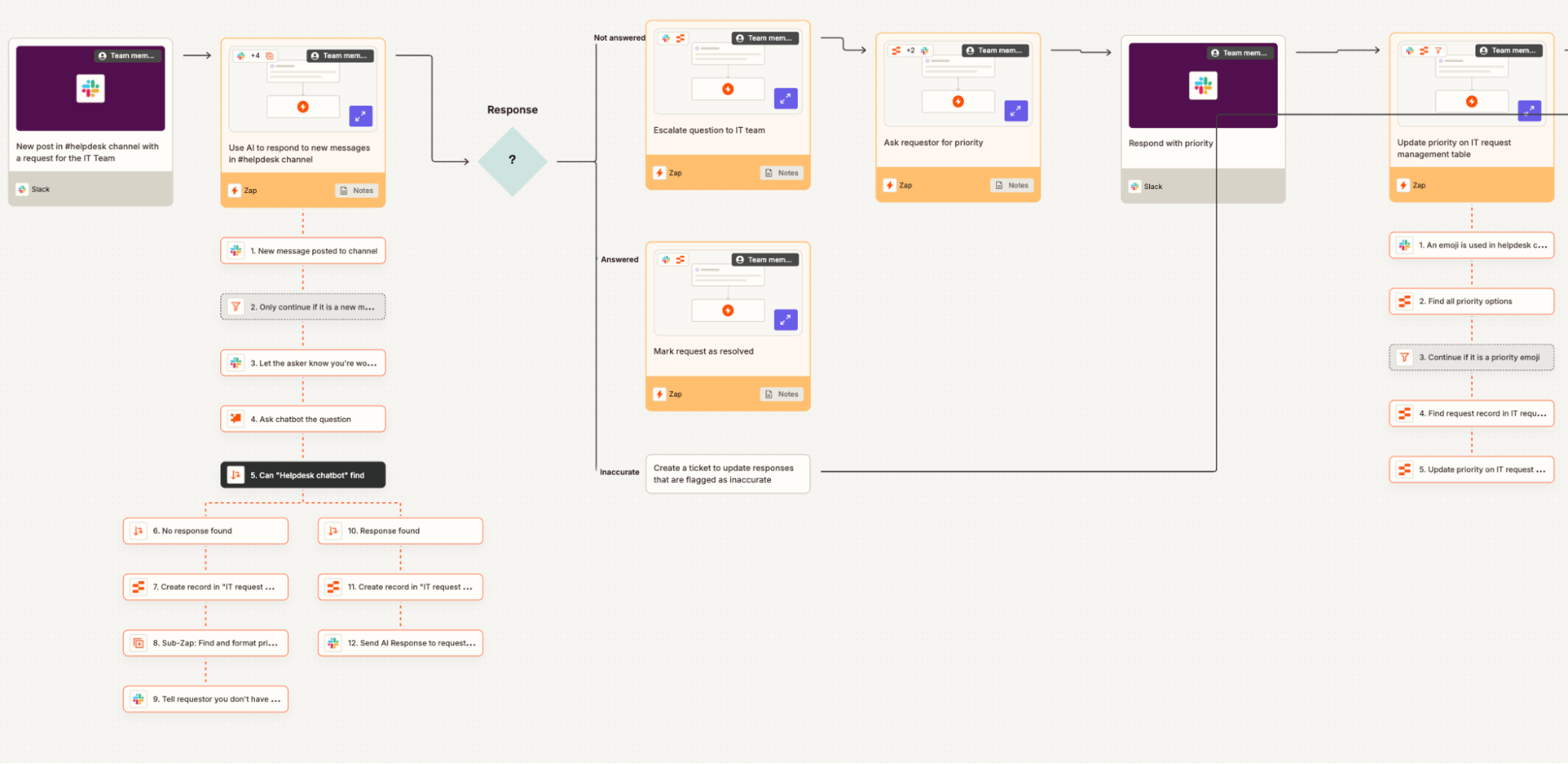
Zapier's workflow structure is linear by default. A trigger fires, actions execute in sequence, and branching is possible through its Paths feature but remains relatively limited. Multi-step Zaps work well for straightforward chains: a form submission triggers an email, updates a sheet, and pings a Slack channel. When that same chain needs conditional routing, data transformation, or loop-based processing across multiple items, Zapier starts requiring workarounds or multiple separate Zaps.
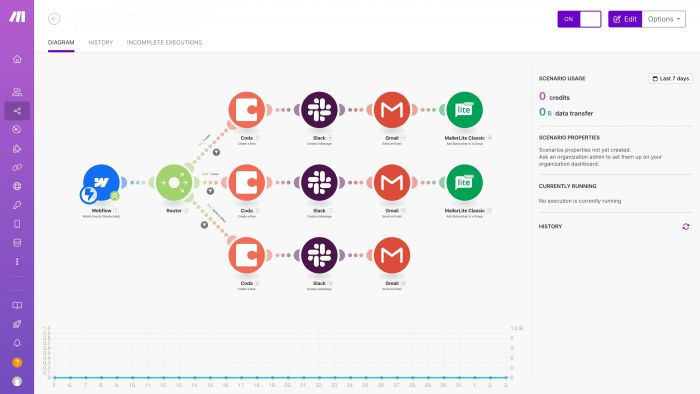
Make handles that complexity natively inside a single scenario. Its Router module splits a workflow into separate branches based on conditions. Its Iterator processes each item in an array individually. Its Aggregator merges multiple bundles back into one. Error handling is built into the canvas itself, with dedicated fallback paths rather than just email notifications. A lead enrichment workflow requiring scoring, conditional routing to different team members, and CRM logging is clean and readable in Make. In Zapier, the same workflow typically requires several separate Zaps and careful sequencing.
AI Integration in 2026

Zapier has moved further ahead here. Its Copilot feature lets you describe a workflow in plain language and generates the Zap structure automatically. Native AI actions for text classification, summarisation, and data extraction are built into the platform, alongside integrations with over 250 AI tools. Custom Actions generate API connections automatically without manual webhook configuration.
Make currently requires manual HTTP module setup for most AI integrations. Its native AI capabilities are more limited, though its HTTP modules give more flexibility for custom API calls once the technical knowledge is there. For teams adopting AI-powered automations quickly without deep technical setup, Zapier's AI tooling is currently the stronger choice.
Integration Breadth

Zapier's 8,000+ app library is a genuine advantage for workflows touching niche or lesser-known SaaS tools. Make covers most mainstream platforms, but if a stack includes specialist tools, there is a real chance Make lacks a native connector, meaning HTTP modules must be used to build the integration manually.
The Pricing Reality Nobody Explains Cleanly
Most comparisons mislead by quoting headline numbers without explaining billing mechanics.
| Plan | Zapier | Make |
| Free tier | 100 tasks/month | 1,000 operations/month |
| Entry paid | $19.99/month (750 tasks) | $9/month (10,000 operations) |
| Mid tier | $49/month (2,000 tasks) | $16/month (40,000 operations) |
| Team tier | $69/month (2,000 tasks + team features) | $29/month (10,000 ops + team features) |
| At 50,000 ops/month | $249+/month | ~$34/month |
The math looks overwhelmingly in Make's favour, and for high-volume workflows it genuinely is. Make provides roughly 13 times more operations per dollar at comparable pricing tiers. An automation professional who has built over 70 workflows on both platforms calculated Make at approximately 50 percent cheaper at scale.
The caveat that matters: Make counts every single module execution as an operation, including internal logic, routers, and even failed runs. A 10-step scenario running 1,000 times per month consumes 10,000 operations. Zapier's polling triggers and certain internal operations do not count against the task limit the same way, making Zapier more predictable for simple automations even if the absolute numbers favour Make. For complex workflows at volume, Make is cheaper. For simple 2-3 step automations at low frequency, Zapier's pricing is easier to predict and not dramatically more expensive.
Performance Rating: Both Tools Scored Honestly
| Category | Zapier | Make |
| Ease of use | 9.4/10 | 7.8/10 |
| Workflow complexity handling | 7.6/10 | 9.5/10 |
| Integration breadth | 9.5/10 | 8.0/10 |
| AI features (2026) | 9.0/10 | 7.5/10 |
| Pricing value at scale | 7.2/10 | 9.6/10 |
| Error handling and debugging | 7.8/10 | 9.2/10 |
| Overall score | 8.5/10 | 8.7/10 |
What Real Users Are Actually Saying
On G2, Zapier holds 4.5 stars from over 1,520 reviews. Make holds 4.6 stars from 264 reviews. The smaller review volume for Make reflects its more technical, narrower audience rather than lower quality.
The pattern across Reddit, G2, and community discussions is strikingly consistent. Zapier wins every conversation about ease of use and speed to first working automation. Make wins every conversation about flexibility, cost at scale, and the ability to build genuinely complex systems without fragile multi-Zap workarounds.

The most repeated complaint about Zapier in 2026 is the pricing wall. Teams that start on lower tiers and scale their automation volume quickly discover that the monthly bill climbs faster than expected, particularly with multi-step Zaps where every action counts as a separate task. Several Reddit users describe reaching $249 per month on Zapier before migrating to Make and immediately reducing costs by 60 to 80 percent for equivalent workflow volume.

Make's most repeated criticism is the learning curve on the visual canvas. New users who have never thought about data flows, iterators, or module connections often spend several hours building their first non-trivial scenario. Debugging in Make also consumes operations, so a scenario throwing errors repeatedly during testing can unexpectedly drain monthly credit allocation. Experienced Make users typically build error handling paths from the start to avoid this, but it is not obvious to newcomers.
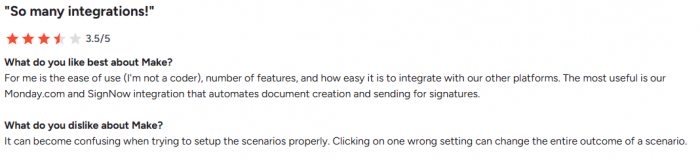

The most honest take from the automation community: most teams stay on Zapier longer than they should, then switch to Make when the monthly bill starts looking unreasonable and workflows have grown complex enough that Zapier's linear structure creates more maintenance work than it saves.
Specific Workflows Where Each Tool Has a Clear Edge
Use Zapier when:
- The automation connects two or three apps in a straight line with no conditional logic
- A native integration with a niche tool is needed that Make does not support
- AI-powered workflow creation through natural language (Copilot) is a priority
- Someone non-technical on the team needs to build or maintain automations without training
- Speed to live matters more than cost optimisation
Use Make when:
- The workflow involves conditional routing where different data values trigger different actions
- Processing arrays of items individually is required, such as looping through all rows in a Google Sheet
- Data needs to be pulled from one source, transformed, and pushed to multiple destinations with different logic at each step
- Monthly automation volume makes Zapier's pricing unworkable
- Full visibility into exactly how data moves through each step is needed, with the ability to inspect bundles at every node
The Decision
Start with Zapier if automation is new territory and the priority is getting first workflows running without a steep learning curve. The interface is fast, the app library is unmatched, and the AI features make setup even more accessible in 2026.
Switch to Make, or start there, if workflows involve any conditional logic, data transformation, or volume that would make Zapier's pricing painful. The steeper learning curve pays back quickly once the canvas becomes familiar, and the cost advantage at scale is not marginal. It is substantial.
The uncomfortable truth that automation practitioners keep repeating: the majority of teams running serious workflow automation in 2026 end up on Make, not because Zapier is bad, but because Zapier's pricing model was not designed for the scale that good automation naturally grows into.
Post Comments
Be the first to post comment!
Related Articles