Choosing between Obsidian and Notion is not just about picking a note-taking app. It is about choosing how you think, organize ideas, and manage information.
Both tools are widely used for knowledge management, but they are built on completely different philosophies. Notion is designed as an all-in-one workspace where notes, tasks, and databases live together. Obsidian, on the other hand, is built as a personal knowledge system where ideas connect through links and evolve over time.
At first glance, they may look similar. In practice, they serve very different types of users.
This guide breaks down how both tools work, where they excel, and which one makes more sense depending on how you use information.
Core Difference: Two Completely Different Approaches
The biggest difference between Notion and Obsidian is how they handle data and structure.
Notion is a cloud-based platform that stores everything online and organizes content using pages, blocks, and databases. It works like a structured workspace where everything can be categorized, filtered, and managed visually.
Obsidian takes a local-first approach. Your notes are stored as Markdown files on your device, giving you full control over your data. Instead of strict structure, it focuses on linking ideas together through connections.
This difference alone defines how both tools feel in daily use.
Quick Comparison Table
| Feature | Notion | Obsidian |
| Storage | Cloud-based | Local-first (offline) |
| Structure | Pages + databases | Linked notes (vaults) |
| Collaboration | Real-time team collaboration | Limited (mostly individual) |
| Customization | Templates & blocks | Plugins & full control |
| Learning Curve | Moderate | Higher initially |
| Best For | Teams, workflows | Personal knowledge systems |
Notion: Structured, Visual, and Built for Teams
![What is Notion? [A detailed guide for beginners] | Zapier](https://res.cloudinary.com/zapier-media/image/upload/f_auto/q_auto/v1707419887/Blog/what-is-notion/what-is-notion-image5_cowbxp.png)
Notion is designed to be more than a note-taking tool. It acts as a centralized workspace where you can manage projects, documents, databases, and workflows in one place.
The core of Notion is its block-based system. Every piece of content, whether text, images, tables, or lists, is treated as a block that can be rearranged freely. This flexibility allows users to create dashboards, project trackers, content calendars, and even entire company wikis.
One of Notion’s biggest strengths is collaboration. Multiple users can edit documents in real time, leave comments, assign tasks, and work together seamlessly. Notion also includes built-in AI features that help with writing, summarizing, and organizing information, making it more powerful for productivity workflows.
However, this power comes with complexity. For simple note-taking, Notion can sometimes feel overwhelming because of its many features and layers.
Obsidian: Fast, Private, and Built for Thinking
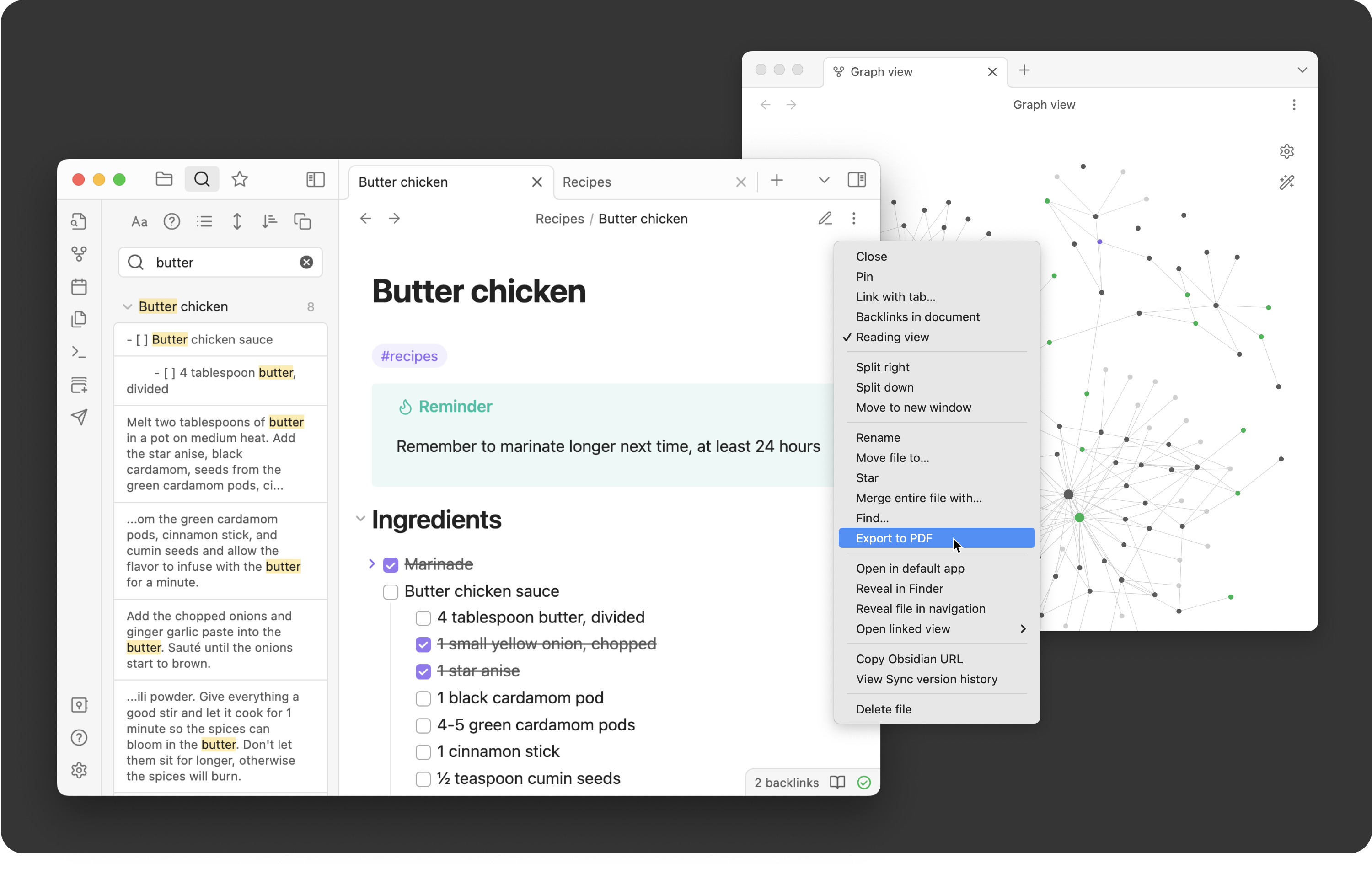
Obsidian is fundamentally different. It is designed for individuals who want to build a personal knowledge system.
Instead of organizing notes in folders or databases, Obsidian allows you to connect ideas using links. Over time, these connections form a network of knowledge that can be visualized through its graph view. Every note in Obsidian is a plain text Markdown file stored locally. This means your data is fully under your control and accessible even without an internet connection.
The platform is highly customizable through plugins, allowing users to extend its functionality in almost any direction. However, Obsidian has a steeper learning curve. Understanding Markdown, plugins, and linking concepts takes time, especially for beginners.
But once mastered, it becomes an extremely powerful tool for research, writing, and idea development.
Feature Comparison: How They Actually Perform
| Capability | Notion | Obsidian |
| Note-taking | Good | Excellent |
| Project management | Excellent | Limited |
| Data organization | Advanced databases | Basic (plugin-based) |
| Linking ideas | Basic | Advanced (core feature) |
| Offline access | Limited | Full offline access |
| Integrations | Extensive | Limited |
Notion excels when structure and organization are important. Obsidian excels when thinking, writing, and connecting ideas matter more.
Real Workflow Differences
Using Notion feels like building a system. You create structured pages, organize tasks, and design workflows. It works well when you need clarity, dashboards, and team collaboration.
Using Obsidian feels more like thinking on paper. You write notes, connect them, and let ideas grow organically. It works better for long-term thinking, research, and personal knowledge.
One practical way to understand this difference is:
- Notion organizes information
- Obsidian connects information
Performance and Speed
Performance is another key difference.
- Obsidian is extremely fast because everything runs locally. Even large note collections load instantly.
- Notion can feel slower, especially when working with large databases or complex pages, because everything depends on cloud processing.
For users who prioritize speed and responsiveness, this difference becomes noticeable over time.
Privacy and Data Ownership
Data ownership is one of the most important distinctions.
- Obsidian stores your notes locally as plain text files, meaning you fully control your data and can access it anytime.
- Notion stores your data on its servers. While secure, it still relies on a cloud-based system, which may not be ideal for users who prioritize complete data control.
For privacy-focused users, Obsidian is clearly stronger.
When to Choose Notion
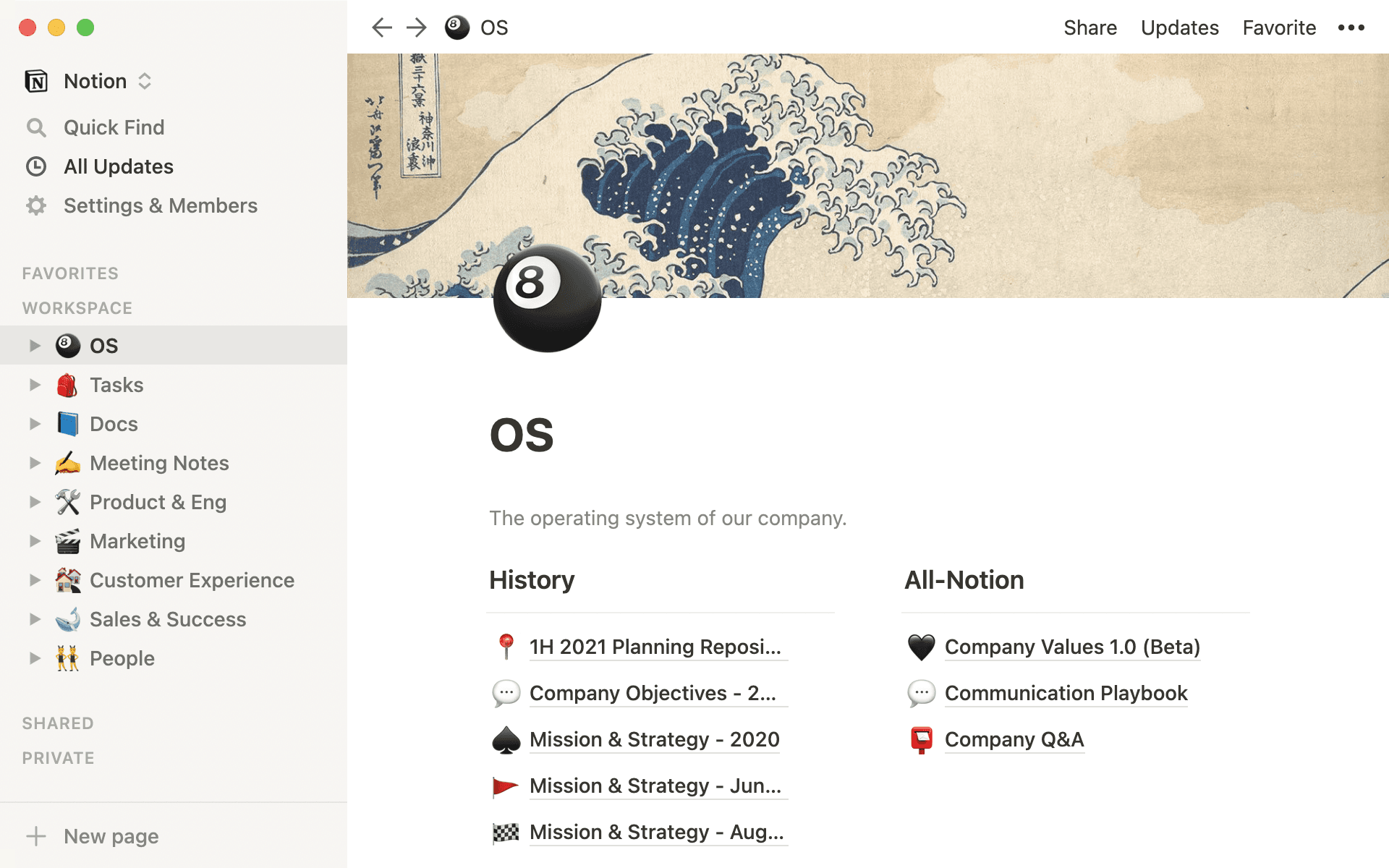
Notion works best when your workflow involves structure, organization, and collaboration.
It is ideal for teams managing projects, startups building internal systems, and individuals who want everything in one place.
If your work includes task tracking, databases, dashboards, and shared documents, Notion provides a complete environment.
When to Choose Obsidian
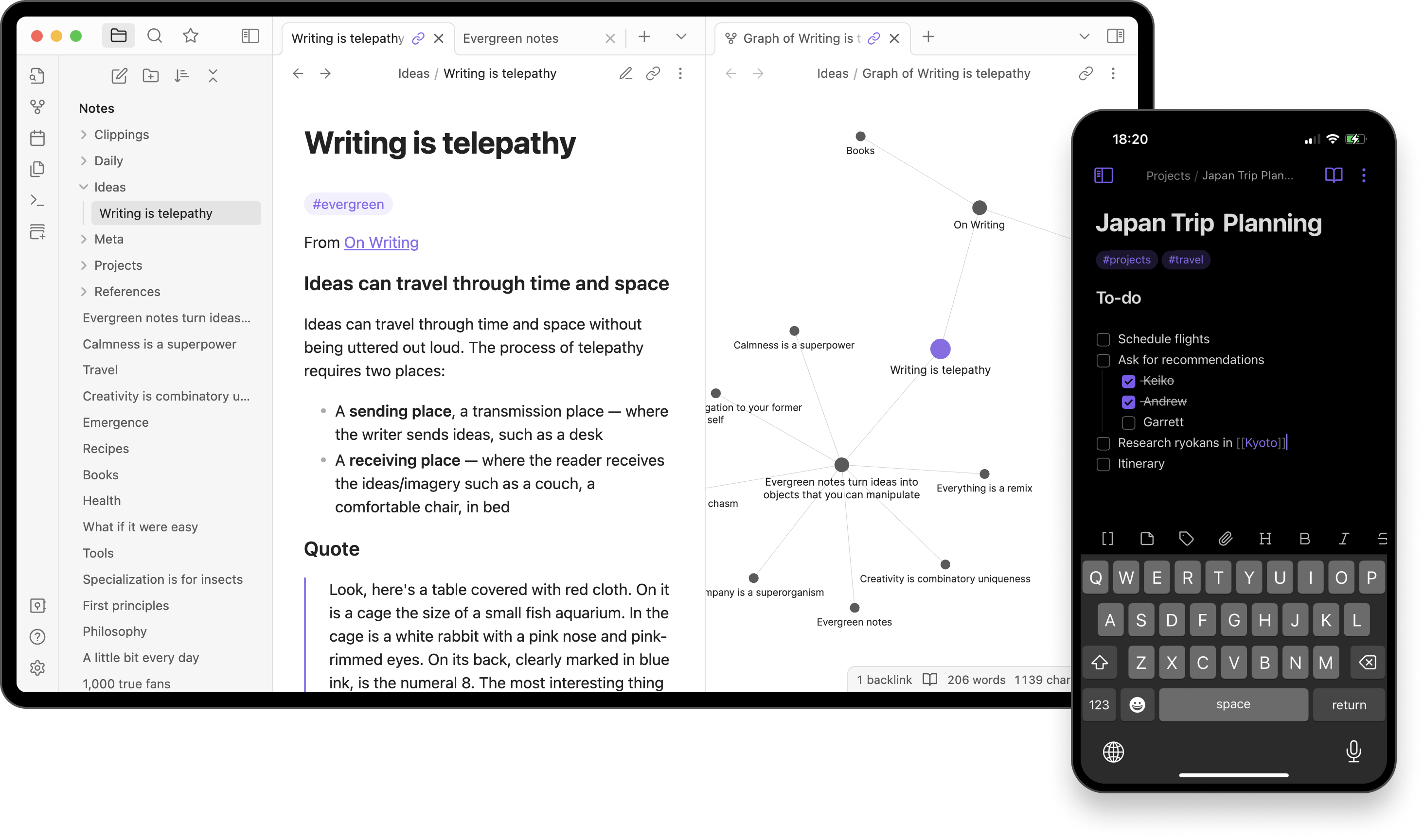
Obsidian is better suited for individuals who focus on thinking, writing, and knowledge building.
It works particularly well for researchers, writers, developers, and students who need to connect ideas over time.
If your goal is to build a long-term knowledge base rather than manage tasks, Obsidian is the stronger choice.
Final Verdict
Comparing Obsidian and Notion is not about deciding which tool is better overall. It is about understanding what kind of system you need.
Notion is a structured workspace designed for productivity, collaboration, and organization. It works best when you need to manage projects and information in a clear, visual way.
Obsidian is a personal knowledge tool designed for deep thinking, writing, and idea connection. It works best when your focus is on learning, research, and long-term knowledge building.
In many cases, advanced users even combine both tools. They use Notion for structured workflows and Obsidian for thinking and writing because in the end, productivity is not about using one tool. It is about using the right tool for the right purpose.
Post Comments
Be the first to post comment!