Table of Content
- From Prompt to Reel: What PixVerse AI Is Trying to Be
- The Experience: Onboarding, Interface, and Workflow
- Creation Modes: Text, Images, Effects and Beyond
- Quality: Visual Fidelity, Motion, and Style
- Speed and Practical Limits
- Pricing, Credits, and Real-World Value
- Strengths in Real Use
- Weaknesses and Pain Points
- PixVerse vs Runway, Pika and Friends
- Watermarking, Rights, and Responsible Use
- What Real Users Are Saying About PixVerse
- Who PixVerse AI Is Really For
- Verdict: A Speed‑First Engine for the Short-Form Era
PixVerse AI sits in a very specific corner of the AI video boom: it doesn’t want to be a film studio in a browser, it wants to be the fastest way to turn an idea into a short, social-ready clip. That positioning is exactly what makes it interesting to review in depth.
From Prompt to Reel: What PixVerse AI Is Trying to Be
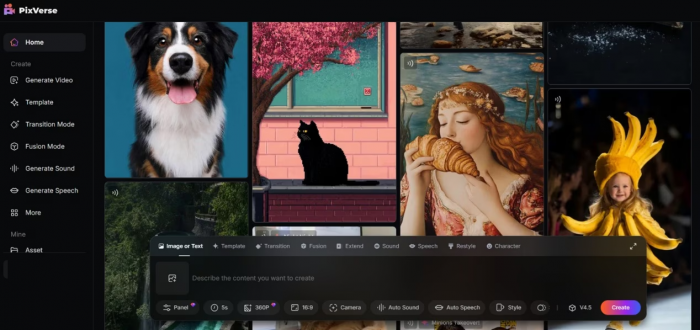
Over the last two years, AI video tools have exploded in both capability and hype. While models like Runway and Pika chase cinematic realism and complex editing workflows, PixVerse AI has carved out a simpler promise: type what you imagine, optionally upload a photo, and get a short, TikTok-ready video in seconds.
PixVerse AI is an AI video generator that converts text prompts and images into short, stylized video clips optimized for platforms like TikTok, Instagram Reels, and YouTube Shorts. Instead of throwing you into a dense timeline with keyframes and layers, it gives you a clean, prompt-first interface, a handful of key settings, and a big generate button. The result is a tool that feels less like a video editor and more like a creative slot machine though with far more control than the early generation of “AI effect” apps.
For creators who live in vertical video and don’t want to learn full-blown editing software, that trade-off is the entire appeal.
The Experience: Onboarding, Interface, and Workflow
Getting started with PixVerse is deliberately frictionless. You sign up on the web or via the mobile app, land in a minimal dashboard, and immediately see a prominent prompt bar inviting you to describe the video you want. There are no intimidating timelines, no multi-layer tracks, and no overloaded panels fighting for your attention.
The interface is built around a simple loop: describe → tweak → generate → refine. At the center of the screen you see a prompt input, style or effect selectors, basic controls for resolution, duration, and aspect ratio, and a preview area where your generations appear. For most users, the learning curve is almost nonexistent; if you can type a sentence and choose an aspect ratio, you can make your first video.
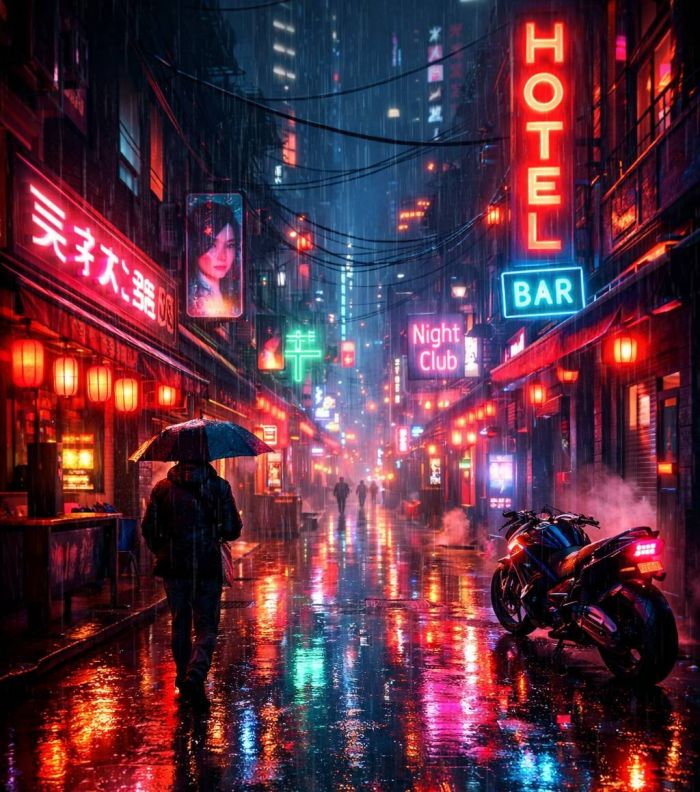
A typical session might look like this. You type “a cyberpunk street in neon rain, slow camera pan, cinematic lighting,” choose a vertical 9:16 ratio for Reels, pick a stylized or 2.5D effect, set the duration to a few seconds, and hit generate. Within seconds, PixVerse returns a short clip with smooth camera motion, liquid-like reflections on the wet street, and enough coherence to feel intentionally designed rather than randomly assembled. From there, you can regenerate, adjust the prompt, or try a different effect.
Where more advanced tools often sacrifice usability for control, PixVerse does the opposite: it compresses the workflow into a narrow set of decisions that get you from concept to export quickly, even at the cost of deep, frame-level control.
Creation Modes: Text, Images, Effects and Beyond
Under that simple surface, PixVerse offers several distinct creation modes that cover most of what a social creator or marketer needs.
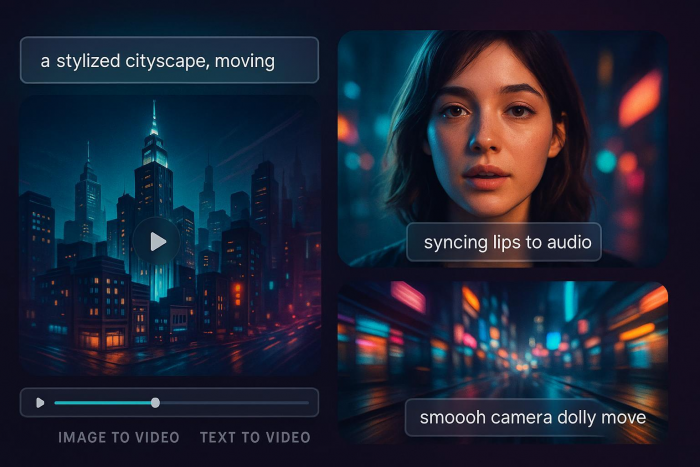
The default mode is text-to-video. Here, our prompt is the script, director, and storyboard in one. PixVerse parses the description, generates a short sequence, and applies camera moves and motion that are often surprisingly smooth for how little you had to specify. It excels at highly visual scenes cityscapes, landscapes, abstract animations, stylized worlds and short conceptual shots like “glowing particles forming a logo” or “glass cubes floating in a void.”
Then there is image-to-video, which has quietly become one of PixVerse’s most compelling use cases. You upload a portrait, product shot, or any still image, and the model animates it into a moving clip with depth, parallax, and 2.5D camera motion. This is particularly effective for portraits and product visuals: a simple flat photo suddenly gains a sense of space, with subtle head movement, background parallax, or camera push-ins that feel custom-shot. For brands, this means you can reuse existing product photography and still get dynamic, scroll-stopping content without a photoshoot.
On top of the raw generation modes, PixVerse layers templates and effects that lean heavily into TikTok-friendly trends. These include stylized filters, transitions, and rhythmic motion patterns tailored to short-form content. Instead of manually animating every cut, you pick a template that already knows how to zoom, spin, or punch in on beat. The overall effect is similar to popular capcut-style templates, but driven by generative video rather than just re-editing existing footage.
More advanced users can tap into clip extension and transition features, which allow you to grow a generated shot into a slightly longer sequence or connect multiple clips into something that feels more like a micro story. PixVerse isn’t a full narrative tool, but it does give you enough continuity to string together intros, hero shots, and end frames into a coherent 10–20 second piece.
Finally, there is audio and lip sync. PixVerse supports generating or adding voice and syncing mouth movements on characters for talking-head style videos. Lip sync is still not perfect like most current models, it can drift or feel slightly off in complex shots but it is good enough for short, stylized content where perfect realism is not the goal.
Quality: Visual Fidelity, Motion, and Style
Any AI video generator lives or dies on three things: coherence, motion, and style. On all three, PixVerse performs better than you might expect from a tool that markets itself more to creators than to film nerds.
In independent comparisons of newer video models, PixVerse has scored well on motion smoothness and temporal consistency, sometimes edging out Pika and outpacing certain Runway configurations in short-form scenarios. What that means in practice is that camera pans feel deliberate rather than jittery; objects generally retain their identity across frames; and the infamous “AI morphing” of hands, faces, or props is less pronounced than in older-generation systems.
With the V5 release, PixVerse has doubled down on that balance between speed and polish rather than chasing pure spectacle for its own sake. V5 brings noticeably cleaner motion, better handling of complex camera paths, and more stable character shapes across short sequences, which you feel most clearly in fast social clips rather than in lab benchmarks. The new version also tightens up detail rendering, hair, clothing folds, reflections so that even busy scenes hold together better when viewed on a small phone screen, where micro‑artifacts can quickly make a clip feel cheap. It is not a complete reinvention of the tool, but it is a meaningful refinement that makes the “type and get something usable in seconds” promise feel more credible in real workflows.
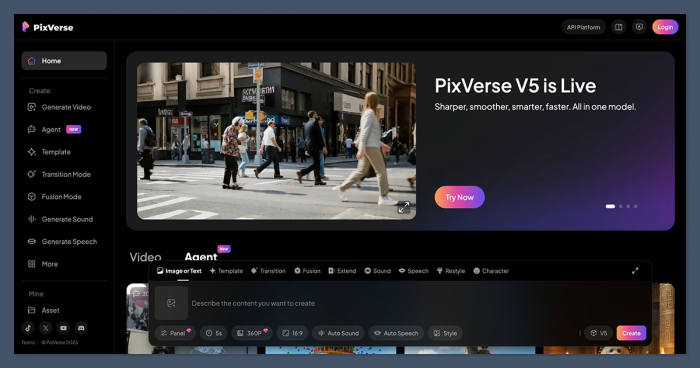
Visually, PixVerse leans toward a stylized, polished aesthetic rather than hyper-photorealism. Its sweet spot is 2.5D, semi-animated looks, with fake camera moves through space, lens-like depth of field, and clean color separation. If you want gritty, documentary realism, tools like Luma or high-end proprietary models may be stronger; if you want eye-catching, “this looks like a high-end motion graphics template” content, PixVerse is in its element.
There are still limitations. Complex scenes with multiple characters interacting can show instability. Longer clips tend to reveal more artifacts, especially when there is a lot of fast motion or overlapping objects. Lip sync can break on tricky angles, and fine text inside the video is not always legible. But judged for what it aims to do short, high-impact shots rather than full films, the overall quality is impressively high, especially when you give it well-structured prompts and keep durations in its comfort zone.
Speed and Practical Limits
One of PixVerse’s biggest selling points is speed. For short clips at typical social resolutions, it can generate results in seconds rather than minutes. That might sound like a minor detail, but for creators who iterate a lot testing variations of hooks, backgrounds, or product angles, it changes how you work. You can treat PixVerse almost like a live brainstorming partner: prompt, review, tweak, repeat.
This speed is balanced by practical constraints. PixVerse is optimized for short-form content, which means clip durations are capped, and trying to push it into longer formats not only eats credits rapidly but also exposes more of the model’s weaknesses. There are also limits to concurrent generations and queue priority, which depend on your plan and credit balance. For a solo creator producing a few videos a day, this is rarely a dealbreaker; for an agency trying to render dozens of variants simultaneously, it becomes a planning factor.
The takeaway is simple: PixVerse is designed for many short, fast experiments, not a few long, cinematic renders. If you adopt it with that mindset, the speed feels like a superpower rather than a constraint.
Pricing, Credits, and Real-World Value
PixVerse uses a freemium plus credits model that will be familiar to anyone who has used modern AI art or video platforms. The free tier gives you a taste of what the system can do, but serious or commercial use will quickly nudge you toward paid plans.
The free/basic plan typically offers a limited pool of starting credits often around a few dozen videos’ worth, depending on their length and settings and a small daily refill. Videos generated at this level generally carry a visible watermark, and you may have restricted access to higher resolutions or some advanced features. For casual users who just want to experiment, this is enough to understand the tool’s capabilities and create a handful of social posts.
The standard paid plan sits roughly around the ten-dollar-per-month mark and unlocks a much larger monthly credit allowance, higher priority in rendering queues, HD or 1080p outputs, and watermark-free exports suitable for brand use. For many independent creators and small businesses, this tier will be the practical sweet spot: you can comfortably produce frequent Reels or Shorts without obsessing over every credit.
Above that, a pro or higher tier at roughly three times the standard price can offer thousands of credits, more concurrency, and better support for teams or agencies that need to generate a high volume of content. This is where PixVerse becomes more of a production tool than a toy, especially if you’re running client accounts or performance marketing campaigns.
| Plan | Monthly price | Credits included | Daily bonus credits |
| Free / Basic | $0 | ~90 initial credits for new users | ~60 credits per day for active users (login/check‑in) |
| Standard | About $9.99–$10 per month | ~1,200 monthly subscription credits | Often +30 daily login credits on top (varies by promo) |
| Pro | About $29.99–$30 per month | ~6,000 monthly subscription credits | Often +30 daily login credits |
| Premium | Around $60 per month (varies by region and offer)YouTube | ~15,000 monthly subscription credits | Often +30 daily login credits |
| Credit packs (add‑ons) | From about $10 up to large enterprise blocksimagine+1 | 1,000 credits for ~$10 up to 500,000+ credits for enterprise accounts | No daily bonus; pure top‑up |
On top of subscription tiers, there are often one-off credit packs and add-ons for users who don’t want to commit monthly but occasionally need a burst of rendering capacity. Because each video’s credit cost varies with its length, resolution, and features, you quickly become aware of the “cost per experiment” and learn to prototype at lower settings before cranking up the quality for final exports.
From a value perspective, PixVerse sits in a reasonable middle ground. It is more affordable than some high-end enterprise offerings but more structured and scalable than purely free, watermark-heavy apps. For individuals and small teams focused on short-form content, the math tends to work in its favor especially if you compare it with paying editors hourly for small experiments.
Strengths in Real Use
The first big strength is accessibility. PixVerse is one of the few AI video platforms where a completely non-technical user can sign up and ship something usable in their first hour. The interface is clean, the decisions are constrained to what actually matters, and the model is forgiving enough that even simple prompts can yield attractive results.
The second strength is how well it fits social workflows. Because it optimizes for short lengths, vertical formats, and visually loud styles, it maps neatly onto what performs on TikTok, Reels, and Shorts. You can generate hooks, transitions, product shots, and background loops faster than you could storyboard them manually. For brands, that makes it a powerful engine for A/B testing creatives—quickly spinning up variations of the same idea to see what actually resonates.
A third advantage is motion and 2.5D depth. In comparisons against other popular models, PixVerse’s motion has been noted for its smoothness and relative stability, which makes its short clips feel more professional and less “AI glitchy.” Combined with its ability to animate still images convincingly, this gives you a lot of mileage from assets you already own.
Weaknesses and Pain Points
None of that means PixVerse is a perfect fit for everyone. Its first major limitation is depth of control. If you are used to full editing suites, compositing, and frame-accurate keyframing, PixVerse will feel constrained. You can guide the model, but you can’t surgically fix every frame or reliably enforce complex narratives.
The second drawback is the credit-based pricing model combined with short clip limits. While this makes sense for the product’s positioning, it can be frustrating for users who want to experiment freely without watching a credit meter in the corner. Long-form creators, in particular, may find that trying to piece together many short generative clips becomes expensive and unwieldy compared to using a tool designed for longer timelines.
Third, while quality is strong in its niche, PixVerse is not leading the pack in every dimension. For ultra-realistic, cinematic scenes or advanced editing workflows, competitors such as Runway or Luma, or even emerging models from other vendors, can produce more impressive results when given enough time and care. PixVerse is optimized for speed and simplicity, not for pushing the bleeding edge of what AI video can do in feature-length settings.
Finally, there are the usual generative caveats: occasional artifacts, imperfect lip sync, and non-determinism when you are trying to match previous outputs exactly. For most short-form use cases, these are annoyances rather than dealbreakers, but they matter more for high-stakes commercial campaigns.
PixVerse vs Runway, Pika and Friends
Compared to Pika, PixVerse tends to prioritize smooth, polished motion and a clean, commercial aesthetic over hyper-stylized or experimental visuals. Pika often shines for anime-like, playful, or heavily stylized work, while PixVerse leans into the “this could be a real ad or motion graphics piece” territory, especially for short clips.
Against Runway, the contrast is even clearer. Runway offers a more complete studio environment, with advanced editing tools, tracking, green-screen style features, and deeper integration into existing video workflows. PixVerse, by design, does not try to replicate that; it removes complexity and gives you a narrower set of super-fast, generative capabilities. For agencies and studios, Runway may still be the better backbone; for solo creators who just want to get ideas out quickly, PixVerse often feels lighter and less intimidating.
When placed next to more realism-focused models like Luma or other frontier systems, PixVerse generally trades absolute fidelity for speed and ease. Those tools may win when you have time to iterate for a film-grade shot; PixVerse wins when you need ten different versions of a hook for tomorrow’s campaign.
In that sense, PixVerse is less a competitor to traditional NLEs and more a creative accelerator that slots into social content pipelines.
Watermarking, Rights, and Responsible Use
From a practical standpoint, creators care about two things: watermarks and rights. On free tiers, PixVerse adds a watermark to generated videos, which is a fair trade for testing but rarely acceptable for brand-facing content. Paid plans remove this watermark and unlock higher-quality exports, which is why anyone using PixVerse professionally should treat a subscription as non-negotiable.
On rights and usage, PixVerse follows the typical pattern for modern AI SaaS tools: your account is required, your videos are processed in the cloud, and paid outputs are broadly intended to be usable in commercial projects, subject to the platform’s terms and any local law around likeness and copyright. Users should still review the latest terms of service, especially if they are working with recognizable faces, logos, or IP-sensitive content.
More broadly, PixVerse inherits all the usual ethical and legal questions tied to generative media training data sources, potential for deepfakes, and risk of misuse. While the platform adds friction via account requirements and policy, the responsibility for how outputs are used inevitably rests on creators and publishers.
What Real Users Are Saying About PixVerse
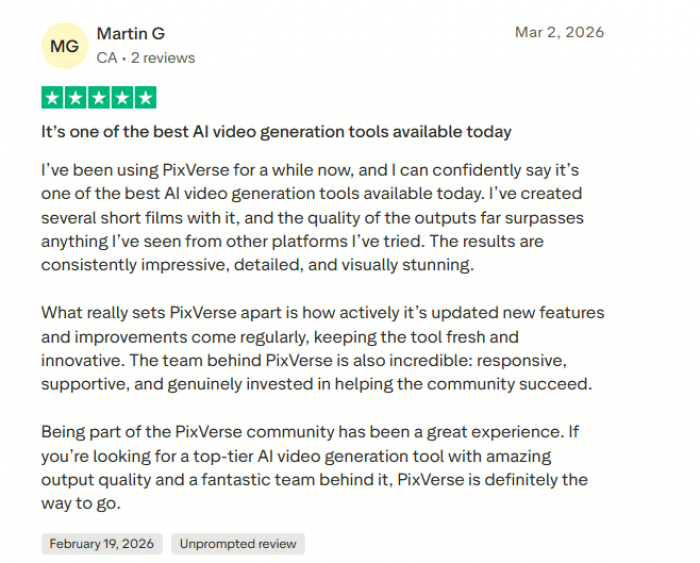
Many creators say PixVerse is impressive at turning a rough idea into a shareable video quickly. Short-form content creators especially like how they can generate multiple hooks or background clips in one session, saving time compared to creating animations from scratch. For social media creators, the speed and simplicity make it a powerful tool for producing eye-catching content fast.
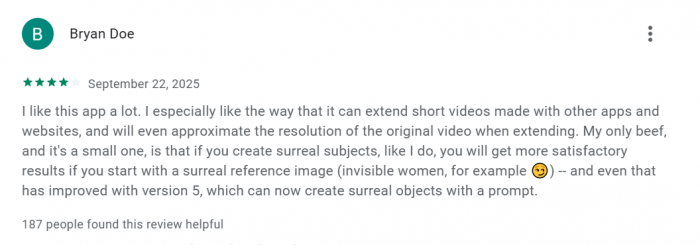
However, more experienced editors point out some limitations. The credit system can feel restrictive for heavy experimentation, and the platform lacks the detailed timeline control found in professional tools like After Effects, Premiere, or DaVinci Resolve. Because of this, many professionals see PixVerse as better for generating ideas, visual textures, or quick clips rather than producing a complete final edit.
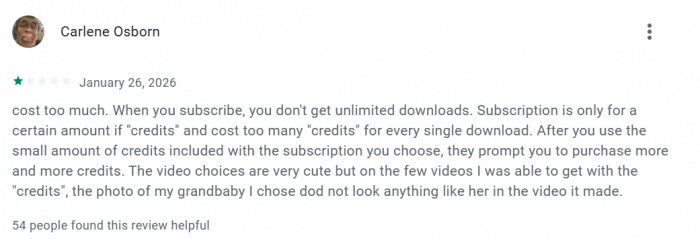
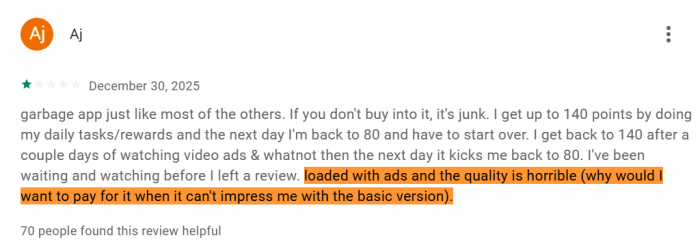
Overall, most user feedback suggests that PixVerse shines as a fast, creative generator for short, high-impact videos, but it isn’t meant to replace a full professional video editing suite.
Who PixVerse AI Is Really For
Taken as a whole, PixVerse AI is an excellent fit for a certain profile of user. If you are a solo creator, influencer, or small brand living inside Reels, Shorts, or TikTok, PixVerse behaves like a force multiplier: it lets you prototype ideas, generate hooks, and create scroll-stopping visuals with very little overhead. For performance marketers, it becomes a rapid-fire creative lab where you can spawn multiple versions of ads or intros, test them, and roll with what works.
It is also a good complementary tool for YouTube educators or brands who already produce longer videos but want AI-powered intros, transitions, or hero shots. In those cases, PixVerse provides episodic moments of high polish that you can stitch into a broader, more traditionally edited piece.
Where it is not a great fit is for filmmakers, studios, or teams that need long-form, narratively coherent stories with deep editing control. Those users will be better served by tools like Runway, Luma, or even hybrid workflows that combine generative shots with conventional editing and VFX. If your goal is to make a 30-minute short film entirely through AI, PixVerse is not the right primary tool.
Verdict: A Speed‑First Engine for the Short-Form Era
PixVerse AI does not try to be everything to everyone and that is its biggest strength. It is a speed-first AI video generator that turns text and images into short, visually polished clips that feel native to the algorithms of TikTok, Instagram, and YouTube. It trades deep editing control and long-form capabilities for simplicity, fast iteration, and a creator-friendly user experience.
If you judge it on those terms, PixVerse is easy to recommend. For social creators and marketers who need to ship a high volume of ideas, it is one of the more practical tools available right now. If you need cinematic control, traditional editing depth, or film-grade realism, you will quickly run into its limits but you were never really its target audience in the first place.
Used thoughtfully, PixVerse fits neatly into a modern content stack as the engine that turns loose ideas into living, testable visuals in minutes instead of days.
Post Comments
Be the first to post comment!
Related Articles


Best Alternatives to Dopple AI
Danny Hamilton . Mar 10, 2026