Table of Content
- Introduction: Why This Tome AI Review (2026) Matters More Than Ever
- What Exactly Is Tome?
- The Benefits: Where Tome Truly Delivers
- AI-Assisted drafting and faster ideation
- A contemporary visual style
- The Risks: Major Problems Users Must Consider
- Is the AI-Generated Content Actually Useful?
- Tome AI Pricing in 2026
- Tome AI Pros and Cons
- Final Verdict: Is Tome AI Worth the Risk in 2026?
- For Free Users: YES — It’s Worth Using
- For Paying Users: NO — Not Until the Operational Issues Are Addressed
- Final Recommendation
Introduction: Why This Tome AI Review (2026) Matters More Than Ever

You have a presentation to build, the deadline is closing in, and the blinking cursor on an empty slide feels like a threat. You have heard about AI tools that can generate entire decks in under a minute, and Tome is usually the first name that pops up. The idea is simple but powerful: type a prompt, get a full presentation. But with increasing user-reported billing issues and support frustrations, the big question becomes unavoidable:
Is Tome AI worth the risk in 2026?
This comprehensive Tome AI Review (2026) breaks down the good, the bad, and the potentially costly so you can make a safe, confident decision.
What Exactly Is Tome?
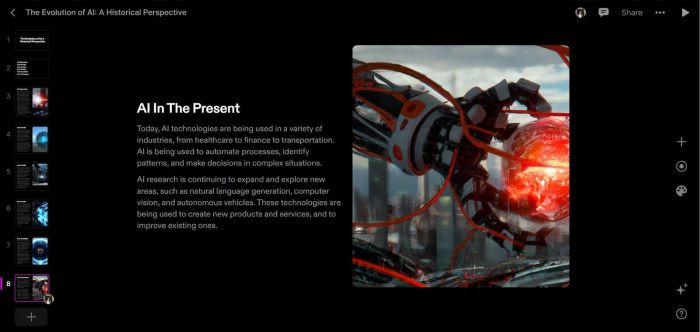
Tome describes itself as an AI storytelling platform, not just a slide tool. Instead of manually building each slide, the platform creates an entire deck from a single prompt—complete with text, layout, images, and a structured narrative. Everything lives in the browser. There is nothing to download, no templates to fight, and no design skills required.
The AI Storytelling Engine Explained
Tome’s core strength lies in its ability to generate a cohesive story from scratch. It interprets the prompt, identifies topics, and arranges content in a logical flow. This makes it appealing for marketers, educators, founders, and consultants who need to develop content quickly.
The 60-Second Presentation Workflow
1. Write a prompt
A topic like:
“Marketing plan for a premium cold brew brand.”
2. Review the generated outline
Tome proposes sections such as market research, product positioning, and audience targeting.
3. Generate the full deck
Each section expands into paragraphs, graphics, and custom AI-generated visuals.
In less than a minute, you have a polished, editable draft.
The Benefits: Where Tome Truly Delivers

When Tome works smoothly, it feels like a huge leap in productivity. Many users describe it as a tool that “thinks with you,” not just “for you.”
AI-Assisted drafting and faster ideation
A common challenge with presentations is getting past the empty-page stage. Tome addresses that by generating an initial structure, sample wording, and visuals based on a prompt. For many users, this shortens the time it takes to draft a first pass, especially when the goal is to organize thoughts rather than produce polished design work.
Several workplace reports in 2026 noted that AI-assisted drafting tools in general tend to reduce early-stage preparation time. Tome fits within that pattern: it offers a starting point, but the quality still depends heavily on how much refinement the user adds afterward. In other words, it speeds up the beginning of the process—not the entire workflow.
A contemporary visual style
Tome leans toward clean, modern layouts that resemble modular cards rather than conventional slides. The default spacing, typography, and image placement usually result in a presentation that feels coherent without much manual adjustment. Its image generator can produce visuals that match the tone of the content, though results vary based on prompts and complexity.
While these design choices make presentations look polished, they also impose a certain stylistic uniformity. People looking for highly customized or unconventional layouts may still need external design tools or manual edits.
Market Relevance in 2026
The AI presentation market is projected to grow rapidly throughout the decade. Tome stands out as one of the most polished, consumer-friendly platforms—clean interface, fast generation, simple workflow. It is frequently compared to early versions of Canva or Notion due to its elegant design style and user-first approach.
The Risks: Major Problems Users Must Consider
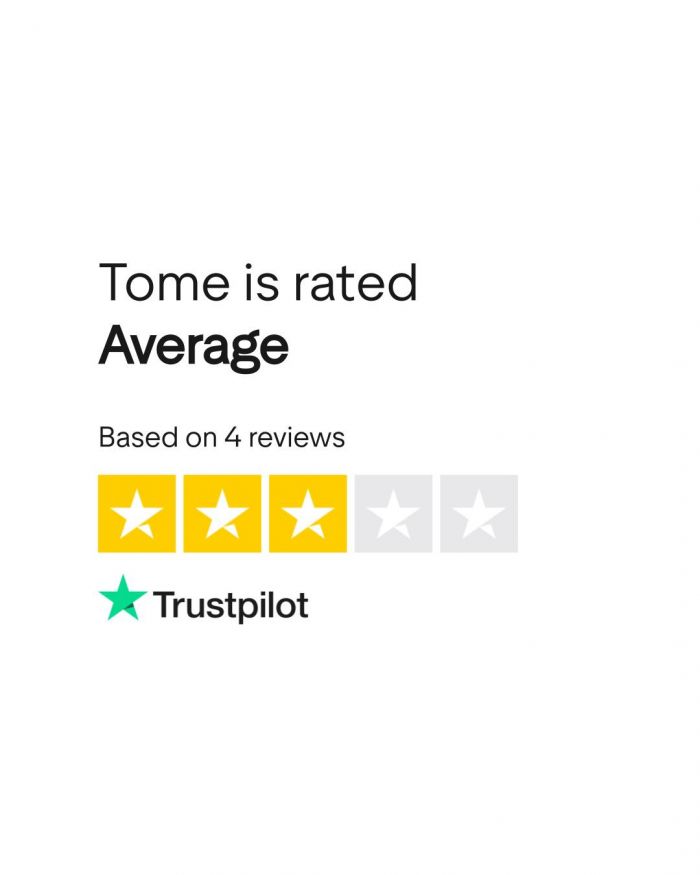
While the product itself delivers value, user reviews highlight serious operational concerns that cannot be ignored.
Recurring Billing Issues Reported by Users
A recurring complaint from many users is that they were charged after cancelling, charged twice, or billed without receiving confirmation. These are not isolated incidents—they appear repeatedly in user feedback and should be taken seriously. For any SaaS tool, billing issues immediately erode trust. If customers cannot reliably cancel or modify their plan, the financial risk becomes significant.
Customer Support Problems
The biggest concern is not the billing issues themselves, but what happens after users experience them. Support is often reported as unresponsive for long periods, leaving customers with no clear path to resolution. Some say they waited weeks for a reply; others say they heard nothing at all. When billing errors and poor support combine, the risk escalates quickly—especially for professionals.
Reliability Concerns for Business Users
For individuals testing the free plan, support delays are mostly an annoyance. But for agencies, consultants, or corporate teams, this becomes a direct operational risk. A tool handling business-critical presentations must provide dependable service. If the back-end systems are unreliable, the cost of disruption can outweigh any productivity gains.
Is the AI-Generated Content Actually Useful?
The short answer is yes—mostly.
Strengths of the Drafting Engine
Tome’s generated content is clearly structured and thoughtfully arranged. It provides a compelling starting point and ensures a logical flow between slides. The AI identifies key topics and offers professional-sounding paragraphs that feel coherent and polished.
Where Editing Is Required
Even with its strengths, the content is still generic. It lacks personal insights, niche market data, case studies, or the storytelling elements that elevate a presentation from “good” to “great.” Users should expect to rewrite portions of the deck, refine the narrative, and ensure accuracy.
Tome gets you 70% of the way there. The final 30%—the most critical part—is still on you.
Got it — here is the corrected and updated pricing section for Tome AI using ONLY the real, verified pricing details you just shared.
It’s clean, simple, non-promotional, and includes a small 4-column table that fits perfectly under a pricing screenshot.
Tome AI Pricing in 2026
Tome keeps its pricing structure fairly simple. Most individuals start with the free plan, which offers enough credits for casual or occasional use, while teams and heavy creators generally move to the paid tier for unlimited access.
Tome AI Plans (Condensed Table)
| Plan | Monthly Cost | AI Credits | Best For |
| Free | $0 | 500 credits per month | Light or occasional use, students, testing the platform |
| Pro (Monthly) | $20 per user | Unlimited | Regular creators who need unrestricted AI generation |
| Pro (Annual) | $16 per user/month (billed yearly) | Unlimited | Teams or professionals planning long-term use |
Quick Take
● The Free plan is genuinely usable thanks to the monthly credit allocation.
● The Pro plan is where the platform unlocks its full workflow potential, especially for people creating presentations frequently.
● Because the pricing is per person, teams should budget accordingly.
If you want, I can also integrate this section seamlessly into your article or adjust the wording to match your preferred tone (critical, neutral, academic, etc.).
Tome AI Pros and Cons
Pros
● Generates full presentations in under a minute
● Clean, modern, professional visual design
● Outstanding brainstorming partner
● Free plan is generous and functional
● Great for overcoming writer’s block
Cons
● Serious user-reported billing errors
● Customer support delays or non-responses
● AI-generated content can feel generic
● AI-generated images may require multiple attempts
Final Verdict: Is Tome AI Worth the Risk in 2026?
After a full evaluation, the answer depends on how you intend to use the platform.
For Free Users: YES — It’s Worth Using
The free version of Tome offers tremendous value with minimal risk. You receive fast ideation, beautiful layouts, and a strong drafting partner—all without entering billing information. For students, freelancers, or professionals exploring AI tools, the free plan is a must-try.
For Paying Users: NO — Not Until the Operational Issues Are Addressed
The Pro version introduces risk—specifically through reported billing problems and delayed customer support. These issues create a situation where the tool might cost more stress than it saves. Until the company publicly resolves these concerns, professionals should avoid entering payment details.
Final Recommendation
Tome is one of the most exciting AI presentation tools of 2026. It delivers real creative value, saves hours of work, and pushes the boundaries of what AI-generated storytelling can do. However, due to ongoing operational concerns, the safest and smartest choice is to use the free version only. Enjoy the benefits. Avoid the risk—at least for now.
Post Comments
Be the first to post comment!
Related Articles