Table of Content
- 1. Descript – AI-Powered Editing for Talking-Head & Tutorial Channels
- 2. Pictory – Turn Scripts, Blogs, and Long Videos into YouTube-Ready Content
- 3. Opus Clip – AI Shorts & Clips from Long YouTube Videos
- 4. VEED – Browser-Based AI Editor with Dubbing and Subtitles
- 5. Runway – Advanced AI Video for Effects, B-Roll, and Creative Shots
- 6. InVideo / InVideo AI – Script-to-Video for Faceless Channels
- 7. CapCut – Mobile-First AI Editing for Shorts and Reels
- 8. HeyGen – AI Avatars & Multilingual YouTube Presenters
- Quick Comparison of the 8 Best AI Tools for YouTube
- How to Choose the Right AI Stack for Your YouTube Channel
- Final Verdict
If you are serious about growing on YouTube in 2026, you can’t afford to ignore AI-powered tools. They now touch every part of the workflow: scripting, shooting, editing, repurposing content into Shorts, adding subtitles, and even translating your videos into multiple languages. Used well, these tools don’t “replace” creators; they remove the most boring, repetitive tasks so you can spend more time on ideas, creativity, and audience building.
In this guide, we will look at eight of the best AI tools for YouTube video creation right now, what they do best, where they fall short, and who they are most suitable for.
1. Descript – AI-Powered Editing for Talking-Head & Tutorial Channels
Descript is an all-in-one audio and video editor where you edit your video like a Word document: delete text and the corresponding parts of the video are cut automatically. It is extremely popular with YouTubers who create talking-head videos, tutorials, podcasts, and screen recordings.
Descript’s standout features include automatic transcription, text-based editing, Studio Sound for cleaning audio, filler-word removal, AI clip generation, and AI dubbing. Its main strength is speed: you can go from raw recording to a polished video or podcast in a fraction of the time compared to timeline-only editors. The limitations are that it still has a learning curve for complete beginners and is less suited for heavy VFX or cinematic editing than tools like Runway or Premiere.
Pricing starts with a free plan for basic editing and 1 hour of transcription per month. Paid plans such as Hobbyist and Creator range roughly from about 24–35 USD per user per month and unlock more media hours, higher export resolution (up to 4K), and larger AI credit limits.
Descript is best for talking-head YouTubers, educators, podcast channels, and creators who value fast, text-driven editing and clean audio.
2. Pictory – Turn Scripts, Blogs, and Long Videos into YouTube-Ready Content
Pictory focuses on turning text and long-form content into short, engaging videos, making it ideal for faceless channels, listicles, and repurposing blogs into YouTube content. It automates storyboarding, scene selection, B-roll, subtitles, and voiceover using AI, so you can generate finished videos with minimal manual editing.
Its main strength is end-to-end automation: paste a script or blog URL, and Pictory builds a complete video with stock visuals, captions, and AI voiceover. That makes it excellent for creators who want to scale content or run multiple channels without appearing on camera. The limitations are that you have less granular control than in a traditional editor, and output can feel “templated” if you don’t customize scenes and brand assets.
Pricing on annual billing typically starts around 19–25 USD per month for the Starter plan (200 video minutes, 720p exports, 5 GB storage, basic brand kit) and goes up to around 29–35 USD per month for the Professional plan (600 video minutes, 1080p exports, more stock assets, multiple brand kits).
Pictory is best for faceless YouTube channels, repurposed blog content, and marketers who need to turn written content into video at scale.
3. Opus Clip – AI Shorts & Clips from Long YouTube Videos
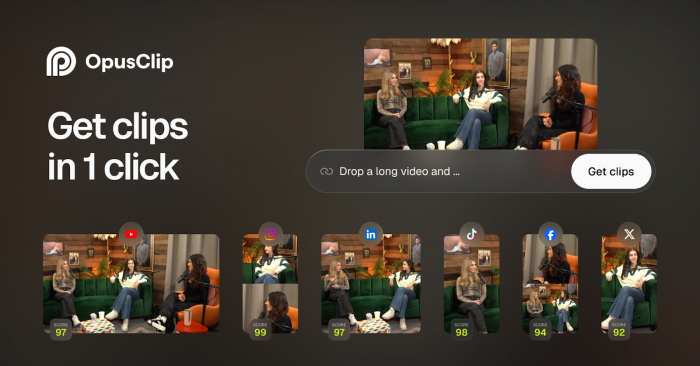
Opus Clip focuses on one specific problem: turning long videos into short, viral-style clips optimized for YouTube Shorts, Instagram Reels, and TikTok. You feed it a long YouTube video or podcast, and its AI identifies the most engaging segments, reframes them in vertical format, adds subtitles, and exports ready-to-publish clips.
Its main strength is repurposing: you can multiply your content output without re-shooting anything, which is perfect if you run a podcast, interview series, or long-form channel. The limitations are that it is not a full editor and works best when the original video has clear, high-quality audio and distinct segments.
Pricing varies by clip volume, but Opus Clip typically offers a free trial and then tiered subscriptions depending on how many minutes you want to process each month.
It is best for creators who already produce long-form content and want to consistently publish Shorts without spending hours manually cutting clips.
4. VEED – Browser-Based AI Editor with Dubbing and Subtitles
VEED is a browser-based video editor that has evolved into a powerful AI suite for creators, including automatic subtitles, AI clip generation, AI voice dubbing, screen recording, and social-media-friendly templates. It works entirely online, so you don’t need a heavy editing setup to produce professional-looking YouTube videos.
The main strength of VEED is convenience: it combines editing, subtitles, templates, and repurposing tools under one roof with an easy interface. Its AI Clip Generator automatically pulls short, shareable moments from longer videos, which is very useful when you want to quickly create Shorts or compilations. The limitations include browser performance constraints with very large or complex projects and less advanced control than full desktop NLEs for complex timelines.
VEED has a free plan with basic exports and paid plans that unlock HD resolution, more storage, collaboration features, and advanced AI tools.
It is best for YouTube creators who want a simple, online editor that also handles subtitles, clips, and basic dubbing without needing to learn professional software.
5. Runway – Advanced AI Video for Effects, B-Roll, and Creative Shots
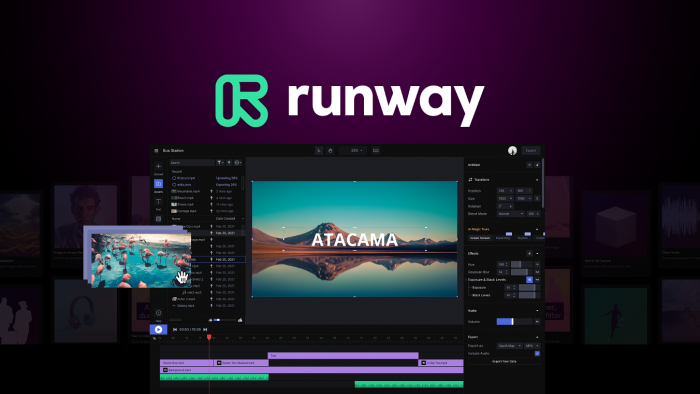
Runway (especially its Gen-4 model) is geared towards advanced creators who want to generate AI footage, stylized B-roll, motion graphics, and visual effects to enhance their YouTube videos. You can generate clips from text prompts, extend or remove objects, and apply cinematic effects that would otherwise require a VFX team.
Its main strength is creative power: it lets you add shots that would be impossible or too expensive to shoot in real life, from surreal visuals to cinematic B-roll. The limitations are cost (heavy usage can get expensive), a learning curve, and the fact that AI-generated footage may still show artifacts or inconsistencies that need manual curation.
Runway typically offers subscription tiers with monthly generation credits, plus pay-as-you-go options as you scale usage. It is best for advanced YouTube creators, filmmakers, and brands who want a highly stylized or cinematic visual identity and are comfortable experimenting with cutting-edge AI tools.
6. InVideo / InVideo AI – Script-to-Video for Faceless Channels
InVideo AI (often branded simply as InVideo) focuses on generating videos directly from scripts or prompts, using templates, stock media, and AI voiceover to produce platform-ready videos. For YouTube creators, it is especially useful for news-style channels, list videos, and cash cow niches where faceless, narration-driven content is common.
The main strength of InVideo AI is speed: you can generate a complete video (script, visuals, captions, background music) from a single prompt or uploaded script, then customize it with your own branding. The limitations are similar to other template-driven tools: if you rely only on defaults, your videos may look generic, and longer, nuanced videos may need significant manual editing.
Pricing usually includes a free or low-cost starter tier, then jumps to higher tiers with HD exports, larger monthly export limits, and access to premium stock libraries.
InVideo AI is best for faceless channels, beginners launching new YouTube projects quickly, and agencies needing to produce simple explainer videos at scale.
7. CapCut – Mobile-First AI Editing for Shorts and Reels
CapCut, developed by ByteDance, has become a staple for vertical video editing thanks to its mobile-friendly interface and strong AI features. For YouTube, it is particularly effective for Shorts and community content, giving you features like auto-captions, beat-synced cuts, background removal, and ready-made templates for trends.
Its main strength is accessibility: it runs smoothly on mobile, offers powerful AI tools for free or low cost, and integrates nicely with social platforms. The limitations are that it is less suited for long, complex YouTube videos and you may have less control compared to desktop software.
CapCut offers a generous free version with most core features available, and paid tiers that unlock advanced templates, extra cloud storage, and higher export options. It is best for Shorts-first creators, vloggers who edit on the go, and anyone who wants to quickly test content ideas without sitting at a computer.
8. HeyGen – AI Avatars & Multilingual YouTube Presenters
HeyGen is an AI video platform that lets you create avatar-led videos from a script, with realistic talking heads and lip-sync in multiple languages. This makes it attractive for YouTubers who do not want to appear on camera or who want to localize their content for different markets.
The main strength of HeyGen is its combination of AI avatars and multilingual dubbing, including the ability to create custom avatars and translate your existing videos with synchronized lips. The limitations are that avatar videos can still look slightly uncanny in some contexts and YouTube audiences may prefer a more “human” feel for certain niches.
HeyGen generally follows a credit-based or tiered subscription model, with higher plans unlocking more minutes, better-quality avatars, and team features. It is best for educational and corporate channels, training content, product explainers, and creators who want to run faceless or multilingual YouTube channels with a consistent on-screen presenter.
Quick Comparison of the 8 Best AI Tools for YouTube
| Tool | Main Role | Key Strength | Notable Limitation | Best For |
| Descript | Editing, transcription, dubbing | Text-based editing, fast cleanup | Less suited for heavy VFX | Talking-head, tutorials, podcasts |
| Pictory | Script/blog to video, repurposing | End-to-end automation | Templated feel without customization | Faceless, listicles, content marketers |
| Opus Clip | Long video to Shorts | Automatic viral clips | Not a full editor | Podcasters, long-form creators |
| VEED | Online editing, clipping, dubbing | Browser-based all-in-one | Browser limits on heavy projects | Online-first YouTubers, small teams |
| Runway | AI video, VFX, B-roll | Advanced AI visuals | Expensive at scale, learning curve | Cinematic, creative, brand-heavy channels |
| InVideo | Script-to-video, templates | Fast faceless video generation | Generic output if not customized | Cash cow, news, list and explainer channels |
| CapCut | Mobile editing, Shorts | Mobile-first, powerful free AI | Limited for long-form | Shorts creators, mobile vloggers |
| HeyGen | AI avatars & multilingual dubbing | Avatar presenter in many languages | Slight uncanny-valley feel | Faceless, training, multilingual channels |
How to Choose the Right AI Stack for Your YouTube Channel
The best approach is to think in terms of your workflow instead of chasing “one best tool.” A typical modern YouTube stack might look like this: use Pictory or InVideo AI to generate a rough cut from your script, refine and polish in Descript or VEED, then use Opus Clip or CapCut to extract Shorts and repurpose your content. For channels that rely heavily on visuals, you can add Runway for AI-generated B-roll and HeyGen for avatar-led videos or multilingual versions of your content.
As a rule of thumb, start with one or two tools that directly solve your biggest bottleneck (editing time, faceless production, Shorts output), integrate them into your publishing routine for a month, and then expand your stack only if you feel a clear gap. This approach keeps your costs under control while still letting you leverage AI to move faster than competitors who are stuck with fully manual workflows.
Final Verdict
The real power of these eight AI tools is that they let you design a YouTube workflow that matches your ambition, not just your available time. Descript, Pictory, Opus Clip, VEED, Runway, InVideo, CapCut, and HeyGen each solve a different bottleneck in planning, editing, or scaling content, so you can move from “occasional uploads” to a predictable production system.
Treat them as building blocks: choose the mix that fits your niche, budget, and comfort with being on camera, then standardize how you use them for every video. Over time, this consistency in quality, speed, and style is what compounds into growth, while other creators are still stuck reinventing their process for every upload.
Post Comments
Be the first to post comment!
Related Articles