
Home > Category > Animoto AI
Animoto AI

Animoto AI

Create videos online with ease and impact

Animoto AI Overview

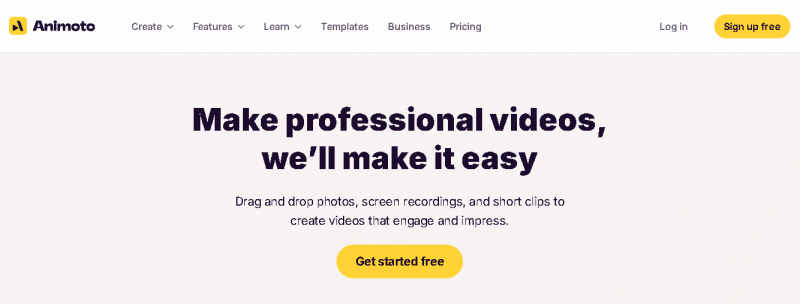
Animoto is a cloud‑based video creation platform that helps users turn photos, clips, and music into polished videos and slideshows. It works in a browser with drag‑and‑drop simplicity. Animoto appeals to creators, small business owners, educators, and social marketers who want to produce engaging visual stories without deep editing skills. The tool emphasizes ease of use and a rich template library that speeds up video production for personal, social, and marketing content.

More About Animoto AI

Key Features & Their Value

  1. Template Library – Offers ready‑made designs for quick starts.
  2. Drag‑and‑Drop Editing – Creates videos without technical skills.
  3. Music Integration – Adds licensed tracks easily.
  4. Cloud‑based Workflow – Works on any browser device.
  5. Photo & Clip Integration – Combines photos, video clips, and text.

Problem‑Solving

Animoto simplifies video creation by eliminating complex editing. Users can assemble scenes, music, and text quickly, saving time and producing consistent results with minimal learning.

Industry‑Specific Use

Good for social media posts, marketing promos, school slideshows, event recaps, and small business ads. It helps educators share lessons visually and marketers craft campaign assets rapidly.

Pricing Overview

  • Free Plan – Basic tools, videos with Animoto branding.
  • Basic Tier – HD exports and no branding on videos.
  • Professional / Advanced – Access to premium stock media and expanded customization.
    (Plans vary by features and monthly/annual billing.)

Pros & Cons

Pros:

Extremely approachable for non-technical users and first-time video creators

Well-designed templates that speed up marketing and social video production

Smooth drag-and-drop workflow for assembling visuals, text, and music

Reliable option for creating branded videos without design expertise

Built-in licensed music and typography reduce copyright concerns

Cloud-based platform allows quick edits and easy access from anywhere

Consistent output quality for simple promotional and social content

Cons:

Editing flexibility is limited compared to professional video software

Template-driven structure can restrict creative control

Lacks advanced timeline, motion, and visual effects tools

Higher-quality exports and branding removal require paid plans

Not suitable for complex storytelling or cinematic editing needs

Audio customization options are fairly basic
Company

Animoto AI

Contact

+1 415‑73 8052

Headquarter

436 Lafayette St, 2nd Floor, New York, NY 10003, USA

Follow Us

Animoto AI Features

Pre-built marketing templates Stock photos and videos Customizable text and colors Social media optimized videos

Animoto AI Demo & Screenshots

Animoto AI Pricing

Animoto AI Pricing Screenshot

*Price last updated on Jan 9, 2026. Visit animoto.com's pricing page for the latest pricing.

Animoto AI Reviews

Animoto AI Category

Animoto AI Alternatives