Home > Category > Loomly
Loomly

Loomly

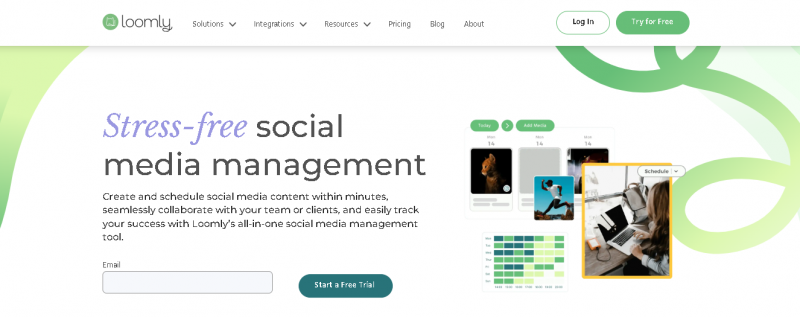
Stress-free Social Media Management

Loomly Overview

Loomly helps teams plan, schedule, publish, and analyze posts across multiple networks all from a single dashboard. with collaboration-friendly workflows, role-based approvals, and a clear visual calendar, Loomly reduces errors and keeps campaigns on track.

More About Loomly

Key Features & Benefits:

  • Creates, schedules, and auto‑posts social content across every channel.
  • Supports team collaboration with multi‑level approval workflows.
  • Plans campaigns with visual calendars and label filters.
  • Includes built‑in video & image editor with integrations like Canva.
  • Tracks social performance with advanced analytics & reports.
  • Centralizes community messages via unified inbox tools.
  • Provides access to 5M+ royalty‑free images & media assets.

Pricing Overview:

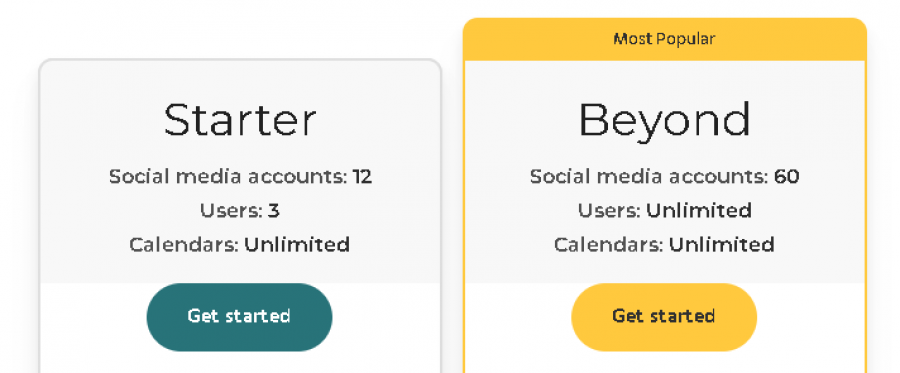
  • Loomly offers flexible plans for teams of all sizes:
  • Base Plan – Ideal for small teams with limited users and accounts
  • Standard Plan – Designed for growing teams
  • Advanced Plan – Suited for agencies managing multiple brands
  • Premium Plan – Large teams with extended account limits
  • Enterprise Plan – Custom solutions with dedicated support

Pros & Cons

Pros:

7+ social channels scheduled from one dashboard.

Content calendar visualizes long‑term plans.

Team post approvals streamline workflows.

Cross‑account content templates.

Cons:

Help desk often bot‑only, no human contact.
Company

Loomly

Contact

1 (619) 549‑8654

Headquarter

Studio City, CA, USA

Follow Us

Loomly Features

Content Library Management Post Preview & Optimization Custom Labels & Tags RSS Feed Automation Post Duplication & Templates Multi-Timezone Scheduling CSV & PDF Export Notifications & Alerts

Loomly Demo & Screenshots

Loomly Pricing

Loomly Pricing Screenshot

*Price last updated on Mar 2, 2026. Visit loomly.com's pricing page for the latest pricing.

Loomly Reviews

Loomly Category

Loomly Alternatives