Home > Category > Pixlr AI
Pixlr AI

Pixlr AI

Create stunning visuals with AI powered editing and generation

Pixlr AI Overview

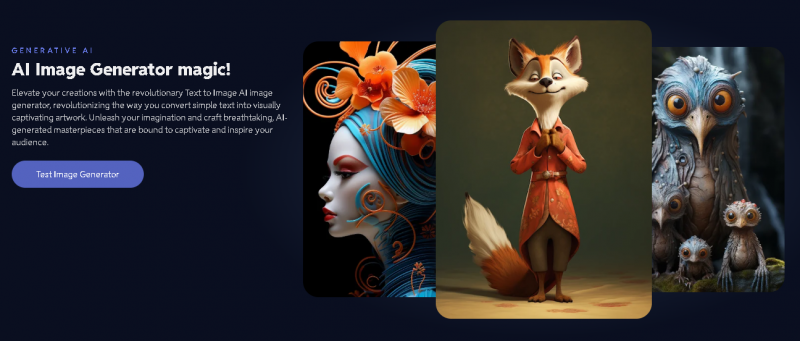
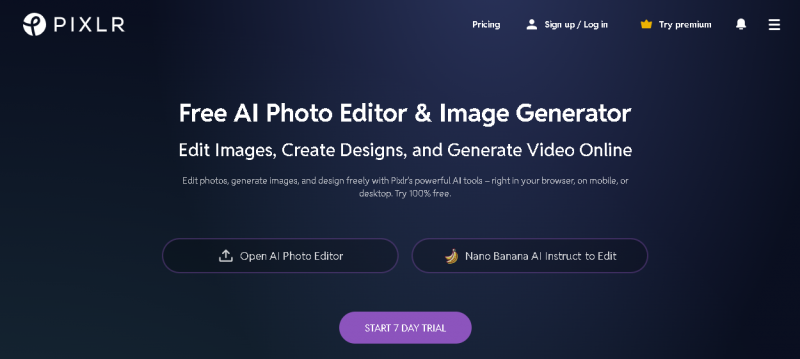
Pixlr AI is a browser based creative suite that combines photo editing, design tools, and generative AI features for image and video creation. You can edit photos, generate images from text, remove backgrounds, and create videos from prompts without installing software. Its tools range from basic adjustments and filters to advanced AI functions like generative fill, expand, and text‑to‑image or text‑to‑video conversion. Pixlr is suitable for beginners, social media creators, marketers, and small businesses looking to produce visual content quickly and affordably.

More About Pixlr AI

Key Features

  • AI image generator from text prompts
  • AI powered photo editing (remove background, remove objects)
  • AI generative fill and expand tools
  • Batch editing and background removal automation
  • Templates, filters, and design elements for creatives
  • AI text‑to‑video generator and image‑to‑video creation
  • Cross‑platform use in browser, mobile, and desktop environments
  • Collaboration features for team editing and sharing

Pricing Overview

Pixlr offers freemium and paid plans with monthly or yearly billing:

  • Free Plan: Core editing tools, limited AI credits, ads present
  • Plus Plan: Ad free experience, unlimited saves, around 80 AI credits per month
  • Premium Plan: More AI credits (around 1000/month), private AI mode, templates and fonts
  • Team Plan: Multi seat access with premium features for teams
    Higher tiers vary by AI credit limits, asset libraries, and collaboration tools.

Pros & Cons

Pros:

Powerful AI tools integrated into a simple photo editor

Browser based with no download required

Good balance of design templates and generative features

Text‑to‑video and image generation expand creative output

Affordable entry level plans for casual users

Cons:

Free version includes ads and limited AI credits

Some AI generation tools can produce inconsistent results

Premium subscription changes and pricing can be confusing

Template search and UI updates may frustrate some users

Heavy reliance on credits can be confusing for new users
Company

Pixlr AI

Contact

Official phone not published

Headquarter

Singapore

Follow Us

Pixlr AI Features

AI remove background Super scale upscaling Background editor Photo filters & effects

Pixlr AI Demo & Screenshots

Pixlr AI Pricing

Pixlr AI Pricing Screenshot

*Price last updated on Jan 9, 2026. Visit pixlr.com's pricing page for the latest pricing.

Pixlr AI Reviews

Pixlr AI Category

Pixlr AI Alternatives