Home > Category > Scribe
Scribe

Scribe

Create Step-by-Step Guides Fast.

Scribe Overview

Scribe documents processes by auto-capturing workflows into visual step-by-step guides with text, links, and screenshots. It turns screen recordings into editable guides instantly, addressing the need to create instructions without manual screenshotting or writing. Core differentiation lies in AI assistance for generating titles, descriptions, and process documents like SOPs, onboarding guides, and help centers from prompts. Users capture browser or desktop processes, customize steps, and build Pages combining multiple guides for complex workflows.

More About Scribe

Core Strengths:

  • Automatically captures workflows into guides.
  • Works with web, desktop & mobile apps.
  • Generates unlimited step‑by‑step guides.
  • Customizes documentation with branding and annotations.
  • Redacts sensitive information manually or automatically.
  • Exports guides to PDF, HTML, Markdown, Word.
  • Embeds guides into wikis and tools via shareable links.
  • Includes collaboration features (comments, version history).

Detailed Insights:

  1. Install the Chrome, Edge, or desktop application.
  2. Start recording a workflow or process.
  3. Scribe captures clicks, screenshots, and workflow actions automatically.
  4. The platform converts actions into step-by-step instructions.
  5. Users edit text, annotations, screenshots, and formatting.
  6. Documentation can be grouped into Pages with videos, text, and links.
  7. Teams share guides through embeds, links, exports, or integrations.
  8. Enterprise admins manage permissions, governance, and security controls.
  9. AI tools analyze workflows and suggest efficiency improvements.

Pros & Cons

Pros:

Automatically creates SOPs while you complete tasks

Saves time by reducing onboarding documentation effort

Generates step-by-step guides without manual writing needed

Captures screenshots automatically for each process step

Makes sharing workflows easy through links or export options

Reduces repeated explanations in Slack and team meetings

Cons:

No bulk editing makes multi-step workflows slower to manage

Limited merging features reduce efficiency when combining multiple Scribes
Company

Scribe

Contact

Email

Headquarter

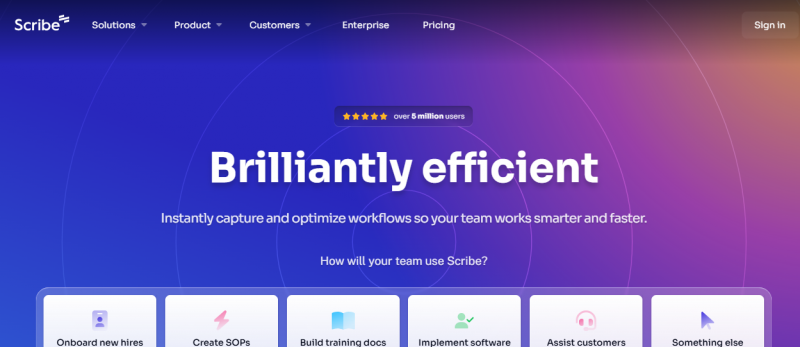
Scribe Demo & Screenshots

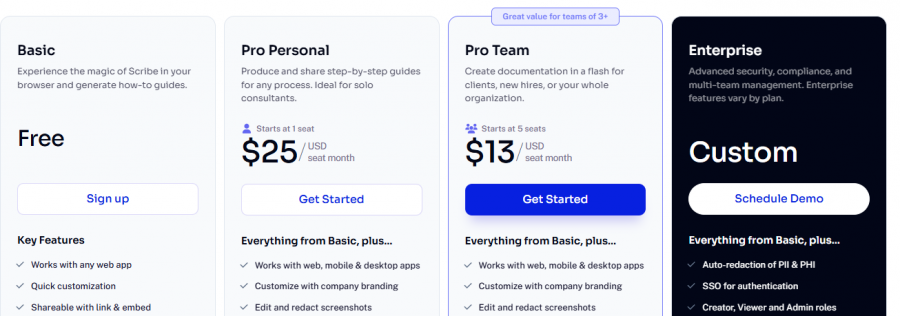
Scribe Pricing

Scribe Pricing Screenshot

*Price last updated on May 11, 2026. Visit scribehow.com's pricing page for the latest pricing.

Scribe Reviews

Scribe Category

Scribe Alternatives