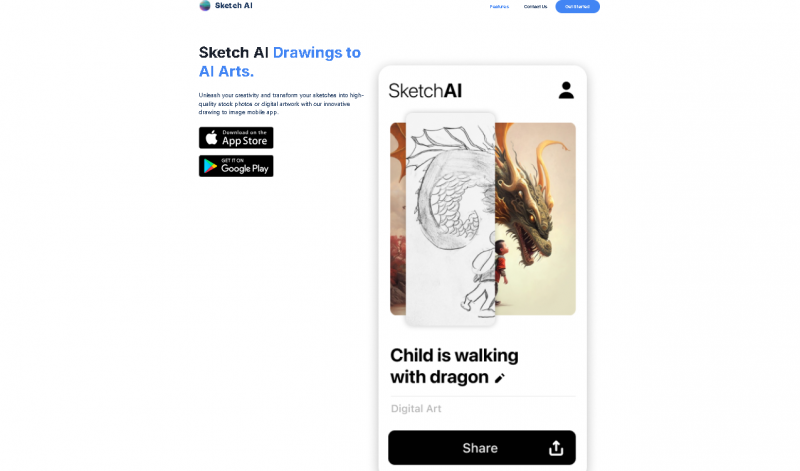
Combining artificial intelligence technologies revolutionizing the way artists, designers, and content creators bring ideas to life, the field of digital art has swiftly changed in recent years. One of the most cutting-edge tools available is Sketch AI, which lets users create concept art, illustrations, and sketches with ease. Sketch AI helps creators concentrate on creativity rather than technical execution by fusing sophisticated machine learning models with user-friendly interfaces.
Applications of Sketch AI
Sketch AI is highly versatile and can be applied across multiple industries:
Who Should Use Sketch AI
Sketch AI is designed for a wide range of users:
Transforms rough sketches into polished diagrams, flowcharts, wireframes, and illustrations in seconds, saving design time.
Works directly from either uploaded sketches or hand‑drawn input, offering flexibility in how you start your projects.
Offers multiple export options (PNG, JPG, SVG, PDF) so outputs can be used for different purposes.
Suitable for a range of uses from UX/UI wireframes to mind maps and technical diagrams, not just art.
Easy to use for beginners with intuitive tools and minimal learning curve compared with full design programs
Helps visualize ideas quickly, which can improve creative and brainstorming workflows.
Provides multiple style options, allowing variations on the same sketch for experimentation.
Customization after generation is limited compared with traditional graphic editors, restricting detailed control over the final image.
Tool performance can feel slow or stuck at times, with reviews noting loading or processing delays.
Requires a stable internet connection since it’s a web‑based AI tool.
There can be content restrictions (e.g., no certain types of creative content), limiting artistic freedom.
Pricing yet to be updated!