
Home > Category > Vocal Remover
Vocal Remover

Vocal Remover

Vocal Remover and Isolation [AI]

Vocal Remover Overview

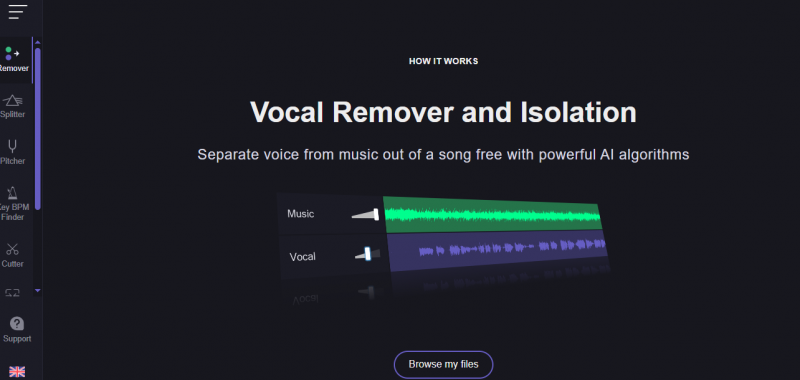
This online application separates vocals from songs to create karaoke versions. Users upload local audio or video files up to 60 minutes and 1GB, or paste links from online sites. AI processes the media to extract vocals, instrumental tracks, or background music. Supported formats include MP3, WAV, M4A, FLAC, MP4, and MOV. Processing occurs in the cloud with automatic recognition of human voice and music. Results download as separated files after preview.

More About Vocal Remover

Detailed Insights:

  • Upload an audio file (MP3, WAV, FLAC, etc.)
  • AI analyzes frequencies and stereo channels
  • System separates vocals and instrumental layers
  • Outputs two or more stems (vocal + music)
  • Optional tools allow pitch, tempo, and trimming edits
  • Processed files are available for download

Use Cases & Applications:

  • Creating karaoke tracks from songs
  • Extracting vocals for remixes or mashups
  • Learning song structure and instrumentation
  • Practicing singing with instrumental versions
  • Audio editing for DJs and producers
  • Educational music analysis

Pros & Cons

Pros:

Turns songs into results quickly without long processing waits

Delivers professional-sounding vocals without needing a recording studio

Works instantly in your browser, no installation or setup required

Accepts common audio formats, making uploads simple and flexible

Cons:

Audio quality suffers due to noticeable crackling in separated tracks.

Lack of accounts prevents saving or syncing user preferences securely.
Company

Vocal Remover

Contact

Email

Headquarter

Vocal Remover Demo & Screenshots

Vocal Remover Pricing

Pricing yet to be updated!

Vocal Remover Reviews

Vocal Remover Category

Vocal Remover Alternatives