Table of Content
- The Quick Verdict
- Two Tools, Two Different Battlegrounds
- Platform Profiles at a Glance
- The Side-by-Side Spec Sheet
- Output Quality and Style Fit
- Pricing Reality Over 12 Months
- Learning Curve and Time to First Output
- Speed and Workflow Performance
- Feature Power Across the Stack
- Three Creative Briefs, Compared Side by Side
- The Decision Matrix by Creator Type
- When Switching Between the Two Makes Sense
- The Final Word
The Quick Verdict
For readers who need the answer before the deep dive: these two platforms are not really competitors - they are leaders in different categories that often get compared because both market themselves as AI video tools.
| Creator Type | Choose AutoDraft AI | Choose Runway |
| YouTube animator | Children's stories, horror narrations, faceless content channels | Overkill for the use case and budget |
| Agency creative | Limited fit - output style is 2D animation | Hero brand films, photorealistic ads, client deliverables |
| Solo content creator | Explainer videos, educational shorts, scalable channels | Cinematic personal projects, polished portfolio work |
| Filmmaker | Not a fit - wrong output category entirely | Pre-vis, concept videos, hybrid live-action workflows |
| Budget under $30/month | Comfortable fit at the Pro tier | Pro tier just barely fits; tighter on credits |
Bottom line: AutoDraft AI is the right pick for 2D animated content production at scale. Runway is the right pick for photorealistic and cinematic AI video. The two rarely overlap once the actual use case is named.
Two Tools, Two Different Battlegrounds
Most head-to-head reviews of these platforms miss the most important fact: AutoDraft AI and Runway operate in distinct categories. Treating them as direct rivals leads to wrong recommendations because the comparison ignores what each tool was actually built to produce.
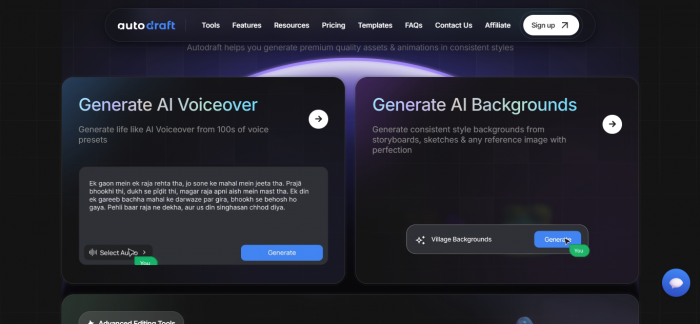
AutoDraft AI specializes in 2D animation and cartoon video generation - characters with consistent appearance, lip-synced voiceovers, and storyboard-driven workflow. The platform was built in Bangalore and is optimized for creators producing animated content for YouTube channels, educational platforms, and B2B explainer marketing.
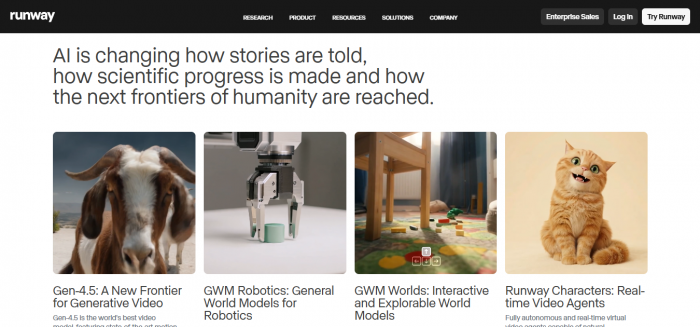
Runway, in contrast, is the established leader in photorealistic AI video generation. Its Gen-4 foundation model produces cinematic-grade live-action footage with 4K resolution, 60-second continuous clips, and director-grade camera controls. The platform serves filmmakers, ad agencies, and commercial producers handling brand-deliverable content.
This blog acknowledges that distinction upfront, then compares both platforms on the criteria that matter when a creator is genuinely weighing one against the other - usually because a project sits in the ambiguous zone where either tool might apply.
Platform Profiles at a Glance
Snapshot details for each tool, sourced from verified 2026 pricing pages and independent platform reviews. Full criterion-by-criterion comparison follows below.
AutoDraft AI The 2D Animation Specialist Category: 2D animation, cartoon video Launched from: Bangalore, India Entry price: Free tier + Starter ~$15/month Top tier: Pro at ~$29/month Max resolution: 4K (paid plans); 1080p free Standout: Character consistency across scenes Best for: Animated YouTube channels, explainers | Runway The Cinematic AI Video Leader Category: Photorealistic AI video Launched: 2018 (Runway AI, Inc.) Entry price: Free + Standard $12/mo annual Top tier: Unlimited at $76–95/month Max resolution: 4K with Gen-4 model Standout: Motion Brush 3.0, camera controls Best for: Agencies, filmmakers, commercials |
The Side-by-Side Spec Sheet
Direct specification comparison across the metrics most relevant to evaluating either platform in 2026. The right-most column flags which tool leads on each row - useful for quickly scanning where each platform's strength lies.
| Criterion | AutoDraft AI | Runway | Leader |
| Output Type | 2D animation and cartoon | Photorealistic live-action | Category-dependent |
| Free Tier | ~30 credits to start | 125 one-time credits | ▲ Runway |
| Entry Paid Plan | ~$15/month | $12/month (annual) | ▲ Runway |
| Top Paid Plan | ~$29/month Pro | $76–95/month Unlimited | ▲ AutoDraft AI |
| Max Resolution | 4K on paid | 4K with Gen-4 | Tied |
| Max Clip Length | Multi-minute (animation) | 60 seconds (Gen-4) | ▲ AutoDraft AI |
| Character Consistency | Strong for cartoon style | Industry-leading for live-action | Category-dependent |
| Camera Control | Path tool for movement | Motion Brush 3.0, camera controls | ▲ Runway |
| Built-in Voiceover | Yes, with lip sync | Lip Sync feature only | ▲ AutoDraft AI |
| Credit Rollover | Monthly credits, no rollover | No rollover on any tier | Tied |
| API Access | Limited | Full REST API + SDKs | ▲ Runway |
| Learning Curve | Beginner-friendly | Moderate to steep | ▲ AutoDraft AI |
Output Quality and Style Fit
Output quality cannot be compared in absolute terms because the two platforms produce different categories of video. The honest evaluation is whether each tool produces best-in-class results within its own lane.
AutoDraft AI Output
Independent testing across 25+ animation projects in early 2026 confirmed that AutoDraft produces consistent 2D-animated characters across scenes, accurate lip sync, and clean voiceovers in multiple presets. Style options span 2D vector, anime, cartoon, and cinematic-illustrated. Output quality is strong for content categories like children's stories, horror narrations, educational explainers, and B2B animated marketing. The platform does not attempt photorealism, which is appropriate for its intended audience.
Runway Output
Runway Gen-4 produces photorealistic AI video with quality that consistently leads independent benchmarks for cinematic output. The reference image system maintains character appearance, clothing, and facial features across multiple shots with different camera angles and lighting - a long-standing weakness in AI video that Runway resolves better than any competitor. Output is broadcast-grade for hero content, brand films, and commercial deliverables.
Verdict on output quality: AutoDraft AI wins on 2D animated output; Runway wins on photorealistic live-action. There is no winner across both categories because the comparison sits across product lines.
Pricing Reality Over 12 Months
Sticker prices mislead in this category because actual creator spend depends heavily on usage volume. The projections below model three realistic creator patterns - light, medium, and heavy - and surface what each tool genuinely costs across a year.
| Usage Profile | Volume | AutoDraft AI | Runway |
| Light user | 5 clips/month | $15/mo × 12 = $180/year | $12/mo × 12 = $144/year |
| Medium user | 20 clips/month | $29/mo × 12 = $348/year | $28/mo × 12 = $336/year |
| Heavy user | 50+ clips/month | $29/mo + add-ons ≈ $400/year | $76/mo × 12 = $912/year |
| Agency or team | 100+ clips + 4K | Not the right platform | $95/mo monthly ≈ $1,140/year |
Cost takeaway: For solo creators producing high volume, AutoDraft AI offers a meaningful cost advantage at the heavy-user tier. Runway becomes expensive past 30 clips per month, but the cost reflects its target user - agencies billing premium client rates where the per-project economics still work.
API Pricing for Developer Workflows
Runway publishes API pricing at $0.12 per second of generated video - a 10-second clip runs roughly $1.20 in API costs. AutoDraft AI does not currently offer a developer-facing API at the same scale, which makes Runway the unambiguous choice for programmatic generation use cases.
Learning Curve and Time to First Output
Time-to-value matters more than feature lists when evaluating any AI tool. The two platforms differ significantly here, which directly affects who should choose each one.
AutoDraft AI Onboarding
Reviewers consistently report a sub-30-minute time to first usable output. The interface is template-driven - pick a style, enter a script, generate. Most creators with zero animation experience can produce a publishable short video within an hour of signing up. The platform was deliberately designed for accessibility, and that design choice shows in the lower friction.
Runway Onboarding
Runway's learning curve is steeper. Mastering prompt engineering for photorealistic output, Motion Brush 3.0 controls, camera direction parameters, and the reference image system takes a meaningful investment - typically 5 to 10 hours of practice before output quality stabilizes. The platform rewards that investment with significantly more creative control, but the upfront cost is real.
Verdict on learning curve: AutoDraft AI wins decisively for creators who need to ship content fast. Runway wins for creators who treat the tool as a serious skill investment and need professional-grade controls.
Speed and Workflow Performance
Generation speed varies dramatically by platform, model, output length, and resolution. Performance numbers below are based on independent testing in early 2026 under typical load conditions.
| Task | AutoDraft AI | Runway |
| Short animated clip (30s) | ~5–10 minutes | Not applicable (no animation) |
| Live-action clip (5s, 1080p) | Not applicable (no live-action) | ~60–90 seconds |
| Voiceover generation | Near real-time | Lip Sync only (no native TTS) |
| 4K upscale pass | ~3–5 minutes | ~2–4 minutes (priority queue) |
| Priority queue access | Available on Pro tier | Pro and Unlimited tiers |
Feature Power Across the Stack
Beyond core video generation, each platform offers a different set of supporting tools. The breakdown below maps which features each one delivers strongly, weakly, or not at all.
| Feature | AutoDraft AI | Runway |
| Text-to-video | Strong (2D animation) | Strong (live-action) |
| Image-to-video | Limited | Strong (Gen-4 Turbo) |
| Video-to-video restyling | Not available | Available (Aleph) |
| Motion capture | Not available | Act-Two motion capture |
| Voiceover generation | Native, multiple presets | Lip Sync only |
| Character consistency | Strong for cartoon | Strong via reference images |
| Storyboard tool | Native to platform | External integration |
| API and SDKs | Limited | Full REST API |
Three Creative Briefs, Compared Side by Side
Abstract feature comparison only goes so far. The scenarios below take three real creative briefs that creators bring to AI video tools in 2026 and walk through how each platform actually performs against them.
Brief 1: A 60-Second Children's Story for YouTube
A faceless YouTube channel needs a daily 60-second animated bedtime story featuring a recurring rabbit character across episodes. The story is narrated, lip-synced to the character, and produced at 1080p for fast upload.
• AutoDraft AI result: Excellent fit. Character consistency across episodes is the platform's central strength. Native voiceover and lip sync remove the need for external tools. Daily production is achievable on the Pro plan.
• Runway result: Wrong tool. Photorealistic output is not the right style for children's animation, and credit consumption for daily 60-second clips would push monthly spending past $200.
Winner: AutoDraft AI by a wide margin for this brief.
Brief 2: A 30-Second Brand Commercial for a Skincare Launch
An ad agency needs a 30-second commercial featuring a model demonstrating product application across three different lighting scenarios. Output must be 4K, photorealistic, and consistent across the three shots for cross-cutting in post.
• AutoDraft AI result: Wrong tool. 2D animation cannot deliver the photorealistic skincare commercial aesthetic the agency requires.
• Runway result: Excellent fit. Reference image system maintains the model's appearance across all three shots. Motion Brush 3.0 controls product application movement. 4K output at Pro tier handles client delivery requirements.
Winner: Runway is the unambiguous choice.
Brief 3: A 3-Minute B2B Explainer for a SaaS Product
A SaaS company wants a 3-minute animated explainer showing how their workflow software solves four common problems. The video needs custom characters, screen mockups, and a clear voiceover narration.
• AutoDraft AI result: Strong fit. Character animation handles the human-side narrative. Voiceover and storyboard tools cover the rest. The 3-minute length suits the multi-minute capability.
• Runway result: Awkward fit. The 60-second Gen-4 clip limit forces stitching multiple generations together. Photorealistic output is wrong tonally for an animated explainer aesthetic.
Winner: AutoDraft AI wins this brief on both style and length.
The Decision Matrix by Creator Type
The matrix below maps creator profiles to the platform recommendation that best fits the actual job. Mismatches happen most often when a creator picks based on brand recognition (Runway) without naming the actual deliverable category first.
| Creator Profile | Recommendation | Why |
| YouTube animator | AutoDraft AI (Pro) | Character consistency, native voiceover, scalable production cost |
| Independent filmmaker | Runway (Pro) | Cinematic output, Motion Brush, 4K Gen-4 quality |
| Educational content creator | AutoDraft AI (Starter) | Storyboard tool, character animation, narration alignment |
| Ad agency creative | Runway (Unlimited) | Client deliverable quality, broadcast-grade output, team workspaces |
| B2B marketing manager | AutoDraft AI (Pro) | Explainer animation fits B2B tone; lower cost than agency tier |
| E-commerce brand | Runway (Standard) | Product visuals, lifestyle shots, photorealistic outputs |
| Developer (programmatic) | Runway (API) | Full REST API and SDKs available; pay per second |
| Faceless content channel | AutoDraft AI (Pro) | High-volume animated content, low per-clip cost, monetization-friendly |
When Switching Between the Two Makes Sense
Most creators benefit from picking one platform and committing. A small subset benefit from running both. The criteria below help identify which scenario applies.
Single-Tool Scenarios
The vast majority of creators are well-served by one platform. Animators, explainer creators, faceless channel operators, and B2B marketing teams have no real need for Runway. Filmmakers, agencies, commercial producers, and developers have no real need for AutoDraft AI.
Multi-Tool Scenarios
A meaningful minority of creators benefit from running both. The clearest example is hybrid content production - animated explainer segments stitched into live-action brand films, or live-action B-roll added to a primarily animated channel for stylistic variety. In those cases, the workflow uses AutoDraft AI for the animation segments and Runway for any live-action sections, with both subscribed at entry tiers.
Migration Triggers
Switching directions usually signals one of three changes. A creator moving from AutoDraft AI to Runway typically means a category shift - pivoting from animated channel content to live-action commercial work, often after landing a brand client. A creator moving from Runway to AutoDraft AI typically means a cost-driven reset - Runway's heavy-tier pricing forced a search for lower-cost alternatives in a different output category. A creator adding either tool to the other means the workflow has matured to need both.
The Final Word
Most head-to-head reviews of AutoDraft AI versus Runway frame the contest as a winner-takes-all comparison. That framing is wrong. These platforms are leaders in adjacent categories, and the right question is never "which is better" - it is always "which fits the specific creative deliverable."
AutoDraft AI wins decisively for 2D animation: YouTube channels, explainer videos, educational content, and faceless monetization workflows. The platform's character consistency, native voiceover, and beginner-friendly onboarding make it the right pick when the output is animated.
Runway wins decisively for photorealistic AI video: ad agencies, filmmakers, commercial producers, and developers using the API. The platform's Gen-4 quality, Motion Brush controls, and 4K output justify the higher price point when the output is live-action and client-deliverable.
The mistake is picking based on brand recognition rather than category fit. AutoDraft AI is less famous than Runway but is the better tool for animated work. Runway has stronger brand awareness but is the wrong choice for the majority of solo content creators. Naming the actual deliverable first - animated or live-action - answers the comparison without further analysis.
Post Comments
Be the first to post comment!
Related Articles




Grubby AI vs WriteHuman: Which One Should You Use?
Ridge Harper . Jun 30, 2026