Table of Content
- Quick Verdict at a Glance
- What is CapCut? (And Why Is Everyone Using It?)
- The Best Features That Make CapCut a Game-Changer
- A Surprisingly Powerful Timeline Editor
- CapCut Pro: Is It Worth Paying For?
- The Elephant in the Room: Is CapCut Safe?
- CapCut on Mobile vs. Desktop vs. Web: Which Is Best?
- How CapCut Stacks Up: A Quick Comparison
- Final Verdict: An Unbeatable Editor with a Major Caveat
- Frequently Asked Questions (FAQ)
If you've watched a video on the internet in the last few years, you've seen something made with CapCut. What started as a simple mobile app for TikTok has exploded into a full-blown editing suite used by hundreds of millions of people, from total beginners to professional marketing teams.
But with so much hype, the real questions remain: Is it actually any good? Can a free tool really compete with expensive professional software? And most importantly, is it safe to use?
We've spent hours testing every version of CapCut, digging into its features, and analyzing the privacy concerns to give you a definitive answer.
Quick Verdict at a Glance
| Criteria | Rating | Summary |
| Ease of Use | ⭐⭐⭐⭐⭐ (5/5) | Incredibly intuitive on all platforms. The best choice for beginners with a very high skill ceiling. |
| Features (Free Version) | ⭐⭐⭐⭐⭐ (5/5) | The most powerful free feature set on the market. The AI tools alone are game-changing. |
| Value (Pro Version) | ⭐⭐⭐⭐ (4/5) | Competitively priced. A must-have for professionals and businesses using the platform. |
| Safety & Privacy | ⭐⭐ (2/5) | Significant, valid concerns due to its ownership by ByteDance. A potential dealbreaker. |
| Overall Recommendation | Highly Recommended, with a Major Caveat. It's the best editor in its class, but you must be aware of the privacy risks before using it. |
What is CapCut? (And Why Is Everyone Using It?)
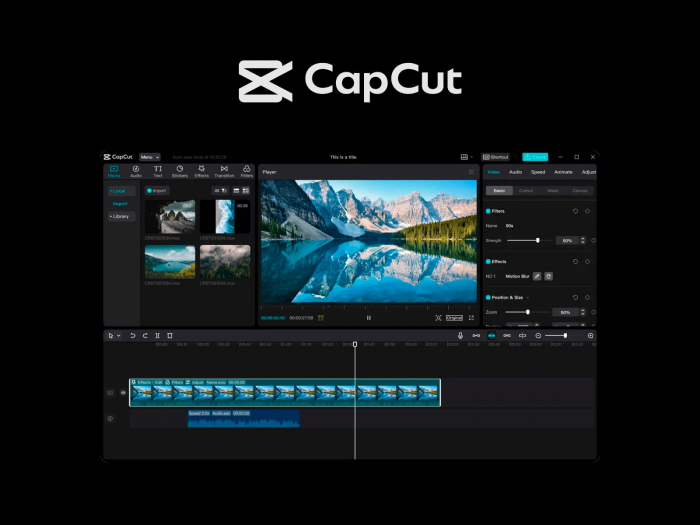
CapCut is a video editing application owned by ByteDance, the same company behind TikTok. It was first launched in 2019 and quickly became the go-to editor for creating content for the platform.
Why did it get so popular? Simple: it gave creators the exact tools, trending effects, and sounds they needed to go viral on TikTok, and it gave it all away for free.
Today, CapCut is a full creative suite. You can use it on your iPhone, your Android, your Windows PC, your Mac, and even right in your web browser. It's the swiss-army knife of modern video creation, which is why everyone from casual creators to major brands now has it in their toolbox.
The Best Features That Make CapCut a Game-Changer
While the list of features is long, there are a few that truly set CapCut apart from the competition.
The AI Toolbox (Auto Captions Are Worth It Alone)

This is CapCut's magic trick. It has a suite of AI-powered tools that automate difficult editing tasks with a single click:
- Auto Captions: This feature alone is worth the download. It listens to the audio in your video and automatically generates perfectly timed, animated captions. The accuracy is fantastic, and it saves creators hours of tedious work.
- Background Remover: Cut a person out of their background without a green screen. It's perfect for creating professional-looking talking head videos.
- Text-to-Speech: Type some text, and a surprisingly natural-sounding AI voice will read it for you, creating instant voiceovers.
The Massive Template and Music Library
CapCut is directly plugged into the trends of the internet. It has a huge, constantly updated library of:
- Templates: See a cool video trend on TikTok or Reels? There's probably a CapCut template for it. Just drop in your own photos or clips, and the app does the rest.
- Music & Sounds: It features a massive library of commercially licensed music and viral sounds, so you don't have to worry about copyright strikes.
A Surprisingly Powerful Timeline Editor
Don't let the simple interface fool you. CapCut has a multi-track timeline that lets you layer videos, text, and effects just like professional software. It also supports keyframes, which let you create smooth animations and have precise control over your edits. This feature is a huge deal and something most mobile editors just can't do well.
CapCut Pro: Is It Worth Paying For?
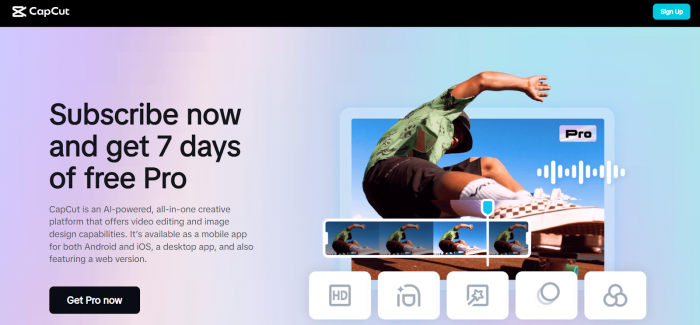
For a long time, CapCut was almost entirely free. Now, there's a "CapCut Pro" subscription. So, do you need to pay?
Stick with the free version if: You're a casual creator, a student, or just making videos for fun. The free version is more than powerful enough.
Upgrade to Pro if:
- You're a social media manager or a business. The Pro version unlocks more professional effects, higher-quality exports, and "CapCut Space," a cloud feature for storing projects and collaborating with a team.
- You're a full-time content creator. Access to the full library of effects and advanced AI tools will speed up your workflow and make your content look more polished.
- The subscription is reasonably priced, and for anyone using CapCut for work, the time-saving features make it a worthwhile investment.
The Elephant in the Room: Is CapCut Safe?
[https://www.trustpilot.com/review/www.capcut.com]
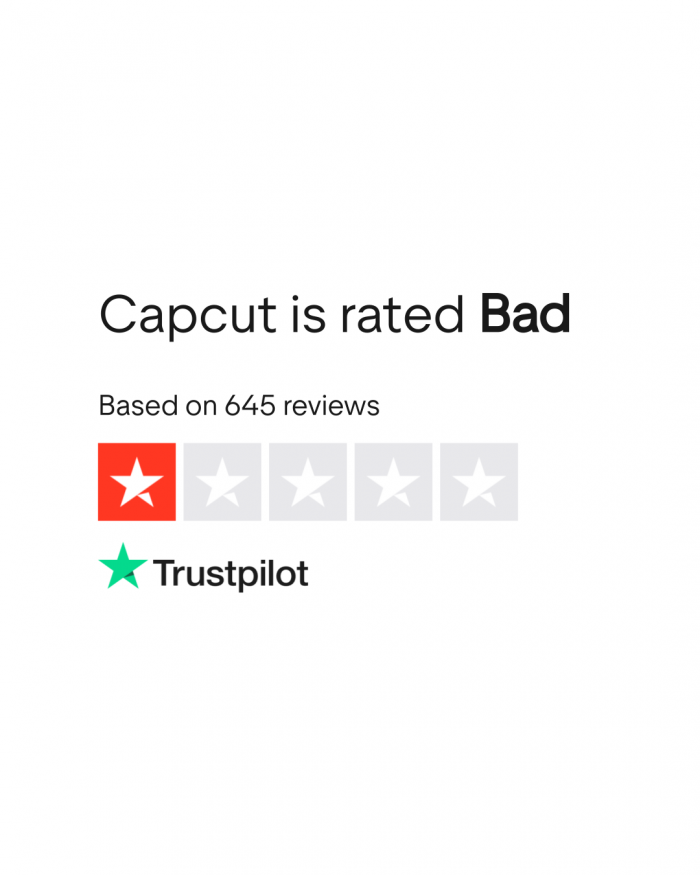
We have to talk about this. It is owned by ByteDance, a Chinese company. Because of this, the app has faced intense scrutiny over how it collects and uses your data, similar to the concerns surrounding TikTok.
It's, privacy policy states that it collects your content (the videos and photos you upload), your location, and technical information about your device. The main concern is that this data could potentially be accessed by its parent company.
Here's the bottom line: There is no evidence of malicious use, but the risk associated with its ownership is real.
If you're a casual user making dance videos, the risk is likely low.
If you're a business, a journalist, or work in a sensitive field, you should seriously consider the privacy implications. Using an alternative like Adobe Premiere or DaVinci Resolve would be a safer choice.
CapCut on Mobile vs. Desktop vs. Web: Which Is Best?
Mobile App (iOS/Android): The original and still the best for on-the-go editing. It's fast, intuitive, and incredibly powerful for a phone app. Best for: TikTok/Reels creators and quick edits.
Desktop App (Windows/Mac): A surprisingly capable desktop editor. It gives you more screen space, more precise controls, and is better for longer, more complex projects like YouTube videos. Best for: Serious creators and business use.
Web Version: The most convenient option. You can edit from any computer without downloading anything. However, it's also the slowest and most limited version. Best for: Quick, simple edits on a shared computer or Chromebook.
How CapCut Stacks Up: A Quick Comparison
| vs. Competitor | The Verdict |
| Adobe Premiere Rush | CapCut wins. CapCut's free version is significantly more powerful, especially its AI features. Rush's only real advantage is its integration with other Adobe products. |
| DaVinci Resolve (Free) | Resolve is for pros. DaVinci Resolve is a professional, Hollywood-grade editor. It's infinitely more powerful but has a massive learning curve. CapCut is for speed and ease. |
| InShot / VN Video Editor | CapCut has the edge. While InShot and VN are great mobile editors, CapCut's AI tools, template library, and desktop app make it a more complete and powerful ecosystem. |
Final Verdict: An Unbeatable Editor with a Major Caveat
Using CapCut presents a modern dilemma. It is, without question, one of the most powerful and easy-to-use video editors available, but its excellent performance is challenged by serious privacy concerns.
For most modern content creators, like TikTokers, YouTubers, and social media managers, CapCut is a game-changing tool. Its AI features and library of viral trends provide the fastest way to produce high-quality social content. For these users, whose work is public-facing, the efficiency of CapCut will likely outweigh the abstract risks of its privacy policy.
On the other hand, for anyone in a sensitive environment, the verdict is just as clear. Professionals in corporate, government, or journalism, or anyone handling confidential information, should avoid the platform. For this group, data security is non-negotiable. The app's ownership and data collection create an unacceptable level of risk. In these cases, industry-standard alternatives like Adobe Premiere Pro or DaVinci Resolve are the only responsible choices.
Ultimately, the decision to use CapCut is a personal risk assessment. It is a phenomenal tool, but it requires you to accept a trade-off between great features and potential data exposure.
Frequently Asked Questions (FAQ)
1. Does CapCut leave a watermark on videos?
The main editor does not force a watermark. However, some of the free templates may have a small CapCut logo at the end, which you can usually just delete before exporting.
2. Can you use CapCut for professional work?
Yes, absolutely. Many social media marketing agencies and professional content creators use CapCut for their entire workflow because it's fast and effective. It's not suitable for feature films, but it's perfect for professional-quality social media content.
3. Is CapCut owned by TikTok?
They are owned by the same parent company, ByteDance, which is why their features and sounds are so well-integrated.
Post Comments
Be the first to post comment!