Table of Content
- 1. Synthesia – Polished AI Avatar Videos for Business
- 2. VEED – Fast Social and Marketing Videos in the Browser
- 3. Pictory – Turning Long Content into Snackable Videos
- 4. Canva – Design-Led Video Creation for Non-Editors
- 5. Runway – High-End Generative Video and Effects
- 6. HeyGen – Accessible Avatar Videos for Sales and Marketing
- 7. Descript – Text-Based Editing for Podcasters and Creators
- Final Thoughts: Picking the Right InVideo Alternative
InVideo is still a solid AI video maker, but if you want faster workflows, better AI, or different pricing, there are now several tools that can easily take its place for specific use cases. Below is a focused rundown of the seven best alternatives, what they’re best at, and how they stack up on features, pricing, and where they pull ahead of Viggle AI’s style-driven generation.
1. Synthesia – Polished AI Avatar Videos for Business
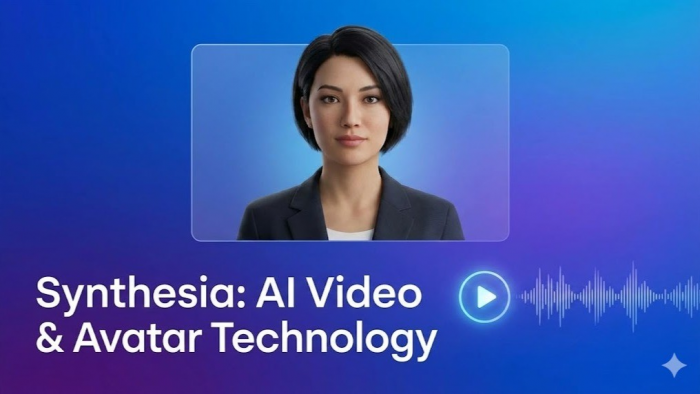
Synthesia is a leading AI video platform focused on realistic talking‑head avatar videos from text scripts, which makes it ideal for training, explainer, and marketing content. You simply paste your script, pick an AI presenter, choose a template, and generate a studio-style video without cameras or actors.
Synthesia supports dozens of languages and offers a large library of humanlike AI avatars, plus custom avatar creation for brands that want consistent presenters across their video library. You can combine screen captures, slides, and B‑roll with avatar segments, so it becomes a full production workflow rather than just a “face on screen” generator.
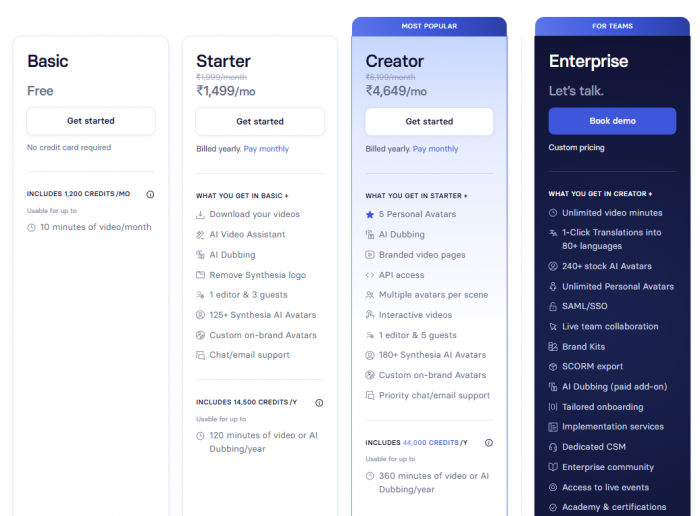
Starting price: Individual plans typically start around the lower mid-tier SaaS bracket per month for a set number of video minutes, with custom pricing for larger teams and enterprises.
Synthesia: Advantages vs Drawbacks
| Aspect | Pros | Cons |
| Overall use | Extremely easy for non‑technical teams to create professional talking‑head videos from text. | Less suitable for cinematic, highly stylized clips or long-form editing. |
| Avatars & voices | Large avatar library, multilingual support, and brandable custom avatars with consistent voice and style. | Avatar motion and expression are improving but still not as fluid as live actors. |
| Workflow | Great for training, product explainers, and internal comms, with strong template system. | Timeline-level editing and visual effects are more limited than full video editors. |
Where Synthesia Outperforms Viggle AI
Viggle AI is brilliant at creating dynamic, character‑driven short clips from prompts, but Synthesia wins when you need corporate-friendly, script-perfect, avatar-based videos at scale with consistent branding. If your goal is clarity, multilingual delivery, and repeatable training or onboarding content, Synthesia’s structure and avatar system beat Viggle’s more experimental, meme‑first style.
2. VEED – Fast Social and Marketing Videos in the Browser
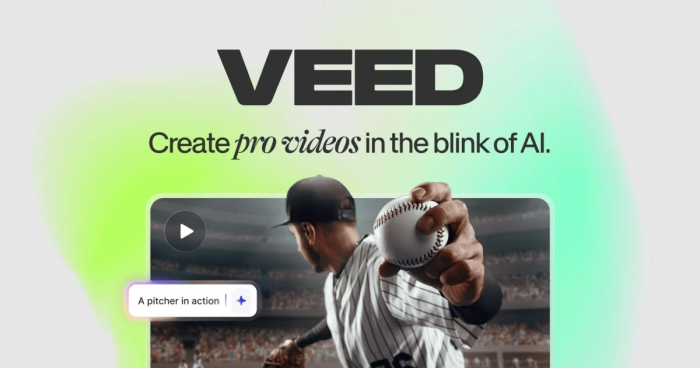
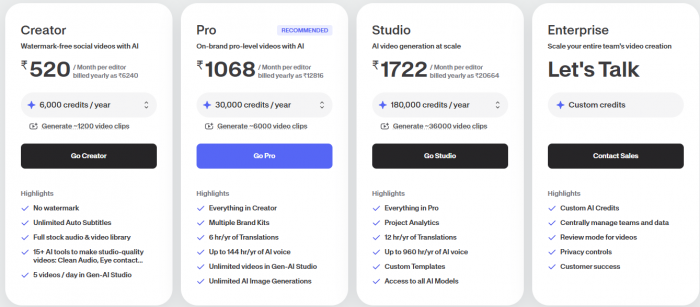
VEED is a browser-based video editor that combines traditional timeline editing with AI features like auto-subtitles, background removal, and text-based edits, making it a strong everyday replacement for InVideo. You can start from templates for YouTube, TikTok, Instagram, and ads, then customize with stock media, text overlays, and brand elements.
Its strength lies in offering “enough” editing power for most social media workflows without overwhelming you with complex interfaces. VEED also supports collaboration, making it suitable for small marketing teams that need to share projects and keep branding cohesive.
Starting price: VEED offers a free tier with watermarks and basic features, with paid plans beginning at an accessible monthly price that unlocks higher export quality, more storage, and advanced tools.
VEED: Pros and Cons Overview
| Aspect | Pros | Cons |
| Editing experience | Intuitive web UI with timeline and drag‑and‑drop editing that feels lighter than full NLEs. | Power users may find advanced color grading and audio tools limited. |
| AI tools | Auto‑subtitles, noise removal, and AI clean‑ups streamline content creation. | Generative AI visuals are less advanced than specialist text‑to‑video models. |
| Social workflows | Strong presets and export options for all major platforms. | Heavy 4K or long-form projects may hit performance limits in-browser. |
How VEED Has an Edge Over Viggle AI
Viggle AI excels at generating creative clips from prompts, but VEED is better when you need to actually edit, refine, and brand those clips into finished deliverables. For marketers juggling multiple channels, VEED’s timeline, social presets, and AI subtitling beat Viggle’s more “single-clip” focus.
3. Pictory – Turning Long Content into Snackable Videos
Pictory is built around one core idea: automatically turning long-form text or video (like blog posts, articles, webinars) into shorter, social-ready videos. You input a URL, script, or transcript, and Pictory generates scenes, selects visuals, and adds captions that you can tweak before exporting.
This makes it powerful for content repurposing—ideal if you already have a library of blog posts or webinars and want to spin them into YouTube Shorts, Reels, or LinkedIn videos. Its AI handles scene detection and summarization, saving significant manual editing time.
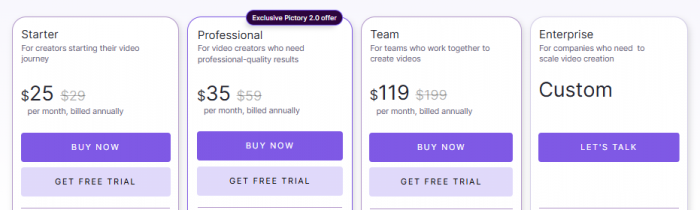
Starting price: Pictory typically offers entry-level plans in a competitive monthly range with limits on video length and number of projects per month, scaling up for agencies and heavy users.
Pictory: Strengths and Weak Spots
| Aspect | Pros | Cons |
| Core use case | Excellent for converting blog posts, scripts, and webinars into short, captioned videos. | Not aimed at complex multi-layer editing or heavy VFX. |
| Automation | AI-driven scene selection and summarization speeds up repurposing. | You still need to refine scenes to avoid generic visuals. |
| Output | Good for social platforms, with built‑in captions and aspect ratio options. | Less control for creators who prefer full manual storytelling from scratch. |
Where Pictory Surpasses Viggle AI
Compared to Viggle AI, which shines at “from-scratch” generative clips, Pictory is much stronger for structured repurposing of your existing long-form content. If your workflow is blog → video or webinar → short clips, Pictory’s automation and captions beat Viggle’s more spontaneous generation.
4. Canva – Design-Led Video Creation for Non-Editors
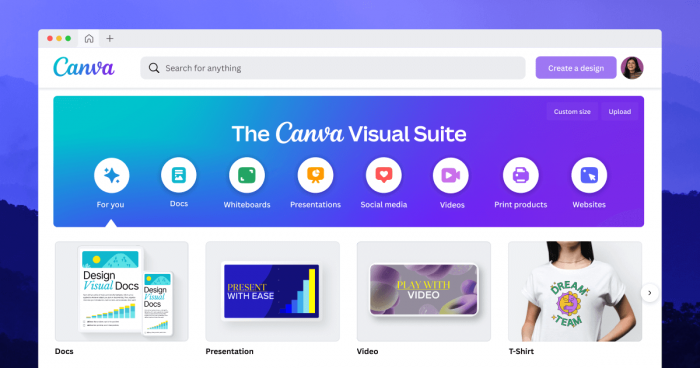
Canva started as a graphic design platform but now includes a surprisingly capable video editor and AI features, turning it into a serious InVideo alternative for branded content. You can build videos from thousands of templates, drag in your brand kit, add animations, and now even use AI tools for scripting and editing assistance.
For teams already living in Canva for social graphics, presentations, and documents, the video editor removes the need to learn a separate tool—everything lives in one familiar environment. This is especially useful for small businesses and creators who want consistent visual identity across all formats.
Starting price: Canva offers a generous free plan with essential video tools, while Canva Pro sits at a mid-tier subscription point with brand kits, premium templates, and collaboration features unlocked.

Canva: Upsides and Downsides
| Aspect | Pros | Cons |
| Templates | Huge library of video templates for social, ads, intros, and more. | Templates can lead to “Canva look” if not customized. |
| Branding | Easy brand kit, colors, fonts, and logos applied across assets. | Fine-grain control over transitions and effects is limited vs pro NLEs. |
| Ecosystem | Seamless with existing Canva workflows for graphics and slides. | Export and timeline tools may feel basic for advanced editors. |
How Canva Has an Advantage Over Viggle AI
Viggle AI is perfect for unique, AI-generated visual experiments, but Canva wins on branding, consistency, and multi-asset campaigns. If you need your video to match your Instagram posts, PDFs, and pitch decks down to fonts and colors, Canva offers a cohesive ecosystem that Viggle simply doesn’t target.
5. Runway – High-End Generative Video and Effects
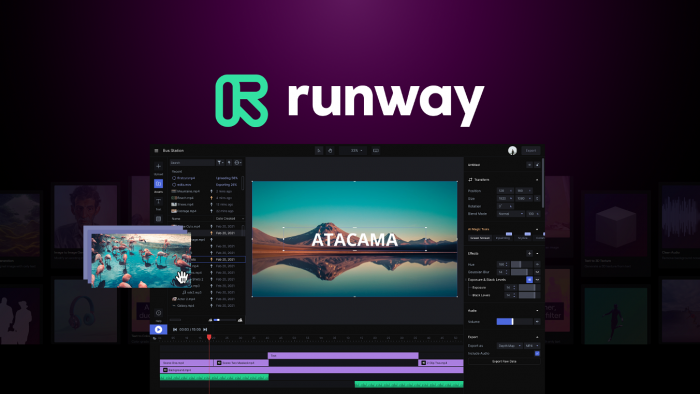
Runway ML is one of the most advanced generative video platforms, giving you tools for text-to-video, image-to-video, and AI-powered editing like background removal and style transfer. It is geared toward creators and production teams who want cutting-edge AI visuals rather than just templated editors.
Runway supports multi-shot scenes, camera motion control, and advanced masking, making it suitable for experimental films, advertising, and high-impact B‑roll. You can integrate Runway assets into other editing software, treating it as your generative engine rather than an all-in-one editor.
Starting price: Runway typically offers a free or trial tier with generation limits, and paid plans starting in the lower-to-mid subscription range per month depending on credits and features.

Runway: Benefits and Limitations
| Aspect | Pros | Cons |
| Generative power | Among the most advanced text‑to‑video and effects capabilities available. | Steeper learning curve for beginners compared to simple template tools. |
| Visual quality | Capable of cinematic, stylized, and experimental outputs. | Results can be inconsistent and require iteration. |
| Use in workflows | Integrates well as a generator feeding into editing pipelines. | Not as streamlined for basic marketing edits as traditional editors. |
Runway vs Viggle AI: Where It Wins
Viggle AI is strong for character-driven short clips and meme-like content, but Runway wins on overall model power, multi-shot control, and integration into professional workflows. If you need cutting-edge, cinematic visuals and are comfortable iterating, Runway offers more depth and flexibility than Viggle’s more consumer-leaning environment.
6. HeyGen – Accessible Avatar Videos for Sales and Marketing
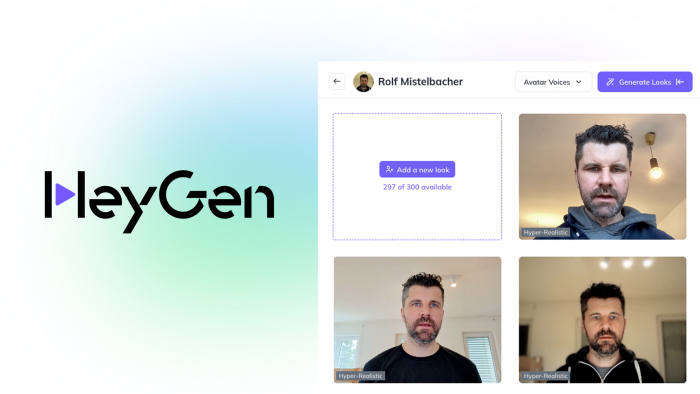
HeyGen focuses on turning scripts or recordings into avatar-based videos, similar to Synthesia, but with a slightly more casual feel and strong sales/marketing workflows. You can clone your own voice, create a personal avatar, and quickly generate account-based marketing videos, outreach messages, or personalized demos.
It also supports talking-photo and face-swap-style outputs, which makes it more playful and flexible for social content while still being effective for B2B and creator use cases.
Starting price: HeyGen typically has a starter plan in the lower subscription range per month with limited minutes and features, scaling up with more avatars, resolutions, and collaboration.

HeyGen: Pros and Cons Snapshot
| Aspect | Pros | Cons |
| Personalization | Strong tools for personalized outreach and cloned voices for sales videos. | Some outputs can look uncanny if overused or poorly scripted. |
| Ease of use | Simple interface for non‑technical teams and solo creators. | Less suited to complex narrative or multi-scene production. |
| Versatility | Good mix of serious business avatars and fun social options. | Generation caps on lower tiers can be restrictive for heavy users. |
Why HeyGen Can Beat Viggle AI for Some Workflows
Viggle AI shines in creative, prompt-based visuals, but HeyGen is better for repeatable, script-driven videos where you want your face or a brand avatar delivering a precise message. For outbound sales, personalized intros, and targeted marketing clips, HeyGen’s focus on controlled delivery wins over Viggle’s more open-ended creativity.
7. Descript – Text-Based Editing for Podcasters and Creators
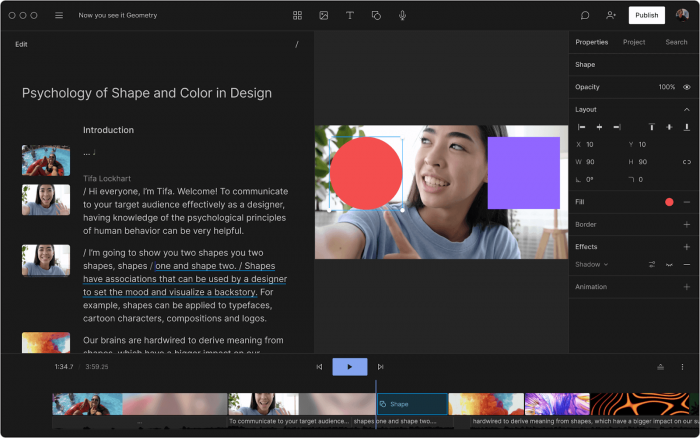
Descript is a unique editor that lets you edit audio and video as easily as a text document, by editing the transcript instead of scrubbing the timeline. It’s a fantastic alternative to InVideo if your workflow revolves around podcasts, talking-head YouTube videos, tutorials, and screen recordings.
Descript can automatically transcribe your recordings, remove filler words, clean up audio, and even use Overdub to generate synthetic voice for corrections. For creators who hate traditional NLE timelines, Descript makes editing far more approachable while still allowing export to more advanced tools if needed.
Starting price: Descript has a free tier with limited transcription and exports, with paid plans beginning in an affordable per-month range that unlock more hours, features, and team collaboration.

Descript: Key Pros vs Cons
| Aspect | Pros | Cons |
| Editing model | Text-based editing makes cutting and rearranging incredibly fast. | Less ideal for purely visual, B‑roll-heavy or highly cinematic projects. |
| Audio tools | Strong filler-word removal, audio clean‑up, and podcast features. | Advanced sound design still better handled in DAWs. |
| AI features | Overdub and AI enhancements streamline fix‑ups and small changes. | Requires good source recordings; not a “generate from nothing” tool. |
Descript’s Edge Over Viggle AI
While Viggle AI is powerful for generating visual sequences, Descript is unbeatable when you already have recordings and want to refine them quickly into tight, polished content. For podcasters, educators, and YouTubers, being able to edit via transcript and fix mistakes with synthetic voice gives Descript a practical advantage over Viggle’s generative focus.
Final Thoughts: Picking the Right InVideo Alternative
Each of these seven tools improves on InVideo in a slightly different way: Synthesia and HeyGen for avatar-driven communication, VEED and Descript for simplified editing, Pictory for repurposing, Canva for design-led branding, and Runway for high-end generative visuals. Compared with Viggle AI, they tend to offer stronger structure, collaboration, or brand control rather than pure generative flair.
The best choice comes down to your main use case: if you want branded business explainers, look at Synthesia or HeyGen; if you live on social and need fast editing, VEED, Canva, or Pictory will feel natural; if you’re pushing the frontier of AI visuals, Runway is hard to beat; and if you are a voice-first creator, Descript will likely replace both your editor and your audio clean‑up stack.
Post Comments
Be the first to post comment!
Related Articles




Grubby AI vs WriteHuman: Which One Should You Use?
Ridge Harper . Jun 30, 2026