Table of Content
- 1. Canva : Best Overall “Do‑Everything” Alternative
- 2. Simplified : Best All‑In‑One AI Marketing Suite
- 3. AKOOL : Best For Advanced Face Swap & Enterprise Video
- 4. Vidnoz AI : Best For Avatar‑Based Ads And Explainers
- 5. DeepSwap : Focused Face Swap Engine (With Caveats)
- 6. Vyond : Best For Explainer & Training Video Production
- 7. Synthesia : Studio‑Style Talking‑Head Avatars
- 8. 1min.AI : Rapid AI Video Creation For Short‑Form Content
- Which Remaker AI Alternative Should You Pick?
- One Sentence Verdict
Remaker AI grabbed attention as a quick face‑swap and AI media tool, but for many users the honeymoon is over: unreliable generations, frequent errors, and weak customer support show up repeatedly in recent user feedback. That’s fine if you are just experimenting for fun, but it’s a real liability when clients, campaigns, and deadlines depend on stable, repeatable output.
In this guide, we’ll explore the 8 best alternatives to Remaker AI that creators and marketers are actually using in 2026, with a clear feature breakdown, why each one is a better choice, and what real users are saying across major review platforms.
1. Canva : Best Overall “Do‑Everything” Alternative
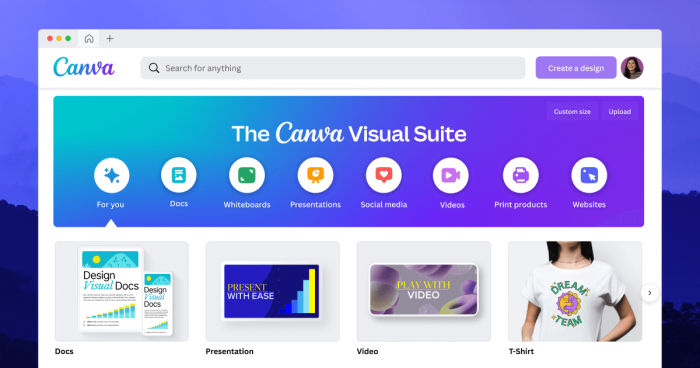
If you want a single platform that can handle thumbnails, social creatives, presentations, and short videos alongside AI features, Canva sits comfortably ahead of Remaker AI as a practical, everyday tool. It’s not strictly a face‑swap engine, but it replaces an entire stack of lightweight design and editing apps.
| Aspect | Details |
| Primary use | All‑in‑one visual design with AI image/video assist |
| Content types | Social posts, ads, presentations, simple videos, documents |
| Key AI features | Text‑to‑image, Magic Media, background removal, Magic Resize |
| Ease of use | Very beginner‑friendly drag‑and‑drop editor |
| Pricing | Free tier; Pro and Teams plans for advanced features |
| Rating source | G2 rating around 4.7/5 with thousands of reviews (check latest snapshot when publishing) |
What Canva Brings To The Table
Canva is a browser‑based visual design suite with a huge library of templates, drag‑and‑drop editing, and AI tools grouped under “Magic Studio”, including Magic Media for generating images and helping with video assets. It’s designed so non‑designers can ship polished content for every major platform in minutes instead of hours.
You also get AI‑assisted resizing, background removal, stock footage, and basic timeline‑style video editing, which collectively make it a full creative hub rather than a one‑off gimmick.
How Canva Outperforms Remaker AI
Where Remaker focuses narrowly on face swapping and a few generative tricks, Canva offers a stable, enterprise‑scale platform. It is used by millions of monthly users globally, including large organizations, which translates into better infrastructure, reliability, and continuous feature updates.
Instead of bouncing between a face‑swap app, a design tool, and a separate video editor, Canva consolidates everything into one environment that can handle end‑to‑end content production, from idea to export.
Rating & Real User Sentiment
Canva consistently maintains high scores (around the high‑4 range out of 5) on major software review platforms, with particularly strong marks for ease of use and value for non‑designers. A typical user summary goes along the lines of: “I’m not a designer, but Canva lets me create professional visuals in minutes without relying on anyone else.”
2. Simplified : Best All‑In‑One AI Marketing Suite
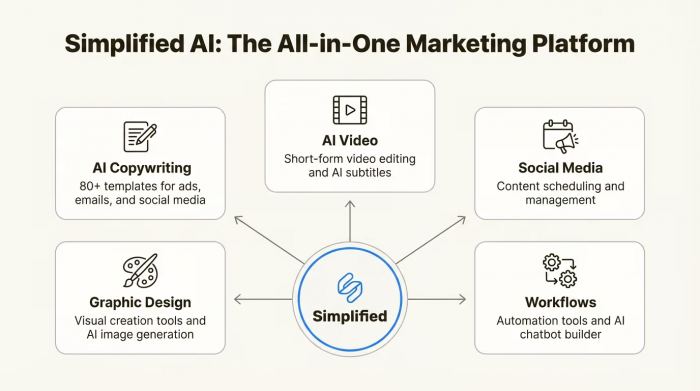
If you’re using Remaker as just one piece of your marketing stack, Simplified is a compelling upgrade because it bundles AI copywriting, design, video, and publishing into a single system. It’s designed more as a marketing workspace than a novelty tool.
| Aspect | Details |
| Primary use | Unified AI suite for copy, design, video, and social scheduling |
| Content types | Social posts, ads, blogs, short videos, carousels |
| Key AI features | AI writer, design templates, AI video creation, background removal |
| Ease of use | Built for small teams and agencies, intuitive UI |
| Pricing | Free plan plus multiple paid tiers for teams and higher limits |
| Rating source | Capterra rating around 4.7/5 with a few hundred reviews (re‑check before publishing) |
What Simplified Does Differently
Simplified pulls together multiple workflows: AI writing for captions and blogs, design templates for graphics, and video tools for quick edits and animated content. You also get a publishing layer that lets you plan and schedule social posts directly, something Remaker doesn’t even attempt.
From an operational point of view, it’s attractive for solo founders, small agencies, and content teams who want brainstorming, creation, and publishing to stay in one dashboard.
Why It’s A Better Choice Than Remaker AI
Remaker behaves like a single‑purpose island in your stack; Simplified behaves like a hub. You’re not just getting AI visuals, you’re getting copy, brand assets, and video pieces that fit together across a campaign. That matters when you’re juggling multiple clients or channels and need consistency.
On top of that, sentiment around Simplified tends to highlight time savings and affordability, with users calling out that it feels like several tools rolled into one, which directly reduces subscription sprawl.
Rating & Real User Sentiment
On software marketplaces, Simplified typically scores in the high‑4 range out of 5, with users praising the breadth of features relative to price.
One Trustpilot review captures the mood: the reviewer calls it “an indispensable assistant” that saves both time and resources while still offering “quality services at an affordable price.”
3. AKOOL : Best For Advanced Face Swap & Enterprise Video
If you originally adopted Remaker for face swapping but now need higher quality, more control, and professional workflows, AKOOL is a direct upgrade. It leans into advanced AI video features designed for marketing, not just playful experimentation.
| Aspect | Details |
| Primary use | AI face swap, AI avatars, and marketing‑grade video generation |
| Content types | Ads, product videos, UGC‑style content, personalized clips |
| Key AI features | High‑quality face swap, live face swap, talking/singing avatars, background removal |
| Ease of use | More advanced than casual apps but still web‑based and approachable |
| Pricing | Free trials or limited free use; paid plans for serious volumes and features |
| Rating source | Trustpilot: mixed overall, with praise for capabilities and complaints around billing/support; check latest score before publishing |
What AKOOL Brings To The Table
AKOOL focuses on realistic face swaps, live face swaps, and AI‑driven avatar videos. It also includes powerful background replacement so you can drop a subject into branded environments without a physical studio. From a marketing standpoint, this translates into quicker testing of concepts and creative variations without new shoots every time.
The platform is clearly aimed at teams who care about creative control and output quality: agencies, brands, and creators running campaigns that must look polished and consistent.
Why AKOOL Edges Out Remaker AI
Several detailed comparisons note that while both AKOOL and Remaker can remove video backgrounds and perform basic swaps, AKOOL offers a broader and more professional feature set. It’s described as more appropriate for marketers and businesses, whereas Remaker is portrayed as better suited to casual social users.
If you’re producing ad creatives or client deliverables, the difference between “fun gimmick” and “production tool” matters. AKOOL slots into the latter category, especially once you start using features like AI avatars and live face swaps.
Rating & Real User Sentiment
Trustpilot feedback for AKOOL tends to be mixed: many reviewers highlight the power of the technology and its impact on reducing production time, while others mention friction around payments or customer support.
A representative comment comes from a user who notes that using AKOOL helped them cut down production time by letting them create marketing videos without organizing full shoots.
4. Vidnoz AI : Best For Avatar‑Based Ads And Explainers
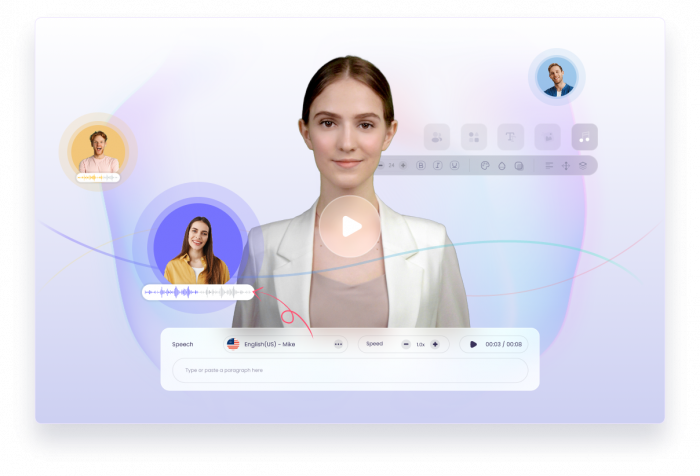
Vidnoz positions itself as an AI avatar video factory: you bring a script, and it gives you a complete video with a talking avatar, scenes, and voiceover. For marketers who are currently trying to hack Remaker into ad production workflows, Vidnoz is a much more natural fit.
| Aspect | Details |
| Primary use | Script‑to‑video with AI avatars and templates |
| Content types | Explainer videos, ads, social clips, training snippets |
| Key AI features | Large avatar library, template‑driven layouts, multilingual voices |
| Ease of use | Very friendly for non‑video‑editors; template‑driven interface |
| Pricing | Free or trial tier, then subscription plans by feature limits and exports |
| Rating source | G2 rating around 4.9/5 from a modest but growing review base |
What Vidnoz AI Offers
Vidnoz AI gives you a large catalog of avatars, templates, and AI voices so you can quickly assemble short videos from text. The platform is oriented toward marketing use cases and short attention spans: social ads, TikTok‑style clips, product explainers, and quick promotional videos.
You can treat it like a “video spokesperson as a service”: paste the script, pick an avatar and style, and let the system handle the performance.
Why It Beats Remaker AI For Many Creators
Remaker’s strength is transforming existing visuals; Vidnoz’s strength is generating full videos from scratch. If your workflow requires video content on a weekly or daily basis, Vidnoz is far closer to a real production tool. It has clear support for use cases like TikTok ads and educational snippets, and many users report that it slots easily into their marketing pipeline.
This makes it a better fit for anyone who cares more about consistent outputs (ads, explainers, demos) than about one‑off face‑swap novelty.
Rating & Real User Sentiment
Vidnoz enjoys a high average rating on G2, generally close to 4.9/5, with reviewers calling out its usefulness in ad creation and time savings for non‑technical creators. One user notes that it has been “a valuable asset for creating advertisements for my TikTok videos, yielding positive results”, and recommends others to give it a try.
5. DeepSwap : Focused Face Swap Engine (With Caveats)
DeepSwap is one of the older names in AI face swapping and sits in the same general category as Remaker. However, it has matured into a focused, streamlined tool that many users still rely on for quick swaps, even if its ratings reflect a mix of praise and criticism.
| Aspect | Details |
| Primary use | AI face swap for images and short videos |
| Content types | Memes, short clips, casual content, some creative workflows |
| Key AI features | One‑click face swap, multiple face support in some cases |
| Ease of use | Extremely simple interface; low learning curve |
| Pricing | Subscription‑based with different tiers; often marketed as good value for heavy users |
| Rating source | Trustpilot rating in the low‑to‑mid 2s out of 5, reflecting mixed sentiment |
What DeepSwap Offers
DeepSwap focuses precisely on one job: swapping faces in images and video clips as quickly and simply as possible. Users who like it often highlight the straightforward interface and decent visual quality relative to other consumer‑oriented tools.
Because of this laser focus, it can be efficient for creators who just need frequent, fast face swaps and don’t mind using separate tools for editing, design, or adding overlays.
Why Some Users Prefer It Over Remaker AI
Despite its mixed reviews, DeepSwap still has advocates who consider it more reliable than many smaller or newer alternatives. Some reviewers mention that after trying a wide range of AI tools, they keep “defaulting back” to DeepSwap because of its simplicity, speed, and the quality of the final swap.
Compared to Remaker, it can feel more like a dedicated engine than a general sandbox, which is appealing if your workflow involves repeated, focused swap jobs.
Rating & Real User Sentiment
Trustpilot commentary on DeepSwap ranges from enthusiasm about its ease and results to frustration with billing or support.
One positive review sums it up this way: even non‑technical users find it “simple to navigate” and appreciate that “the results speak for themselves” after trying multiple competing tools.
6. Vyond : Best For Explainer & Training Video Production
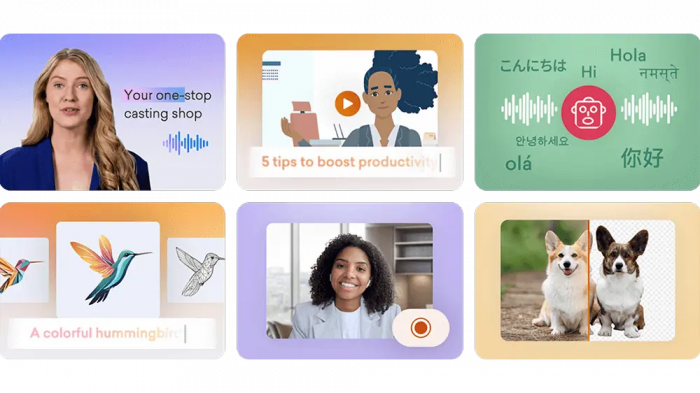
If your interest in Remaker comes from wanting “videos that explain things” rather than face swaps per se, Vyond is a more appropriate alternative. It focuses on animated explainer videos, particularly for corporate training, HR, and internal communications.
| Aspect | Details |
| Primary use | Animated explainer and training video creation |
| Content types | Onboarding modules, policy explainers, product walk‑throughs |
| Key AI features | Character customization, scene suggestions, timeline assistance |
| Ease of use | Designed for business users, not professional animators |
| Pricing | Business‑oriented plans; higher than hobbyist tools but aligned with corporate budgets |
| Rating source | G2: consistently high ratings within its explainer/animation category |
What Makes Vyond Stand Out
Vyond lets you script videos using cartoon‑style characters, props, and scenes, assembling them on a familiar timeline. You can design characters that resemble your team, add voiceover, and sync everything into a polished training or marketing asset.
Recent versions incorporate AI to streamline tasks like scene setup and timing, which helps non‑technical users produce professional‑looking animations without learning traditional animation tools.
Why It’s Smarter Than Remaker AI For Training
Remaker is not structured for narrative or educational content: it’s built for one‑off transformations instead of coherent stories. Vyond is the opposite: everything is geared toward delivering clear, structured messages that are easy to follow.
If your priority is employee training, compliance, onboarding, or client education, Vyond is much closer to what you need. It provides predictable, brand‑safe, repeatable visuals in a way that generic face‑swap tools simply can’t match.
Rating & Real User Sentiment
Across G2 and similar sites, Vyond is consistently rated highly, with reviewers praising its balance between power and accessibility. Many users report that they can “create animated videos that look like they were made by a professional studio” without needing to hire animators or videographers.
7. Synthesia : Studio‑Style Talking‑Head Avatars
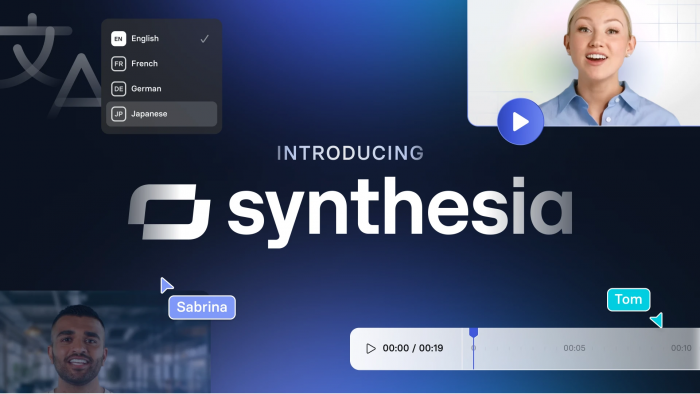
Synthesia is arguably the most famous name in AI avatar video creation. If you were using Remaker to manually hack together pseudo‑presenter videos, Synthesia lets you do that properly: realistic on‑screen presenters reading your script in multiple languages.
| Aspect | Details |
| Primary use | Script‑to‑video with realistic AI presenters |
| Content types | Product demos, onboarding, help‑center videos, sales pitches |
| Key AI features | Library of human‑like avatars, custom avatar creation, multilingual voiceover |
| Ease of use | Highly streamlined: paste script, choose avatar, generate |
| Pricing | Business‑oriented subscriptions; more premium than hobby tools |
| Rating source | G2: strong rating in AI video generation categories |
What Synthesia Specializes In
Synthesia lets you select a presenter, paste your script, and generate a video where the avatar delivers your content. It supports dozens of languages and accents, making it ideal for global teams who want localized video without re‑shooting every time.
The platform is widely used by SaaS companies, course creators, and enterprises to build product tours, onboarding flows, and training sequences that look professionally produced.
Why It’s A Strong Business Alternative To Remaker
Remaker can’t match Synthesia’s polish for presenter‑style content. While you might cobble together something with face swaps and manual edits, the result rarely matches the smoothness and consistency of a dedicated avatar system.
With Synthesia, you can standardize your training or marketing videos around a set of avatars and templates, making updates and translations far easier over time. That’s a huge win for any organization producing recurring educational content.
Rating & Real User Sentiment
Synthesia earns solid ratings on G2 and other software directories, with many reviews highlighting how quickly teams can spin up professional videos without hiring actors or renting studio time. A common theme in feedback is that it “saves weeks of production” for every batch of training content.
8. 1min.AI : Rapid AI Video Creation For Short‑Form Content
1min.AI appears frequently in “Remaker alternatives” lists as a go‑to for ultra‑fast short‑form video creation. Rather than obsessing over every edit, it uses AI to get you from idea to usable video in roughly the time it takes to write a paragraph.
| Aspect | Details |
| Primary use | Quick generation of short AI‑crafted videos |
| Content types | Short explainers, startup pitches, simple product teasers |
| Key AI features | Template‑driven auto‑editing, AI‑assembled scenes and transitions |
| Ease of use | Very simple: enter idea or script, choose style, generate |
| Pricing | Typical SaaS subscriptions with different video limits |
| Rating source | Listed on G2 as a leading alternative to Remaker AI, with positive sentiment around speed and simplicity |
What 1min.AI Brings
The core promise of 1min.AI is speed: you feed it a script or a topic, pick a style, and the tool assembles a complete short video using AI. That includes choosing visuals, transitions, and pacing, so you don’t spend ages fiddling with a timeline.
This is especially appealing for founders, marketers, and creators who need to test ideas quickly, record simple pitches, or produce lightweight explainer content without a deep editing learning curve.
Why It Can Be Better Than Remaker AI
Remaker excels at visual tricks; 1min.AI excels at shipping short, coherent videos fast. If your primary bottleneck is time, not visual novelty, the latter is far more valuable. You can get from script to shareable clip with a fraction of the friction, which is perfect for lean teams and solo creators.
It also tends to produce videos that are easier to understand than random face‑swap experiments, which makes it more aligned with marketing, pitching, and education.
Rating & Real User Sentiment
According to its positioning on software comparison platforms, 1min.AI is regarded as one of the top Remaker alternatives, with reviewers praising how easy it is to generate short videos quickly. Typical feedback says it is “ideal for quickly generating short explainer videos without needing to learn complex editing tools.
Which Remaker AI Alternative Should You Pick?
● If they want a universal upgrade for design and basic video: point them toward Canva or Simplified for the most versatile, day‑to‑day value.
● If they care about face swaps and advanced generative video: highlight AKOOL as the professional step‑up and DeepSwap as a focused, lightweight engine (while noting the caveats).
● If they’re video‑first (ads, training, explainers): recommend Vidnoz, Vyond, Synthesia, and 1min.AI based on whether they need avatar presenters, animated explainers, or ultra‑fast short‑form content.
One Sentence Verdict
Canva and Simplified emerge as the most practical all‑round upgrades to Remaker AI, while AKOOL, Vidnoz, DeepSwap, Vyond, Synthesia, and 1min.AI each shine as specialized, higher‑reliability options for serious creators, marketers, and businesses.
Post Comments
Be the first to post comment!