The Quick Verdict
Short on time? Gamma builds the strongest deck from a single prompt and stays free to start, which makes it the right first stop for most people. The recommendation only changes when the final file must be an editable PowerPoint or when a workflow already lives inside a specific ecosystem. The table that follows names the winner for each common scenario.
Fastest path to a good deck: Gamma, on its free tier. Most versatile single subscription: Canva Magic Design. Best for editable PowerPoint: Plus AI or Microsoft 365 Copilot. |
Winners by category
| If the priority is | Pick | Score |
|---|---|---|
| Speed and a free starting point | Gamma | 45/60 |
| One tool for every visual format | Canva Magic Design | 49/60 |
| Brand control across many presenters | Beautiful.ai | 43/60 |
| Staying inside Google Slides or PowerPoint | Plus AI | 46/60 |
| A Microsoft 365 organization | Microsoft 365 Copilot | 44/60 |
| Tracked, collaborative sales decks | Pitch | 46/60 |
What Changed in Slide Design
Formatting, not ideas, is what drains a presenter's hours. AI tools attack that specific waste, compressing a task that once filled an afternoon into a few minutes. The numbers below explain why adoption moved so fast.
40%+ of presentation time goes to formatting alone | 3 to 6 min to a first draft, versus two to four hours by hand | $4.79B projected market size by 2029, up from 1.94 billion |
One caution outlasts the hype. A presentation has three layers: the design that turns text into slides, the narrative that decides what the talk argues, and the delivery that makes it land. AI has nearly solved the design layer and barely touched the other two. Every tool below should be read as a fast route to a strong first draft, not a replacement for the thinking behind it. The field has also thinned, since Tome, an early favorite, sunset its presentation product in 2025 and pivoted to sales automation.
How the Tools Were Scored
Each platform ran through the Prompt-to-Podium Test, a six-factor rubric measuring how far a tool carries a deck from a blank prompt to something worth presenting. Identical sample decks were generated across several formats and scored from zero to ten on each factor: first-draft quality, design polish, editing control, export and ecosystem fit, collaboration and brand governance, and value for price. Scores combine hands-on testing, vendor documentation, and verified user reviews. Pricing reflects published rates as of May 2026 and shifts often, so verification on each official site before purchase remains essential. No affiliate relationship influenced the results.
The Shortlist, Grouped by Fit
Ranking these tools in a single line hides what matters, because the right choice depends on the job. The four tiers below group them by the situation each one serves best.
| START HERE The default picks for most users |
Gamma
| Score 45/60 Best for: AI-native web decks and fast storytelling |
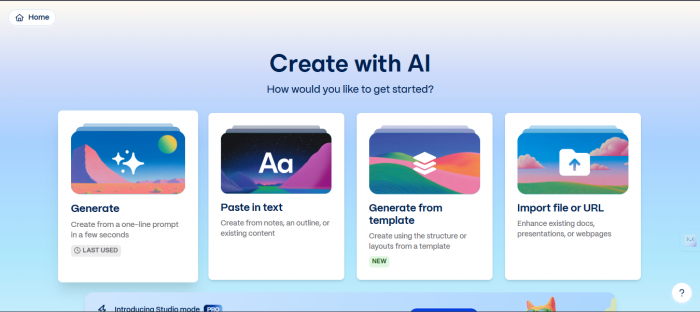
Gamma was designed around AI from the start rather than retrofitted, and it produces the strongest first draft of any tool tested. In many reviews of gamma ai , a single prompt returns a complete deck with structured content, smart layouts, images, and data charts in under a minute, and the card-based format extends into documents, websites, and social posts. The flaw appears at handoff: PowerPoint export flattens dynamic layouts into static images, which destroys editability for anyone who must deliver a .pptx file. Lower tiers also leave brand control to each user rather than enforcing it.
Wins Fastest, most polished first draft with a genuinely useful free tier and versatile output.
Watch-outs PowerPoint export degrades to static images, and brand governance is absent on individual plans.
| Editor's Take. The default starting point for shareable web decks, and the wrong choice when the deliverable must be editable PowerPoint. |
Canva Magic Design
| Score 49/60 Best for: Design versatility and non-designers |
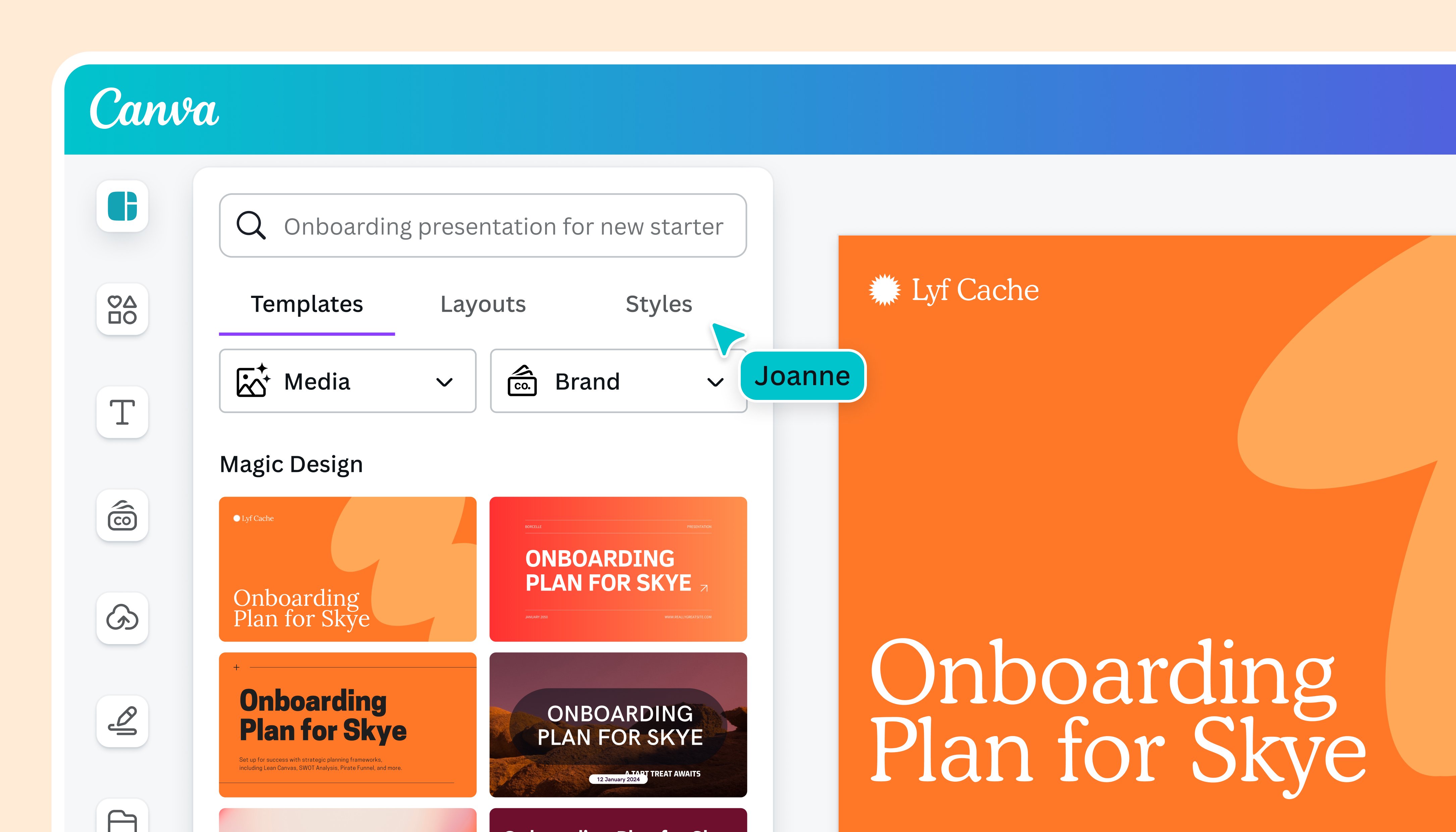
Canva treats presentations as one feature inside a sprawling design platform. Magic Design generates a full deck from a topic prompt, applies a chosen style, and pulls from a library of millions of assets, producing slides that look polished and share instantly. The breadth is the draw, since the same subscription covers social graphics, documents, and video, with a brand kit that keeps everything consistent. Because Canva is not AI-first, raw prompt-to-deck quality trails purpose-built generators even as overall versatility leads the field and earns the top score on the balanced rubric.
Wins Enormous asset library, reliable export, and a full design suite far beyond slides.
Watch-outs AI generation feels added to a design tool rather than native, and the feature depth can overwhelm.
| Editor's Take. The best pick for anyone who wants a single tool for every visual format, trading a little raw generation power for unmatched range. |
| STRONG ALL-ROUNDERS Capable across most everyday decks |
Plus AI
| Score 46/60 Best for: Working inside Google Slides or PowerPoint |
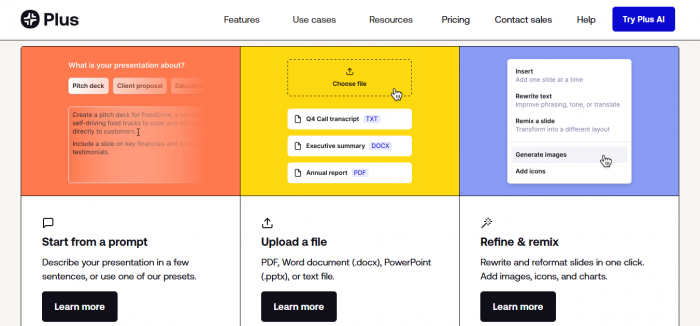
Plus AI operates as a native add-on rather than a separate platform, generating complete decks from prompts, documents, or PDFs directly inside Google Slides and PowerPoint. That removes the export step that trips up standalone tools, and editing features such as Remix and Rewrite refine slides without leaving the host application. More than a million installs reflect how cleanly it slots into existing habits. The rough edges are real, since PowerPoint support trails the smoother Google Slides experience, the template library reads as dated, and specialized financial charts are out of reach.
Wins Native Slides and PowerPoint output with no export friction, plus document-to-deck conversion.
Watch-outs The PowerPoint side lags Google Slides, the templates feel aging, and there is no permanent free plan.
| Editor's Take. The right fit for anyone whose organization already lives in Slides or PowerPoint and wants speed without switching editors. |
Pitch
| Score 46/60 Best for: Collaborative and sales-oriented decks |
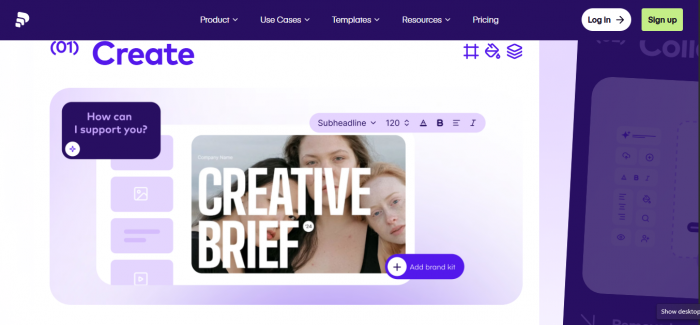
Pitch pairs AI generation with a collaboration model built for teams that send decks rather than only present them. Modern templates and a clean editor produce contemporary slides, while shared workspaces, version control, and analytics on viewed decks reveal what happens after a deck leaves the building. A free tier lowers the barrier to entry. Raw prompt-to-deck quality trails the category leaders, so the value concentrates in the full lifecycle of a deck rather than the moment of creation.
Wins Strong collaboration, version control, post-send analytics, and an accessible free tier.
Watch-outs Raw AI generation trails the leaders, and the value depends on actually using the collaboration features.
| Editor's Take. Earns its place for revenue teams that treat a deck as a living, tracked asset rather than a one-time file. |
| BEST INSIDE ONE ECOSYSTEM Frictionless if a workflow already lives there |
Microsoft 365 Copilot
| Score 44/60 Best for: Organizations standardized on Microsoft 365 |
Copilot embeds AI directly inside PowerPoint, generating decks from prompts, building slides from Word documents, summarizing long presentations, and redesigning existing slides without leaving the familiar interface. Its real strength is context, since Copilot reads the relationships between an organization's files and grounds a deck in SharePoint reports and Teams meetings. The drawbacks are cost and polish, because the add-on sits on top of a paid Microsoft 365 subscription at roughly 21 dollars per user monthly, and the presentation generation is the least sophisticated of the dedicated tools.

Wins Deep access to organizational data and output that lands in fully editable native PowerPoint.
Watch-outs Requires a base subscription plus a per-user add-on, and generation feels generic next to specialists.
| Editor's Take. The frictionless upgrade for Microsoft-centric teams and an expensive overreach for anyone outside that ecosystem. |
Google Gemini in Slides
| Score 44/60 Best for: Google Workspace teams that collaborate live |
Gemini brings generation into Google Slides through a sidebar that drafts content, creates images, rewrites text, and suggests improvements without leaving the editor. For teams already on Workspace, it removes any need for an extra tool and inherits the best real-time collaboration in the category. The limit is design ambition, since output often leans on standard Slides themes that lack the polish of a purpose-built deck, which weakens it for external pitches. Access also requires a paid Workspace tier rather than a standalone purchase.
Wins Native to Google Slides, excellent live collaboration, and strong for fast internal drafts.
Watch-outs Generic output that struggles with external polish, locked behind a paid Workspace plan.
| Editor's Take. A sensible default for Workspace teams producing internal material and a weak fit for high-stakes external decks. |
| THE SPECIALIST Narrow focus, executed completely |
Beautiful.ai
| Score 43/60 Best for: Brand consistency above creative flexibility |
Beautiful.ai solves one problem completely: every slide looks professionally designed regardless of who built it. The patented Smart Slides engine handles layout, spacing, and typography automatically, while the brand kit enforces approved colors and fonts across an entire organization. A Salesforce integration and a context-aware workflow added in 2026 make it a genuine fit for revenue teams. The cost is rigidity, since templates resist pixel-level customization, editing works only in the browser, the engine cannot auto-generate diagrams such as flowcharts, and there is no free plan.
Wins Automatic design discipline that keeps every deck on brand, with strong export and a rare Salesforce link.
Watch-outs No free tier, a steep jump to team pricing, rigid templates, and no auto-generated diagrams.
| Editor's Take. The right answer when consistency across many presenters matters more than letting any single deck break the mold. |
The Scorecard, Color-Coded
The heatmap below shades every score by strength, so the shape of each tool's profile is visible at a glance. Greener cells mark a clear strength and warmer cells a relative weakness. The pattern confirms the central point: Gamma blazes on generation yet cools on export, while Canva stays green almost everywhere.
| Tool | Draft | Design | Edit | Export | Collab | Value | Total |
|---|---|---|---|---|---|---|---|
| Canva Magic Design | 8 | 8 | 9 | 8 | 8 | 8 | 49 |
| Plus AI | 8 | 7 | 8 | 9 | 7 | 7 | 46 |
| Pitch | 7 | 8 | 8 | 7 | 8 | 8 | 46 |
| Gamma | 9 | 9 | 7 | 5 | 6 | 9 | 45 |
| Microsoft 365 Copilot | 6 | 6 | 9 | 10 | 8 | 5 | 44 |
| Gemini in Slides | 6 | 6 | 9 | 9 | 8 | 6 | 44 |
| Beautiful.ai | 7 | 9 | 6 | 7 | 9 | 5 | 43 |
Total out of 60. Cell shading runs from green for high scores to warm tones for lower ones.
Plotting the same tools on two axes makes the tradeoff spatial. The map sets AI generation strength against export and ecosystem fit, and the clusters tell the story faster than any list.
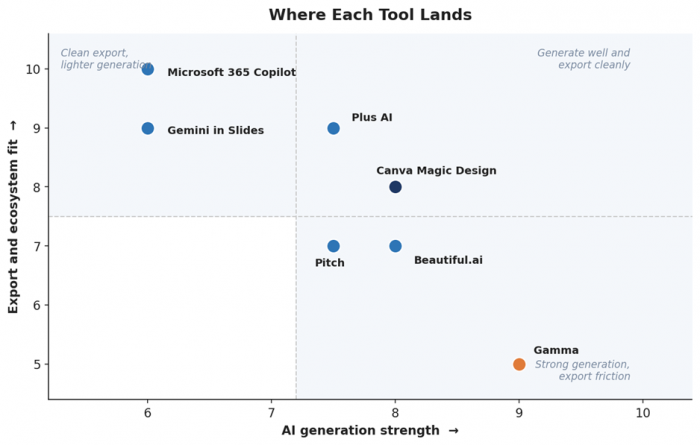
Figure 1. Gamma sits alone in strong generation with export friction, the ecosystem tools cluster in clean export with lighter generation, and Canva and Plus AI hold the balanced corner.
Pricing at the Tier Most Buyers Reach
Entry costs cluster tightly, then diverge at the tier teams actually need. Figures below are approximate monthly rates published in May 2026. Pricing in this category changes often, varies between monthly and annual billing, and sometimes hides behind seat minimums, so verification on each official site comes first.
| Tool | Free option | Entry paid | Higher tier |
|---|---|---|---|
| Gamma | Yes, limited | Plus, about 10 dollars | Pro, about 20 dollars |
| Canva Magic Design | Yes, generous | Pro, about 15 dollars | Teams, per seat |
| Beautiful.ai | Trial only | Pro, about 12 dollars | Team, about 40 per seat |
| Plus AI | Trial only | Basic, about 10 dollars | Pro, about 20 dollars |
| Microsoft 365 Copilot | No | Add-on, about 21 per user | Needs Microsoft 365 |
| Gemini in Slides | No | Included with Workspace | Higher Workspace tiers |
| Pitch | Yes | Pro, per seat | Business, per seat |
The honest read on cost: the AI-native tools with free tiers, Gamma and Canva first among them, let a buyer reach a real deck without spending anything, while the ecosystem options bury their AI inside subscriptions priced for organizations. Starting free and upgrading only at a genuine limitation beats committing to a seat-based plan before the workflow is proven.
Choosing a Tool in Under a Minute
The flow below converts the scorecard into a single decision. Read down until a line matches the situation, then stop.
| The deck ships as a web link and speed matters most → Gamma |
| One subscription needs to cover slides, social, and video → Canva Magic Design |
| Work happens inside Google Slides every day → Plus AI or Gemini |
| The whole organization runs on Microsoft 365 → Microsoft 365 Copilot |
| Dozens of presenters must stay on one brand → Beautiful.ai |
| Sales decks need tracking after they are sent → Pitch |
The Bottom Line
No tool wins for everyone, because the right answer turns on the final deliverable and the surrounding workflow. Gamma remains where most people should begin, since its free tier yields the strongest draft in the least time, and for web-shared decks the search often ends there too. The recommendation flips toward Canva, Plus AI, or Copilot the moment a polished, editable PowerPoint file becomes the requirement.
Teams weigh different factors than individuals. An organization managing a brand across many presenters gains more from Beautiful.ai's automatic governance than from any raw generation score, a Microsoft or Google shop usually finds the built-in option removes enough friction to outweigh weaker polish, and a revenue team that tracks decks after they ship leans toward Pitch. The deeper lesson outlasts the ranking: these tools made the design layer nearly free, which raises the value of the narrative work no tool can do.
Post Comments
Be the first to post comment!
Related Articles