A caption now carries more weight than the photo sitting above it. Reach, saves, and replies all hinge on the first two lines, and writing twenty fresh hooks a week wears down even seasoned marketers. AI caption tools promise to absorb that grind. The catch is that the seven leading options price, perform, and fit into a workflow in completely different ways.
This comparison cuts through marketing copy with verified pricing, feature depth, and an honest read on where each tool stalls. The lineup spans dedicated writers, scheduler-native assistants, and design-suite generators, because “best” depends entirely on whether captions are a side task or the whole job.
Why caption quality moved to the front of the feed
Platform algorithms reward dwell time, and dwell time starts with a hook that survives the half-second scroll. HubSpot research cited across the marketing industry points to roughly double the engagement on posts with optimized captions versus posts without them. That gap explains the rush of AI writing features onto every social tool in 2026.
Depth varies sharply, though. Some assistants generate a usable first draft and stop there. Others learn a brand voice over weeks, adapt tone per platform, and produce a dozen variations for split testing. The table below sorts the field before the detailed reviews begin.
Quick comparison: seven tools at a glance
| Tool | Core strength | Free tier | Entry paid price | Best suited to |
|---|---|---|---|---|
| Jasper | Brand voice and campaign consistency | No (7-day trial) | $39/mo Creator (annual) | Marketing teams managing brands |
| Copy.ai | Template library and workflow automation | Yes (2,000 words) | $36/mo Pro (annual) | Small teams scaling output |
| Rytr | Low-cost short-form volume | Yes (10,000 chars) | $9/mo Unlimited | Budget solo creators |
| Hootsuite OwlyWriter | Captions inside a scheduler | No (30-day trial) | $99/mo Professional | Managers already on Hootsuite |
| Canva Magic Write | Captions paired with visuals | Yes (limited) | $12.99/mo Pro | Visual-first creators |
| ChatGPT | Flexible general-purpose drafting | Yes | $20/mo Plus | Occasional, varied needs |
| Claude | Natural tone and longer context | Yes | $20/mo Pro | Tone-sensitive writing |
Tool reviews and where each one falls short
Each review below follows the same rhythm: what the tool does well, the verdict in one line, and the honest limitation that the pricing page tends to bury. The order runs from dedicated writers to general assistants.
Jasper
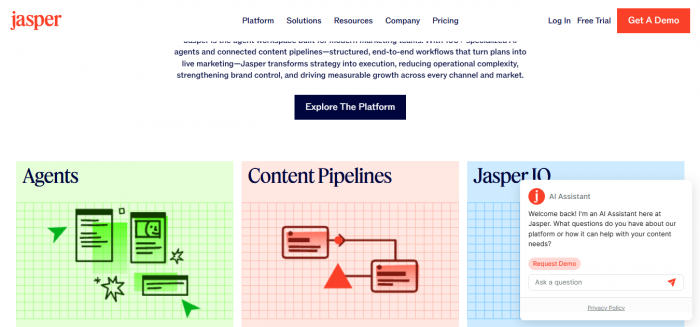
Jasper sits at the heavier end of the market, built less as a caption box and more as a content production platform for marketing departments. Its standout asset is brand voice training: feed it existing posts, and output starts matching tone across Instagram, LinkedIn, and X without manual correction on every line. Campaign features, a Chrome extension, and integrations with tools such as Surfer SEO push it toward team workflows rather than one-off captions.
| Verdict: The strongest pick when on-brand consistency across multiple channels matters more than raw price. |
| Where it falls short: No permanent free plan exists, only a 7-day trial, and the jump from a solo seat to any team functionality lands users in custom-contract territory. User threads carry a steady undercurrent of complaints that output feels generic relative to the cost. |
Copy.ai
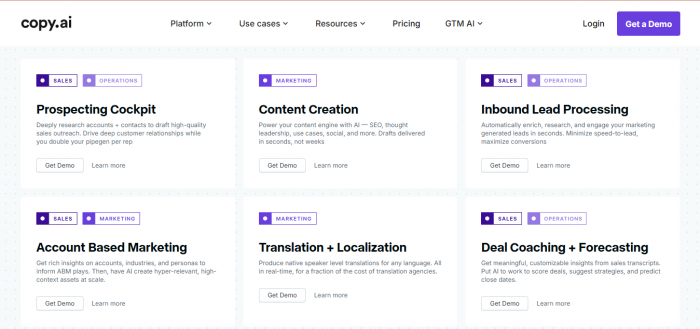
Copy.ai trades on breadth. A large template library covers captions, ad copy, and product descriptions, and the workflow builder chains steps together for repeatable content runs. Integrations with HubSpot, Zapier, and Salesforce have grown more reliable, and the multi-step sequence builder feels less brittle than earlier versions. A genuinely useful free tier handles light use before the word cap bites.
| Verdict: A solid middle-ground platform for small teams that want automation alongside caption writing. |
| Where it falls short: Pricing skews high for a single user, since the Pro plan bundles up to five seats whether or not they get used. Solo creators effectively subsidize a team feature set they may never touch. |
Rytr
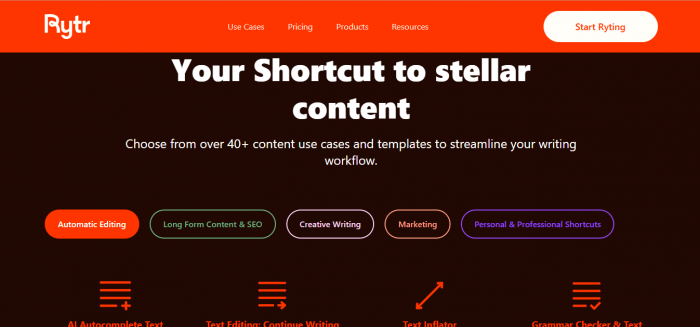
Rytr earns its reputation on one job done cheaply: short-form content at volume. Social captions, subject lines, and product blurbs generate fast, and the free tier of 10,000 characters allows a real evaluation before any payment. The MyVoice feature attempts custom tone matching, and a built-in plagiarism checker rounds out the value.
| Verdict: Unbeatable value for a budget-conscious creator who lives in short-form copy. |
| Where it falls short: Long-form quality hits a ceiling quickly, factual accuracy needs heavy human editing, and output frequently trips AI-detection tools. The savings evaporate when editing time is counted honestly. |
Hootsuite OwlyWriter
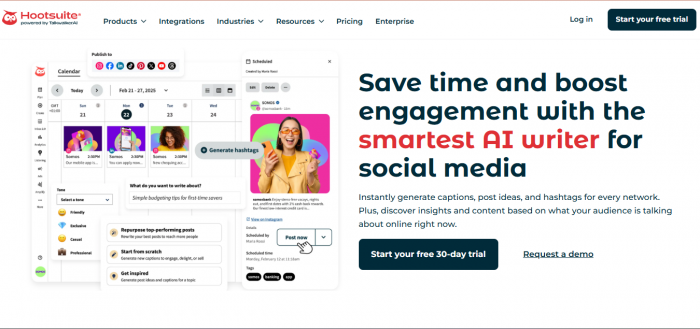
OwlyWriter lives inside Hootsuite rather than as a standalone product, which is the entire point. Drop in a link or a rough idea, and it returns platform-specific captions ready to schedule in the same dashboard. Generating a formal LinkedIn announcement and a casual Instagram version from one source takes seconds, and trend monitoring surfaces viral moments early.
| Verdict: The natural choice for social media managers already paying for Hootsuite. |
| Where it falls short: The entry price of $99 per month buys an entire scheduling suite, so the caption feature alone never justifies the spend. Reviewers also note that LinkedIn output often reads like an Instagram caption, crammed with hashtags and mismatched length. |
Canva Magic Write
Canva folds caption generation into Magic Studio, where the real draw is proximity to design. Generating a caption next to the visual it accompanies removes the copy-paste shuffle between apps, and the familiar editor keeps the learning curve near zero for anyone already designing in Canva.
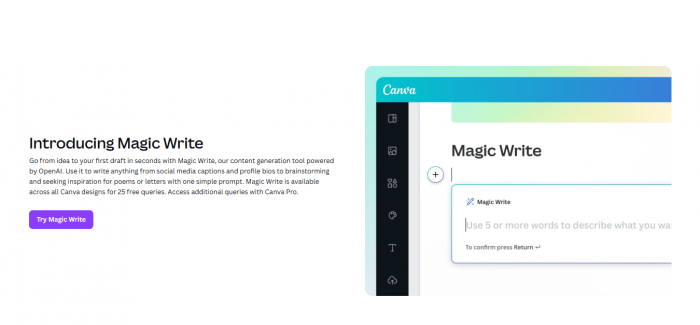
| Verdict: Ideal for visual-first creators who want copy and design in one window. |
| Where it falls short: Text generation lacks the granular control and brand-voice depth of dedicated writers. The captions serve the design, not the other way around, which shows on text-heavy or nuanced posts. |
ChatGPT and Claude
General-purpose assistants belong in this comparison because their free tiers cover occasional caption needs without a dedicated subscription. ChatGPT handles varied requests with flexibility, while Claude tends to produce a more natural, less templated tone that suits voice-sensitive brands. Both adapt to detailed prompting far beyond what a fixed-template tool allows.
| Verdict: The most cost-effective route for anyone writing captions only now and then. |
| Where it falls short: Neither offers native scheduling, platform character-limit enforcement, or a saved brand voice that persists across sessions without manual setup. The convenience features of purpose-built social tools are absent. |
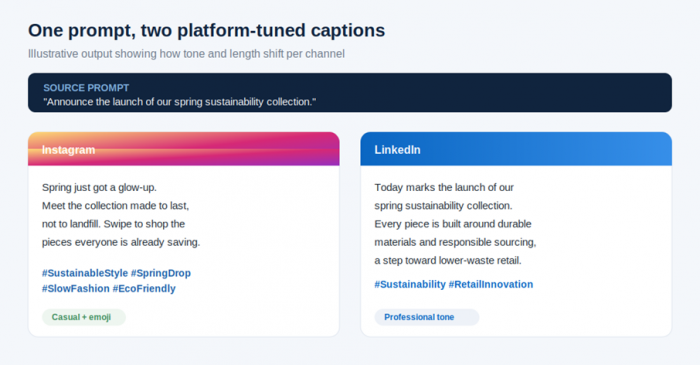
Illustrative output showing how a single prompt adapts in tone and length per platform.
Pricing breakdown across plans
Headline prices hide the real comparison, since seat counts, billing cycles, and word caps move the true cost in different directions. The table below lists verified entry and step-up pricing as published in May 2026.
| Tool | Free plan | Entry paid | Step-up plan | Notable cost note |
|---|---|---|---|---|
| Jasper | None | $39/mo Creator | $59/mo Pro | Team use requires custom Business pricing |
| Copy.ai | 2,000 words | $36/mo Pro | $186/mo Team | Pro bundles 5 seats by default |
| Rytr | 10,000 chars/mo | $9/mo Unlimited | $29/mo Premium | Premium adds 35+ languages |
| Hootsuite | None | $99/mo Pro | $149/mo Advanced | Caption tool bundled in full suite |
| Canva | Limited free | $12.99/mo Pro | Teams custom | Caption is one feature of a design suite |
| ChatGPT | Yes | $20/mo Plus | Team custom | No native social features |
| Claude | Yes | $20/mo Pro | Team custom | No native social features |
Entry price compared visually
Lowest published monthly entry price per tool, in USD, with annual billing applied where it lowers the rate.
| Rytr | $9 |
| Canva Pro | $13 |
| ChatGPT Plus | $20 |
| Claude Pro | $20 |
| Copy.ai Pro | $36 |
| Jasper Creator | $39 |
| Hootsuite Pro | $99 |
Which tool fits which creator
Price alone misleads, because a $9 tool that demands an hour of editing costs more in practice than a $39 tool that ships clean copy. Mapping tools to roles clears up the trade-off faster than a feature checklist.
| Profile | Primary need | Recommended tool | Reasoning |
|---|---|---|---|
| Solo creator, tight budget | High volume, low cost | Rytr | Cheapest path to fast short-form copy |
| Freelancer, multiple clients | Brand voice per client | Jasper | Voice training keeps each brand distinct |
| Small in-house team | Automation and seats | Copy.ai | Bundled seats and workflow chaining |
| Social media manager | Caption plus scheduling | Hootsuite OwlyWriter | Write and publish in one dashboard |
| Designer or visual brand | Copy beside the image | Canva Magic Write | No app switching between design and text |
| Occasional poster | Flexibility, no bloat | ChatGPT or Claude | Free tiers cover sporadic needs |
How to choose without overpaying
A short sequence of questions narrows the field faster than any review can. Run through them in order and the right tier usually announces itself.
1. Count the posts. Fewer than a handful a week rarely justifies a paid subscription. A free assistant covers light needs.
2. Check the workflow. A tool that writes inside the place where posts get scheduled saves more time than a marginally better writer that forces copy-paste.
3. Weigh editing time, not just price. Cheap output that fails AI detection or needs heavy rewriting carries a hidden hourly cost.
4. Test brand voice on the trial. Voice match is the feature most likely to disappoint after purchase, so confirm it before any annual commitment.
5. Avoid paying for empty seats. Several plans bundle team capacity into the entry tier, inflating cost for solo users.
The only consistently wrong move in 2026 is writing every caption by hand while competitors automate the first draft. Even a free assistant clears the blank-page problem, which is most of the battle.
Post Comments
Be the first to post comment!
Related Articles