If you create content regularly, you have probably felt one very specific kind of pain: paying for a separate subscription for every AI tool you touch. One bill for an AI image generator, another for an AI video generator, and another just for upscaling. DaVinci AI (davinci.ai) offers a clear benefit aimed at exactly that problem. It gives you access to the leading image and video models, including Sora, Veo, Kling, Seedance, and Nano Banana, from a single app and a single subscription.
I spent time putting davinci.ai through a real test, from the very first click all the way to the moment I tried to export a video. This review walks through exactly what I saw at each step, with my own observations along the way and a personalized verdict at the end.
To keep it concrete, I ran a real creative brief through it, a product-style portrait of a woman in a red saree standing in the rain, so you can judge the output for yourself rather than take my word for it. One quick note on what this is: a hands-on test, not a feature-by-feature walkthrough. I went through the product the way any new user would and reported what actually happened, including the parts that surprised me.
What Is DaVinci AI?
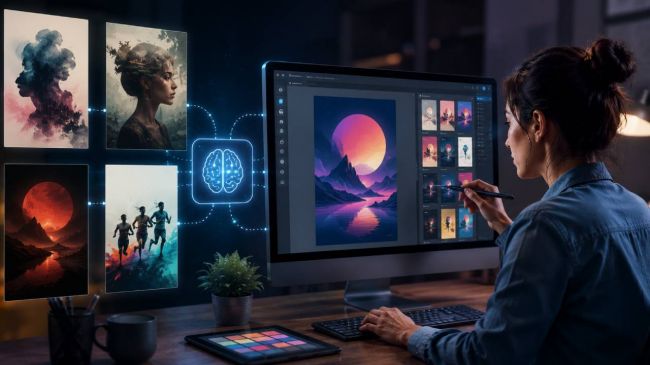
DaVinci AI is a web-based generative AI app that brings multiple flagship image and video models into one interface. Instead of subscribing to several tools and switching between them, you pick a model from a dropdown and generate. It is built around one idea: multi model AI in a single workspace for AI content creation, covering image generation, video generation, image editing, character consistency, and upscaling.
The lineup includes well-known models such as Sora, Veo, Kling, Seedance, Nano Banana, Flux, and Seedream, with new models added as they launch. Because it runs entirely in the browser, you can use this generative AI app on mobile, tablet, or desktop, so you can start a generation on your phone and pick it back up on your laptop.
What DaVinci AI Can Do
Before getting into the test, here is what the app actually offers, based on its core feature set:
- Access to flagship image and video models in one place, including Seedance, Kling, Veo, Sora, and Nano Banana.
- Tier-based model access with concurrent generation, so higher tiers can run several generations at once and compare outputs side by side.
- Both image generation and video generation inside the same app.
- Image editing tools for inpainting, modifying, and transforming existing visuals.
- Character consistency across multiple generations, useful for storytelling, ads, and social content.
- Upscaling that lifts low-resolution outputs to higher resolution in seconds.
- A simple, prompt-based interface with web access on mobile, tablet, and desktop browsers.
How I Tested davinci.ai
I treated this like a first-time user. I landed on the homepage, signed up, ran a real image prompt on the free plan, and then moved over to the video side to see how far a free account would actually take me. Here is each step, with what I noticed at every stage.
Step 1: First Impressions, the Landing Page
This is the page that greets you when you first enter the site. The headline reads “All Your Visual Creation. One Platform.” with a single “Start Free Now” call to action, and the flagship models are named right under the hero: Sora, Veo, Nano Banana, Kling, Seedance, Seedream, and Flux.
Step 1: The davinci.ai landing page, leading with its multi-model promise.
My observation: The landing page is clean and loads fast, and it nails the core message in the first few seconds: one platform, many top models. Seeing Sora, Veo, Kling, Seedance, and Nano Banana listed together immediately communicates the multi model AI angle, and the “Trusted by 100M+ creators” line is a clear confidence play. There is no friction yet. It does a good job of selling the concept before asking for anything.
Step 2: Signing Up, Login Comes First
When I clicked “Start Free,” the first thing that appeared was a sign-up and log-in screen, before I could touch the generator. The options were Continue with Google, Apple, Microsoft, or email.
Step 2: Clicking “Start Free” opens the login screen first.
My observation: The login gate shows up before you see the product itself. That is common for apps like this, but it is worth knowing you cannot explore the generator anonymously. On the plus side, the “Your data is safe, secure and fully private” reassurance is right there, which lines up with what DaVinci publishes about not training on your content without permission. Signing in with Google took just a few seconds.
Step 3: Straight to the Subscription Page
The moment I finished logging in, the app instantly showed a Pro upsell: “Unlock all models with Pro!” headlined by a low-cost seven-day full-access offer, with quarterly and six-month plans below it.
Step 3: The subscription page appears immediately after login.
My observation: This is the most aggressive part of the flow. Before generating a single image, I was shown the paywall, a cheap trial that rolls into a much higher monthly charge, surrounded by urgency badges like “12,988 new users joined today” and “7,068 people used this offer today.” It is not a dealbreaker, because you can close it and stay on the free tier, but new users should know the hard sell arrives before you have even tried the product. The full pricing breakdown is further down.
Step 4: Testing Image Generation on the Free Plan
I closed the upsell and chose to continue on the free tier. To give it a real test rather than a throwaway prompt, I used a specific creative brief: “create an image of an Indian girl in red authentic saree under the rainy sky.” I selected Nano Banana as the model, set a 1:1 aspect ratio, and generated one image.
Step 4: Running a real prompt on the free plan with Nano Banana selected.
My observation: The prompt interface is genuinely simple: a text box, a model dropdown, aspect-ratio and image-count toggles, and a Generate button, with an easy switch between image and video right in the same bar. As an AI image generator, it did not need any tutorial for me to run my first prompt. The part I appreciated most is that the free tier let me actually generate this without paying first.
Step 5: The Image Result
Here is the generated output. The model returned a woman in a detailed red-and-gold saree holding a clear umbrella on a rain-soaked street, complete with wet-ground reflections, market stalls, and auto-rickshaws in the background. The side panel listed Model: Nano Banana, Aspect Ratio 1:1, Seed 1416117349, Style: None, with Edit and Upscale buttons right there.
Step 5: The free-tier result from Nano Banana for the saree prompt.
My observation: Honestly, the result was strong for a free generation from a single-line prompt. The saree drape, the rainy-street atmosphere, and the reflections held together convincingly, and the hands, usually the giveaway with AI images, came out clean. This is exactly the kind of product-style visual a small business or e-commerce seller could use for a campaign without booking a photoshoot. Surfacing the seed, model, and aspect ratio means you can reproduce or iterate easily, and Edit and Upscale sit one click away.
Step 6: Moving to the Video Generator
Next I switched over to the Video Generator and opened Motion Control. There is a full Motion Library of preset motions, including dances, expressions, and movements you can apply to a character. I picked one called “Lullaby Dance,” running on Kling Motion 3.0 at 720p.
Step 6: The Video Generator with Motion Control and the Motion Library.
My observation: The video side is more feature-rich than I expected. As an AI video generator, Motion Control lets you map a reference motion onto a character, and the preset library is large. Seeing Kling AI motion options here reinforces the multi-model angle, since you are not locked into a single video engine. The layout also makes the workflow obvious: pick a motion, add a character, then generate.
Step 7: The Built-In Character Library
For the character, DaVinci has its own built-in library of ready-made faces, including Liz, Noah, Grace, Olivia, Emily, Yasmin, and more, plus a “New Character” option to upload your own. I went with Liz, the first one in the library.
Step 7: The built-in character library for consistent video subjects.
My observation: This is a smart touch for character consistency. Instead of generating a new face every time, you can reuse a library character, or upload your own, across multiple shots. For a creator building a series of TikTok or Reels clips with a recurring on-screen persona, that consistency is exactly what makes a short-form series feel coherent. It lowers the barrier for anyone who wants the same character without manually juggling reference images.
Step 8: Hitting the Paywall on Video
With the motion and character both set, I clicked Generate, and the Pro subscription screen came back, this time at the checkout step before the video would export.
Step 8: Clicking Generate brings the subscription wall back at checkout.
My observation: This is the clear boundary of the free tier. Image generation ran free, but video generation asked me to subscribe before it would export. That is a reasonable place to gate a premium feature, since video is far more compute-heavy than images, but it does mean the full “image and video in one app” promise only fully unlocks on a paid plan. If video is your main reason for signing up, plan to subscribe.
DaVinci AI Pricing (What I Saw During Testing)
Based on the checkout I was shown during testing, the plans were:
- 7-Day Full Access: a low intro price for the trial week, then a higher monthly charge after the trial unless you cancel through account settings.
- Quarterly: a reduced monthly rate, advertised as Save 33%.
- 6 Months: the lowest monthly rate of the three, advertised as Save 44%.
There is also a free tier that covers image generation with limits. The cost-savings logic behind these plans is the selling point: subscribe to Sora, Veo, Kling, and a separate image tool individually and you can easily pass 100 dollars a month, whereas DaVinci AI consolidates that access into one bill. New models are also added to the app as they launch with no separate upgrade fee, so the latest releases arrive on your existing plan. Pricing and promotions change often, so check the current intro pricing on davinci.ai before subscribing, and remember the cheap trial auto-renews at the higher monthly rate if you do not cancel.
DaVinci AI vs. Other AI Tools
To put DaVinci AI in context, it helps to know the wider landscape. Tools like Midjourney, Krea, Higgsfield, and Freepik AI each offer strong AI content creation features, and plenty of creators use and love them. Midjourney is well known for its image aesthetics, Krea for fast and interactive creative workflows, Higgsfield for AI video and motion, and Freepik AI for image generation inside a broader design platform.
Where DaVinci AI positions itself differently is breadth under one roof. Rather than specializing in a single area, it focuses on giving you access to multiple flagship image and video models, plus editing, character consistency, and upscaling, from one subscription. None of this is about one tool being better than another. It comes down to whether you would rather use a specialist tool for each task or a single generative AI app that covers image generation and video generation together. For my own mix of work, the consolidation was the appeal.
At a glance, here is how DaVinci AI sits next to a few popular tools in the same space:
| Tool | Best known for | Approach |
| DaVinci AI | Many flagship image and video models in one app | Multi-model access, editing, character consistency, and upscaling on one subscription |
| Midjourney | Distinctive image aesthetics | Specialist AI image generation |
| Krea | Fast, interactive creative workflows | Real-time generation and enhancement |
| Higgsfield | AI video and motion | Video generation with a focus on cinematic motion |
| Freepik AI | AI images inside a design platform | Image generation alongside design and stock assets |
What I Liked
One interface for many top models such as Sora, Veo, Kling, Seedance, and Nano Banana, which is real multi model AI convenience without juggling subscriptions.
- Strong free-tier image quality. The saree test produced a result I would happily use as a product visual.
- A simple, prompt-based interface that worked on the first try, which makes fast AI content creation easy for beginners.
- A built-in character library plus Motion Control for consistent video and character consistency across shots.
- All-in-one coverage: image generation, video generation, editing, and upscaling in one place.
- New models are added as they launch at no extra upgrade fee, so you get the latest releases on your existing plan.
- Higher tiers add concurrent generation, letting you run several prompts at once and compare outputs.
- Runs in any browser on mobile, tablet, or desktop, so you can start on your phone and finish on a laptop.
What Could Be Better
- The subscription prompt appears immediately after login and again at video export, so the upsell is heavy.
- Video generation is locked behind Pro on the free tier.
- The cheap intro trial auto-renews at a notably higher monthly price, which is easy to overlook.
- The urgency badges and countdown-style social proof feel like more pressure than the product needs.
Who Is DaVinci AI For?
From what I saw, davinci.ai fits a fairly wide range of creators:
- Content creators and social producers making visuals and clips for Reels, Shorts, and TikTok from one app.
- Designers and freelancers exploring concept art, mood boards, and client mockups.
- Marketers and e-commerce sellers who need product visuals and ad creatives quickly.
- Small business owners who want branded content without paying for five separate tools.
- AI enthusiasts and power users who like comparing model outputs side by side.
My Final Verdict: Is davinci.ai Legit and Worth It?
After taking it through a full test, my honest take is this: DaVinci AI is a legitimate and genuinely useful generative AI app, and its core promise of many flagship models, one subscription, and one workspace holds up in practice. The free image generation alone produced a saree portrait I would have been happy to publish as a product visual, and the video side has thoughtful extras like a character library, Motion Control, and concurrent generation on higher tiers that I did not expect to find.
What stands out most is the combination of output quality and breadth of model access. Reaching Sora, Veo, Kling, Seedance, and Nano Banana from a single, prompt-based interface, then moving straight into editing, character consistency, and upscaling, is exactly the kind of convenience that saves real time across a content workflow. My advice is practical: start on the free tier, run a few image prompts to see whether the quality fits your own work, and step up to the video and full multi model AI access once you know it suits how you create.
If you are someone juggling separate subscriptions for images, video, and upscaling, consolidating into one app like DaVinci AI is a sensible move, especially with new models added at no extra fee so the latest releases arrive on your existing plan. For me, it earns a clear thumbs-up: impressive output, genuinely convenient model access, and an all-in-one workspace that makes everyday AI content creation noticeably smoother.
| Want to try it yourself? You can sign up and test the free tier at davinci.ai, run a couple of image prompts, and decide for yourself whether the Pro plan fits your workflow. |
Post Comments
Be the first to post comment!
Related Articles