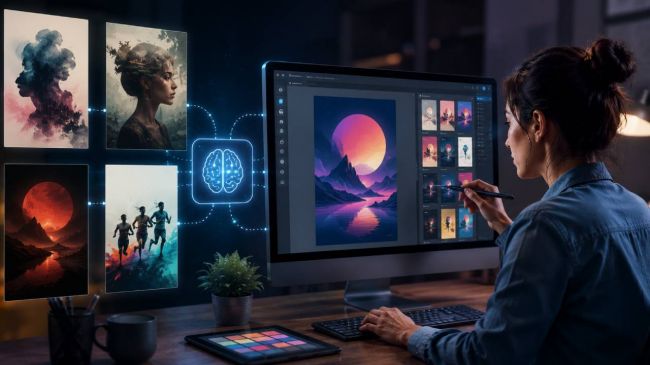
Dreamina AI, built by ByteDance and woven into the CapCut ecosystem, has become a popular entry point for turning text prompts into images and short videos. It is approachable, offers daily free credits, and bundles handy editing tools like inpainting and expand on a single canvas. Yet creators often look elsewhere once their needs sharpen, whether that means crisp typography on a poster, airtight commercial licensing, scalable vector logos, or simply more reliable output for professional work.
As any practical Dreamina AI Review should point out, the tool works best for fast creative exploration rather than every professional design need. This guide explains where Dreamina shines, where it falls short, and which alternatives serve specific creative goals best in 2026. Color-coded comparison tables, a decision guide, and visual charts make it easy to find the right fit fast.
In a hurry? Pick Ideogram for text and posters, Midjourney for artistic quality, Adobe Firefly for commercial safety, Recraft for vectors and logos, and Leonardo for a generous free tier with editing control. |
What Dreamina AI Does Well
Dreamina lowers the barrier to AI visuals. No design background is required, the web interface is clean, and the platform spans both still images and short clips. Several traits explain its appeal.
• Beginner-friendly text-to-image and image-to-image generation with multiple model options.
• On-canvas editing tools including inpaint, expand, upscale, and remix for quick refinements.
• Image-to-video features and tight CapCut integration for creators already editing there.
• Daily free credits and high-resolution exports, with a paid Pro plan for heavier use.
Where Dreamina Falls Short
The same simplicity that makes Dreamina easy can become a ceiling for serious projects. Common friction points push users toward specialized tools.
| Limitation | Why It Matters | Better Served By |
|---|---|---|
| Watermarks on free output | Limits use of free images in real projects | Leonardo, Ideogram |
| Short video length | Hard to build longer cinematic sequences | Dedicated video tools |
| Text rendering in posters | Headlines and labels can look garbled | Ideogram |
| Commercial licensing clarity | Risk for brand and client work | Adobe Firefly |
| No native vector output | Logos and icons do not scale cleanly | Recraft |
Top Dreamina AI Alternatives in 2026
The visual creation market has fractured into specialists. No single model wins every category, so the smartest approach is to match a tool to the task at hand. The decision guide below maps the most common goals to a clear pick.
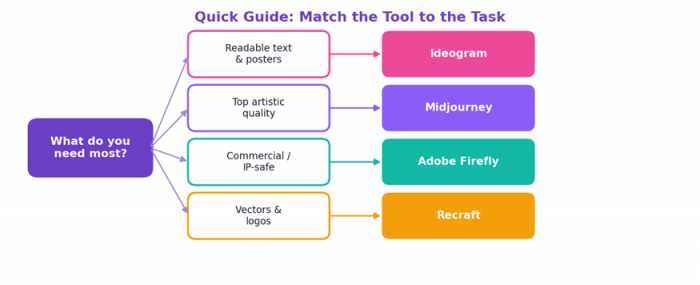
Figure 1. A quick decision guide pairing each creative goal with its strongest tool.
Ideogram: Best for Text, Posters, and Typography
When words inside the image are the point, Ideogram leads the field. Most generators still mangle longer phrases, but Ideogram reliably renders accurate, legible type, which is why designers reach for it when a headline, slogan, or label has to read correctly the first time. That single strength reshapes the concepting workflow: poster mockups, packaging concepts, signage, logo explorations, and social templates come out usable instead of needing hours of manual cleanup in a separate editor.
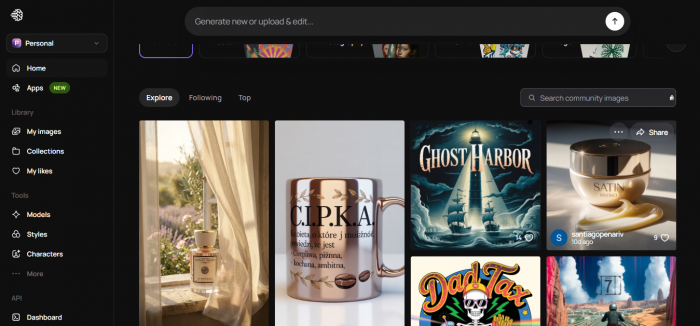
Beyond typography, Ideogram handles a respectable range of illustrative and photographic styles and supports multi-image output per prompt, so you can compare directions quickly. Its photorealism is a step behind Midjourney, so think of it as a design and layout specialist rather than an all-purpose art engine.
Best for: designers, marketers, and small businesses producing text-forward visuals. Pricing: a genuinely useful free tier with a daily cap (standard resolution, slower queue), with the Plus plan around eight to ten dollars per month unlocking far more daily generations and higher resolution. Watch-outs: weaker pure photorealism and free generations that are publicly visible.
Midjourney: Best for Artistic Quality
For sheer aesthetic output, Midjourney remains the benchmark in 2026. Its lighting, texture, skin rendering, and stylization make images look intentional rather than accidental, whether the brief is an editorial portrait, a fantasy environment, a film-style still, or abstract concept art. The current generation adds personalization profiles that learn your aesthetic preferences over time, stronger prompt adherence, HD 2K output, and flexible aspect ratios up to wide cinematic crops.
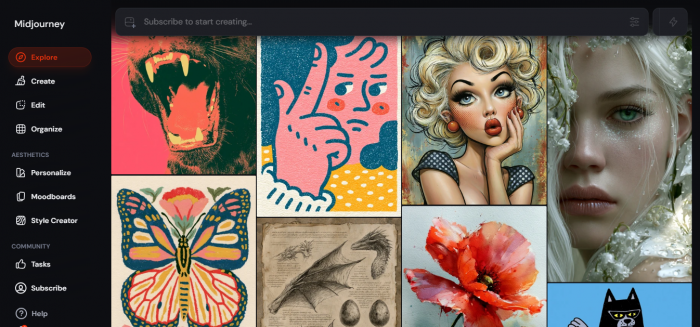
It long lived on Discord, but the standalone web interface is now mature, with tools for organizing, upscaling, varying, and panning images, plus the ability to animate stills into short video. The skills you build transfer across versions, so prompt knowledge compounds rather than resetting with each update.
Best for: artists, illustrators, and creative professionals who put image quality first. Pricing: no free tier; four monthly plans roughly from ten dollars (Basic) up to one hundred twenty (Mega), with a twenty percent annual discount, and Relax mode for unlimited slower generation on Standard and above. Watch-outs: output on lower plans is public by default, so confidential client work effectively requires a higher tier, and there is no official API.
Adobe Firefly: Best for Commercial and IP-Safe Work
Trained on licensed and public-domain sources, Adobe Firefly is the safest pick when an asset goes out under a corporate brand. Adobe provides indemnification on copyright disputes for non-beta outputs, a guarantee no other major tool matches, which is exactly what legally conservative clients and agencies want before a campaign ships.
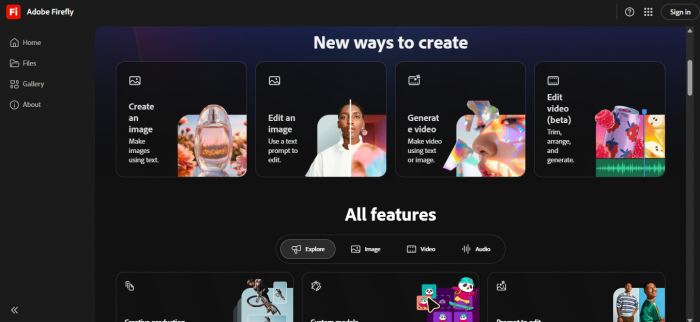
Its biggest practical advantage is ecosystem fit. Firefly powers Generative Fill in Photoshop and Generative Extend in Premiere, so generation, editing, and approval all live inside tools many teams already use. It also spans images, vector, and video from one creative suite. The trade-offs are a narrower style range, output that can read as polished stock, and stricter content filters that block certain prompts to avoid bias and misuse.
Best for: brands, agencies, and Creative Cloud users who need documented rights. Pricing: a permanent free tier with limited monthly credits, then standalone plans from roughly ten dollars per month, with Firefly access also bundled into Creative Cloud. Watch-outs: less expressive for open-ended artistic exploration than Midjourney.
Recraft: Best for Vectors, Logos, and Icons
Recraft is the rare generator that outputs true scalable vector files, not just flattened raster images. For a designer that distinction is fundamental: a logo or icon set made in Recraft can be opened in Illustrator or Figma and resized from a favicon to a billboard with no quality loss, while raster output from other tools breaks down when scaled.
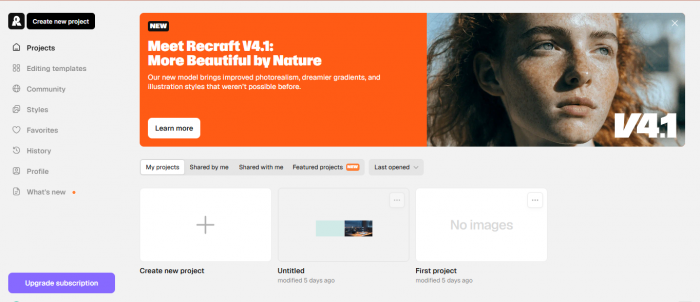
Running on its own proprietary model, Recraft produces raster images, vectors, 3D objects, mockups, and icon sets from a single interface, and supports brand styles so a whole set of assets stays visually consistent. It is purpose-built for graphic and brand design rather than photorealistic scenes or fine-art exploration, so pair it with another generator when you need a realistic photo.
Best for: logo design, icon systems, illustrations, and brand kits that must scale. Pricing: a free tier with a daily limit, with paid plans commonly starting around twenty dollars per month for higher volume and commercial rights. Watch-outs: not the tool for photorealism or open-ended artistic styles.
Leonardo AI: Best Generous Free Tier with Control
Leonardo AI offers one of the most generous free allowances in the category, around 150 daily tokens that refresh every day, enough for real experimentation without paying. It is the natural landing spot for anyone who found Dreamina too limited but is not ready to commit to a Midjourney subscription.
What sets it apart is the balance of choice and control. Leonardo bundles multiple models, including its Phoenix and FLUX options, alongside fine-tuning, detailed parameter sliders, and a Canvas editor for in-place refinement after generation. That makes it strong for game art, concept work, and quick variations, with a learning curve gentler than a full open-source stack but more capable than a one-click tool.
Best for: hobbyists, indie creators, and concept artists who want free volume plus editing control. Pricing: a strong free tier, with paid plans starting around twelve dollars per month for more tokens, privacy, and commercial use. Watch-outs: free generations are public, and text rendering trails Ideogram.
Honorable Mentions
• DALL-E 3 / GPT Image: the lowest barrier to entry, built into ChatGPT with a free tier. It understands plain natural-language prompts without prompt engineering, making it ideal for fast ideation and for anyone who wants images as one step in a broader content workflow.
• Flux (Black Forest Labs): built by former Stability AI researchers, Flux delivers some of the most convincing photorealism, with strong skin texture and lighting. It suits more technical users who want modern model control and near-photographic portraits.
• Stable Diffusion: open source and self-hostable, it removes per-image costs entirely once set up. With interfaces like ComfyUI it allows unlimited offline generation, custom fine-tuning, and full privacy, in exchange for a steeper technical setup.
• Freepik / Canva AI: the pragmatic choice for non-designers. Both fold AI image generation into a wider library of templates and stock assets, so you can go from prompt to finished social post or flyer in one place.
Side-by-Side Comparison
This table distills the core trade-offs across the leading alternatives. Pricing reflects entry-level paid plans reported in 2026 and should be confirmed on each provider's site before purchase.
| Tool | Best For | Free Tier | Paid From |
|---|---|---|---|
| Ideogram | Text, posters, logos | Yes (daily limit) | ~$8/mo |
| Midjourney | Artistic image quality | No | ~$10/mo |
| Adobe Firefly | Commercial, IP-safe | Yes (monthly credits) | ~$9.99/mo |
| Recraft | Vectors and icons | Yes (daily limit) | ~$20/mo |
| Leonardo AI | Free volume, editing | Yes (150/day) | ~$12/mo |
| Dreamina AI | Beginners, CapCut users | Yes (daily credits) | ~$20/mo |
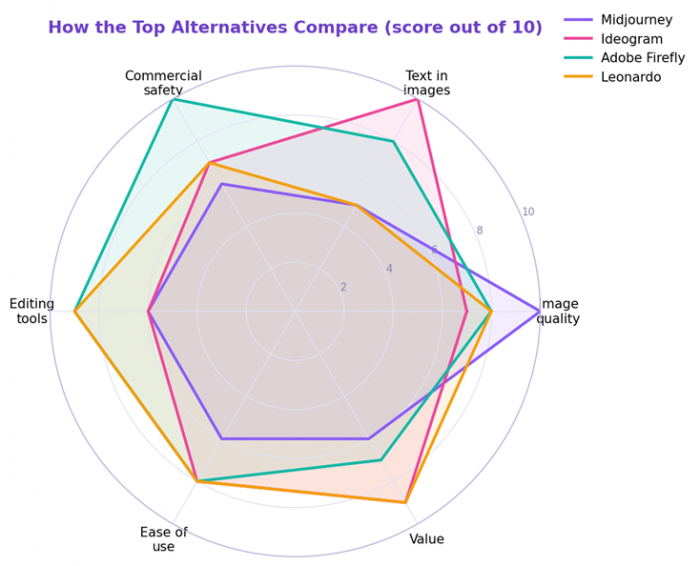
Figure 2. Relative strengths of four leading alternatives across the dimensions that matter for publishing.
Pro tip Many teams stop fighting one model to do everything and instead pair two: a generator for the image and a typography-focused tool like Ideogram, or a vector tool like Recraft, for the finishing layer. |
Free Plans Compared
If budget drives the decision, free allowances vary widely. Leonardo is the most generous for everyday volume, Ideogram balances quality with a useful daily cap, and Firefly trades volume for commercial safety.
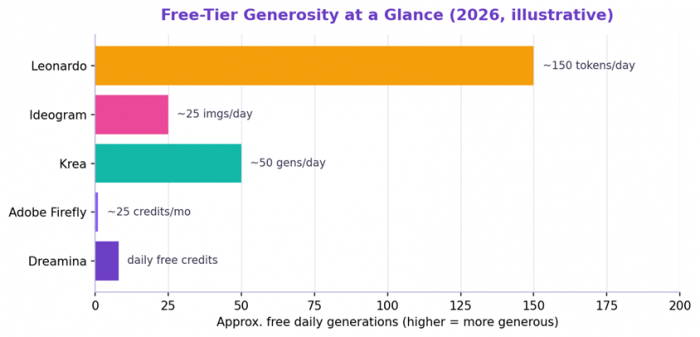
Figure 3. Approximate free daily generations across popular tools; figures are illustrative and change often.
How to Choose the Right Tool
Start from the output you actually need, then weigh budget and workflow. The quick map below pairs common goals with a recommended pick.
| Your Goal | Recommended Pick |
|---|---|
| Readable text on posters and logos | Ideogram |
| Highest artistic and editorial quality | Midjourney |
| Commercially safe brand and client work | Adobe Firefly |
| Scalable vector logos and icons | Recraft |
| Generous free volume with editing | Leonardo AI |
| Beginner-friendly all-in-one with video | Dreamina AI |
A practical setup is one primary generator plus one specialist for finishing. That covers most briefs without paying for every subscription at once.
Getting Started in Four Steps
1. Define the deliverable: a poster, a logo, a photoreal product shot, or a social graphic.
2. Match it to a tool using the comparison above, favoring the specialist for that output.
3. Write a clear prompt, then iterate; small wording changes often fix most issues.
4. Confirm commercial rights before publishing, especially for client or brand campaigns.
Licensing reminder Commercial terms differ by platform and change over time. For legally conservative projects, Adobe Firefly is the only major tool offering documented licensed training data and indemnification. |
Final Takeaway
Dreamina AI is a friendly on-ramp for casual AI visuals, especially for CapCut users who want images and short clips in one place. But as projects grow more demanding, specialized tools pull ahead. Reach for Ideogram when text and posters matter, Midjourney for artistic peaks, Adobe Firefly for commercial safety, Recraft for vectors, and Leonardo for free volume with control. Choose by the output you need, pair a generator with a finishing specialist, and the right stack will outperform any single tool through 2026.
Post Comments
Be the first to post comment!
Related Articles