AI is quietly doing to podcasts what it already did to photos and video: taking the most painful, time‑consuming parts of editing and turning them into simple, almost invisible background steps. Tasks like removing umms and ahhs, leveling volumes between guests, killing room noise, and turning long interviews into short social clips can now happen automatically, often from a browser tab.
In this guide, we will look at eight of the strongest AI‑powered tools for podcast editing right now, what they actually do, where each one fits best, and how their pricing starts so you can match the tool to your workflow and budget.
1. Adobe Podcast
Adobe Podcast is a cloud platform built around AI cleanup and browser‑based production, with “Enhance Speech” as its flagship feature. You upload rough recordings, and its models even out levels, remove noise and echo, and give you near‑studio sound from a laptop mic or Zoom call. There is also a Studio module for remote recording, transcript‑style editing, and a Mic Check tool that tells you how to improve your setup before you hit record.
It is best for creators who already like Adobe’s ecosystem or anyone who wants their audio to sound as if it came from a treated studio, even when it did not.
| Pros | Cons |
| “Enhance Speech” can dramatically upgrade low‑quality voice recordings, often with one click. | Less deep multitrack editing than tools like Descript for complex projects. |
| Tight integration with Adobe’s ecosystem and a modern, clean interface. | Requires an ongoing subscription; no true one‑time purchase. |
| Cloud‑based collaboration and transcript editing are convenient for remote teams. | Needs a stable internet connection for heavy processing. |
Starting price & plan: Adobe Podcast itself is bundled with Adobe’s cloud offerings rather than sold as a fully separate, public plan, but current guides treat it as a subscription‑only tool aligned with Creative Cloud pricing tiers.
Best for: Podcasters needing top‑tier cleanup plus easy browser recording and who are comfortable with a subscription environment.
2. Descript
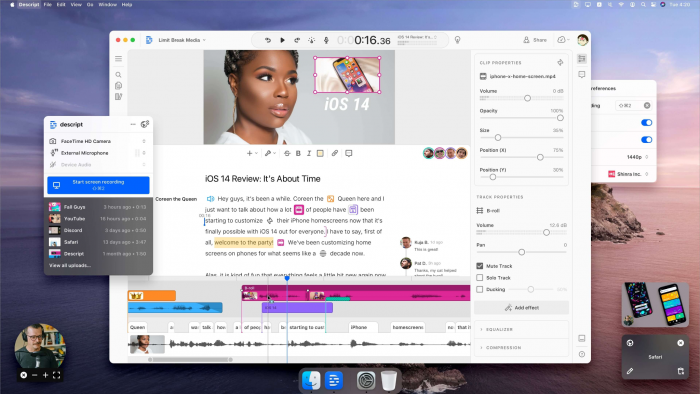
Descript is a text‑first editor that lets you work on audio and video by editing transcripts instead of waveforms. You record or import your podcast, Descript transcribes it, and then you cut words, sentences, and sections in the text to instantly edit the underlying audio.
It also offers AI tools like Studio Sound for noise and room reverb removal, automatic filler‑word deletion, clip creation, and overdub voice cloning for patching small mistakes without re‑recording.
| Pros | Cons |
| Transcript‑driven editing is intuitive for writers and non‑engineers. | Larger projects and long multitrack sessions can feel heavy on some machines. |
| Studio Sound and automatic filler‑word removal speed up cleanup. | Learning everything (multitrack, overdub, video, clips) can feel overwhelming at first. |
| Integrated recording, screen capture, and clip export support podcast + video workflows. | Cloud processing and AI features rely heavily on a solid connection. |
Starting price & plan: Descript has a free tier with limited transcription and exports, and paid plans (Creator and Pro) that add longer monthly hours and more advanced AI features. Indian‑market overviews peg Creator around ₹1,250/month (~entry paid tier).
Best for: Narrative shows, interview podcasts, and creators who prefer text‑based editing and want recording, editing, and publishing in one place.
3. Cleanvoice AI
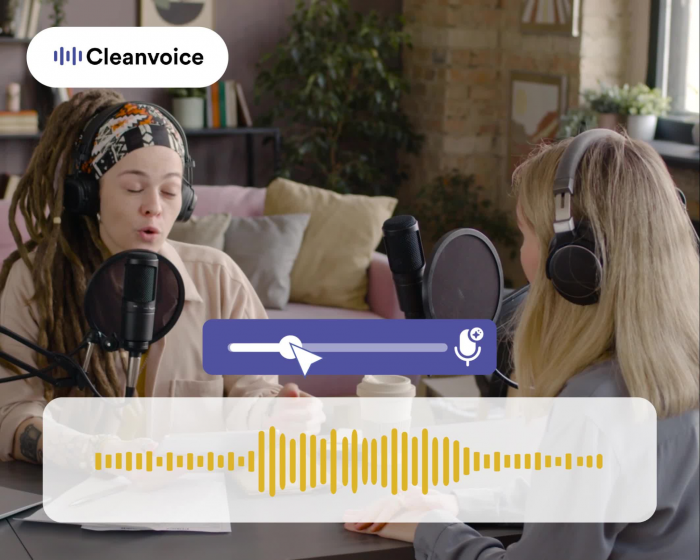
Cleanvoice AI focuses on one thing: taking a raw voice recording and automatically scrubbing filler words, mouth clicks, repeated sentences, stutters, and long silences. You upload your audio, and it returns a cleaned‑up version plus a project file for your editor of choice.
Rather than replacing your entire editing stack, it slots into existing workflows as an “automation layer” that saves time on boring, repetitive cleanup work.
| Pros | Cons |
| Automates tedious tasks like filler‑word and silence removal at scale. | Not a full DAW or editor; you still need another tool for mixing and publishing. |
| Transparent credit system (subscription or pay‑as‑you‑go) is easy to predict for teams. | Heavy show volumes can require higher, more expensive tiers. |
| Integrates smoothly into existing workflows with export back into other editors. | Limited visual editing and creative tooling compared with all‑in‑one apps. |
Starting price & plan: Subscription plans start at about $11/month for 10 hours of audio, with higher tiers at $30/month for 30 hours and $90/month for 100 hours. Pay‑as‑you‑go credits are also available at $11 for 5 hours, $20 for 10 hours, and $45 for 30 hours.
Best for: Editors and podcasters who already use a DAW but want AI to handle filler words and pacing fixes before doing their creative edit.
4. Alitu
Alitu is designed as a “done‑for‑you” production pipeline rather than a traditional editor. You upload separate tracks or record inside Alitu, and its AI cleans noise, levels volume, assembles your intro/outro, and outputs a finished episode. It also transcribes episodes and offers basic editing via an easy interface.
In addition, Alitu includes podcast hosting and direct publishing to directories, so many solo creators run their entire show from inside this one tool.
| Pros | Cons |
| Automates most of the technical side: cleanup, levels, assembly, and export. | Less detailed control for engineers who want surgical edits or complex mixes. |
| Built‑in hosting and direct publishing reduce the number of separate subscriptions. | Single pricing tier can feel pricey for hobbyists with only a few episodes per year. |
| Interface is simple enough that many beginners can ship an episode on day one. | Not ideal for shows needing music licensing tools, advanced routing, or multiband mastering. |
Starting price & plan: Alitu offers a single main plan at $38/month or $380/year, with a 7‑day free trial.
Best for: Non‑technical hosts who want an all‑in‑one record‑clean‑edit‑host solution with minimal manual tweaking.
5. Auphonic
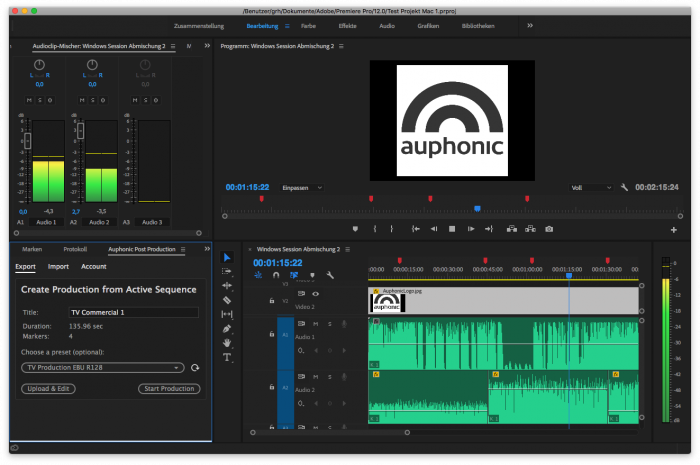
Auphonic is an AI‑powered mastering and post‑production service that has become a standard for leveling and loudness normalization in podcasting. You upload one or more tracks, choose a target loudness standard, and Auphonic automatically handles leveling, noise and hum reduction, adaptive EQ, and encoding.
Many shows use it as the final stage after editing, ensuring episodes meet broadcast loudness specs and sound consistent across devices.
| Pros | Cons |
| Considered a “gold standard” for automated leveling and loudness normalization. | Focuses on post‑production; you still need an editing tool for cutting content. |
| API and batch processing are useful for networks and agencies with many shows. | Interface is more utilitarian than consumer‑friendly for complete beginners. |
| Supports multiple platforms and loudness standards, which is helpful for pro workflows. | Some advanced users may still prefer manual mastering for flagship episodes. |
Starting price & plan: Auphonic offers free monthly processing time and paid options via subscriptions or credit bundles, with tiered pricing based on hours processed.
Best for: Podcasters and production teams who want reliable, automatic mastering at scale rather than a full editor.
6. Riverside.fm
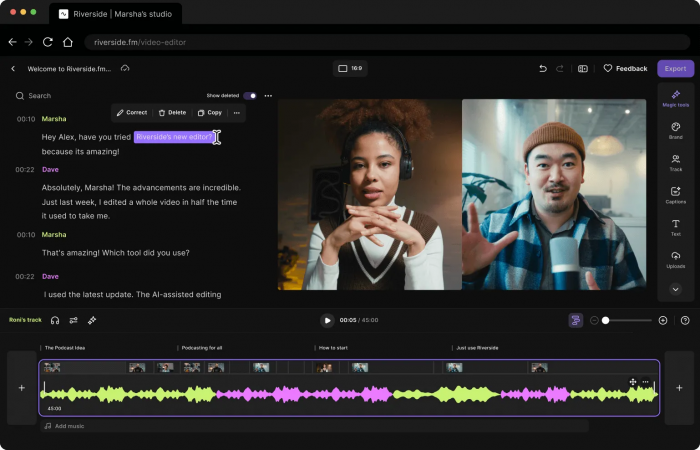
Riverside.fm is primarily a remote recording studio, but it now includes a robust AI‑assisted editing layer. It records separate local tracks from each guest in up to 4K video and 48 kHz audio, then uploads them for cloud processing.
After a session, Riverside offers Magic Audio for background noise and level fixes, along with text‑based editing and automatic clip generation for social media. It also provides basic hosting and analytics within the same platform.
| Pros | Cons |
| Local multitrack recording greatly reduces internet glitches in the final audio. | Advanced editing options are still lighter than full DAWs. |
| Magic Audio and auto‑clip tools speed up both podcast and short‑form content workflows. | Higher‑end plans are needed for teams, longer sessions, or watermark‑free exports. |
| All‑in‑one dashboard for recording, enhancing, and pushing to distribution. | Guests still need to use the web/app interface correctly for best results. |
Starting price & plan: Riverside has a free plan with limits and watermarks, with paid tiers under its Pro/Teams offerings for regular shows and higher production volumes.
Best for: Interview and video podcasters who need high‑quality remote recording plus quick AI cleanup and social repurposing.
7. Podcastle
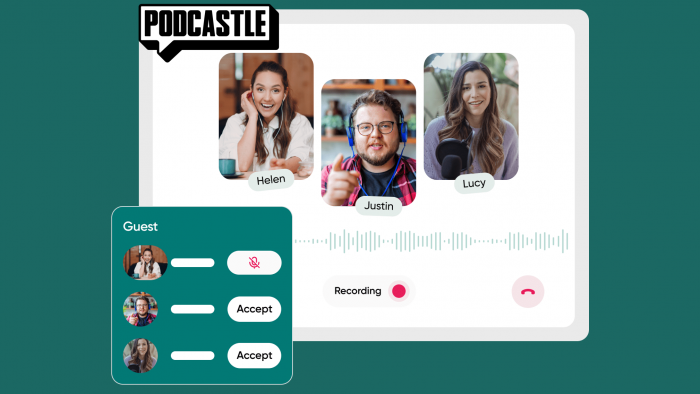
Podcastle is a web‑first platform that combines recording, editing, and AI post‑processing into a single interface. It offers multitrack remote recording, Magic Dust enhancement to clean and polish audio, and transcript‑based editing for easier cutting.
For creators who want podcast plus repurposed content, Podcastle also supports video, clip creation, and various export options.
| Pros | Cons |
| Combines remote recording, enhancement, and text‑style editing under one roof. | Free plan has tight limits, so active shows quickly outgrow it. |
| Magic Dust and AI tools significantly improve audio without much manual tweaking. | Not as established in high‑end broadcast workflows as older tools like Auphonic. |
| Browser‑based design makes it easy to onboard guests and collaborators. | Some advanced editing/mixing features are relatively basic compared with pro DAWs. |
Starting price & plan: Podcastle’s Studio plans start with a free Basic option, with paid Storyteller and Pro plans in the $11.99 to $23.99 per month per creator range that unlock higher limits and AI features.
Best for: Small teams and solo creators who want a friendly, all‑in‑one browser tool for recording, AI cleanup, and simple editing.
8. Zencastr (AI‑powered)
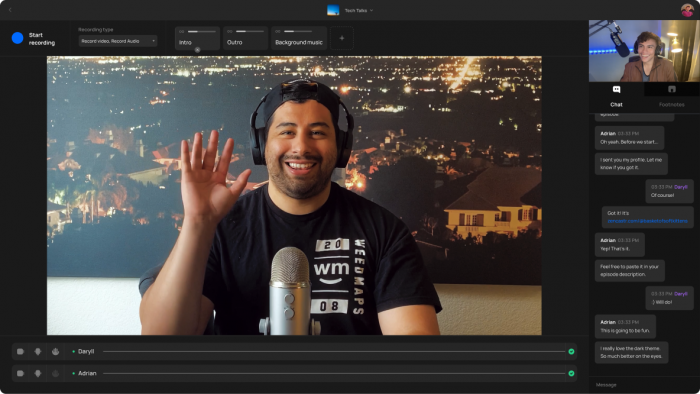
Zencastr started as a remote recording platform and now offers AI‑powered post‑production and publishing features. Hosts can record multitrack audio, apply automatic audio leveling, noise and hum reduction, and then mix and publish directly from the dashboard.
Its newer direction also includes hosting, monetization options, and tools for pushing episodes to Spotify, Apple Podcasts, and other platforms without leaving Zencastr.
| Pros | Cons |
| Integrated workflow from recording through automatic post‑production to hosting. | Web‑based workflows can still be sensitive to guest device and network quality. |
| Smart leveling and AI cleanup save time on every episode. | Editing depth is more limited than all‑in‑one editors like Descript. |
| Built‑in publishing and monetization tools appeal to podcasters who want fewer logins. | Wider toolset can feel complex for users who just want simple recording. |
Starting price & plan: Zencastr offers a free plan with recording and production limits, plus paid tiers for regular podcasters and teams that unlock more hours, storage, and AI processing.
Best for: Teams that want a single hub for remote recording, AI clean‑up, mixing, and distribution, particularly for talk‑show or interview formats.
Quick side‑by‑side overview
| Tool | Core role | Best for | Starting pricing (approx.) |
| Adobe Podcast | AI cleanup + browser studio | Creators needing fast, high‑end speech enhancement | Subscription via Adobe, aligned with Creative Cloud tiers. |
| Descript | Text‑based editing + AI cleanup | Narrative and interview shows that like script‑style editing | Free tier; paid plans from Creator level (≈₹1,250/month in India context). |
| Cleanvoice AI | Automated filler/um removal and pacing fixes | Editors who already use a DAW and want AI pre‑cleanup | Subs from $11/month (10 hours); PAYG from $11 for 5 hours. |
| Alitu | All‑in‑one automate‑and‑host solution | Non‑technical hosts wanting “just hit publish” simplicity | Single plan at $38/month or $380/year, 7‑day free trial. |
| Auphonic | Mastering and loudness normalization | Shows and networks that need consistent loudness at scale | Free allowance; paid subscriptions and credits based on hours. |
| Riverside.fm | Remote recording plus AI post + clips | Video and interview podcasters needing studio‑grade capture | Free plan with watermarks; Pro tiers for ongoing shows. |
| Podcastle | Web studio with AI enhancement | Small teams wanting recording + enhancement + easy editing | Basic free; Storyteller/Pro from about $11.99–$23.99/creator/month. |
| Zencastr | Remote recording + AI mixing + hosting | Podcasters wanting a central hub from record to publish | Free tier; paid plans for higher usage and advanced features. |
Verdict
AI podcast editors are not here to replace your skills. They help remove the slow, repetitive work that makes consistent publishing harder. Descript, Alitu, Riverside, and Podcastle work best as all-in-one platforms for recording, cleaning, and shaping episodes. Cleanvoice and Auphonic are stronger fits if you already have an editing setup and just want AI to handle cleanup and mastering. Adobe Podcast and Zencastr are useful for creators who prefer Adobe tools or want a single platform for recording and distribution.
The right choice depends on what slows you down most today: if it is structure and storytelling, a text‑first editor like Descript makes the biggest difference; if it is technical polish, tools like Auphonic or Adobe’s Enhance Speech will have the highest impact; if it is “too many moving parts”, Alitu, Podcastle, Riverside, or Zencastr can simplify your stack into one login. Match the tool to your bottleneck, and AI becomes less of a shiny add‑on and more of a quiet production partner that keeps your episodes sounding clean, on‑brand, and on schedule.
Post Comments
Be the first to post comment!
Related Articles