A little while back I went looking for a simple way to save Instagram reels. Not screen recording them, not screenshotting them, just saving the actual file the way I would any normal video. I had tried before, so I already knew Instagram makes that weirdly hard on purpose. So I started searching, and one name kept popping up everywhere I looked: InDown.io. It was in every list, every thread, every recommendation, and the reviews were good. People kept saying the same thing, that it just works, no app, no login, paste a link and it is done.
Good reviews make me curious more than they convince me, so I decided to stop taking everyone else's word for it and just try the thing myself. I pasted in real links, a few reels, an Instagram profile, even a couple of YouTube videos to see what it would do with those, and I watched what came back, how fast, at what quality, and whether anything sketchy popped up along the way. What follows is the whole story: how I used it, what I got at each step with screenshots, and where I landed on whether it is worth the time.
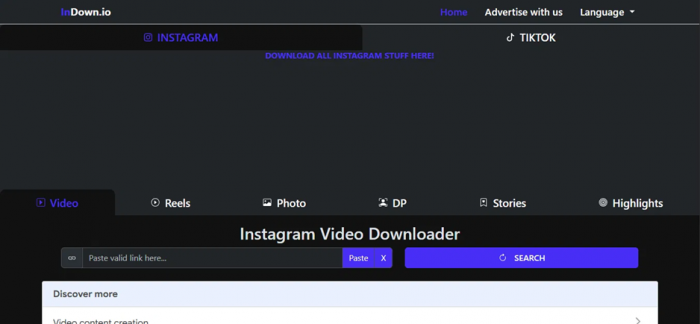
The InDown.io landing page: Instagram and TikTok tabs up top, with content tabs for Video, Reels, Photo, DP, Stories and Highlights underneath.
The Quick Verdict
Here is the short version of what I found. InDown.io turned out to be a really simple, no login downloader for public Instagram and TikTok content, and in my testing the downloads were quick, watermark free, and did not throw a single ad at me. The catches I hit: it only handles Instagram and TikTok, it flat out refused my YouTube links, and it gives no control over quality. I got whatever the creator uploaded, with no resolution menu to pick from.
| Question | My answer |
| What is it? | Free, web based Instagram and TikTok media downloader |
| Login or signup? | None needed for public content |
| What it grabs | Reels, Videos, Photos, Profile Pictures (DP), Stories, Highlights |
| Speed in my test | A reel previewed in about 2 to 3 seconds |
| Output quality | Original upload quality, no watermark, but no quality picker |
| Ads or pop ups | None during my session (it can vary) |
| Works with YouTube? | No. It says it does not provide downloading from this site |
| Biggest strength | Dead simple, password free, instant download |
| Biggest limit | Instagram and TikTok only, no resolution choice, public content only |
| My rating | 7.9 out of 10 for casual, public, personal use |
What Is InDown.io, Exactly?
Before the testing notes, here is the tool in plain terms. InDown.io is a website, not an app to install, that pulls a media file out of a public Instagram or TikTok post from a pasted link. It reads the post the way the public web player does and hands back the raw MP4 for video or a JPG for an image. Because it only ever sees what is already public, and never signs into an Instagram account, it cannot reach anything private, and it never needs a password.
It is not an editor, a scheduler, or some all in one social media suite. It does one job, saving public content, so the only fair way to judge it is on speed, simplicity, the quality of what it spits out, safety, and whether it points toward using it responsibly.
The layout is two platform tabs up top, Instagram and TikTok, and six content tabs under them:
• Video: feed videos and the older, longer IGTV style clips
• Reels: short vertical video, which is why most people show up
• Photo: single images and carousel posts
• DP: profile pictures, viewable and downloadable in full resolution
• Stories: public Stories before they vanish
• Highlights: saved public Story collections
Each tab is really just its own little page with one paste box. That is the whole thing, and that simplicity is a big part of why I liked it.
My Hands On Testing
What I Saw, Tab by Tab
Here is where my experience splits from a couple of other 2026 reviews I read, including one popular one that claimed the tool only ever works as a profile picture viewer and hands back the profile image no matter what link it gets. That is not what happened for me at all. In my session the Reels and Photo tools both worked properly and quickly. So instead of repeating what the official pages promise, here is exactly what I saw at each step.
Video Tab: The One Thing It Flatly Refuses To Do
I started on the Video tab, and the first thing I did was poke at its limits out of curiosity. I pasted in a few YouTube links, some F1 race clips including a live one, just to see how it would handle content from another platform.
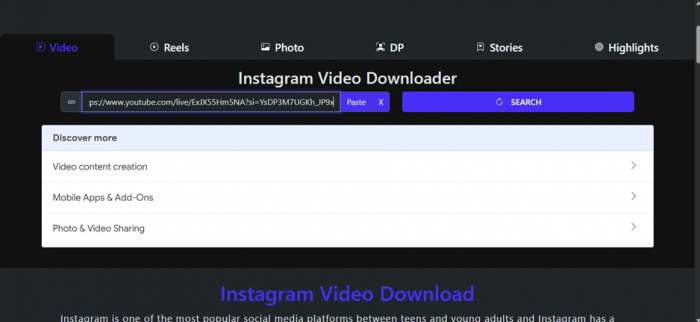
My first move: dropping a YouTube F1 link into the Video tab to see whether InDown.io would even attempt it.
What I saw: every single time, it popped up an Invalid Link message saying it does not provide downloading from this site. It did not spin forever, it did not bounce me off to some sketchy mirror, it just said no.
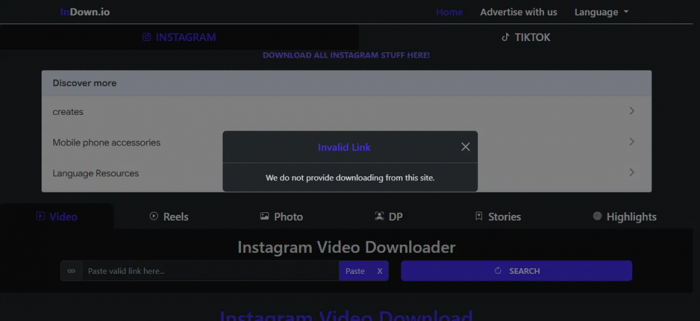
The response to every YouTube link I tried: clear, immediate, and honest about its limits.
My takeaway, and I am calling this out because barely any other review mentions it: InDown.io is strictly an Instagram and TikTok tool. So much for using it as a do everything downloader for YouTube, Facebook, or X. The plus side is that it told me straight away instead of wasting my time. As long as I kept my links to Instagram and TikTok, it was happy.
Reels: Fast, Clean, and It Just Worked
This is the feature most people show up for, so I gave it the most attention. I copied a public reel link, pasted it into the Reels tab, and hit Search.
What I saw: the reel previewed in about two to three seconds. No spinner, no fake loading bar, no please wait. It gave me the two download servers, and clicking Download Server 1 saved the file on the spot. The part that caught me off guard, after everything I had read, was that there was not one ad, pop up, or redirect during my whole session.
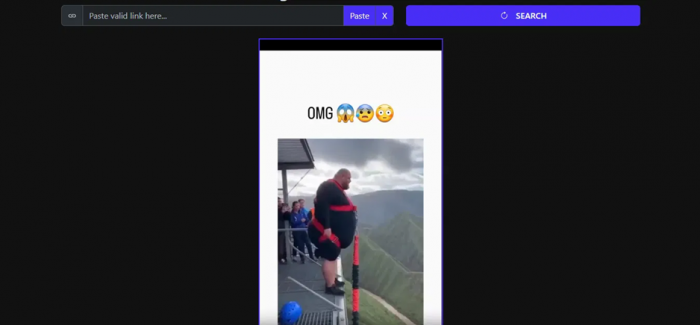
The one thing it did not do was ask me about quality. No 1080p versus 720p choice, no format options. It just hands over the file. That suited me fine, since it seems to pass back the creator's original upload as is, so a reel posted in HD came down in HD. The catch is there is simply no way to pick a resolution, so that is worth knowing going in.

Photo and DP: The Exact File It Handed Me
Next I jumped over to the photo and DP side and pasted in an Instagram profile link to see what it counted as a photo.
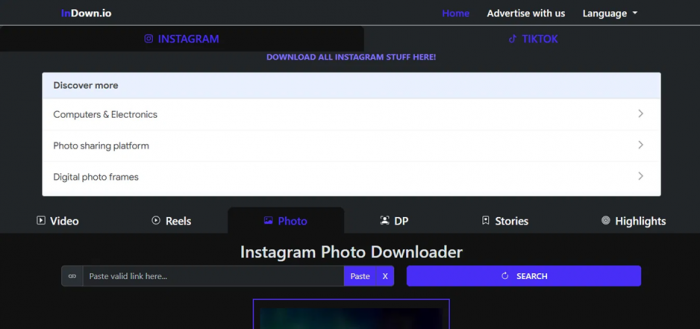
Switching over to the Photo and DP tab before pasting a profile link.
What I saw: it gave me the account's profile picture at full size. Not some vague high quality claim, but a real, measurable file, 1080 by 1080 pixels at 186.9 KB, with View, Download, and even an Edit button sitting on the preview.
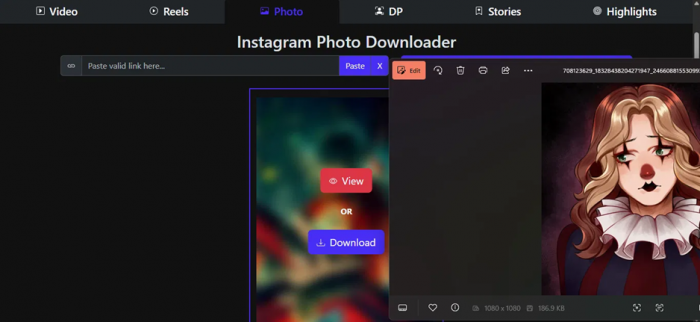
The exact output: the profile picture pulled at 1080 by 1080, 186.9 KB, with View, Download and Edit controls.
This ended up being the most reliable part of the whole tool, and it is where InDown.io quietly impressed me. Instagram normally crops a profile picture down to a tiny circle that is hard to make out, and this pulled the full size square in one click. For the things I would use it for, competitor research, brand checks, or just grabbing a clean copy of a profile picture, it is the quickest way I have found.
Reconciling the Conflicting Reports
So why do some reviews swear it only ever gives back the profile picture? After seeing both behaviors written up, my read is that the tool is just inconsistent, and what comes back can depend on the exact link, the tab in use, and the moment it is tried. A reel link on the Reels tab worked for me in seconds. A profile link on the Photo tab gave me the DP, like it should. That known glitch, where a reel link sometimes returns the profile image instead, is real and has been reported through 2026, and the fix is boring: I pasted the link again, double checked I was on the right tab, and tried once more. Once I treated the odd retry as normal, it stopped being an issue.
Stories and Highlights
I will be upfront, I spent most of my time on Video, Reels, and Photo or DP, so I did not lean on Stories and Highlights as hard. Going by the tool's design and what others report, the same rule holds: public Stories and Highlights save fine when the link is valid, and private ones do not, which is exactly how it should be. One thing I keep in mind with Stories is that they are personal and only up for a day, so they deserve a bit more care than a regular post, which I get into in the responsible use section below.
My Take on Output Quality
This is what people care about right after speed, so here is my read rather than a sales line. What I liked is that InDown.io does not re-compress the file. It passes the original straight through, so the quality I got was the quality the creator uploaded. No extra watermark slapped on, no InDown logo in the corner, and the audio on the video I pulled stayed perfectly in sync. No downloader on earth can turn a blurry upload into a sharp one. The thing that matters is that it does not make a good upload worse, and on that front it did the job cleanly for me.
What holds it back, for me, is that there is no control. With no resolution picker I was trusting it to grab the best source, which it seems to do, but I could not override it or step down to a smaller file on purpose. For a free, one click tool, fair enough. For archiving or anything professional that needs a specific size or format, that is a real ceiling. So my verdict on output is a clear thumbs up with one asterisk: great fidelity, no flexibility.
Speed and the Download Experience
This was the nicest surprise of the whole test. A few other InDown.io reviews complain about ad units and the odd pop up, and to be fair that is normal for a free downloader, so I went in expecting it. In my session there was none of it. No ads, no redirect tabs, nothing in the way. Paste, preview in a couple of seconds, click, done. The two server setup is a smart touch too, because if one download path is dragging, the other is an instant fallback instead of a reload.
I will add one fair caveat. Ad behavior on free sites changes all the time depending on region, device, and frankly the day, so I cannot promise the same clean run I had. But based on what was in front of me, there was about as little friction as I have run into in this category.
Is InDown.io Safe and Legit?
The biggest safety point is also the simplest. The public pages never ask for an Instagram login. A tool that only needs a copied URL cannot leak a password that was never typed, and that one fact takes the scariest risk in this category off the table. No account wall, no email grab, no signup.
For outside signals, the trust scanners are reassuring without being a promise. Tools like ScamAdviser tend to rate the domain as legit rather than a scam, the site has been registered since 2022, it runs over HTTPS, and it has a decent Tranco popularity ranking, with the linked iOS app sitting around a 4.6 rating. On the cautious side, the same reports point out that the owner hides behind WHOIS privacy and that the site falls in the broad file sharing bucket, which always carries some risk. There is also not a ton of first hand user reviews out there, so a lot of the positive read leans on automated scanners rather than a big crowd of real users. I take all of it as good context, not a permanent seal of approval.
A few simple habits cover most of the risk, and these are the ones I stick to:
• I never enter an Instagram username or password into this, or any, third party downloader. For public content there is no need to.
• I make sure I am on the real indown.io, not a copycat clone with a similar name.
• I scan anything that looks off if a download ever behaves unexpectedly.
• I stick to public accounts and steer clear of any private downloader path, which sits in murkier territory both technically and ethically.
A Word on Copyright and Responsible Use
This part matters more than any feature. Being able to see a post, or even being able to download it, is not the same as having the right to reuse, repost, or make money off it. Saving a public reel for my own reference is one thing. Reposting someone else's content, dropping it in a brand campaign, or passing it off as my own is a whole different story, and it can break platform rules and burn trust with the creator.
Here is the simple way I think about it:
• My own content, or content I have clear permission for, is fine to download.
• Public content for personal reference or backup is generally low risk, but I credit the creator if I ever share it.
• Anything for commercial, client, or brand use needs explicit usage rights first.
• Private or sensitive content should not be downloaded or distributed without clear consent, full stop.
InDown.io's public only, no login setup keeps me on the right side of most of this by default. What I do with the file after that is on me.
Pros and Cons After Testing
| Pros | Cons |
| Truly simple, copy, paste, download | Instagram and TikTok only, no YouTube or others |
| No login, no signup, no password risk | No quality or resolution selector |
| Fast, a reel previewed in 2 to 3 seconds | Works on public content only |
| No watermark, original quality preserved | Occasional wrong result that needs a re-paste |
| Zero ads or pop ups in my session | Owner identity hidden behind WHOIS privacy |
| Two download servers as a fallback | Thin first party user review history |
| The profile picture (DP) viewer is excellent | Ad behavior can vary by region and day |
| Works on mobile and desktop, no app needed | Not a creative, editing, or scheduling tool |
When I Would Use It, and When I Would Not
For me, InDown.io is worth reaching for when I want to quickly save a public reel, video, photo, or DP for myself, when I want clean backups of my own posts, when I am gathering public references as a creator or for social work with permission to reuse where it is needed, when I want a profile picture at full size, or when I would rather use a browser tool than install yet another app.
It is not the tool I reach for when I need to pull from YouTube, Facebook, X, or anywhere besides Instagram and TikTok, when I want a resolution picker or batch downloads, when I am after a full editing, scheduling, or analytics suite, when I need legally cleared media for commercial work, or for anything involving private content, which is a line this tool neither reliably crosses nor should.
InDown.io vs the Alternatives
No single Instagram downloader is wildly different from the rest. They mostly cover the same formats, so the real differences come down to how the page feels, how many ads there are, and whether a tool ever asks for a login. Here is roughly how InDown.io sat against the usual names, in my view.
| Tool | Best for | How InDown.io compares |
| SnapInsta | Reels, video, photo downloads | Its per format tabs feel more organized |
| iGram | Broad Instagram format support | Comparable, but faster and ad free in my run |
| SaveInsta | General Instagram saving | Similar flow, depends which page is cleaner |
| SSSTikTok / SnapTik | TikTok specifically | InDown.io covers TikTok too, in one place |
| Inflact | Saving plus marketing tools | InDown.io is simpler for quick one offs |
| Screen recording | Last resort personal capture | InDown.io preserves better original quality |
Whatever I use, I run the same checks: I watch for ads and redirects, I make sure it works from a URL and not a login, and I look at app permissions before installing anything.
My Final Verdict: 7.9 out of 10
After putting it through its paces instead of trusting the recommendations, I think InDown.io earns most of the hype. The copy and paste flow really is as simple as everyone says, the public pages never asked for my password, the downloads were fast and watermark free, and my session had no ads or redirects at all. The profile picture tool especially was the most reliable, most polished part of the site.
On quality and output, my verdict is a confident yes with one fair reservation. The fidelity is great because it leaves the original file alone, the audio stayed in sync, and nothing came down looking worse than the source. The reservation is flexibility, since with no resolution picker I am stuck with whatever it decides is best, which is fine for everyday saving but limiting when I need something precise. So it nails the part that matters most for casual use and only falls short where power users live.
Is it worth it? For quickly saving public Instagram or TikTok content, a reel to watch later, a backup of my own post, a full size profile picture, yes, easily. The two rules I hold onto: never put an Instagram password into it, and remember that downloading a file is not the same as owning the right to reuse it. Inside those lines, it is one of the cleaner, faster, less annoying tools in a very crowded space, and it is one of the rare ones that lived up to its reviews when I tried it myself.
Post Comments
Be the first to post comment!
Related Articles