Table of Content
FIELD REPORT | AT A GLANCE
| WHAT IT IS | A free, multi-topic blog built on WordPress, not a community wiki despite the name. |
| WHO RUNS IT | Unclear. A few bylines, a personal Gmail contact, no company or address listed. |
| COST | Free. No login, no paywall, no signup wall. |
| BEST FOR | A quick, plain-English first read on a topic. |
| WATCH OUT | Almost no cited sources, and some posts are affiliate-flavoured. |
| MY RATING | 6.5 / 10. Useful starting point, not a source you'd cite. |
THE SHORT ANSWER PushWiki.com is a real, working, free blog that explains everyday topics in simple language. It's safe to read. It is not a wiki you can edit, the ownership is thin, and it rarely cites sources, so use it to get oriented and then verify anything that actually matters elsewhere. |
What PushWiki.com really is

If you searched “pushwiki com” and ended up confused, that's not your fault. The name promises one thing and the site delivers another.
The tagline on the homepage says PushWiki is “a collaborative knowledge platform built to make information clearer, faster, and more accessible for everyone.” Sounds like a Wikipedia rival. It isn't. There's no edit button, no account, no community contributors. You can't add a comma to a single article. It's a standard editorial blog running on WordPress, with a free magazine theme and Google's Site Kit plugin under the hood.
So forget the word “wiki.” The accurate description is simpler: PushWiki.com is a general-interest content site that publishes short, easy-to-read explainers across a bunch of topics. Think of it closer to a small media blog than an encyclopedia.
FINDING 01 | THE NAME IS MISLEADING “Wiki” suggests open editing and crowd-sourced accuracy. PushWiki has neither. That single misread is why so many of the other reviews talk past what the site actually does. |
What it looks like once you're in
Here's the part most reviews skip, the actual contents. When I opened the category list, the site sorts itself into 17 buckets, and the article counts tell you exactly where its attention goes:
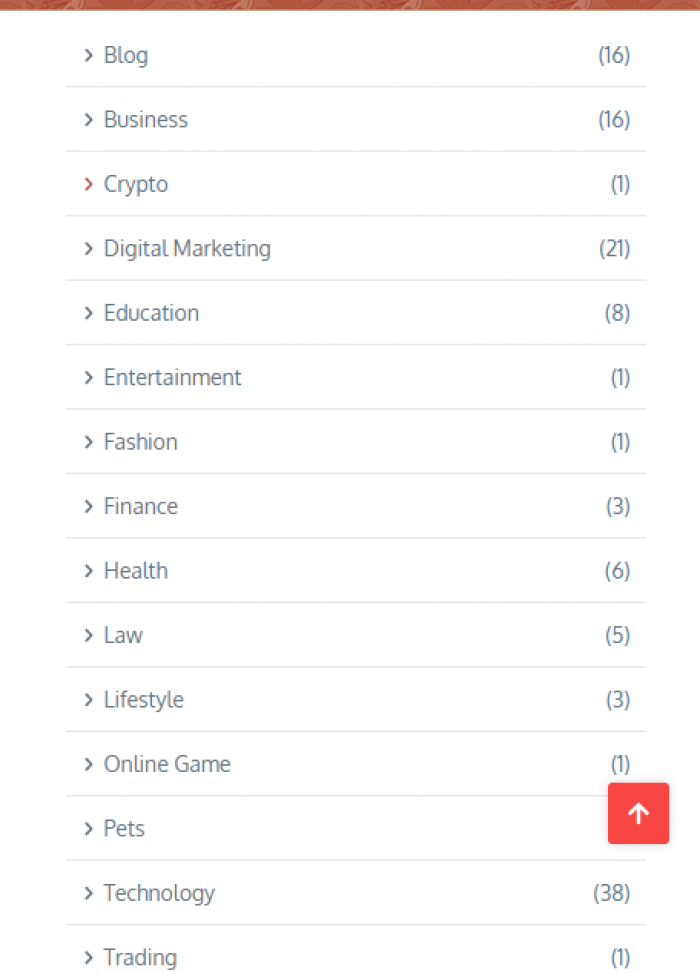
| Category | Articles | What you'll find |
|---|---|---|
| Technology | 38 | Network security, infrastructure, AI in healthcare, software guides |
| Digital Marketing | 21 | SEO basics, blogging, growing an online presence |
| Business | 16 | Startups, tools, “how to open or run X” guides |
| Blog (general) | 16 | A grab-bag, including some clearly commercial posts |
| Education | 8 | Study techniques, building a first website, AR and VR in learning |
| Health and Travel | 6 each | Wellness explainers, plus lots of India travel guides |
| Law, Finance, Lifestyle | 3 to 5 | Thin coverage, a handful of posts each |
| Crypto, Pets, Fashion, Gaming | 1 each | Effectively placeholders, one post and done |
Add it up and you're looking at roughly 130 published posts, with the oldest dating back to July 2023 and the newest landing in May 2026. So it's not abandoned, and it's not brand-new either. It's been quietly publishing for a couple of years.
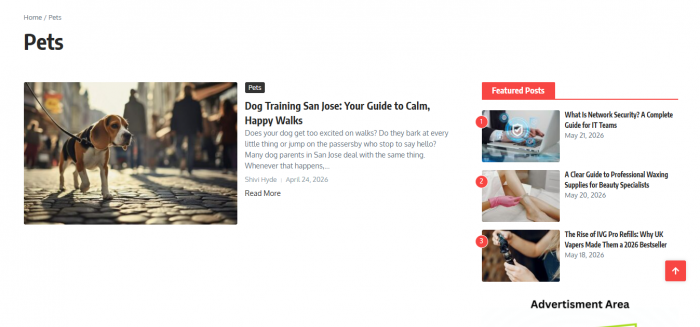
The reading experience is genuinely fine. Short paragraphs, clear headings, no autoplay video screaming at you, no “sign up to keep reading” wall. It loads fast and gets out of your way. For a casual read, that counts for something.
FINDING 02 | THE DEPTH DROPS OFF A CLIFF Two categories carry the whole site. Technology (38) and Digital Marketing (21) are where the real, structured content lives. Outside the top four buckets, a “category” is often a single lonely article. The breadth is mostly cosmetic. |
The namesake trap nobody warns you about
This is the single most useful thing in this review, so I put it near the top.
Search “pushwiki” and you'll hit a cluster of near-identical names. People leave reviews for one while looking at another, which is how the internet ended up so confused about this site. Here's the untangling:
| Site | What it actually is | The one you searched? |
|---|---|---|
| pushwiki.com | The original multi-topic blog reviewed here | Yes, this one |
| push-wiki.com | A separate “Tech and AI hub” with a different owner | No |
| thepushwiki.com | A landing-page-style “knowledge platform” | No |
| pushwikii.com | An influencer-marketing services site | No |
| pushwiki.net | Yet another general blog (“Learn Something New”) | No |
None of these are run by the same people, as far as I can tell. So if a glowing write-up describes “Martin, a tech expert with four years of experience,” it's talking about push-wiki.com, not the site at pushwiki.com. Check the exact domain before you trust anything you read about it, including this.
Is the writing any good?
Mixed, honestly. Let me give you both sides with real examples I read.
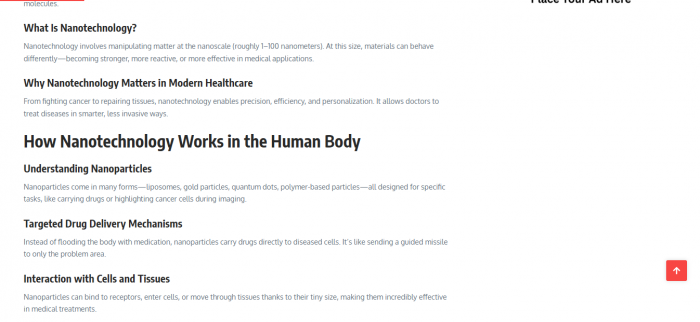
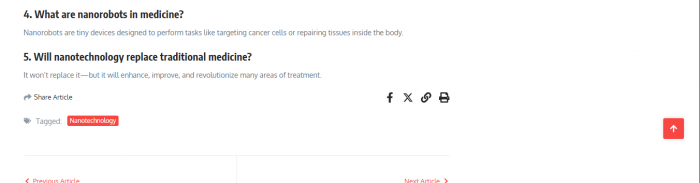
Some posts are legitimately useful. The network security guide for IT teams is structured and practical. The piece on nanotechnology in medicine and the one on memory-retention techniques are written for a normal human, no jargon wall, no padding for the sake of it. If you land on one of these for a first-pass explanation, you'll come away knowing more than you did.
Then there's the other half. A noticeable chunk of posts read like SEO-and-affiliate plays dressed as guides: a write-up on professional waxing supplies that points to a specific retailer, an article about vape refills, a “delivery to Armenia” explainer that funnels to a courier. That's not evil, plenty of sites monetise this way, but it means you can't assume every “guide” is neutral. Some exist to send you somewhere.
THE REAL TELL Across everything I read, I found almost no citations. Claims are stated, not sourced. For a tech tip that's tolerable. For anything in the health, law, or finance buckets, it's a genuine problem. You're being asked to take the writer's word for it with nothing to check against. |
Is PushWiki.com safe and legit?
Short answer: it's safe to read, and there's nothing that screams scam. Longer answer needs a distinction people keep blurring.
Security-wise, the risk is low. The site runs on HTTPS, it doesn't ask you to log in, there's no checkout, and it never demanded payment or personal details from me. You're just reading articles, about the same exposure as any other blog. No malware flags came up while I was on it.
Trust-wise is where I'd slow down. The contact point is a personal Gmail address rather than a business email. There's no company name, no registered address, no “meet the team” page with real credentials. The authors have names but not much behind them. That doesn't make it a scam, it makes it anonymous, and anonymity is a reason to verify its claims, not panic.
FINDING 03 | LOW RISK, LOW ACCOUNTABILITY The danger here isn't getting hacked. It's quietly trusting an unsourced article from an unnamed publisher and acting on it. Keep your guard at the “is this accurate?” level, not the “is this dangerous?” level. |
How I checked it
You shouldn't take my word that any site is legit. Here's the exact sequence I ran, which works on PushWiki or any unfamiliar website. After each step I've written down what it actually showed me.
1. Check the domain age. Drop the URL into a WHOIS lookup. A site that's been live for years is lower-risk than one registered last month.
What I found on PushWiki: The domain wasn't freshly minted. The earliest posts go back to July 2023, which lines up with a registration that's a couple of years old. That alone moved it out of the “thrown up last week to grab my card details” bucket for me.
2. Confirm HTTPS. Look for the padlock. It's the floor, not the ceiling, since scam sites can have it too, but its absence is a hard no.
What I found on PushWiki: It passed this without drama. Padlock present, connection encrypted, and my browser never threw a warning the whole time I clicked around. Baseline cleared, but I reminded myself this proves nothing about whether the writing is accurate.
3. Search the exact domain plus “reddit” and “scam.” Real complaints surface in forums, not on the site's own pages. Watch the dates.
What I found on PushWiki: This is where it went quiet. I mostly turned up other blogs reviewing it, not actual users sharing experiences. No scam threads, but also nobody vouching for it. Empty in both directions, which told me the site is still flying under the radar.
4. Hunt for a real contact. A business email and address is a good sign. A bare Gmail and no address means proceed, but don't hand over anything sensitive.
What I found on PushWiki: This is the one that made me raise an eyebrow. The only contact I could find was a personal Gmail address. No company name, no business address, no support page. For a site that just wants me to read, fine. If it ever asked me for money, that missing paper trail would stop me cold.
5. Read one article critically. Does it cite sources? Does the writer seem to know the subject, or is it interchangeable filler? That tells you whether the content is worth your time, separate from whether the site is “safe.”
What I found on PushWiki: I read several, not one. The network security piece held up and clearly knew its subject. A couple of others read like they existed to push a product. Almost none of them cited a source. So the content passed my “readable” test and failed my “prove it” test.
Run those five and you'll out-evaluate most of the “is X legit?” posts online, including the ones ranking above this one.
PushWiki vs the things you'd use instead
It helps to see where it sits next to the usual options:
| PushWiki.com | Wikipedia | Medium | Quick Google | |
|---|---|---|---|---|
| Who writes it | A few unnamed-ish bylines | Global volunteers | Anyone with an account | Everyone |
| You can edit it | No | Yes | Yes (your own) | n/a |
| Sources cited | Rarely | Required | Varies | Varies |
| Depth | Beginner | Mid to advanced | Mid | Scattered |
| Best for | A clean first read | Background and facts | Opinions and essays | Speed |
PushWiki's niche is real but narrow: it's faster and friendlier to read than Wikipedia, and cleaner than digging through a Reddit thread. The moment accuracy matters more than readability, the other columns win.
Honest pros and cons
What I liked
• Completely free, no login, no paywall, no signup wall
• Clean, fast, genuinely easy to read
• The tech and marketing sections have real, useful posts
• Articles are bylined, not anonymous content-farm soup
• Broad enough that you'll usually find something on your topic
What made me cautious
• It's not a wiki, you can't edit or verify anything
• Almost no sources behind factual claims
• Ownership is thin: a Gmail, no company, no address
• Quality is uneven once you leave the top categories
• Some “guides” are really affiliate or SEO plays
Who should actually use it
Use PushWiki.com if you want a quick, plain-English explanation to get oriented on a topic: what something is, roughly how it works, the basic shape of it. For a curious beginner skimming before a deeper dive, it does the job.
Skip it as a primary source if you're making a decision with consequences. Anything touching your money, your health, your legal situation, or a purchase you'll regret deserves a sourced, accountable reference, and PushWiki, by its own setup, can't be that.
ONE FIRM RULE Never let an unsourced PushWiki article be the last thing you read before acting. Let it be the first, then go confirm with someone who has to put their name and credentials on the line. |
A handy first read, just don't mistake it for the source
PushWiki.com is exactly what it is once you ignore the marketing: a free, readable, multi-topic blog that's been quietly publishing since 2023. At its best, in tech and digital marketing, it gives beginners a clean, jargon-free explanation. At its weakest, it's thin, unsourced, and occasionally trying to sell you something. That's why it lands at 6.5 / 10 for me. Good enough to start with. Not good enough to finish with. Use it to ask smarter questions, then go find the answers somewhere accountable. |
My personal verdict
Let me drop the reviewer voice for a second and just tell you how I actually feel about it after spending real time inside.
Would I bookmark PushWiki.com? Honestly, no. Would I click it if it showed up in my search results? Yes, for the right kind of question. Here's how I'd genuinely use a site like this in my own week: when I want the shape of an unfamiliar topic in two minutes before I go read something serious, it's perfectly good for that. It explained a few things to me cleanly and I didn't feel my time was wasted.
But the moment I needed a number I'd actually quote, a fact I'd act on, or advice that touched my money or my health, I closed the tab and went somewhere that signs its name to the claim. That's the part I can't get past: it didn't earn my trust, it just held my attention. And for me those are two very different things.
MY ONE-LINE VERDICT I'd read it, I just wouldn't rely on it. For me that's a calibrated 6.5 out of 10, and that score is doing exactly what I want it to: telling you it's useful without pretending it's authoritative. |
Post Comments
Be the first to post comment!