Table of Content
- Why Creators Are Searching for AutoDraft AI Alternatives
- What Is AutoDraft AI?
- The 5 Tools at a Glance
- Vyond, The Corporate Heavyweight
- Animaker, The DIY Workhorse
- Renderforest, The All-in-One Studio
- Runway ML, The AI Cinematographer
- Pricing Comparison Across All Five Tools
- Use Case Recommendations: Which Tool Fits Your Job
- Limitations Worth Knowing About
- Final Verdict: Which AutoDraft AI Alternative Should You Pick?
If you have spent any time on YouTube animation Twitter or watched explainer videos in the last year, you have probably bumped into AutoDraft AI. It promises consistent characters, lip-synced animation, and a wallet-friendly path to the kind of cartoon series that used to need a small studio.
But “wallet-friendly AI animation” is now a crowded shelf. Vyond runs the boardrooms. Animaker dominates the DIY crowd. Renderforest tries to be everything at once. Runway ML is busy redefining what AI video can do. So how does AutoDraft AI actually stack up?
This comparison breaks down all five tools using verified data from G2, Capterra, Software Advice, GetApp, and the vendors’ own pricing pages. No fluff, no inflated claims, just the facts you need before swiping a card.
Why Creators Are Searching for AutoDraft AI Alternatives
AutoDraft AI is a strong tool, but no platform is perfect for every workflow. The most common reasons creators start shopping around are predictable:
Output quality on complex scenes still needs human polish. Reviews on MobileAppDaily noted that the AI’s output “often lacks the critical depth and stylistic nuance required for a final, polished piece,” meaning a human editor is essentially mandatory for client deliverables.
Lip-sync is functional but not fully synchronized yet. The vendor itself flags improved lip-sync as an upcoming feature. For corporate training, multilingual content, or anything where character authenticity matters, that gap is enough to send teams looking elsewhere.
Style coverage is narrow. AutoDraft excels at cartoon, webtoon, and semi-realistic styles. If you need cinematic photorealism, whiteboard animation, or live-action templates, the tool will fight you. That is where the alternatives come in.
What Is AutoDraft AI?
AutoDraft AI is a generative animation platform built primarily for YouTubers, comic creators, educators, and storytellers who want to produce 2D animated videos without learning Adobe After Effects or hiring a freelancer per scene. Built around custom-trained AI models, it focuses on character and art style consistency across frames, which has historically been the weakest link in AI-generated visuals.
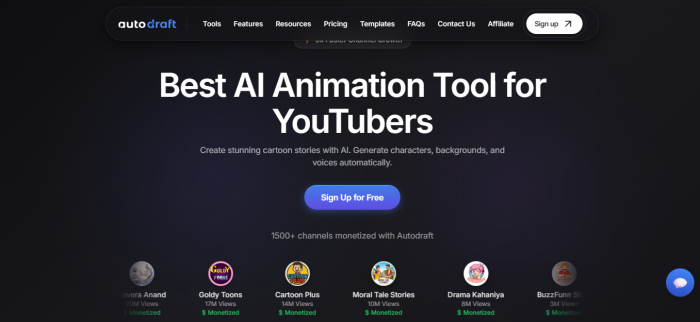
The platform combines text-to-image, sketch-to-image, image stylization, AI voiceovers, character animation with lip-sync, automatic facial expressions, and a copyright-free background music library inside one drag-and-drop interface. According to the vendor, around 90 percent of features are usable on the free tier, and finished animations can be exported in 4K with no credit card required.
AutoDraft offers Base and Pro plans priced (in GBP) at roughly £10 per month and £35 per month when billed monthly, with discounts on annual billing. The Pro plan includes 4,000 monthly credits, AI voiceover, AI voice cloning, premium asset packs, and unlimited 4K cloud downloads. Both paid tiers include the AI thumbnail maker and the AI editing suite.
Where it shines: cartoon storytelling, webtoons, nursery rhymes, and explainer content for monetized channels. Where it stumbles: lip-sync precision is still maturing, hands and small facial details occasionally need manual touch-up, and niche art styles outside cartoon territory are thinly supported.
The 5 Tools at a Glance
Before we go deep on each tool, here is the cheat sheet. Ratings are pulled from verified review aggregations on G2, Capterra, and AIpedia as of mid-2026.
| Tool | Best For | G2 | Capterra | Starting Price |
|---|---|---|---|---|
| AutoDraft AI | YouTubers, webtoons | Not yet rated | Not yet rated | Free / £10 mo |
| Vyond | Enterprise L&D | 4.7/5 (462+) | 4.7/5 (258) | $99/mo |
| Animaker | DIY creators, SMBs | 4.7/5 (1,012) | 4.2/5 (235) | Free / $25 mo |
| Renderforest | Branding-first SMBs | 4.5/5 | 4.6/5 | Free / paid |
| Runway ML | AI filmmakers, agencies | 4.3/5 (AIpedia) | 4.5+/5 | Free / $15 mo |
Vyond, The Corporate Heavyweight
Vyond, formerly known as GoAnimate before its 2018 rebrand, is the platform corporate America reaches for when it needs animated training and explainer content. According to Vyond’s own published data on Software Advice, the platform is used by more than 65 percent of the Fortune 500 and over 20,000 companies, with more than 40 million videos created since 2007. The user base spans names like American Express, Whole Foods Market, Indeed, and Cargill.
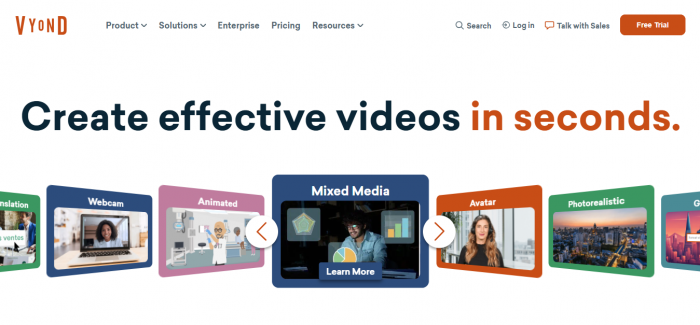
Two engines do the heavy lifting. Vyond Go converts a text prompt or document into a complete animated draft within seconds, picking characters, scenes, and pacing automatically. Vyond Studio is the manual editor where teams customize timing, swap characters, and apply brand assets. Auto-translation into 80-plus languages is a quiet superpower for global compliance and onboarding training.
Vyond Pricing (2026)
| Plan | Annual Price | Best For |
|---|---|---|
| Starter | $699/year ($99/mo) | Solo creators, freelancers |
| Professional | $1,199/year | 1 to 5 user teams |
| Enterprise | $1,649/year per seat | Large orgs, custom needs |
Vyond Pros and Cons
| Pros | Cons |
|---|---|
| Multiple visual styles (animated, photorealistic, mixed media) | Premium pricing, not for hobbyists |
| Strong AI text-to-video with editable scenes | Character rigging feels limited vs traditional animation tools |
| 80+ language translation built in | Some users report lag on longer projects |
| Robust enterprise security and SSO | Limited template variety in niche industries |
Vyond customer testimonials cite up to a 75 percent reduction in production time and tenfold engagement gains. Those are vendor figures, so apply the usual salt, but the consistent 4.7/5 ratings on G2 and Software Advice suggest the bones of the product are genuinely strong.
Animaker, The DIY Workhorse
Animaker has quietly become one of the most popular animation platforms on the planet, with over 10 million users across 220 countries according to its Capterra listing. The pitch is simple: 4K animated and live-action videos with no technical skills required, and a price that does not require board approval.
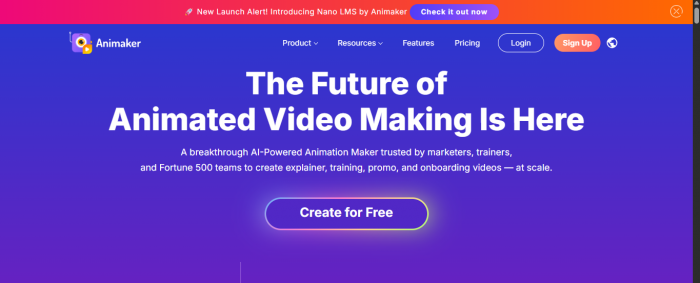
Animaker bundles 2D animation, whiteboard animation, infographics, and live-action templates into one editor. The 2026 release added genuinely useful AI tools, including AI subtitles, AI video generation, an AI voiceover engine, background removal, and a stickerify tool that converts images into animated stickers.
Animaker Pricing (2026)
| Plan | Monthly Price | What You Get |
|---|---|---|
| Free | $0 | 10 AI assets, 5 AI generations, 3 downloads/mo |
| Starter | $25 | 90 sec generative video, FHD, 200 AI assets |
| Pro | $43 | 180 sec generative video, 300 AI assets, longer videos |
| Enterprise | Custom | Team features, white-label exports |
Animaker Pros and Cons
| Pros | Cons |
|---|---|
| Generous free tier and affordable Pro plan | Capterra users flag occasional lagging and crashes |
| 4K animated and live-action support in one editor | Some report basic functionality feels unreliable at peak load |
| Massive template library, regularly updated | AI voiceover quality is decent, not class-leading |
| G2 rating of 4.7/5 across 1,012+ reviews | Less polished for enterprise compliance use cases |
The split between Animaker’s 4.7/5 G2 score and 4.2/5 Capterra score is worth noticing. Capterra reviewers tend to be heavier business users, and they consistently flag value-for-money concerns and stability issues. G2’s broader user mix, including students and small creators, weights the experience more positively.
Renderforest, The All-in-One Studio
If AutoDraft AI is a scalpel for animation, Renderforest is a Swiss Army knife. The Yerevan-headquartered platform offers more than 1,200 templates spanning animated explainers, logo intros, slideshows, music visualizers, mock-ups, and even a full website builder. According to GetApp, video making accounts for roughly 78 percent of how reviewers actually use it, with the remainder split between branding, web design, and presentations.
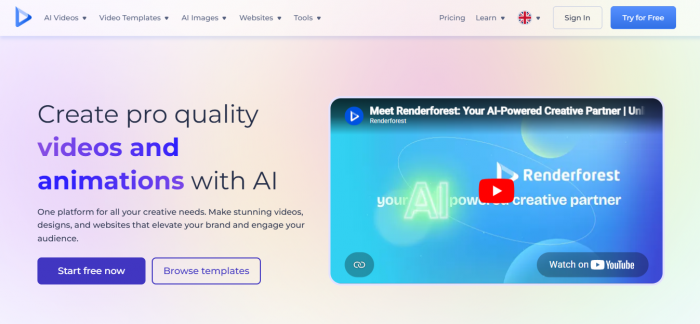
Renderforest is template-first by design, which is both its biggest strength and its biggest constraint. If your concept fits an existing template, you can ship a polished 30-second animated explainer in under five minutes. If your idea does not fit, you will spend longer wrestling the template than you would in a free tool.
Renderforest Pricing (Indicative)
Renderforest runs four tiers (Free, Lite, Pro, and Business) with both annual subscriptions and pay-per-export options. Free exports include a 720p watermark; paid plans unlock HD and 4K, expanded storage, and a wider asset library. Verified pricing varies by region and currency, so check the live pricing page before committing. The platform is consistently praised on Capterra for quick customer support response times.
Renderforest Pros and Cons
| Pros | Cons |
|---|---|
| One platform for video, logo, branding, and website creation | Customization inside templates is limited |
| Cloud rendering, no software downloads | Free plan adds visible 720p watermarks |
| 1,200+ templates, regularly updated | AI features lag behind dedicated AI video tools |
| Mobile-friendly with strong customer support | Some templates feel dated next to modern AI generators |
Reviewers on Capterra and G2 consistently praise Renderforest’s customer support and price-to-output ratio, while warning that the credit-based pricing structure becomes confusing at higher tiers. For a small business that needs a logo, a website, and a couple of promo videos in the same week, the all-in-one model is hard to beat.
Runway ML, The AI Cinematographer
Runway is in a different weight class. While AutoDraft, Animaker, and Vyond focus on stylized 2D animation, Runway’s Gen-4 and Aleph models generate cinematic, near-photoreal video clips from text prompts, images, or existing footage. Lionsgate has partnered with Runway for production workflows, which tells you who the real audience is.
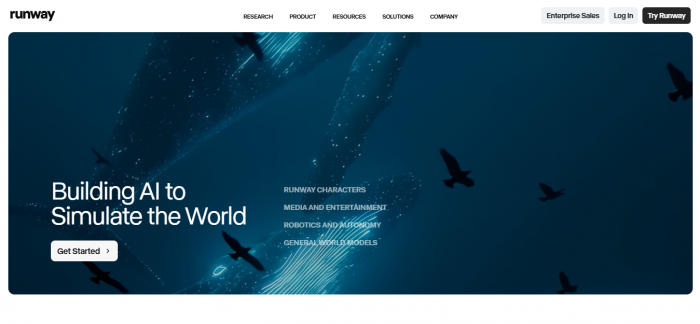
Runway’s Gen-4 currently scores around 8.5 out of 10 for photorealism, behind only OpenAI’s Sora 2 and Google’s Veo 3.1 at the top of the market. The platform supports text-to-video, image-to-video, video-to-video transformations, motion brush controls, custom model training, and 4K upscaling on higher tiers. The Aleph model adds directed editing, where you describe a change instead of starting over.
Runway ML Pricing (Verified, April 2026)
| Plan | Monthly | Annual (per mo) | Credits |
|---|---|---|---|
| Free | $0 | $0 | 125 one-time |
| Standard | $15 | $12 | 625 / month |
| Pro | $35 | $28 | 2,250 / month |
| Unlimited | $95 | $76 | Explore mode |
| Enterprise | Custom | Custom | Custom |
Runway ML Pros and Cons
| Pros | Cons |
|---|---|
| Industry-leading AI video quality (Gen-4, Aleph) | 16-second clip cap limits long-form narratives |
| Strong workflow tools (motion brush, custom models) | Credit system requires careful planning, no rollover |
| Battle-tested commercial license, used by Lionsgate | Free tier is largely a teaser, not a production tool |
| Familiar timeline UI for editors used to Premiere | Native audio generation is missing, you will need a second tool |
Runway is the one alternative on this list that does not directly replace AutoDraft AI, it complements it. Many creators use Runway for high-end hero shots and AutoDraft for cheaper bulk character animation in the same project.
Pricing Comparison Across All Five Tools
Pricing is where the gap between these tools becomes obvious. Here is the side-by-side at the time of publishing:
| Tool | Free Tier | Entry Plan | Mid Tier | High Tier |
|---|---|---|---|---|
| AutoDraft AI | Yes (90% features) | Base £10/mo | Pro £35/mo | Enterprise (custom) |
| Vyond | 14-day trial only | $99/mo Starter | $1,199/yr Pro | $1,649/yr Ent. |
| Animaker | Yes (3 downloads) | $25/mo Starter | $43/mo Pro | Custom Enterprise |
| Renderforest | Yes (watermarked) | Lite (varies) | Pro (varies) | Business (varies) |
| Runway ML | Yes (125 credits) | $12-$15/mo | $28-$35/mo | $76-$95/mo |
If you are budget-sensitive, AutoDraft AI and Animaker are the only two combining a genuinely useful free tier with sub-$50 paid plans. Vyond is the most expensive by a wide margin, which makes sense given its enterprise positioning.
Use Case Recommendations: Which Tool Fits Your Job
Different jobs call for different tools. Here is who each platform actually serves best, based on documented strengths and verified user reviews:
| User Type | Best Pick | Why |
|---|---|---|
| YouTube cartoon channel | AutoDraft AI | Character consistency, low cost, 4K exports |
| Corporate L&D team | Vyond | Brand controls, 80+ languages, enterprise security |
| Solo educator or marketer | Animaker | Affordable, intuitive, big template library |
| SMB needing video + logo + site | Renderforest | All-in-one branding workflow |
| Indie filmmaker or ad agency | Runway ML | Cinematic AI generation and post-production |
| Webtoon or comic creator | AutoDraft AI | Pose maker, sketch-to-image, style consistency |
Limitations Worth Knowing About
No tool here is perfect, and pretending otherwise would do you a disservice. The honest list looks like this:
AutoDraft AI is still maturing on lip-sync precision, and certain art styles outside cartoon and webtoon territory are thinly supported. Vyond is expensive and limits character rigging compared to traditional animation suites. Animaker has documented stability issues, particularly under load on Capterra reviews. Renderforest sacrifices customization for template volume and looks dated next to AI-native tools. Runway is brilliant but capped at 16-second clips, with a credit system that drains a wallet faster than expected if you experiment heavily.
Every limitation here also applies in reverse: each tool’s weakness is another tool’s strength. Which is exactly why most professional creators end up using two or three of these in combination rather than choosing one.
Final Verdict: Which AutoDraft AI Alternative Should You Pick?
The right answer depends on what you ship and who pays for it.
If you are an indie YouTuber, comic creator, or storyteller who liked AutoDraft AI but want broader template support, Animaker is the closest direct alternative at a similar price point. If you are running training videos for an actual company with compliance teams, Vyond earns its premium. If you need a logo, a website, and a quick promo video this week, Renderforest will get you there before lunch. And if you are pushing into cinematic AI video for ads or short films, Runway is the only serious choice on the list.
For most readers of this article, the practical playbook is this: keep AutoDraft AI for character-driven storytelling, layer Animaker or Renderforest for utility content, and reserve Runway for the moments where production value actually matters. The five tools are not mutually exclusive. They are a stack.
The good news? Every platform here offers a usable free tier or trial. Spend a Saturday with two or three of them before committing to a yearly plan. Your animation budget, and your future self, will thank you.
Post Comments
Be the first to post comment!
Related Articles




Grubby AI vs WriteHuman: Which One Should You Use?
Ridge Harper . Jun 30, 2026