Table of Content
- The Short Version
- Meet the Tools
- Cutout.Pro: The Dedicated Specialist
- Canva Background Remover: The Design Suite Button
- Head-to-Head Comparison
- Accuracy: Where the Rubber Meets the Road
- Where Cutout.Pro Wins on Accuracy
- Where Canva Holds Its Own
- Pros & Cons: The Honest Breakdown
- Cutout.Pro: Pros
- Cutout.Pro: Cons
- Canva Background Remover: Pros
- Canva Background Remover: Cons
- What Real Users Actually Say
- On Cutout.Pro:
- On Canva Background Remover:
- Pricing: The Real Cost of Each Tool
- Cutout.Pro Pricing Breakdown
- Canva Pro Pricing Breakdown
- User Ratings at a Glance
- Who Should Use Which?
- A Note on Data Privacy
- Final Verdict
Background removal is one of those tasks that should be simple - and in 2026, the AI tools handling it are genuinely impressive. But picking the wrong one for your workflow will either cost you money on features you never use, or leave you manually fixing messy edges you expected the AI to nail. Cutout.Pro and Canva's Background Remover are two of the most-searched options, and they couldn't be more different under the hood.
Cutout.Pro is a purpose-built visual editing platform. Background removal is what it was designed around. Canva's remover is a single button inside the world's most popular design suite. Neither is universally "better" - but one of them is almost certainly a much better match for what you actually need. This comparison will help you figure out which one that is.
The Short Version
TL;DR • Choose Cutout.Pro if you need dedicated background removal - especially for complex images, video, batch workflows, or API access. • Choose Canva's Background Remover if you already design in Canva and need quick, integrated one-click removal for social media graphics and marketing materials. • Don't choose Canva just for background removal - at $12.99–$14.99/mo, you're paying for the whole Canva Pro suite whether you use it or not. |
Meet the Tools
Cutout.Pro: The Dedicated Specialist
Founded in 2018 by Team LibAI, Cutout.Pro started life as a pure background remover and has since grown into a broad AI visual editing platform. As of 2026, it's trusted by over 25,000 businesses and offers more than 20 tools - including photo enhancement, passport photo creation, video background removal, AI art generation, and e-commerce product staging. Its core engine uses a multi-stage pipeline: semantic segmentation, region-specific processing (hair, skin, fabric each get different treatment), alpha matting, and edge refinement.
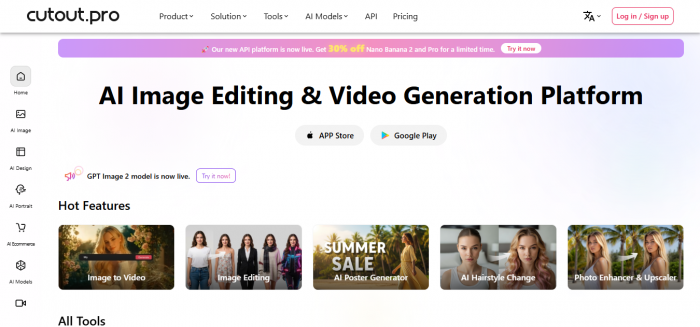
The result is a tool that consistently outperforms single-pass AI tools on complex subjects - but comes with a credit-based pricing model and a trust concern in the form of an unresolved 2024 data breach.
Canva Background Remover: The Design Suite Button
Canva's Background Remover isn't a standalone product. It's a single-click feature inside Canva Pro - the full-stack design platform used by over 170 million people worldwide. You upload an image, hit the BG Remover button, and Canva's AI isolates the subject. Then you drop the cutout directly onto templates, add design elements, and publish - all in the same tab.
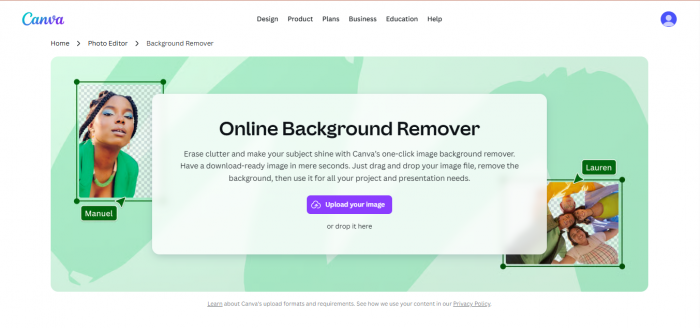
Canva actually acquired Remove.bg technology and integrated it into the platform, which is why the accuracy on portraits and simple subjects is solid. The limitation is that background removal is one feature among hundreds - not the thing Canva's AI team is optimising hardest for.
Head-to-Head Comparison
Here's the full breakdown across every category that matters for day-to-day use:
| Category | Cutout.Pro | Canva BG Remover |
| Founded | 2018 | 2019 (Canva Pro launched) |
| Pricing Model | Credit-based ($5.99–$19.99/mo) | Bundled with Canva Pro ($12.99–$14.99/mo) |
| Free Tier | 5 credits at signup; low-res preview free | 1 free trial removal for new users only |
| Standalone Product | Yes - focused tool | No - requires full Canva Pro |
| Batch Processing | Yes - core feature | No - one image at a time only |
| Video BG Removal | Yes - no green screen needed | Yes - basic, inside Canva editor |
| Complex Hair/Fur | Better (multi-stage alpha matting) | Moderate (single-pass segmentation) |
| Transparent Objects | Handles well - partial transparency | Often loses sheer/transparent areas |
| Manual Touch-up | Erase/Restore brush available | Basic Erase/Restore brush |
| Design Integration | Minimal - export only | Full Canva design suite (650K+ templates) |
| Passport Photos | Yes - country-specific compliance | No dedicated tool |
| API Access | Yes - from $49.99/mo | No standalone API |
| Shopify Plugin | Yes - direct integration | No |
| Mobile App | iOS + Android | Full iOS + Android Canva app |
| Data Privacy Concern | Unresolved 2024 breach report | No known breach - strong security |
| Best For | Specialists, e-commerce, video, API | Designers already on Canva Pro |
Accuracy: Where the Rubber Meets the Road
Both tools handle simple product photos on clean backgrounds well - neither is going to embarrass itself on a white-background shoe photo. The gap opens up the moment you push them on harder material.
Where Cutout.Pro Wins on Accuracy
The multi-stage pipeline is Cutout.Pro's real advantage. Complex hair - flyaways, fine strands, curly edges - is processed through dedicated alpha matting that assigns partial transparency pixel by pixel, rather than making a binary foreground/background decision. The result is a gradual, natural-looking transition that holds up when you place the cutout on a different background.
Transparent fabric is where the gap is most dramatic. A sheer blouse or chiffon skirt that Canva renders as either fully opaque or fully removed will come through Cutout.Pro with its translucency largely intact. For fashion e-commerce, this is a material difference in final image quality. Fine jewelry - thin chains, pendant settings - also fares better, with most visible elements preserved where Canva occasionally treats fine wire as background.
Where Canva Holds Its Own
For straightforward portraits against solid or simple backgrounds, Canva's accuracy is genuinely competitive. Users on Capterra repeatedly describe it as "quick and clean" for social media content and headshots. The seamless design integration means the moment the background is removed, you're already placing the subject into a template - no downloading, re-uploading, or switching tabs.
The honest verdict: Cutout.Pro is more accurate on complex images. Canva is good enough for most social media and presentation use cases - and the workflow convenience partially compensates for the quality gap.
Pros & Cons: The Honest Breakdown
Cutout.Pro: Pros
• Purpose-built for background removal - this is what the team optimises hardest for.
• Best-in-class accuracy on complex edges: hair, transparent fabric, fine jewelry.
• Video background removal without a green screen - a genuine differentiator most competitors don't offer.
• Batch processing handles high-volume e-commerce catalogs efficiently.
• 20+ additional tools under one roof: photo enhancement, upscaling, passport photos, AI art, and e-commerce staging.
• API access available for developers and automated workflows.
• Shopify integration works directly with your store.
• Credits roll over (up to 5x monthly limit), so unused credits aren't wasted.
Cutout.Pro: Cons
• Credit-based pricing is difficult to budget - high-volume processing burns through credits quickly.
• Pay-as-you-go rate of $0.499 per credit is expensive if you forget to subscribe.
• 2024 data breach report is unresolved - the company denied it, but third-party security reports flagged email addresses, hashed passwords, and IP addresses. Not ideal for sensitive images.
• No real design tools - the output is a file, not a ready-to-publish asset.
• User interface is functional but dated compared to Canva's polished editor.
• Still imperfect on extreme edge cases: multi-layered transparency (glass vase in front of a window), very low-contrast subjects.
• Community is thin - online support resources are limited compared to Canva's vast ecosystem.
Canva Background Remover: Pros
• Seamless integration into the Canva editor - no upload-download-reimport cycle.
• Canva Pro is already worth it for most designers, making the background remover essentially free with the subscription.
• Clean, intuitive interface that non-technical users pick up instantly.
• Results appear in 2–3 seconds and drop directly onto your canvas.
• Full design ecosystem: 650K+ templates, 100M+ stock assets, brand kit, animations.
• Strong privacy record - no known data breaches.
• Video background removal available within the Canva Pro video editor.
• Erase and Restore brushes allow basic manual corrections.
Canva Background Remover: Cons
• Requires full Canva Pro ($12.99–$14.99/mo) - you can't buy just the background remover.
• No batch processing - every image must be handled individually, making it painful for large catalogs.
• Single-pass segmentation produces binary masks: pixels are either kept or removed, with limited partial transparency support.
• Hair and fur edges are often oversimplified - fine strands are lost, and the boundary can appear "cut out" rather than natural.
• Transparent fabrics are frequently lost - sheer areas may be fully removed.
• Manual correction options are limited - if the AI misses something, your refinement tools are basic.
• As of March 2026, 'Erase Background' replaces the background with white by default; a PNG download is required for a truly transparent output (verified Capterra review).
• No API access for automated pipelines or developer integration.
What Real Users Actually Say
Marketing copy is easy to write. User reviews are harder to fake. Here's what people consistently report across Capterra, Trustpilot, Reddit, and independent review sites:
On Cutout.Pro:
"I have gained much more traffic and a 47% increase in sales since the integration with Cutout.Pro's technology for our print-on-demand business."
- Verified Cutout.Pro user
"Your software is really easy to use. Before using Cutout.Pro, we had to remove backgrounds from pictures all night through. Now it's as easy as finger-snapping."
- User
"The credit system is the biggest watch-out. At $5 for 80 credits, you can burn through a monthly plan fast if you're processing a large catalog."
- independent review
"We recommend avoiding the platform for personal or sensitive images until [the 2024 breach] is resolved."
- independent review
On Canva Background Remover:
"I use Canva every single day in my job. If I need to remove a background it is quick and easy."
- User., Administrative Assistant (Capterra verified review)
"I have used [Canva] for two years now. Every upgrade has made the product more difficult to use. Canva is entirely too complex - it makes the simplest tasks nearly impossible to do well."
- User, Co-owner, Retail
"It worked well on some images, but it struggled with fine details like hair strands, often leaving behind rough edges. A lot of manual editing is required for the desired results."
- independent tester
"Canva is much faster for creating social media graphics compared to Photoshop. The pre-made templates save a lot of time on daily tasks."
- Capterra verified review
The pattern across reviews is consistent: Cutout.Pro earns praise for output quality and volume efficiency, criticism for pricing opacity and privacy concerns. Canva earns praise for workflow convenience and design integration, criticism for accuracy on complex images and the absence of batch processing.
Pricing: The Real Cost of Each Tool
Monthly cost comparison across plans - Cutout.Pro credit-based vs Canva Pro subscription (Apr 2026)
Cutout.Pro Pricing Breakdown
Cutout.Pro uses a credit-based model - which is flexible but can be confusing:
• Free: 5 credits on signup. Low-resolution downloads free. HD requires credits.
• Starter: $5.99/month for 40 credits ($4.19/mo on annual plan).
• Pro: $19.99/month for 200 credits ($13.99/mo on annual plan).
• Up to $69/month for 1,200 credits on the highest tier.
• Pay-as-you-go: from $2.99 for a small pack. Per-credit cost ranges $0.057–$0.499 depending on volume.
• Video credits are separate: ~$0.317 per minute for video background removal.
• API plans start at $49.99/month (Growth) and $149.99/month (Scale).
Credit consumption: 1 credit per standard image, 2 credits per HD image, 3–5 credits per second of video footage.
Canva Pro Pricing Breakdown
Canva's background remover is locked behind Canva Pro, which is a flat subscription covering the entire Canva platform:
• Canva Pro: $12.99–$14.99/month (pricing varies by region and platform - web vs iOS/Android).
• Annual plan: approximately $10/month effective - a meaningful discount.
• Teams plan: $16.67/person/month for multi-user brand collaboration.
• Background removal is unlimited on Pro - no per-image caps or credits.
• No standalone background removal purchase is available.
The value calculation: If you're already a Canva Pro subscriber, the background remover is effectively free. If you'd be subscribing to Canva only for background removal - don't. Cutout.Pro's entry plan is $5.99/month vs $12.99/month for Canva Pro, and Cutout.Pro will almost certainly produce better results on difficult images.
User Ratings at a Glance
Aggregated user ratings - Capterra verified reviews and ToolsForHumans community scores (Apr 2026)
The ratings reflect the different audiences these tools serve. Canva's higher satisfaction scores largely reflect that it's being rated as a full design platform - where its strengths in templates, ease of use, and design integration are dominant. Cutout.Pro's ratings, while lower overall, reflect the expectations of a more demanding user base: e-commerce teams and developers who are pushing the tool on complex images and high volumes.
Who Should Use Which?
Choose Cutout.Pro if you...
• Are processing product photos for e-commerce and need accurate, consistent results at volume.
• Regularly deal with complex subjects: fashion with sheer fabric, fine jewelry, portraits with flyaway hair.
• Need video background removal without setting up a green screen.
• Want API access to integrate background removal into your own app or automated pipeline.
• Are a Shopify seller wanting direct plugin integration for product images.
• Need additional tools like passport photo creation, photo colorization, or AI product staging.
• Don't need Canva's design features and don't want to pay for them.
Choose Canva Background Remover if you...
• Already subscribe to Canva Pro - background removal comes included at no extra cost.
• Primarily create social media graphics, presentations, or marketing materials and need quick cutouts as part of that workflow.
• Process simple images (clean backgrounds, standard portraits, hard-edged products) where single-pass AI is sufficient.
• Prefer everything in one tab - you want to remove the background and design with it immediately, without exporting and reimporting.
• Work with a team and value brand kit consistency across all your designs.
• Don't need batch processing and handle images individually.
A Note on Data Privacy
Important: Cutout.Pro Data Breach (2024) In February 2024, third-party cybersecurity outlets reported a data breach involving Cutout.Pro user data - allegedly including email addresses, hashed passwords, IP addresses, and account metadata. Cutout.Pro denied the breach occurred, and no detailed technical post-mortem has been published. Recommendation: Avoid uploading sensitive, confidential, or client-owned images to Cutout.Pro until this is publicly resolved. For personal photos or regulated-industry work, consider alternatives with stronger documented security. Canva has no comparable breach on record. |
Final Verdict
After going through the data, the user reviews, and the accuracy numbers, the honest answer is that these two tools are solving different problems - which means the "right" choice depends entirely on what you're doing.
If your job is to produce clean, professional cutouts at any meaningful volume - especially on complex images - Cutout.Pro is the better tool. The multi-stage AI pipeline genuinely produces better results on hair, transparent fabric, and jewelry. The batch processing, API access, and video background removal make it a professional-grade solution for e-commerce, agencies, and developers.
If you're already living in Canva and your background removal needs are light - social graphics, occasional headshots, simple product shots - Canva's remover is good enough, and you're probably already paying for it. The workflow convenience is real, and the accuracy gap won't matter for most marketing materials.
The one scenario to actively avoid: subscribing to Canva Pro specifically for background removal. At $12.99–$14.99/month, you're paying double Cutout.Pro's entry price for a tool that underperforms it on the one task you care about.
Quick Recommendation Summary E-commerce / High-volume → Cutout.Pro Fashion / Jewelry / Fine detail → Cutout.Pro Video background removal → Cutout.Pro (no green screen required) Developer / API integration → Cutout.Pro Social media graphics (already on Canva Pro) → Canva BG Remover Simple portraits for marketing materials → Either (Canva is more convenient) Sensitive or confidential images → Canva (better security track record) |
Post Comments
Be the first to post comment!
Related Articles




Grubby AI vs WriteHuman: Which One Should You Use?
Ridge Harper . Jun 30, 2026